Table of Contents
Currently, the ChatGPT-5 model has been updated for all accounts on both computer and phone versions. However, this model is not suitable for everyone, and you want to switch back to the previous ChatGPT model. Below are instructions for switching ChatGPT-5 to ChatGPT-4o on phone and computer.
How to convert ChatGPT-5 to ChatGPT-4o on phone
Step 1:
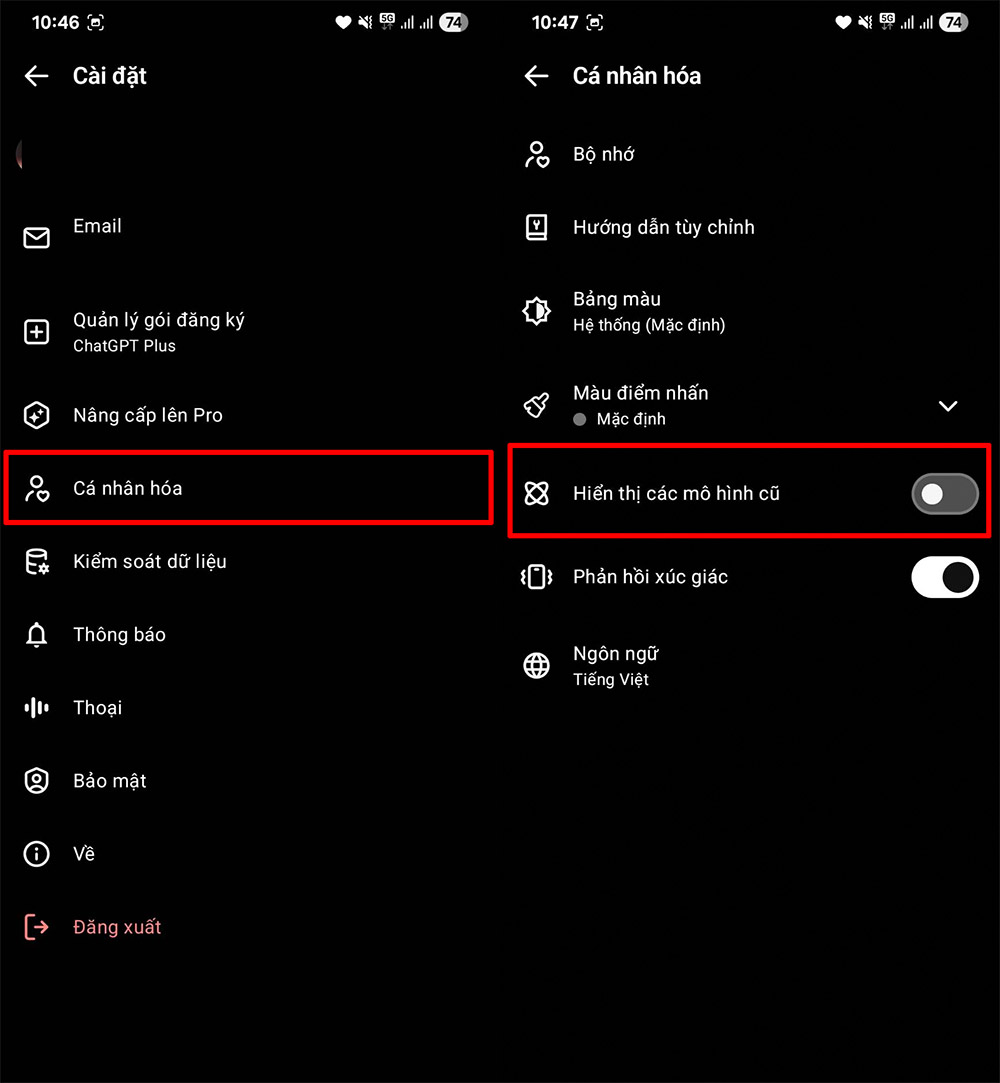
At the ChatGPT interface, select the dash icon and then select the account name. Next, select Personalize and then in the new interface, turn on Show old models to display and access and use previous versions of ChatGPT.
Step 2:
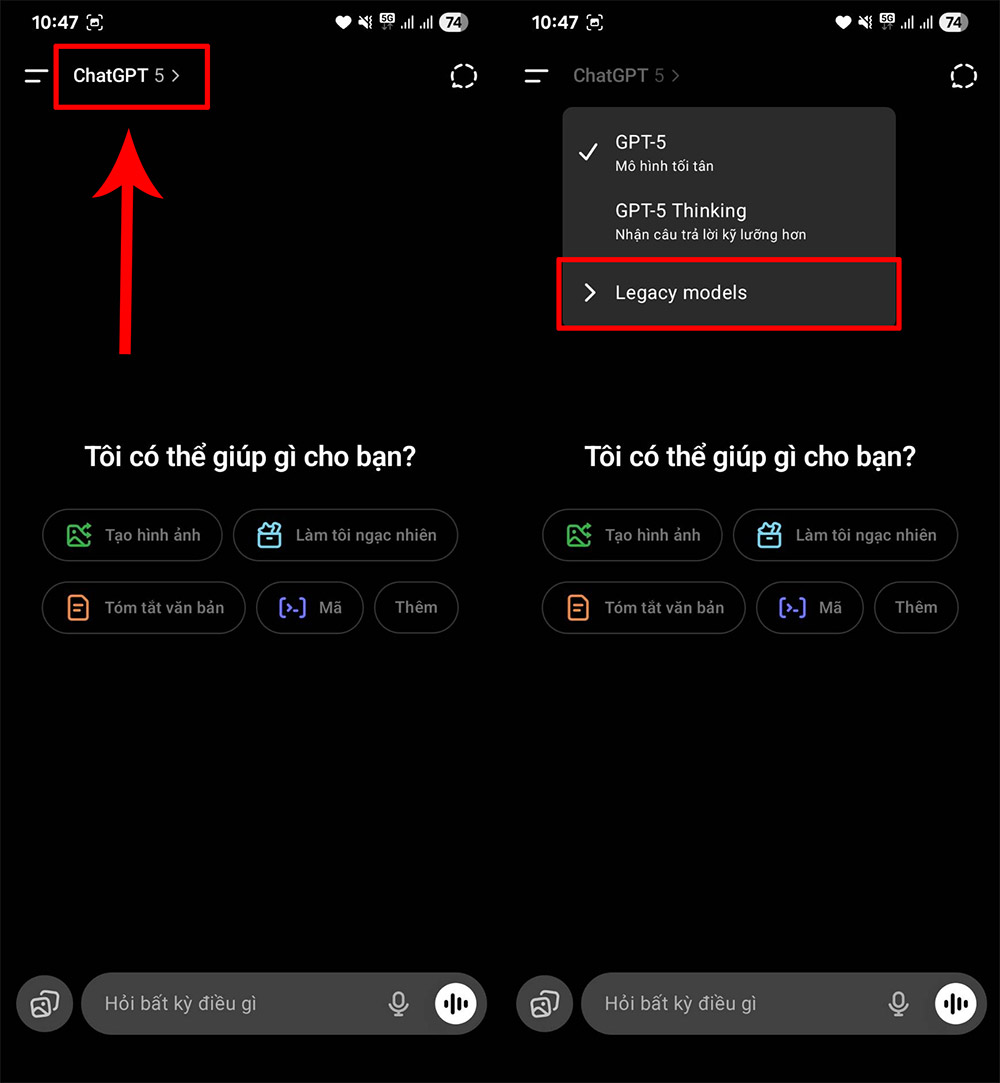
Return to the main view on ChatGPT, select the current model and select Legacy Models to see a list of old versions.
Step 3:
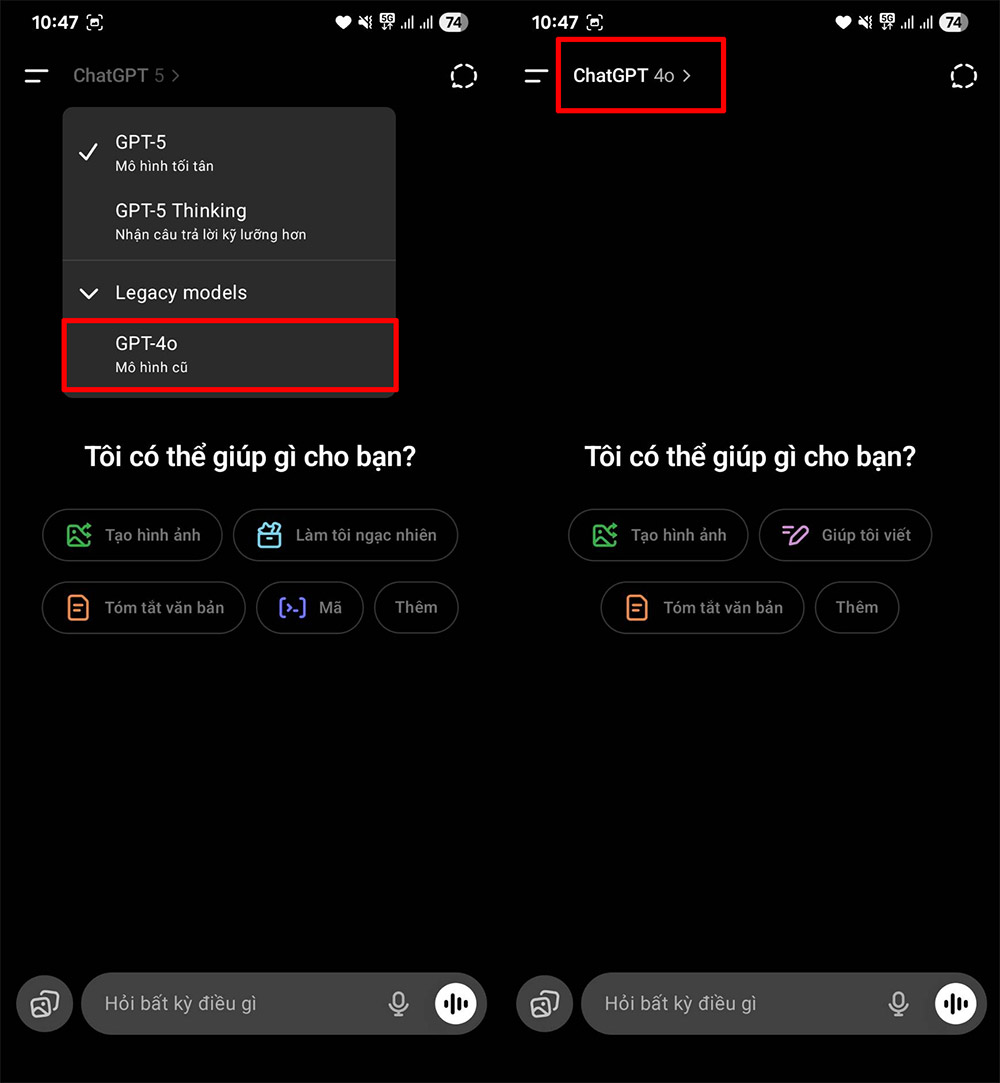
Then you will see the old models in ChatGPT, select ChatGPT-4o to use for this application.
How to convert ChatGPT-5 to ChatGPT-4o on computer
Step 1:
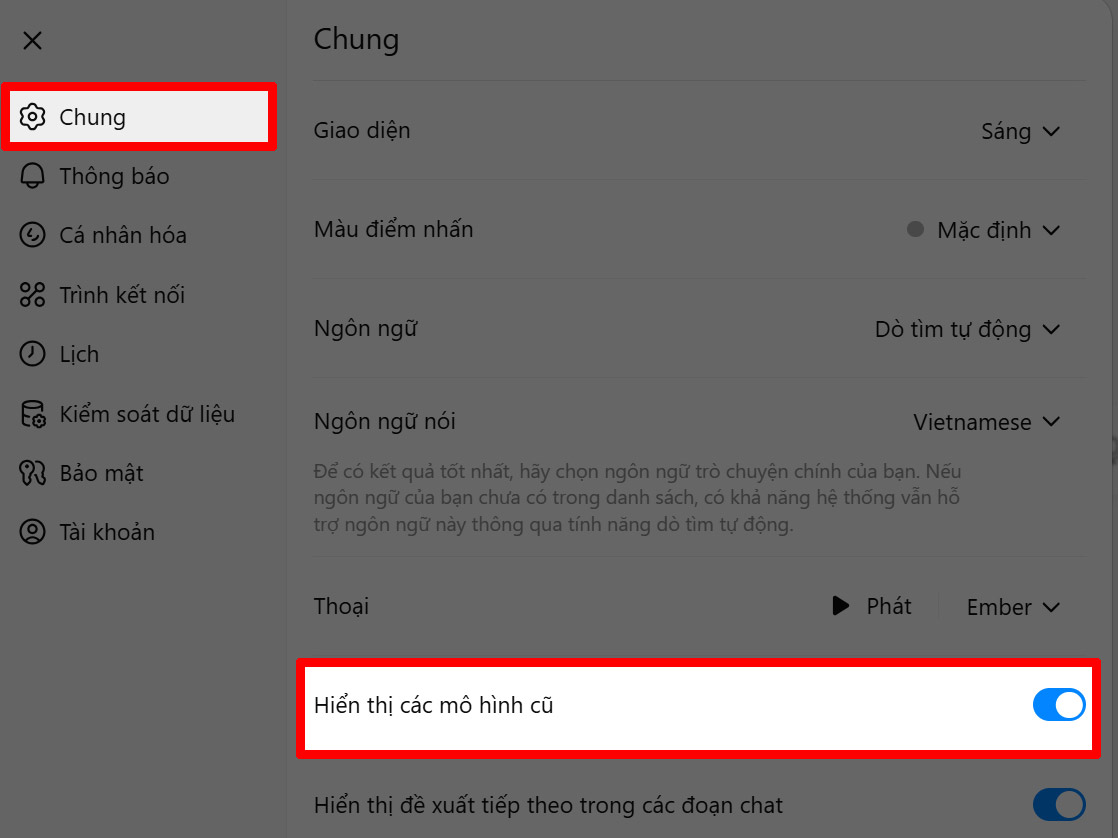
You select the avatar and select Settings in the displayed list. Switch to the new interface, the user clicks on General and then looks to the side to turn on the Show old models mode .
Step 2:
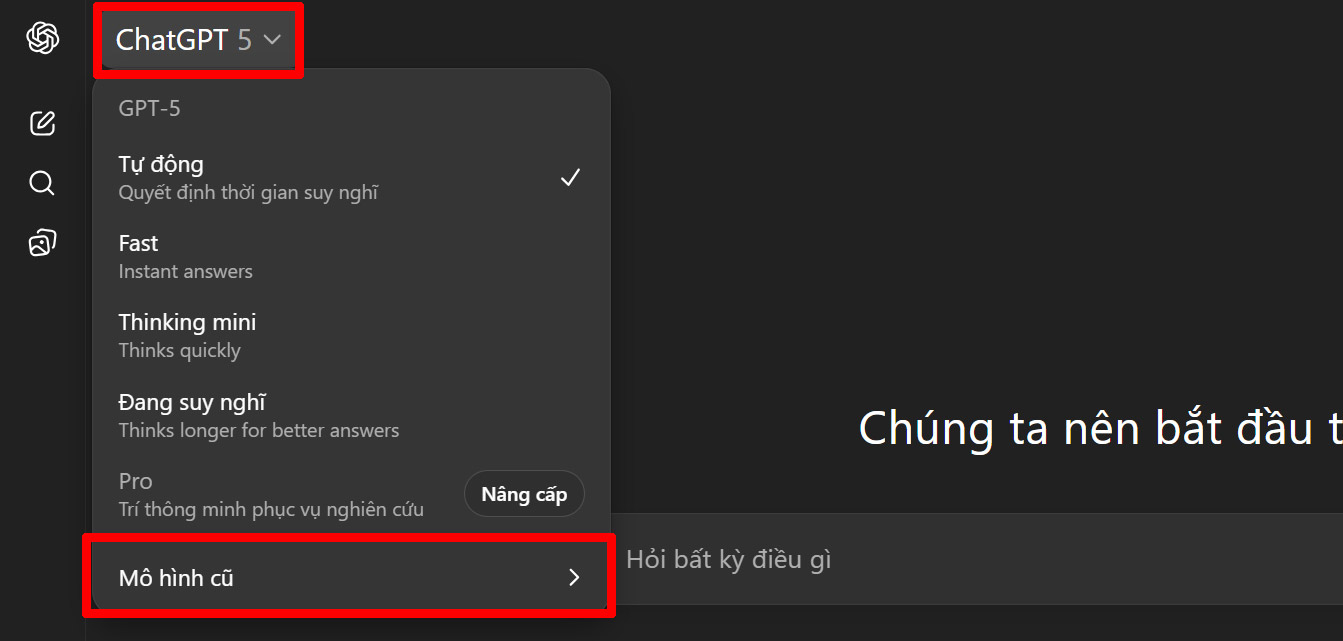
Returning to the ChatGPT interface, the user clicks on the current ChatGPT-5 model and then clicks on Old Model .
Step 3:
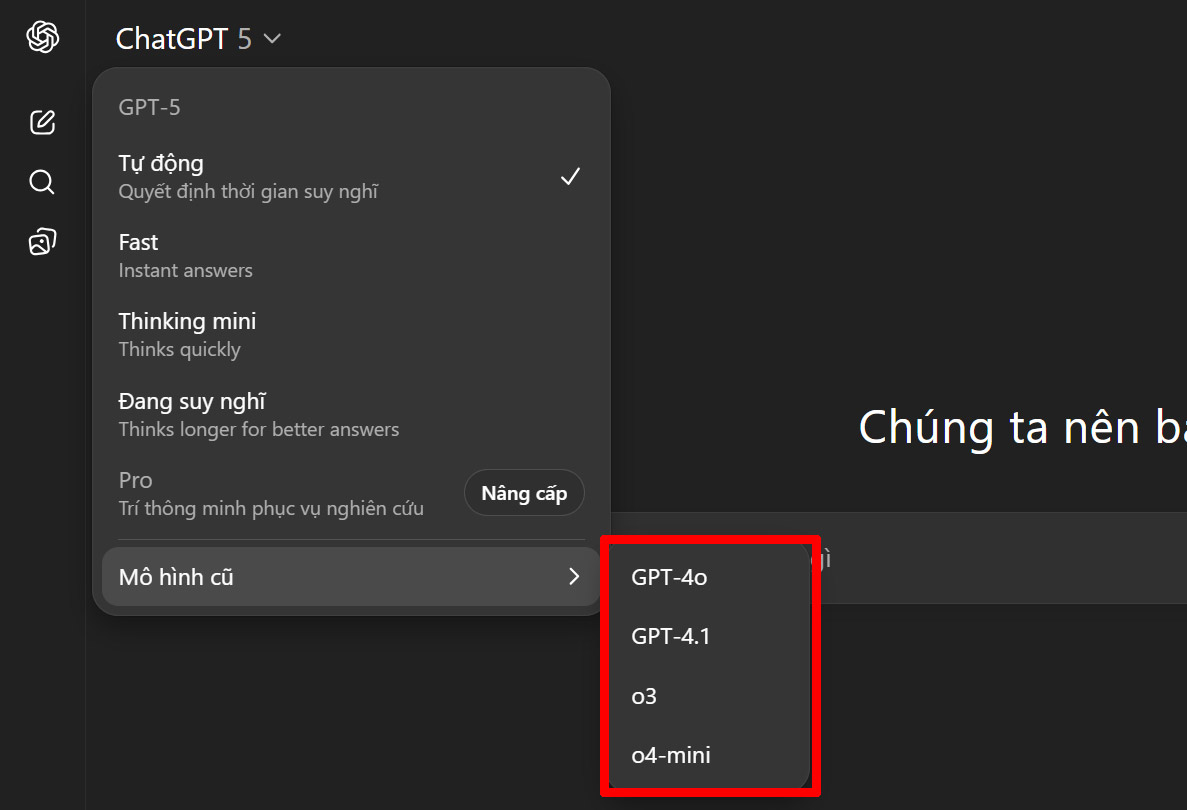
At this point, the user selects the ChatGPT-4o model to transfer from the ChatGPT-5 model and that's it.
Final Thoughts
Following the steps in order and checking version-specific settings should make it easier to Convert ChatGPT-5 to ChatGPT-4o. If an option looks different, verify the device, app, or operating-system version before changing additional settings.
FAQ
What is the best way to Convert ChatGPT-5 to ChatGPT-4o?
Start with the requirements described in the article and follow the steps in order. Currently, the ChatGPT-5 model has been updated for all accounts on both computer and phone versions. However, this model is not suitable for everyone, and you want to switch back to the previous ChatGPT model.
What should you know about How to convert ChatGPT-5 to ChatGPT-4o on phone?
At the ChatGPT interface, select the dash icon and then select the account name. Next, select Personalize and then in the new interface, turn on Show old models to display and access and use previous versions of ChatGPT.
What should you do if the instructions do not match your screen?
Check the device, software version, account permissions, and regional settings. Interfaces can change after updates, so use the closest matching option and consult the official support documentation when necessary.
Related Articles
 How to Create Quizzes on ChatGPT5 minutes read
 Learn About ChatGPT-4o: Features, Benefits and How to Use It: Complete Guide7 minutes read
 How to Creating Screenshot Shortcuts Using ChatGPT3 minutes read
 What Is ChatGPT Pro? Is It Worth It in 2026?8 minutes read
 What Is ChatGPT Plus? How to Register ChatGPT Plus in Vietnam11 minutes read
 How to Use the ChatGPT API: a Complete Guide from a to Z12 minutes read
Reader Comments 0
Sign in with email or Google to join the discussion.