Table of Contents
Traditional photo editing software is often quite difficult to learn and takes a lot of time to master, so not everyone can become proficient, especially when they only want to make a few minor edits.
Quick choice: use Photoshop for precise layer-based professional work; Gemini or ChatGPT for conversational edits; Luminar for guided photographic adjustments; Krea or Firefly for generative variations; Picsart or Canva for social designs; Remini for quick restoration; and Aftershoot for high-volume culling and editing.
AI editing can invent detail, alter faces, damage text, or change objects you meant to preserve. Keep the original file, work on a copy, zoom in to inspect edges and hands, and obtain consent before editing another person's likeness. Free limits, credits, watermarks, and commercial-use terms change frequently.
For more options, see TipsMake's comparison of AI photo editors beyond Photoshop, its guide to photo-editing apps for iPhone, and the overview of Canva's AI tools.
That's where AI photo editing tools come into play. They can precisely make the changes users want to their photos with very little effort. Below are the TOP best AI photo editing tools that simplify workflows and make photo editing easier.
Comparing the best AI photo editing tools
| Tools | Most suitable for | Limit | Price |
| Diverse photo editing capabilities, maintaining high consistency between creations. | Rejecting some editing requests. | Free (with limited usage) | |
| ChatGPT | Transform photos into different characters, edit via dialogue, easy to use. | The image changed after multiple edits. | Free (with limited usage) |
| Adobe Photoshop | Professional AI editing, precise area-by-area retouching. | Not suitable for beginners. | Pay a fee |
| Luminar | Quick editing with multiple AI tools. | Lack of specialized tools | Free + upgrade package |
| Krea AI | A comprehensive AI photo editing toolkit, supporting many leading AI models. | Occasionally encounter errors. | Free + upgrade package |
| Adobe Firefly | Create AI images, Generic Fill, Expand, and many other features. | Limit the number of free uses. | Free + upgrade package |
| Picsart | Social media photo editing, one-touch effects, templates | The free version has a watermark. | Free + upgrade package |
| Canva Pro | Suitable for non-professional designers, editable using AI prompts. | Lack of specialized tools | Free + upgrade package |
| Remini | Android and iOS users: photo restoration, blur removal, face enhancement. | The results are sometimes inconsistent. | Free + upgrade package |
| Aftershoot | Select photos in bulk, retouch skin using AI. | Selective features are limited in the free version. | Free + upgrade package |
What each AI photo editor does best
Gemini image editing: best for conversational revisions
Google's current Gemini image tools can edit uploaded images from natural-language instructions. Product and model names can change, so use the image-editing option shown in your Gemini account rather than relying on an old label.
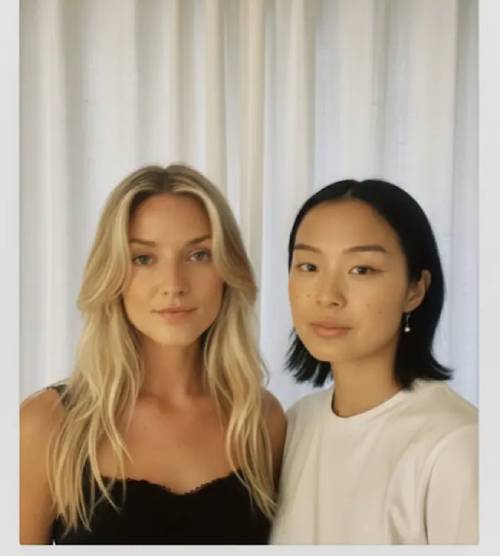
The tool is integrated directly into Gemini. Users simply upload photos and enter a text description to edit as desired. Nano Banana Pro maintains consistency between edits, adding or removing details very naturally and accurately. You can install the Gemini app or use the web version to experience it.
Advantage
- Extremely consistent AI photo editing.
- Understanding and following instructions very accurately.
- It can be used for free.
Disadvantages
- The free version has a limited number of uses.
ChatGPT - The best AI tool for image transformation
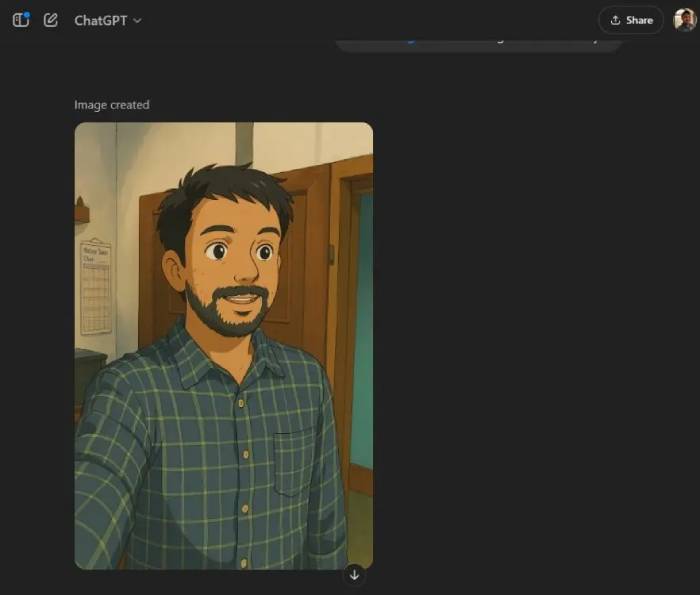
ChatGPT supports conversational image creation and editing in eligible accounts. It is useful when you want to upload an image, describe a change, review the result, and refine it through follow-up instructions.
ChatGPT is particularly powerful in image transformation and performing custom edits. However, through testing, it did not maintain consistency as well as Nano Banana, sometimes altering the overall image after multiple edits.
It can create stickers, sketches, and other transformations, but avoid requesting the exact style of a living artist or using protected characters commercially without permission.
Advantage
- Easy to use, editable via conversation.
- Very powerful in image transformation.
- Free of charge
Disadvantages
- It is possible to change the overall image after each creation.
Adobe Photoshop - The best AI photo editing tool for professionals
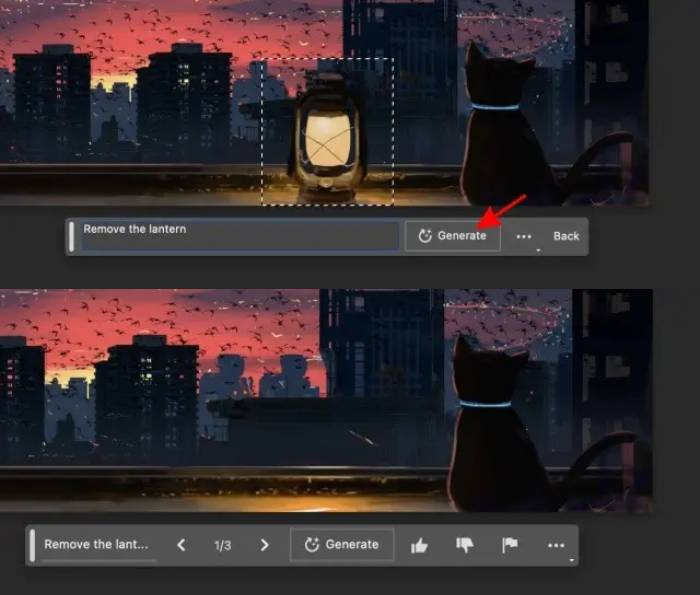
Photoshop combines generative tools with selections, masks, layers, color controls, and nondestructive editing. That manual control is the main reason to choose it over a one-click editor.
Photoshop allows:
- Add or remove objects using Generative Fill
- Expand the image frame using Generative Expand
- Create new variations with Generate Similar
- Edit photos using natural descriptions.
- Remove the background and replace it with a new one that has appropriate lighting and shadows.
- Create AI images directly within the software.
Advantage
- Top professional tools
- Edit each area precisely.
- Supports smart image scaling.
Disadvantages
- High price
- Not suitable for beginners.
Luminar: best for guided photographic adjustments
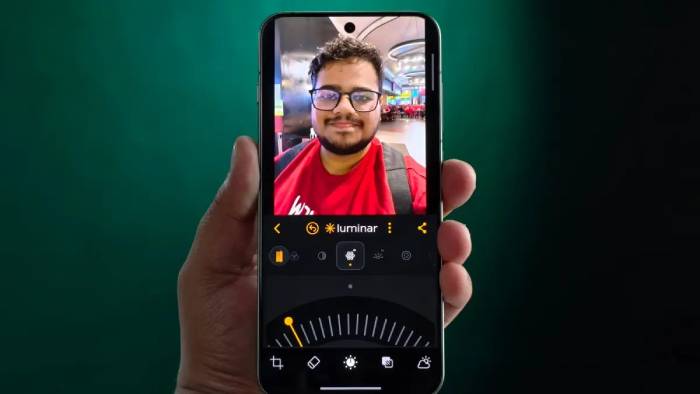
Luminar's desktop and mobile products provide guided AI adjustments for portraits, skies, lighting, and image cleanup; availability differs by platform and version. The app has an intuitive interface and many AI tools to quickly remove skin imperfections, change skin tone, and refine portraits. During testing, Luminar performed quite effectively with basic editing tasks.
Advantage
- Quick editing with AI
- User-friendly interface
- Many photo enhancement tools
Disadvantages
- Many features are limited in the free version.
Krea AI: best for experimenting with multiple generative workflows
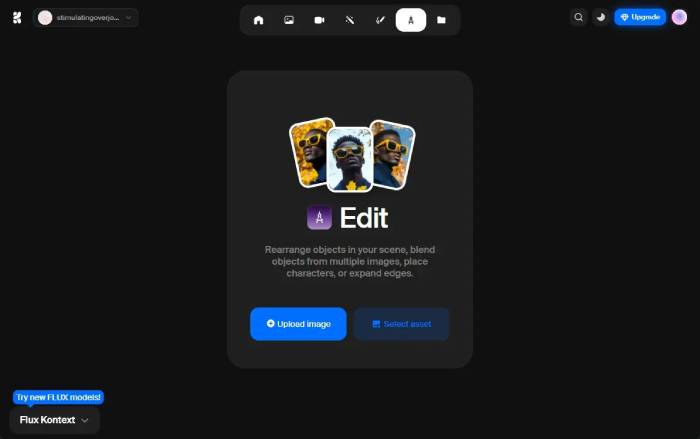
Krea AI is one of the most powerful AI photo editing platforms, allowing you to:
Rearrange the objects in the image.
- Combine multiple images into one.
- Add characters to the scene.
- Expand the frame
Krea offers access to multiple image-generation and editing workflows. The available model list changes, so verify which models, credits, and commercial terms are included in your account.
Advantage
- Comprehensive AI editing toolkit
- Supports multiple leading AI models.
- Combine and merge content from multiple images.
Disadvantages
- Sometimes errors occur.
Adobe Firefly - A versatile, free AI photo editing tool
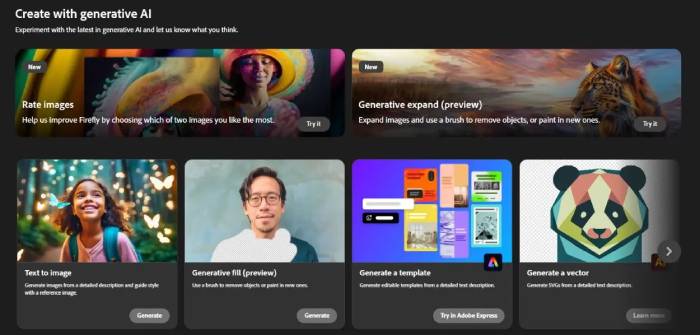
Adobe Firefly provides browser-based generative fill, expansion, and image creation. It is not a full replacement for Photoshop's layers and precision tools. Free credits and paid allowances change, so check the current plan before starting a large batch.
Advantage
- Add or remove objects easily.
- Supports Generic Fill and Expand
- Precisely edit each region.
Disadvantages
- Limit the number of free uses.
Picsart: best for quick social-media edits
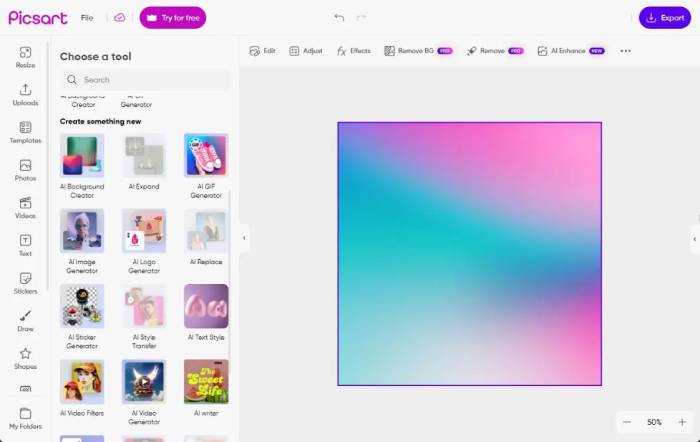
Picsart provides a fairly powerful AI toolset for online users with notable features such as:
- Delete and add objects
- AI effects and filters
- Improve image quality
- Remove background
- Create a new background
- Transform photos into paintings using AI.
- Create an AI avatar.
Advantage
- Create backgrounds using AI.
- Expand and replace image content
- Suitable effects for social media
Disadvantages
- The results are sometimes inconsistent.
Canva: best for placing edited images into designs
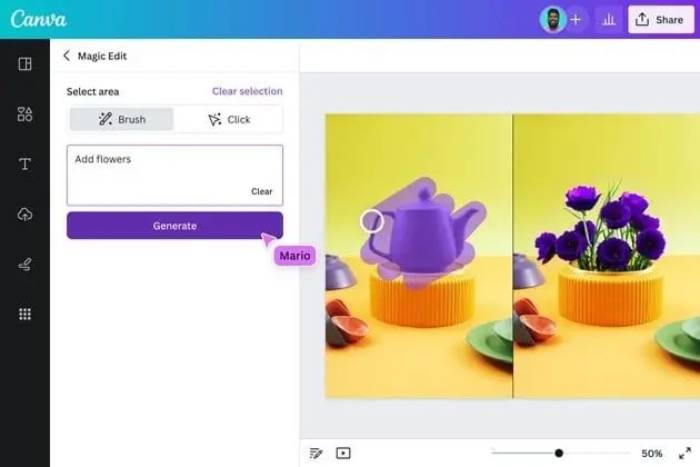
Thanks to its simple interface, Canva Pro is very suitable for non-professional designers. Canva combines photo edits with templates, text, layout, and brand assets. Some AI tools or limited uses may be available free, while higher limits and particular features require a paid plan.
Advantage
- Friendly to newcomers
- Edit based on the available template.
- Customization support via prompt
Disadvantages
- Lack of professional tools
Remini: best for one-tap mobile enhancement
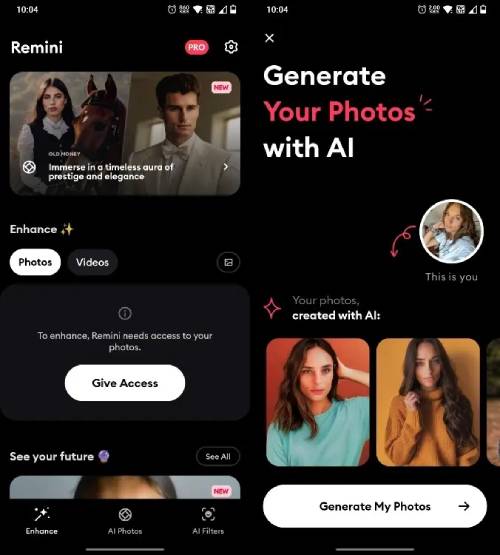
Remini focuses on mobile enhancement and restoration, particularly for faces and older or blurry photos. The app allows users to beautify, reduce noise, fix closed eyes, sharpen blurry photos, restore old photos, create professional portraits, cartoons, and avatars.
Advantage
- The leading AI photo editing tool on your phone.
- Effective blur removal and image restoration.
- Create professional portrait photos.
Disadvantages
- Sometimes errors or unnatural details appear.
Aftershoot - The best AI tool for batch photo selection
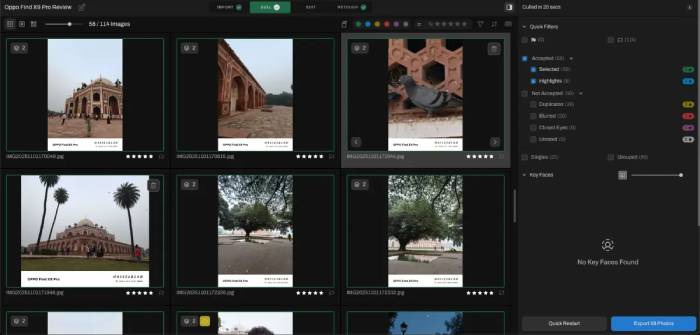
Aftershoot is especially useful for wedding or event photographers when processing large volumes of photos. Aftershoot uses AI-assisted culling and editing features to reduce the manual work in large event or portrait shoots. Depending on the plan and workflow, it can:
- Duplicate image group
- Mark the image as faulty or blurry.
- Filter photos by camera
- Skin retouching
- Remove background objects
- Batch basic editing
Advantage
- Selecting and processing images in bulk using AI.
- Batch results still need review, especially for unusual expressions, intentional blur, duplicates, and edits that affect skin texture or background detail.
- There's a Marketplace where you can download more AI models.
Disadvantages
A fee is required to use the unlimited selection feature.
Related Articles
 minutes read
 Free Online Photo Editing Services Should Not Be Missed!5 minutes read
 How to Change Photo Size on Fotor Online Application5 minutes read
 7 Reasons Why Hapic Is Becoming a Favorite Free Photo Editor6 minutes read
 Instructions on How to Pair HDR Photos on Lightroom5 minutes read
 How to Adjust Photos Without Downloading on Control V3 minutes read
Reader Comments 0
Sign in with email or Google to join the discussion.