Table of Contents
ChatGPT keeps the images you generate in an image library, giving you a quicker way to find past work without searching through every conversation. From the library, you can open an image, download or share it, and return to the associated chat to request another edit. The names and placement of controls can vary by device and account, but the workflow below shows what to look for.
Open the ChatGPT image library
- Sign in to ChatGPT and open the Images area from the sidebar or the tool menu.
- If you see an image-creation landing page, open My images. This is the library of images associated with your account.
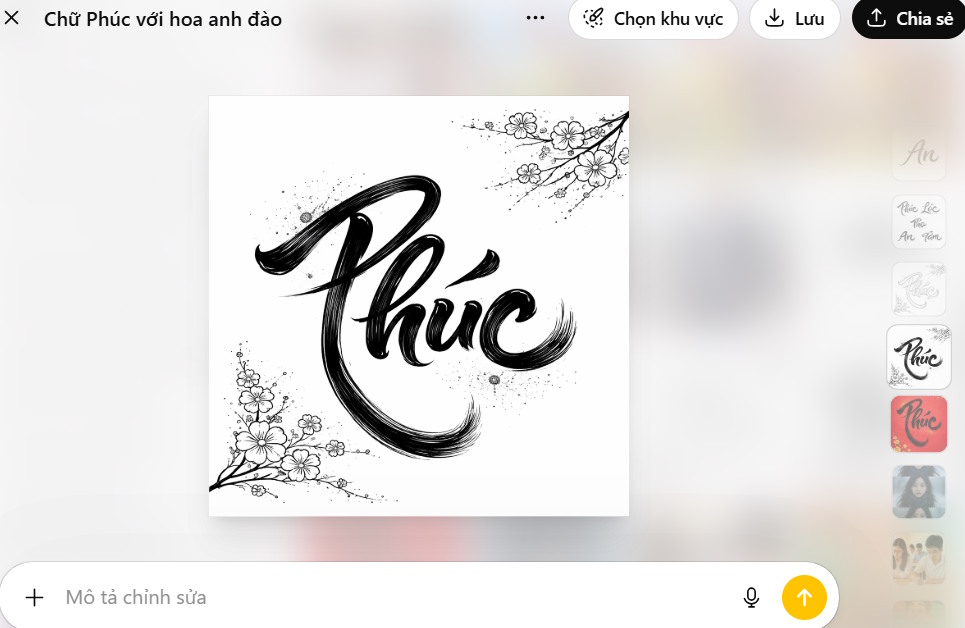
- Select any thumbnail to view a larger preview. Scroll through the gallery or return to the grid to choose another image.
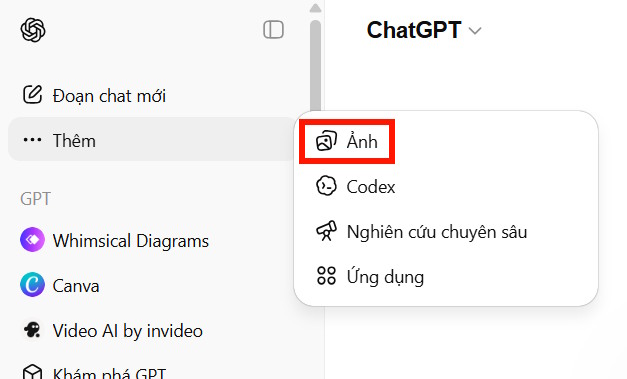
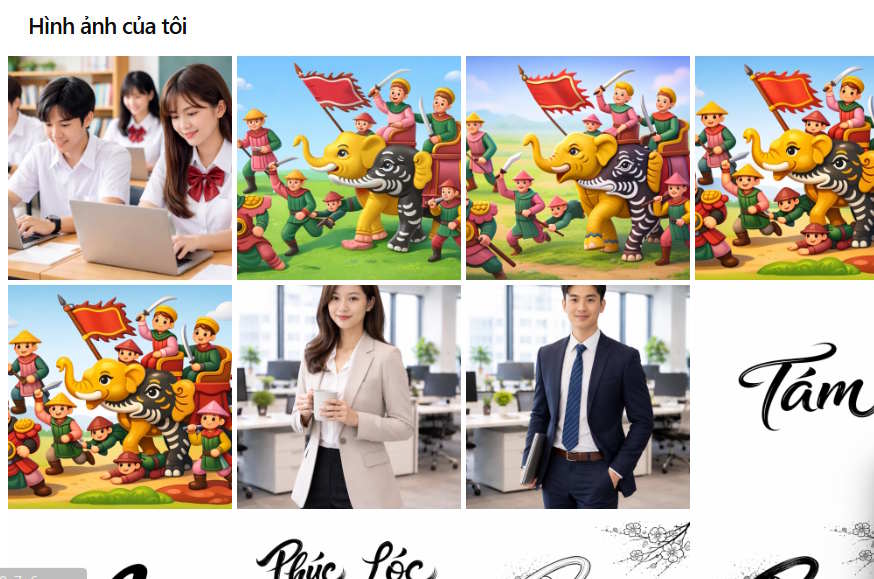
If the Images entry is not visible, confirm that you are signed in and try opening ChatGPT in a current browser or app version. Feature availability and layout can differ by plan, platform, and rollout.
Download, share, or reopen an image
Open an image to reveal the available actions. Depending on the interface, these may include downloading the file, sharing it, selecting part of the picture, or opening the original conversation.
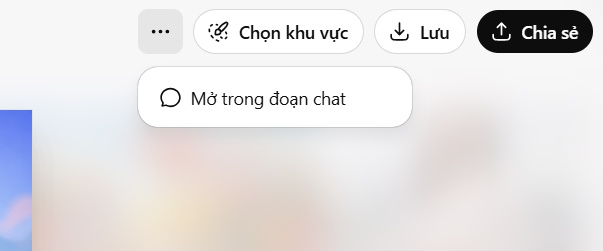
- Download or Save: stores a copy on your device. Check the destination folder before closing the browser.
- Share: creates or opens the sharing controls. Review what the shared page contains before sending the link.
- Open in chat: returns to the conversation that produced the image, preserving useful context for follow-up edits.
Edit an existing image
Describe the change in the original chat
Choose Open in chat, then state exactly what should change and what should remain unchanged. For example: “Replace the cloudy sky with a clear evening sky; keep the people, framing, colors, and text unchanged.” Specific constraints reduce unintended changes.
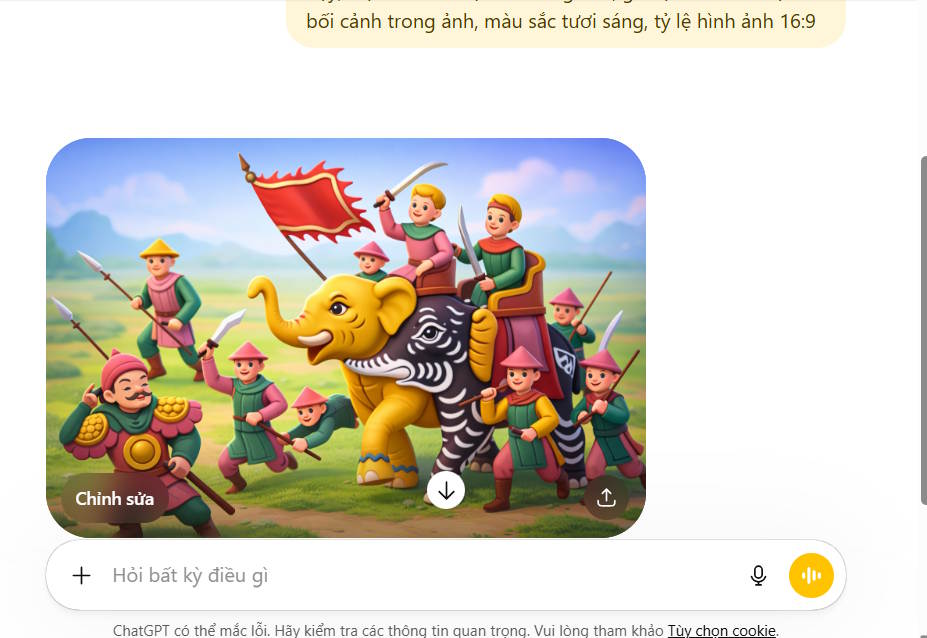
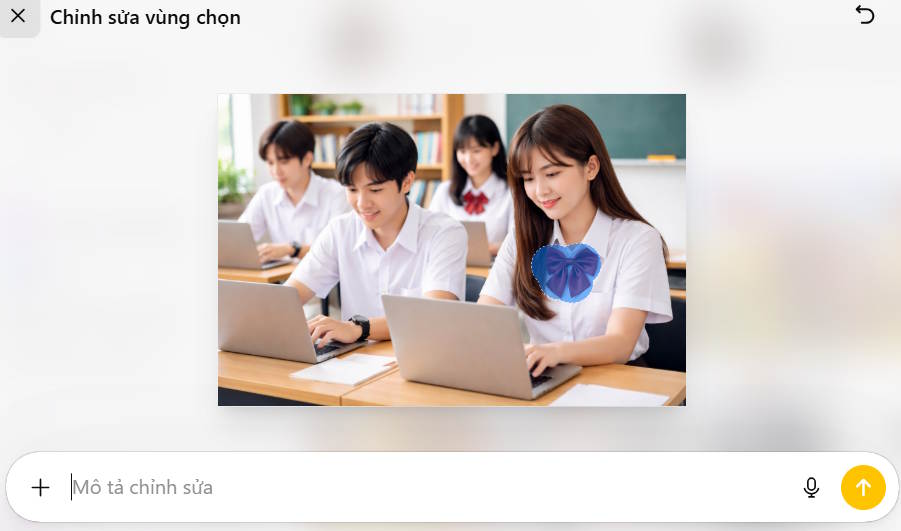
Edit a selected area
If the image viewer offers a selection tool, mark the region you want to modify and describe the replacement. Include nearby details that must be preserved. The selection guides the edit but does not guarantee pixel-perfect isolation, so inspect the entire result before using it.
For more editing options, compare these AI photo editors. If you are creating a new image rather than revising an old one, these text-to-image tools provide useful alternatives.
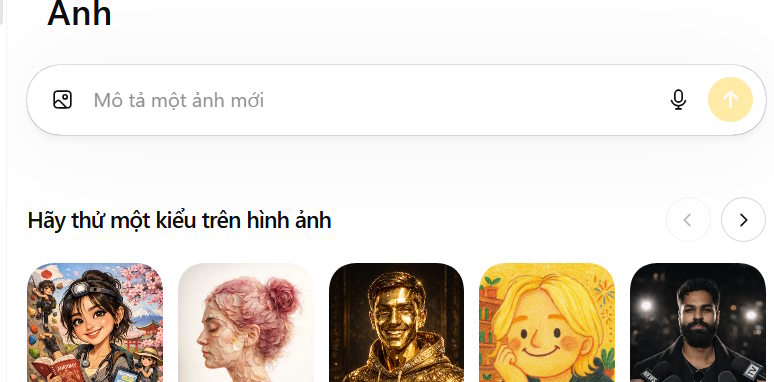
Create a new image from the library
The Images page may include a prompt box for starting a new creation. Describe the subject, setting, composition, visual style, aspect ratio, and any text that must appear. Treat each generation as a draft: check faces, hands, small objects, spelling, and logos before publishing it.
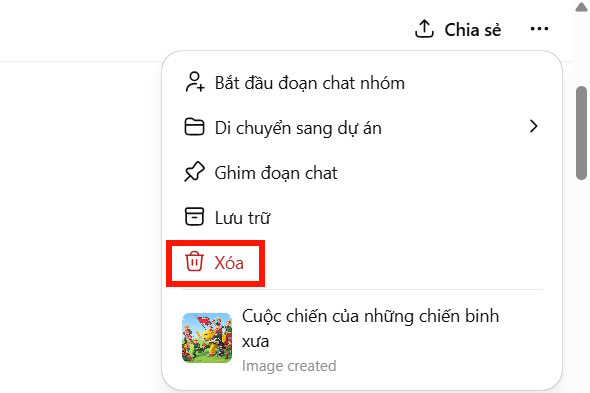
Delete an image from the library
The library is tied to the conversations in which images were created. If the image viewer does not provide a separate delete action, open the image in its chat and delete that conversation. This can remove the whole conversation rather than a single generated result, so first download anything you want to keep and confirm that no useful messages will be lost.
Keep the library manageable
- Download final versions with descriptive filenames.
- Keep important prompts in a separate note because interface history is not a substitute for a backup.
- Avoid uploading sensitive personal images unless you understand the service's data controls.
- Review AI-generated images for accuracy, rights, and disclosure requirements before commercial or editorial use.
Related Articles
 ChatGPT Now Has an Image Gallery: Here's What It Does and How to Use It!6 minutes read
 How to Use the ChatGPT API: a Complete Guide from a to Z12 minutes read
 How to Convert ChatGPT-5 to ChatGPT-4o3 minutes read
 How to Create AI Images Using ChatGPT on WhatsApp2 minutes read
 How to Use the Copilot Library3 minutes read
 What Is ChatGPT Go? Is It Worth It?10 minutes read
Reader Comments 0
Sign in with email or Google to join the discussion.