Table of Contents
NotebookLM can turn the transcripts of public YouTube videos into a structured study collection. Add a focused set of videos, compare what they cover, ask questions grounded in the transcripts, and create review materials such as notes, quizzes, mind maps, or Audio Overviews.
NotebookLM imports the video's text transcript rather than understanding every visual, animation, or on-screen demonstration. It works best with public videos that have captions, and you should return to the video when a visual step matters.
1. Add a small set of relevant videos
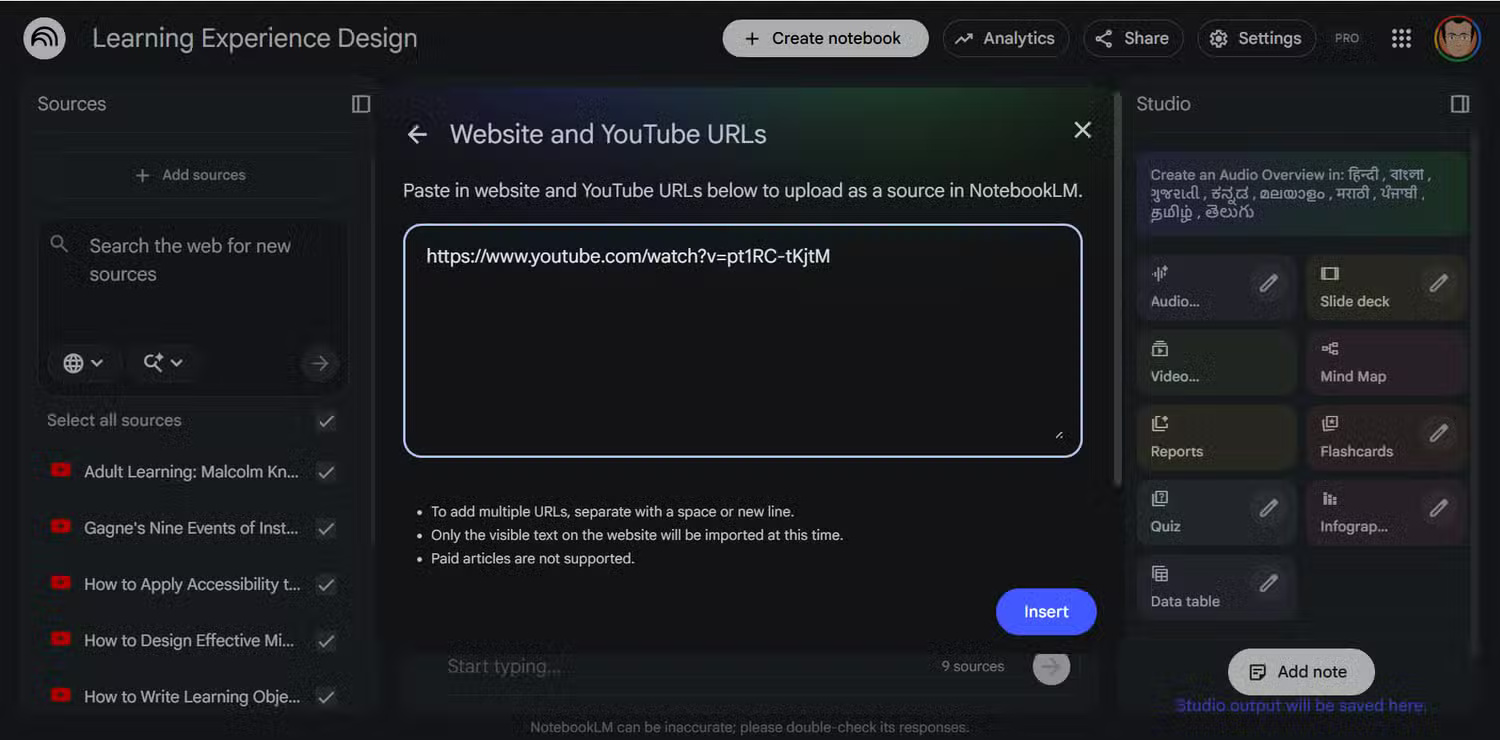
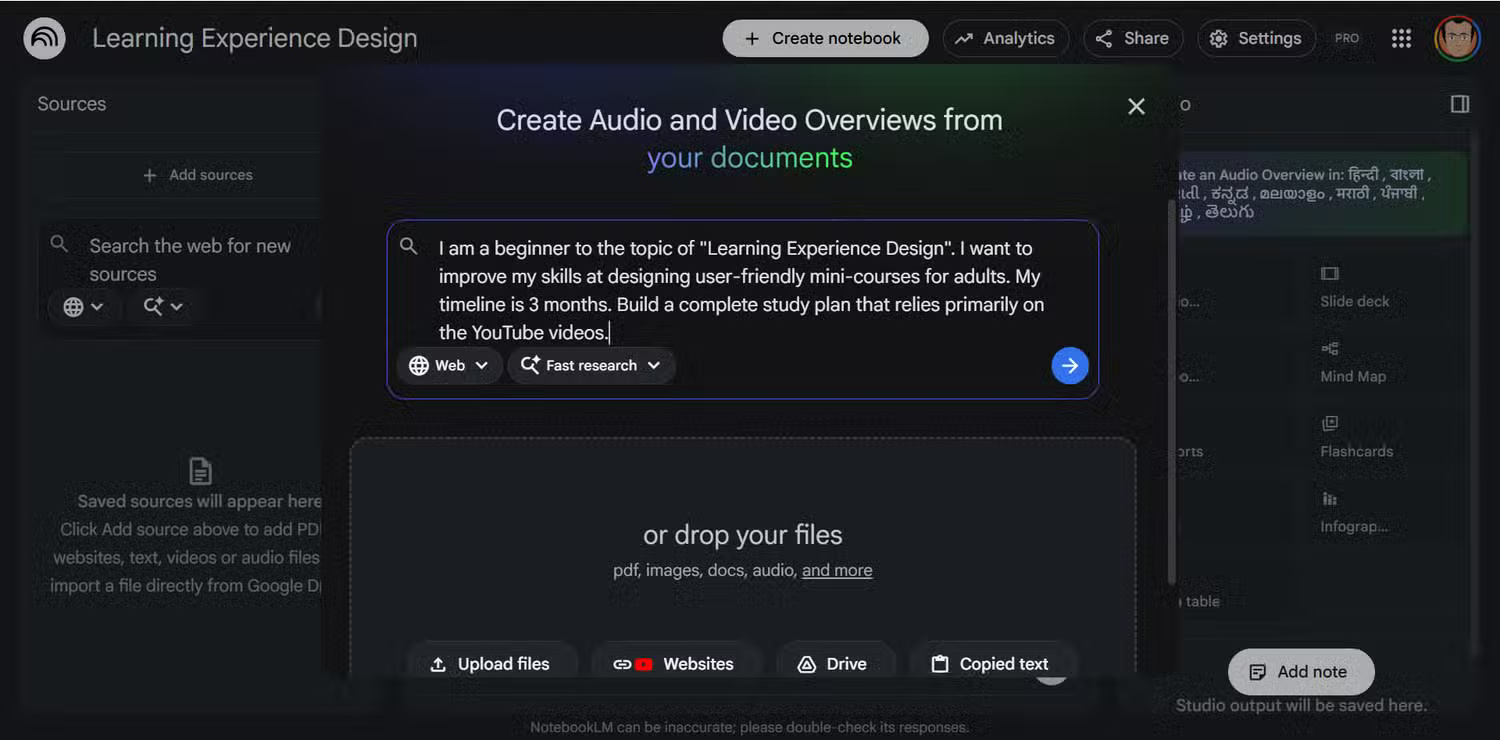
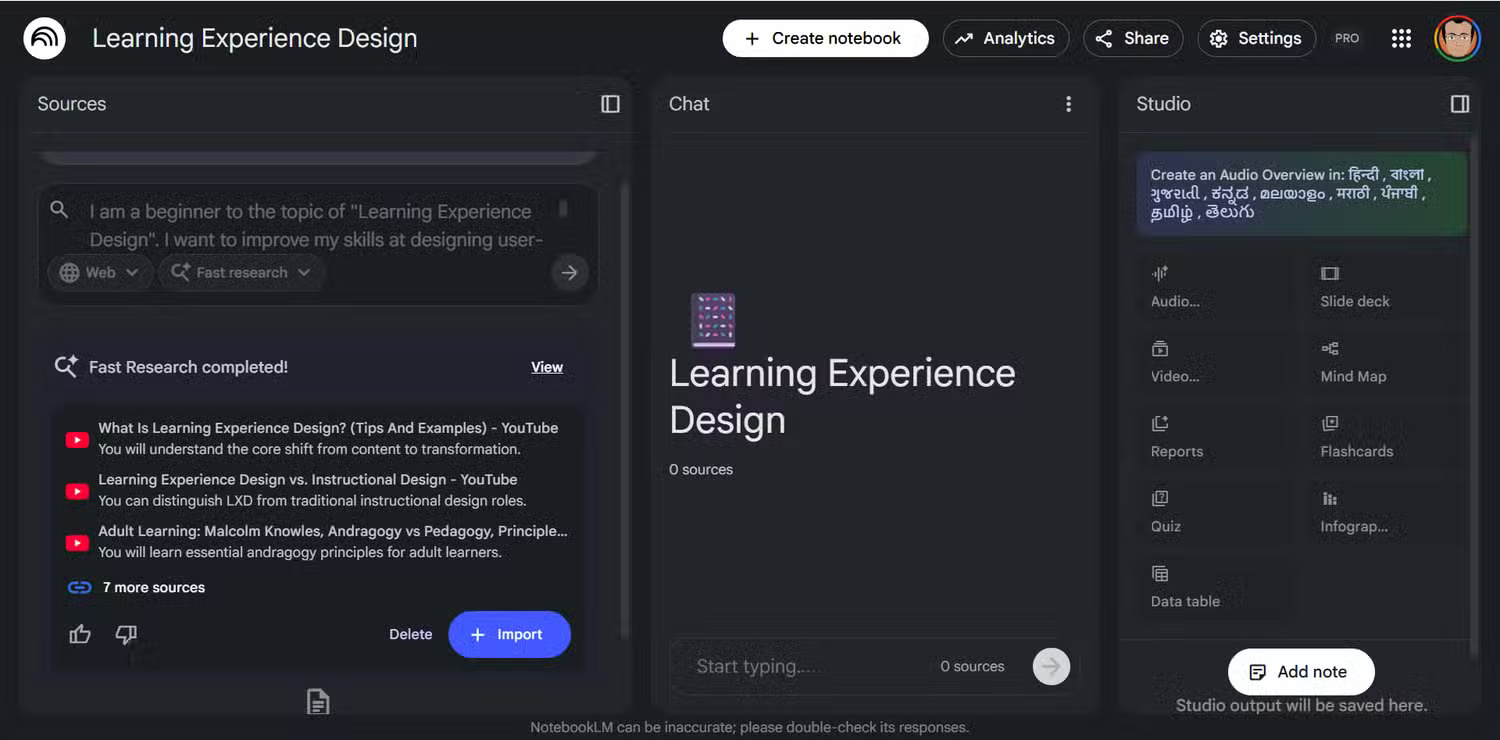
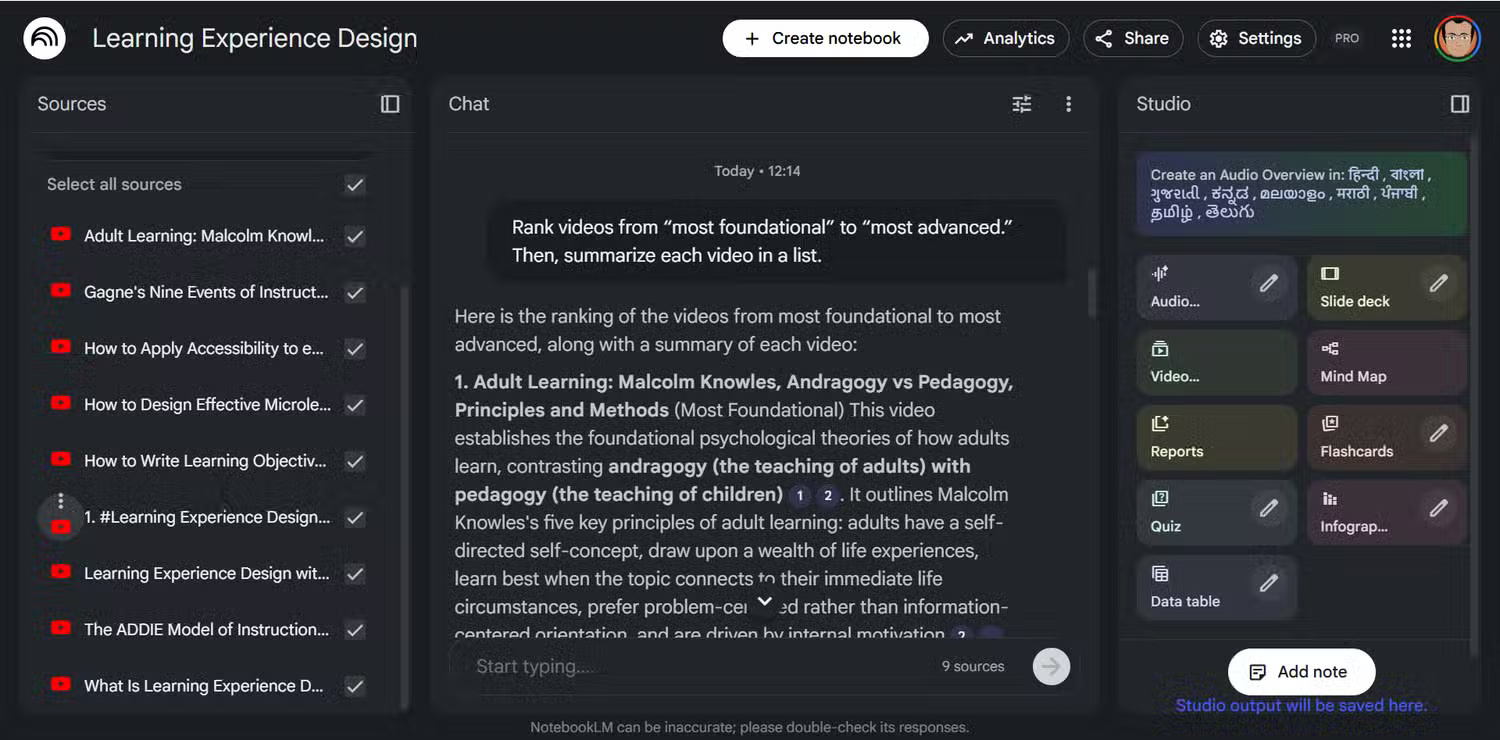
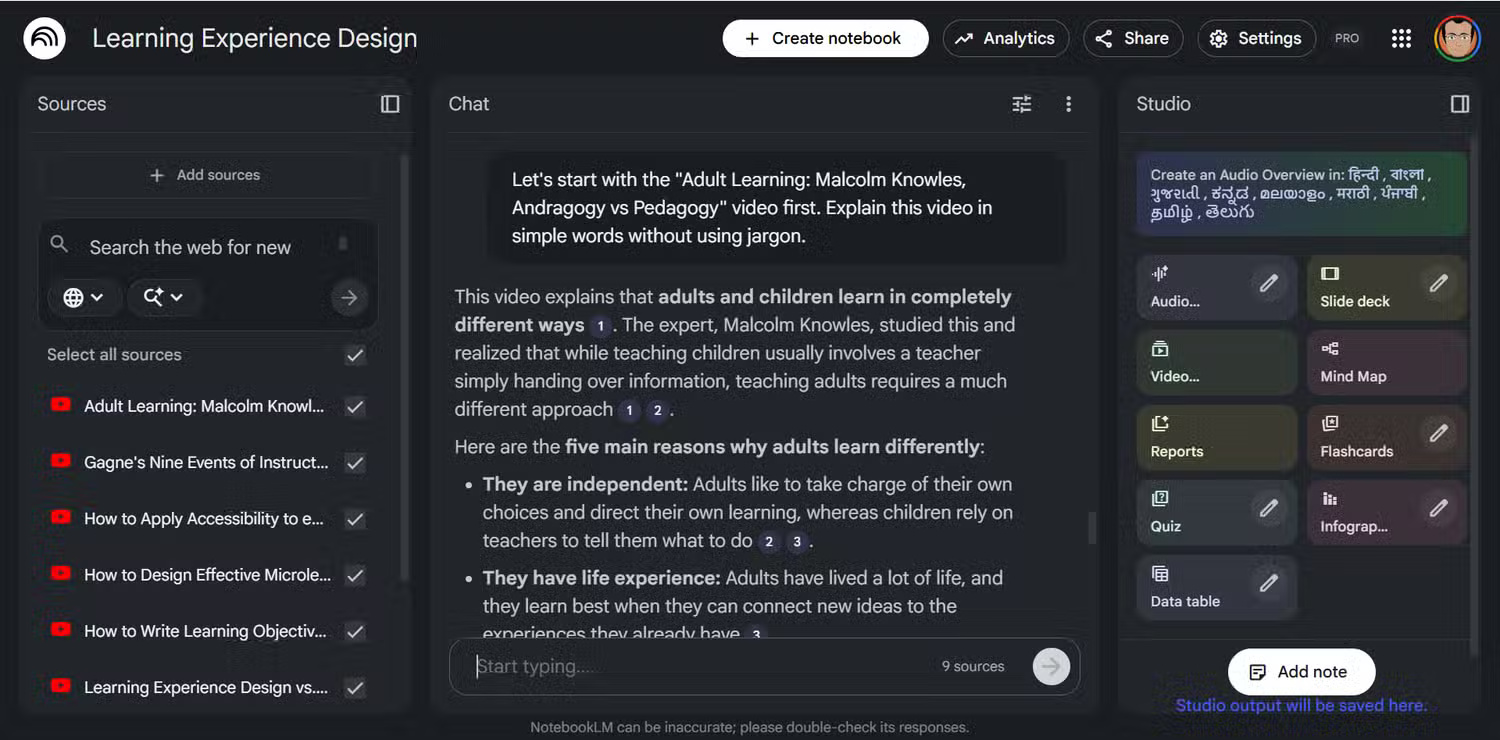
Create a notebook for one clearly defined topic. Choose Add source, select YouTube, and paste the URL of a public video with captions. Start with three to five credible videos rather than importing a large playlist without review.
Check the creator, upload date, cited sources, and whether the video actually addresses your learning goal. NotebookLM can summarize a weak or inaccurate transcript just as easily as a strong one.
2. Compare coverage before choosing a viewing order
Ask NotebookLM to identify the main topic, assumed knowledge, unique contribution, and gaps for each source. A useful prompt is:
Create a table for the selected videos with:
- source title
- beginner, intermediate, or advanced level
- concepts explained
- concepts assumed but not explained
- where it overlaps with other sources
Cite the transcript for each assessment.
Use the result to make a viewing order, but review the citations yourself. The model may mistake dense language for advanced content or overlook visual material that is absent from the transcript.
3. Build a topic map from all transcripts
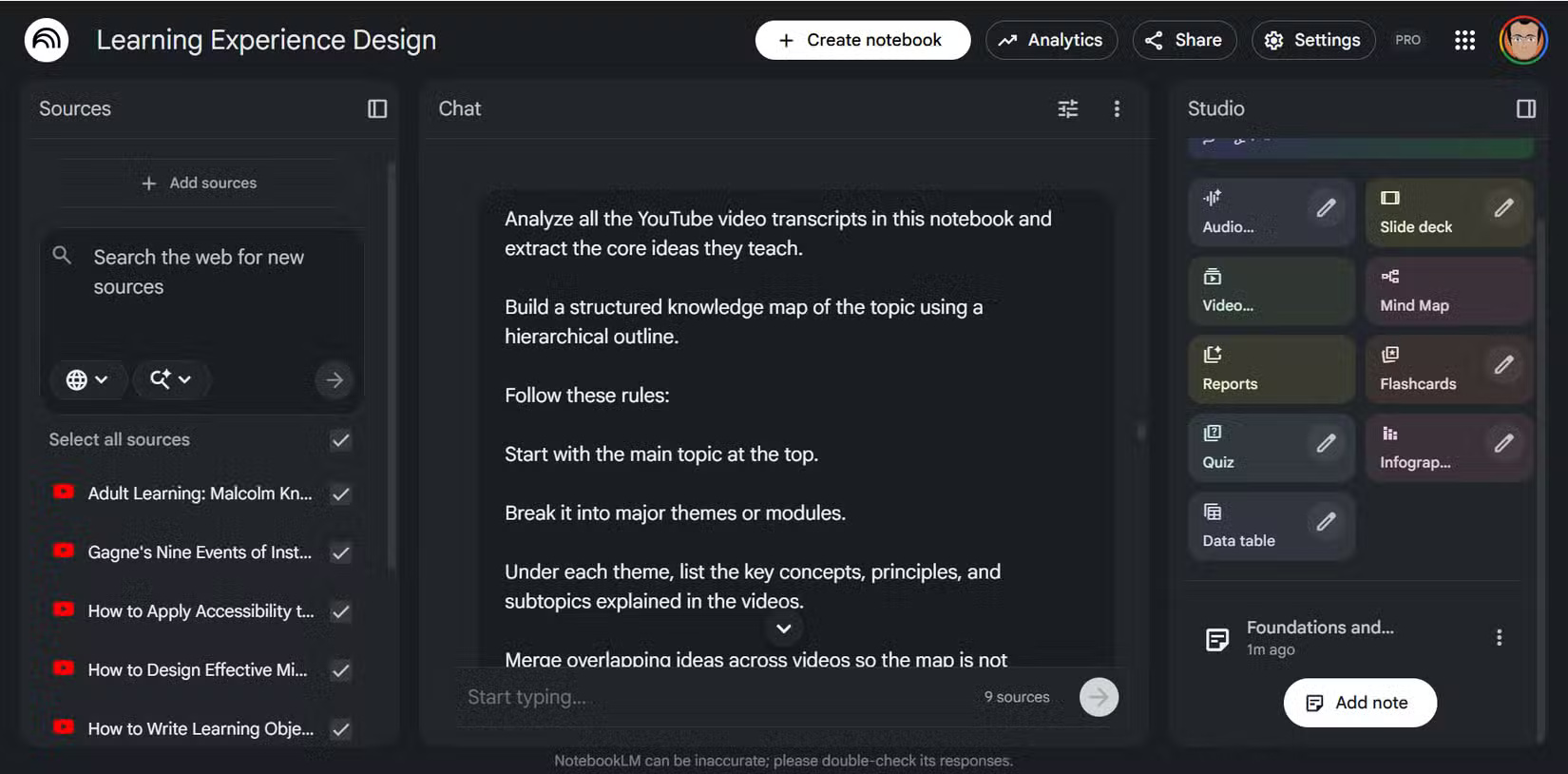
Once the sources are selected, ask for a hierarchical outline of the shared concepts and disagreements. Request citations so each branch can be traced to a source. Save a useful response as a note; if your interface provides Mind Maps in Studio, generate one from the notebook to visualize the relationships.
Using only the selected transcripts, create a learning roadmap.
Start with prerequisites, then core concepts, applications, and limitations.
Mark disagreements between sources and cite every section.
4. Ask questions while watching
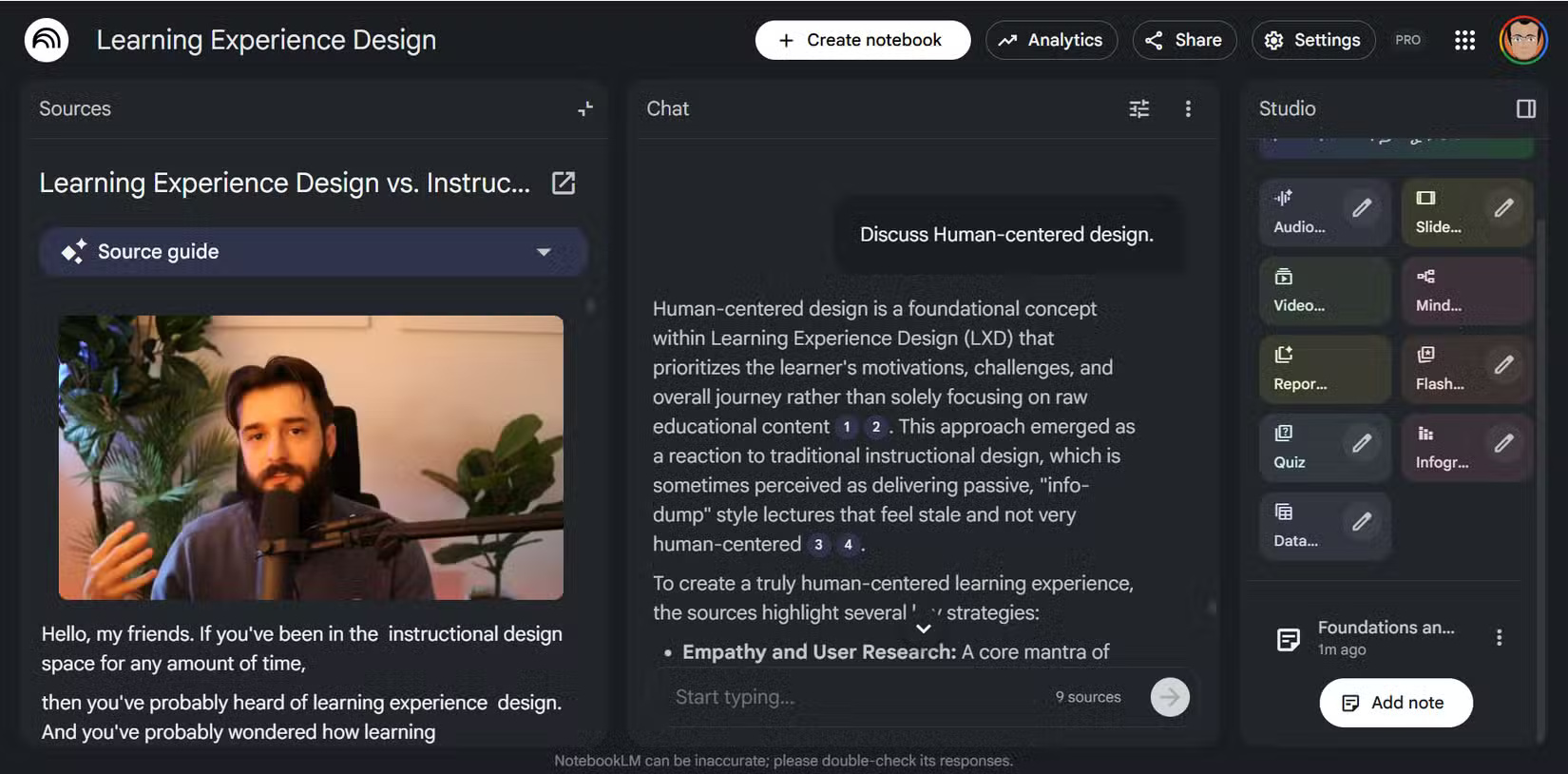
Keep NotebookLM open beside the video. When a section is unclear, name the source and quote a distinctive phrase from the transcript. Ask for a simpler explanation, an example, or a comparison with another source. Because timestamps and transcripts can be imperfect, use the citation to locate the relevant passage and then replay the original video.
You can also maintain a glossary note. Ask NotebookLM to define each new term using the sources, show how the term is used, and flag terms the videos use inconsistently.
5. Generate a quiz for active recall
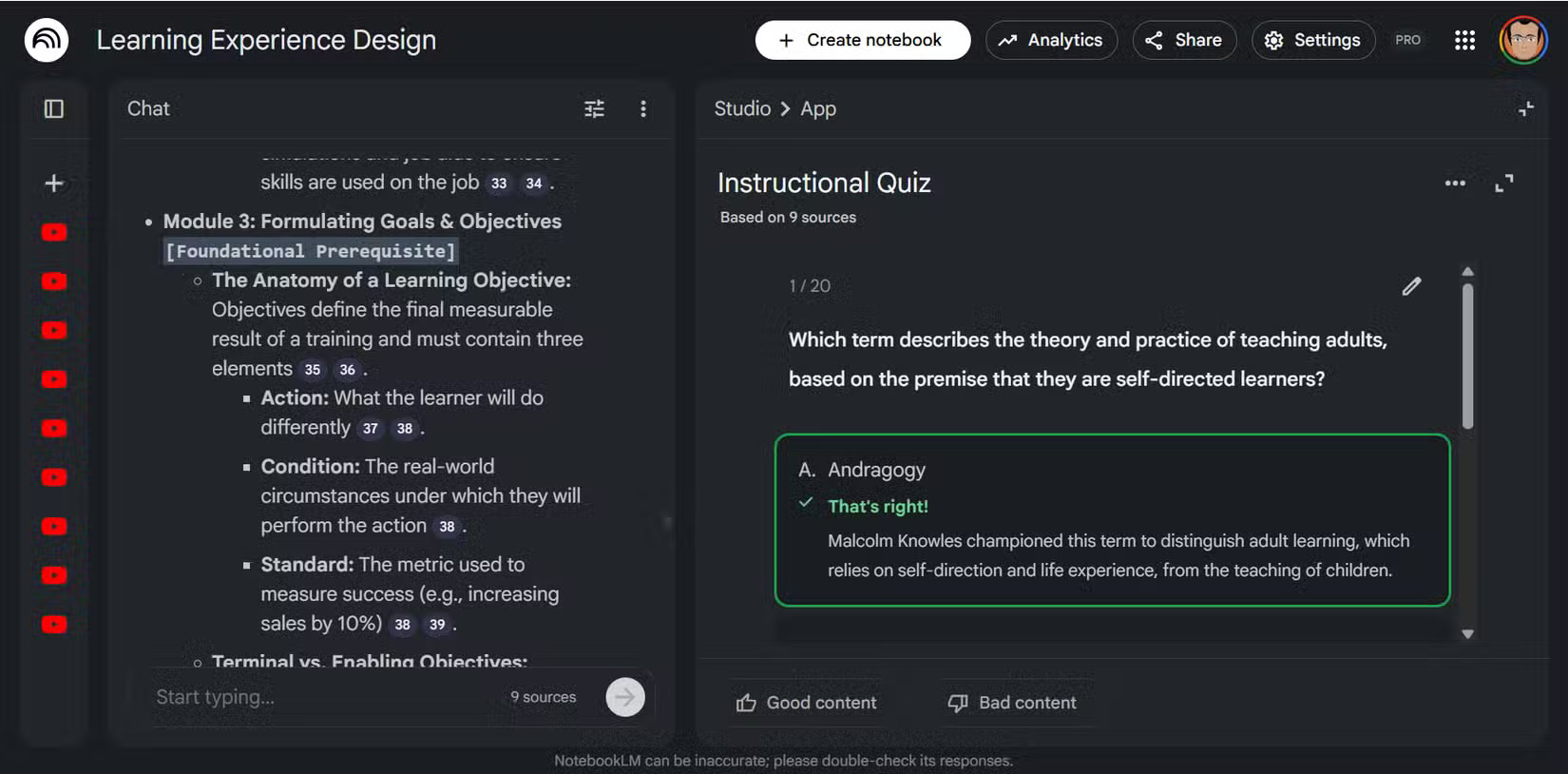
Use Studio's quiz feature when available, or request questions in chat. Mix recall, explanation, and application questions rather than relying only on multiple choice.
Create a 12-question quiz from these sources:
- 4 factual recall questions
- 4 explain-in-your-own-words questions
- 4 application questions
Do not show the answers until I respond.
After grading, cite the transcript passage for each correction.
Rewatch the relevant section after a missed answer. This closes the loop between the generated study aid and the original lesson.
6. Create an Audio Overview for review
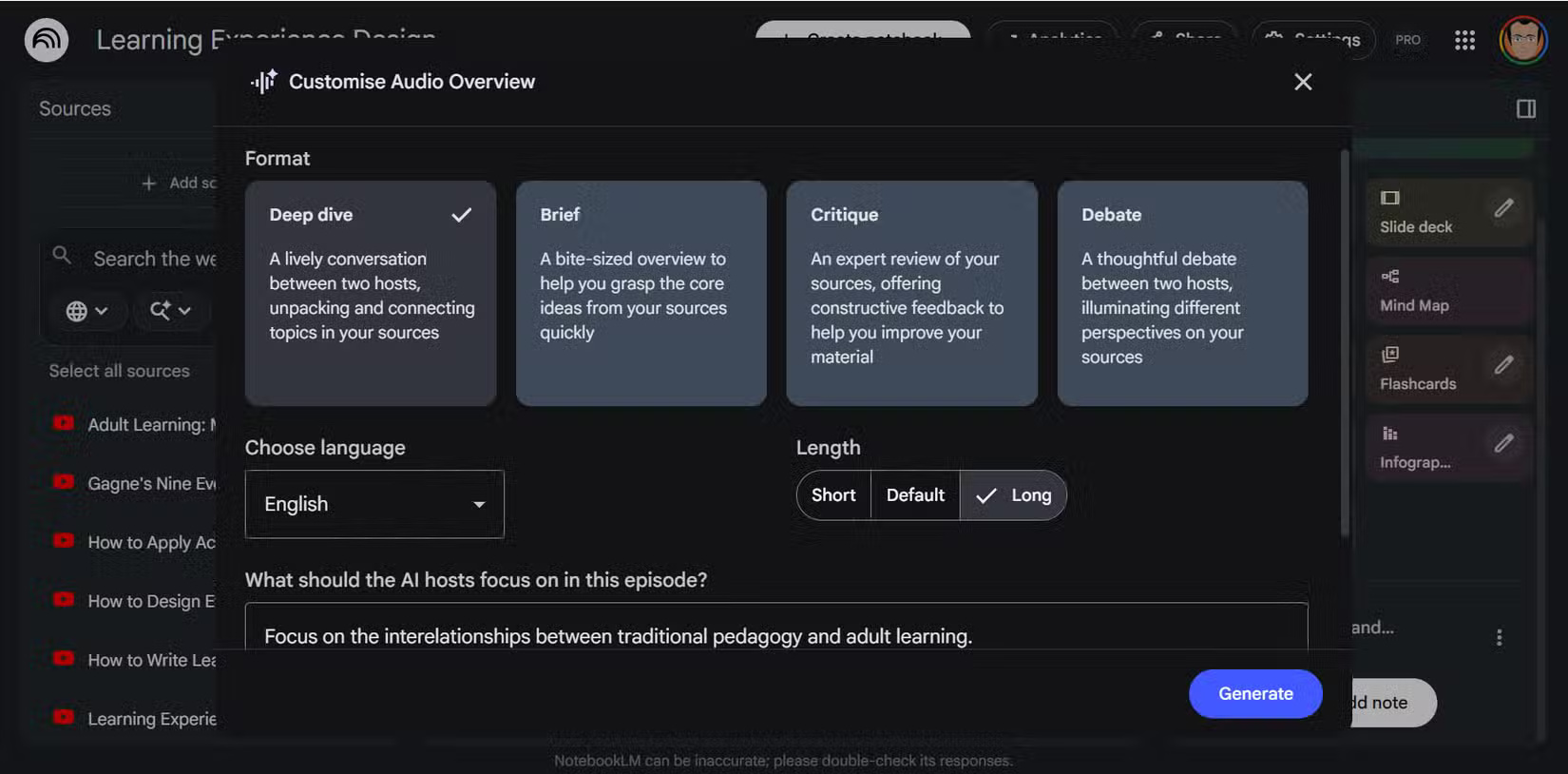
An Audio Overview can synthesize themes from the selected sources into a conversational review. Customize the focus when that option is available, and use it after studying rather than as the only exposure to the topic. Audio summaries can omit nuance and are not a replacement for watching demonstrations or checking cited evidence.
A reliable study routine
- Select a few credible, captioned videos.
- Compare their scope and create a learning order.
- Build a cited outline or mind map.
- Watch actively and ask source-specific questions.
- Test yourself, revisit weak areas, and verify against the original videos.
This workflow reduces passive browsing while keeping the source videos—not the generated summary—as the final authority.
Related Articles
 Tips for Using NotebookLM's Mind Mapping Tool9 minutes read
 How to Sync Your YouTube Channel with NotebookLM5 minutes read
 How to Write 'Viral' YouTube Subtitles Using the Free NotebookLM Tool7 minutes read
 NotebookLM vs ChatGPT: Which AI tool is better?18 minutes read
 3 Best Chrome Extensions for Gemini Notebook (NotebookLM)12 minutes read
 NotebookLM's New Features Will Amaze You8 minutes read
Reader Comments 0
Sign in with email or Google to join the discussion.