Table of Contents
This practical guide explains how to send self-deleted Photos on Telegram Without Secret Chat in a clear sequence, including preparation, key settings, common mistakes, and troubleshooting steps.
What This Guide Covers
- Instructions for sending automatically deleted photos on Telegram
- Step 1:
- Step 2:
After the setup time, Telegram will delete photos in the chat and in the system without the user having to do it manually. The recipient will only be able to view the photo during the time period you have set. Below are instructions for sending automatically deleted photos on Telegram.
Instructions for sending automatically deleted photos on Telegram
Step 1:
First you need to update the Telegram application to the latest version. Then, at the interface on the application, the user clicks on the file icon to proceed with sending the photo.
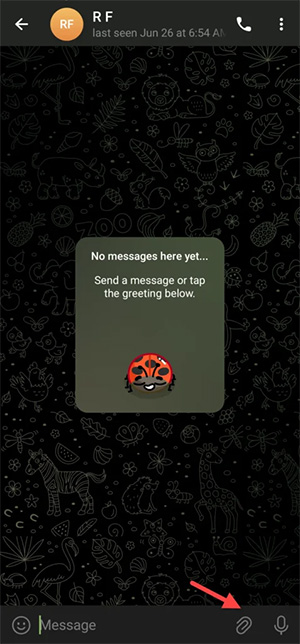
Step 2:
Display the album interface on the phone, click on the photo or video you want to send in auto-delete mode. Then we click on the timer icon below as shown.
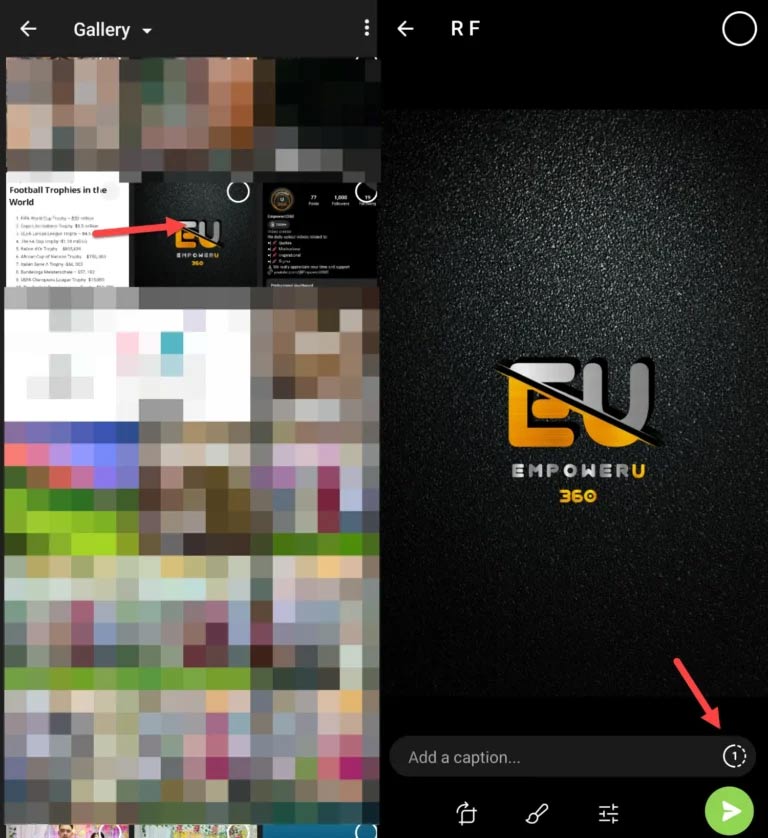
Step 3:
At this point, the user will see the option to automatically delete the photo after the other person clicks to view the photo. We select the time in the support list to set up automatic deletion of photos sent on Telegram.
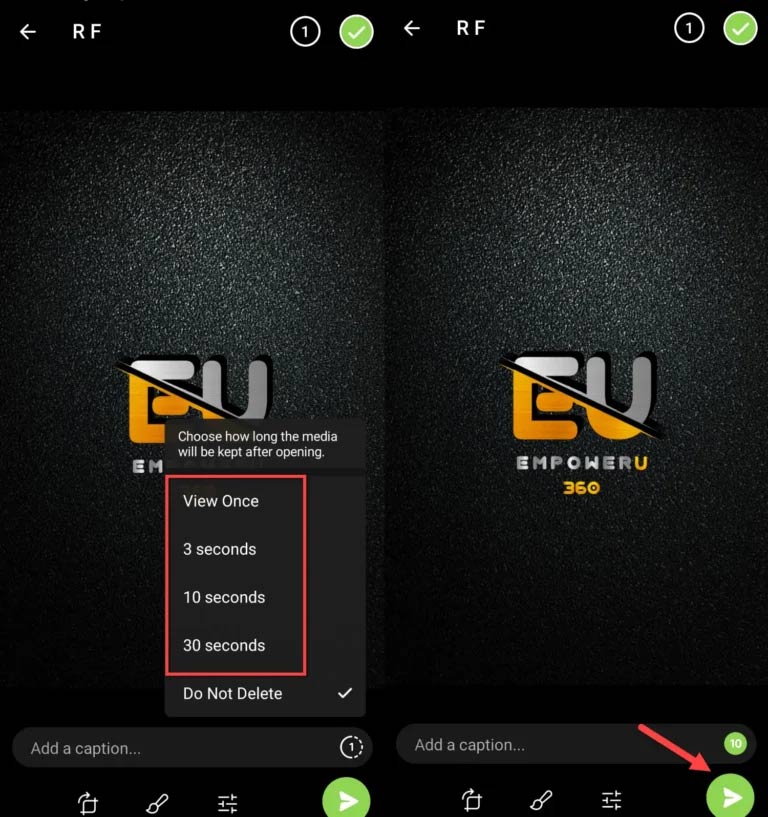
Step 4:
Images in automatic deletion mode on Telegram will have a disappearing symbol as below.
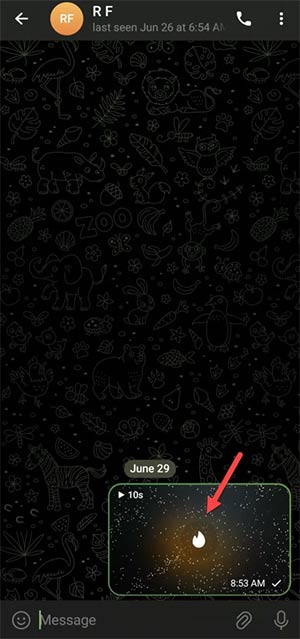
As soon as the recipient clicks to view the image, Telegram automatically counts down the time and will delete it when the time runs out. And then the person receiving the message will no longer be able to view the photo.
Final Thoughts
Use the instructions and checks above in order, verify the result after each major step, and keep a backup whenever the process changes important files or system settings.
FAQ
What should I check before starting?
Confirm that your device or software version matches the instructions, save important data, and note the original settings before making changes.
What should I do if the steps do not work?
Restart the app or device, install available updates, review any error message, and repeat the steps carefully in the same order.
Can I undo the changes?
Many changes can be reversed, but the exact method depends on the feature. A backup or restore point gives you the safest way to recover.
Related Articles
 How to Self-destruct Chat on Telegram2 minutes read
 8 Reasons Telegram Is the Only Messaging App You Need7 minutes read
 Telegram and Telegram X Suddenly Disappeared from the App Store3 minutes read
 How to Create Secret Telegram Messages: Clear Instructions4 minutes read
 Instructions for Using Free Chat Software Telegram on Your Computer4 minutes read
 How to Chat Secret Groups on Viber: Secret Chat on Viber4 minutes read
Reader Comments 0
Sign in with email or Google to join the discussion.