Table of Contents
This practical guide walks through how to reduce Pdf Size on Computer for Free. It organizes the required steps, settings, and checks so you can complete the task with fewer mistakes.
Reducing The PDF size On your computer makes it easier for you to share files with everyone, especially large files. At the same time, increase email sending speed and avoid filling up device memory.
How to Reduce Pdf Size Using the Online Smallpdf Tool
Detailed Instructions
Step 1: Access the link to reduce PDF Online size using the SmallPDF tool The official source . select Choose files .

Step 2: Select PDF file => Open .
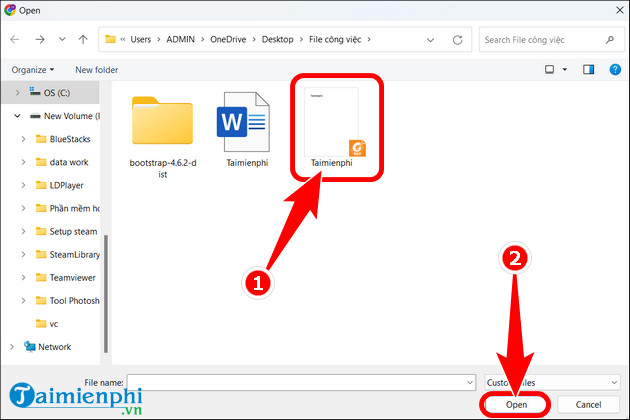
Step 3: The process of reducing PDF size will take a few seconds. Once completed, the results appears as shown below. from the official provider, you can Download files to Your computer and easily share them with everyone.

In addition, you can also review The top websites to reduce the best online PDF file size Here to choose for yourself reputable websites to help users greatly reduce PDF file size.
How to Reduce Pdf Size Using Free PDF Compressor Software
Detailed Instructions
Step 1: Download Free PDF Compressor Software to your computer.
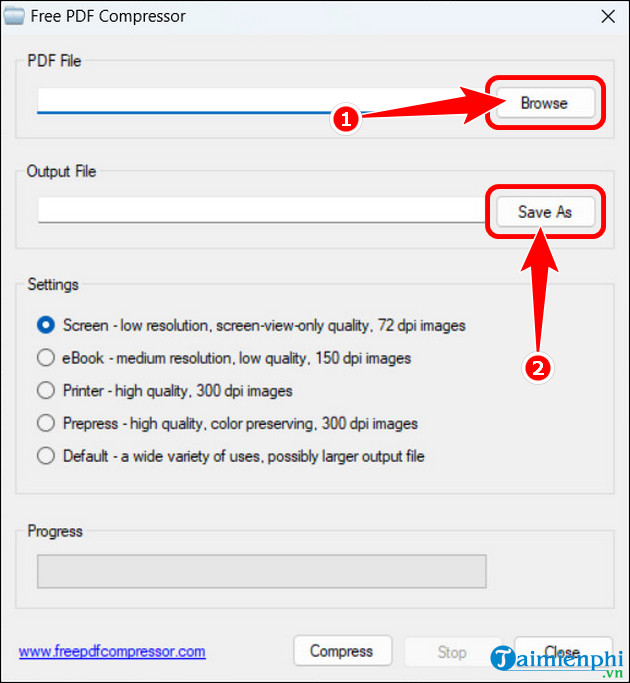
Step 2: Open Free PDF Compressor Software, select Browse , select the PDF file to compress => select Save As , select the folder containing the output PDF file.
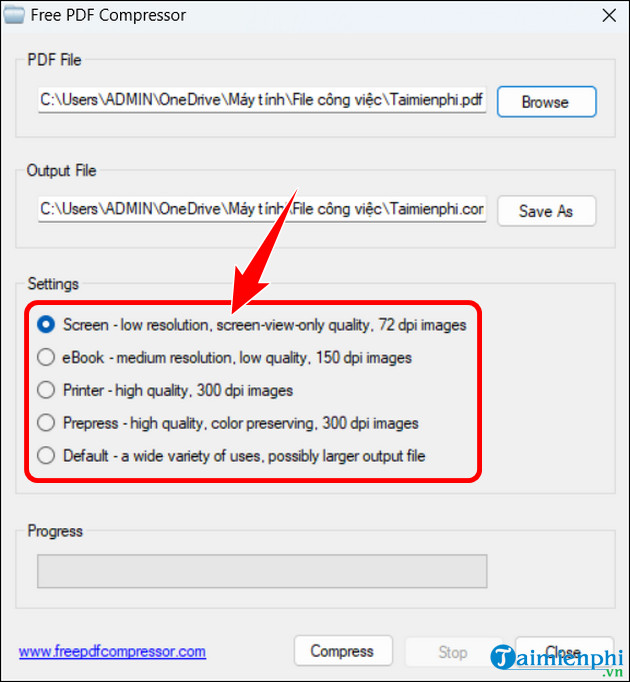
Step 3: In the Settings Section, there are a total of 5 main options for users.
- Screen: This option helps upload PDF via the Internet if the user wants to attach and send Email. This mode does not reduce file size, but when printing, font quality will be reduced. - eBook: Very suitable for printing PDF files, with normal resolution and image quality up to 150 dpi. - Printing: Also suitable for PDF printing, high resolution output incorporating 300 dpi image quality. - Prepress: Used to print large quantities of PDF files, file quality is maintained 100%. - Default: Used for many different purposes and suitable for large file sizes.
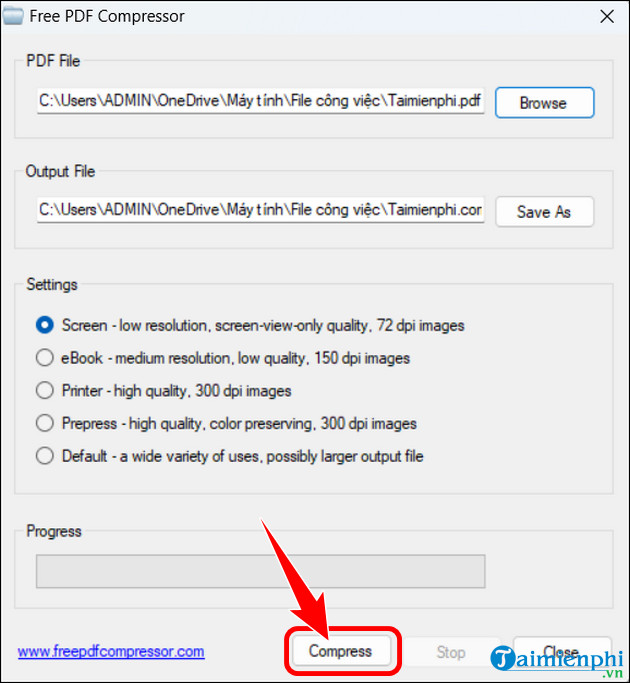
Step 4: Select Compress To start the process of reducing pdf size.
Why Reduce PDF Size?
- Helps users store more files. - Avoid full computer memory. - Support sending pdf to friends, partners,. more quickly.
Through the above steps, you probably already know the importance of reducing pdf size. Basically, this process is not too complicated and is also a method to help you free up more computer usage.
In addition to Free PDF Compressor, Several PDF file size reduction software on your computer That you can use to reduce pdf size and easily share files via Email or other platforms.
FAQ
What do I need before I reduce Pdf Size on Computer for Free?
Prepare the required device, software, account access, and any files mentioned in the steps. Back up important data before changing system settings.
Why does the process look different on my device?
Menus and options can vary by operating system, app version, device model, or region. Use the closest matching setting and check the official documentation when needed.
What should I do if a step does not work?
Restart the app or device, confirm permissions and connectivity, update the software, and repeat the step carefully. Avoid unofficial downloads or tools.
Related Articles
 Instructions for Reducing Image Size with Fileminimizer Pictures6 minutes read
 How to Reduce Video File Size Using Format Factory on a Computer4 minutes read
 How to Reduce PDF File Size: Complete Guide6 minutes read
 How to Reduce the Capacity of Free Online Images14 minutes read
 How to Reduce the Size and Size of Word Document Files Containing Images3 minutes read
 How to Reduce the Size of Excel Files3 minutes read
Reader Comments 0
Sign in with email or Google to join the discussion.