Table of Contents
IrfanView is a compact Windows image viewer that can display animated GIFs and, with current components, formats such as animated WebP and APNG. Download the installer and matching plug-ins from IrfanView's official site, choose the correct processor version, and associate only the file types you want IrfanView to open.
Choose 32-bit, 64-bit, or ARM64
- 64-bit: the normal choice for most Windows 10 and 11 PCs, especially for very large images.
- 32-bit: runs on both 32-bit and 64-bit Windows and retains compatibility with some older plug-ins and scanning workflows.
- ARM64: use this build on a Windows 11 ARM device such as a supported Snapdragon PC.
Check Settings > System > About > System type before downloading. IrfanView's 32-bit and 64-bit comparison explains why a user might still choose the 32-bit build. The program is freeware for private, non-commercial use; businesses and most government organizations need a license under the developer's terms.
Download and install IrfanView
- Open the official IrfanView download page and select the correct Windows build. Avoid third-party downloaders.
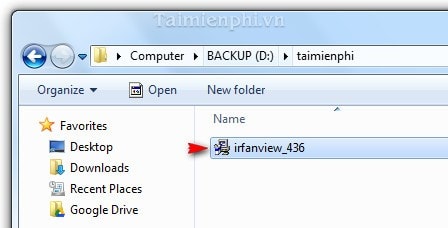
- Open the downloaded installer. Confirm its filename, publisher, and signature before approving the administrator prompt.
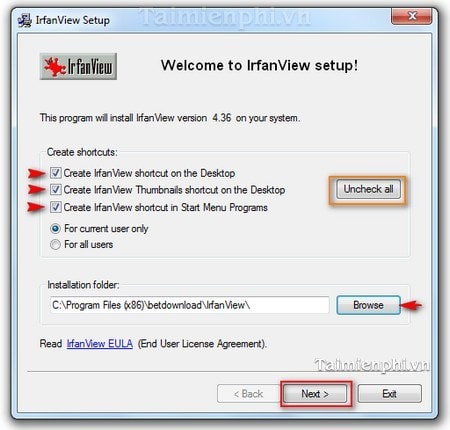
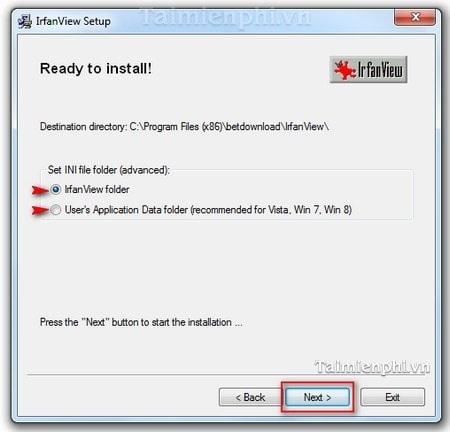
- Choose whether to add shortcuts and accept the default Program Files folder unless there is a specific reason to change it.
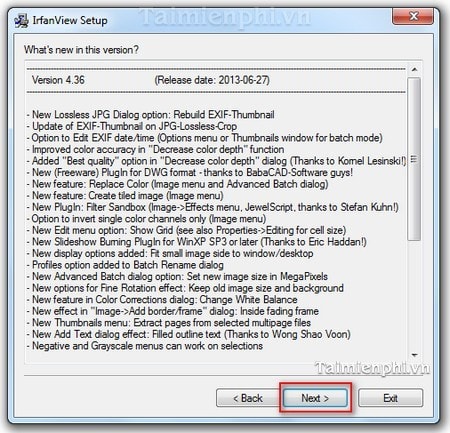
- Review the version information and continue.
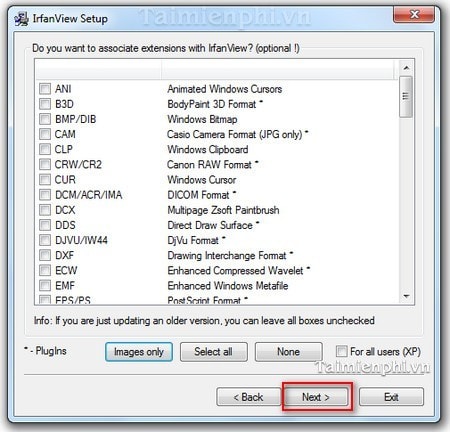
- Select file associations carefully. Choose common image formats only if you want IrfanView to become their default viewer; do not select every extension blindly.
- Store settings in the user's application-data folder on a multi-user or protected Windows installation.
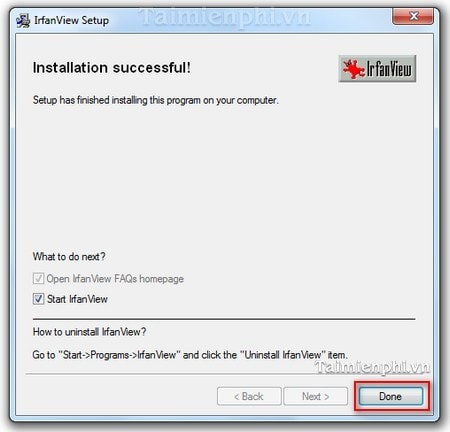
- Complete setup and open IrfanView.
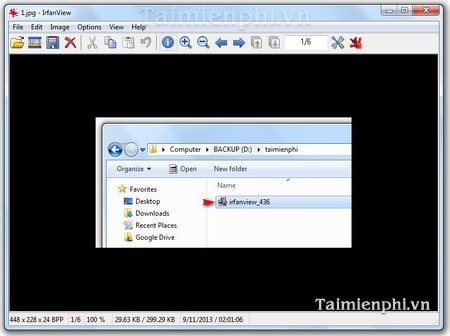
The screenshots below show an older installer. The overall sequence remains recognizable, but current version text and supported formats may differ.
Install the plug-ins
Plug-ins add support for extra image, metadata, audio, video, and document formats. Download the plug-in pack from IrfanView's official plug-ins page. Match the plug-in architecture to the installed program: 32-bit plug-ins belong with IrfanView 32-bit, and 64-bit plug-ins belong with IrfanView 64-bit. Do not mix their installation folders.
Install the newest plug-ins after updating IrfanView, because older image decoders may contain bugs or fail with current formats. Only add the pack when its extra formats are needed.
View an animated image
- Open IrfanView and choose File > Open, or double-click an associated GIF.
- Select an animated GIF, APNG, or animated WebP file supported by the installed build and plug-ins.
- If the file appears static, confirm that it actually contains multiple frames, update IrfanView and plug-ins, and test another known animated file.
- Use the playback or animation options available for the format; pressing Esc exits full-screen viewing.
IrfanView can read and save GIF files, while some newer or less common formats require plug-ins. The official format list should be checked when a particular file will not open. For alternatives, compare TipsMake's photo-viewing software.
Create a slideshow
An animated image and a slideshow are different: an animated GIF stores multiple frames in one file, while a slideshow cycles through separate images. In IrfanView, open File > Slideshow, add the desired files, arrange their order, choose the delay and playback options, and start the slideshow. Keep source files in place if the saved slideshow list references their paths.
For editing rather than viewing, see TipsMake's comparison of free photo editors and its list of GIF-creation tools.
Change or remove file associations
On Windows 11, open Settings > Apps > Default apps, search for IrfanView or a file extension such as .jpg or .gif, and select the desired viewer. Changing associations does not convert or move the images. If every desktop icon unexpectedly shows the IrfanView icon, correct the affected extensions in Default apps instead of uninstalling the program immediately.
Troubleshooting
- Installer will not start: download a fresh copy from the official site, check the architecture, and verify the signature.
- Format will not open: update both IrfanView and the matching plug-in pack, then consult the official format list.
- Settings do not save: store the INI file in the user's application-data folder rather than a protected Program Files directory.
- Very large image fails: use the 64-bit build and close memory-heavy applications.
Related Articles
 Create Animated Images Online with PictureStudio3 minutes read
 How to Block the Display of Images in Gmail2 minutes read
 Add Text to GIF Images, Add Text to Animated Images5 minutes read
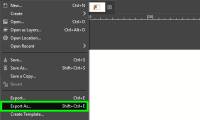 Click: How to Create an Animated Gif Image with Gimp9 minutes read
 How to Install GIF Images on the Standby Screen Always on Display5 minutes read
 'Transform' a Picture into an Animated Picture or Picture Using4 minutes read
Reader Comments 0
Sign in with email or Google to join the discussion.