Table of Contents
On a modern Windows PC, install PhotoScape X from the Microsoft Store or the developer's official website. The older PhotoScape 3.7 installer shown in this article is intended for legacy Windows versions and may include outdated screens or optional bundled software.
Choose the correct PhotoScape version
- PhotoScape X: the developer lists it for 64-bit Windows 10 version 1709 or later, as well as macOS. This is the appropriate choice for most current PCs.
- PhotoScape 3.7: the developer keeps this legacy version for Windows XP, Vista, 7, and 8. Use it only when PhotoScape X is incompatible and the risks of an unsupported operating system are understood.
PhotoScape is useful for crops, resizing, color adjustments, filters, collages, batch processing, and animated GIFs. A sharpening tool may improve the appearance of a slightly soft image, but software cannot reliably reconstruct detail that was never captured in a badly out-of-focus photo.
Install PhotoScape X from Microsoft Store
- Open PhotoScape X's Microsoft Store listing.
- Check that the app name, developer, system requirements, and permissions match the intended product.
- Select Get or Install. Sign in only if Microsoft Store requires it for the device.
- Wait for installation, then open PhotoScape X from the Start menu.
- Import a test image and export a copy before relying on the app for important work.
The developer's official PhotoScape X site provides current compatibility details and links for Windows and Mac. Compare it with other options in TipsMake's guide to free photo-editing software.
Install legacy PhotoScape 3.7
Download PhotoScape 3.7 only from the developer's official PhotoScape site. Scan the installer, verify the publisher or signature when available, and create a restore point on an older PC. The screenshots below show an old installer and may not match the current download exactly.
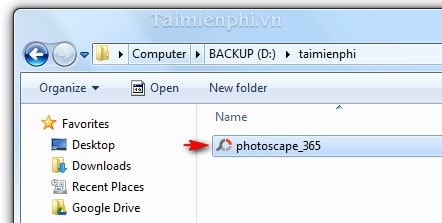
- Open the folder containing the installer and launch PhotoScapeSetup.exe or the filename supplied by the official site.
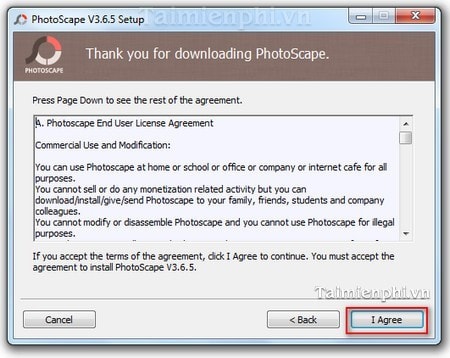
- Review the license and installation options. The default folder is appropriate for most users.
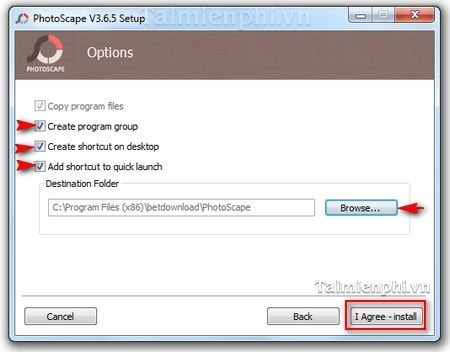
- Select only shortcuts you actually want.
- Decline optional third-party software. PhotoScape does not require an unrelated browser add-on, social tool, or search setting to edit photos.
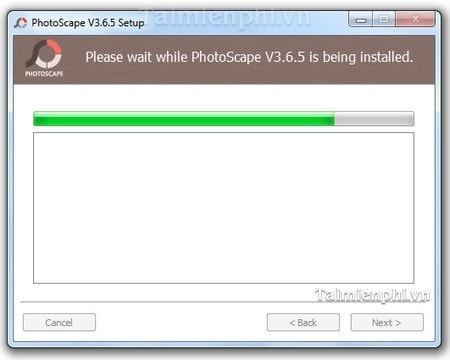
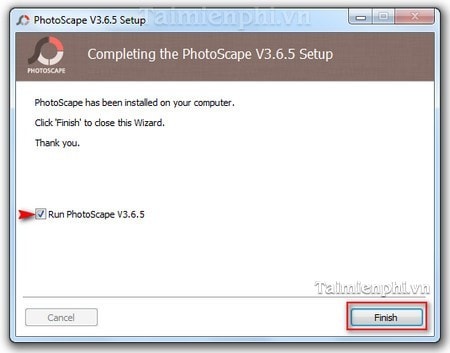
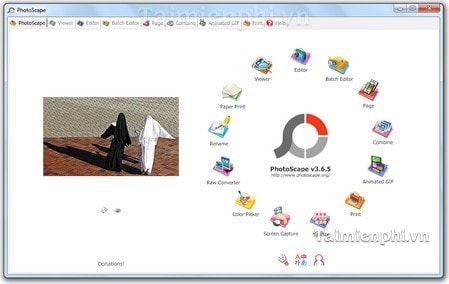
- Complete installation and open PhotoScape.
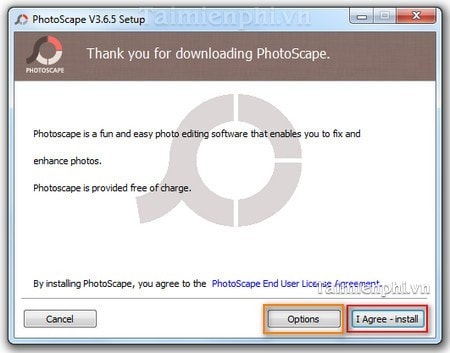
The older options screen can create a program group, desktop shortcut, or Quick Launch shortcut. These choices affect convenience, not editing features.
Decline unrelated bundled offers
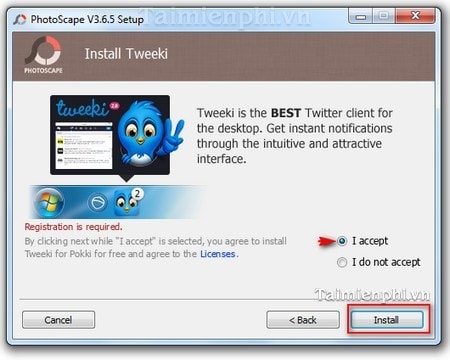
The original installer screen offered Tweeki. This is not needed for PhotoScape. Select the option that declines the offer, and check that no browser home page, search engine, extension, or startup program is added. If an installer does not allow a clean installation, cancel it and obtain PhotoScape from the official source.
First steps after installation
- Open a copy of a photo rather than the only original.
- Use Crop or Resize for dimensions, and Adjustments for brightness, contrast, color, or sharpening.
- Preview filters at 100% zoom so artifacts are visible.
- Choose Save As and export to a new filename. Keep the original image untouched.
- Check the output dimensions, format, quality, transparency, and metadata before sharing.
PhotoScape X also provides collage tools; TipsMake compares them in its guide to photo-collage software. Mac users can review photo editors for macOS.
If PhotoScape will not install
- Confirm that the chosen PhotoScape version supports the operating system and processor architecture.
- Install pending Windows or Microsoft Store updates, then restart.
- Delete the failed download and obtain a fresh copy from the official source.
- Check available storage and use an administrator account only when the installer requests it.
- Do not disable antivirus protection permanently or download a cracked Pro build.
If the PC runs an obsolete Windows release, upgrading the operating system is safer than installing an old editor solely for compatibility.
Related Articles
 minutes read
 10 Easiest Photo Editing Software to Use for Beginners9 minutes read
 How to Make Photos on Photoscape?: Make Animations4 minutes read
 Free Online Photo Editing Services Should Not Be Missed!5 minutes read
 How to Online Photo Editing: Step-by-Step Guide3 minutes read
 Top 5 Best Simple Free Photo Editing Apps for macOS6 minutes read
Reader Comments 0
Sign in with email or Google to join the discussion.