Table of Contents
For most home users, Windows Security is a capable free starting point. A paid antivirus suite makes more sense when you need extras such as cross-device coverage, parental controls, identity monitoring, cloud backup, or a bundled VPN. No antivirus can make an unsupported operating system safe: Windows 10 reached the end of free support on October 14, 2025, so use Windows 11 or enroll an eligible Windows 10 PC in Extended Security Updates.
This guide compares practical options rather than declaring one product universally best. Features, device limits, introductory prices, and renewal prices change frequently, so confirm the current plan before buying.
Quick recommendations
| Option | Best fit | Cost model | Check before choosing |
|---|---|---|---|
| Windows Security | Most Windows 11 users who want solid built-in protection | Included with Windows | Whether you need suite extras or support for other platforms |
| Norton 360 Deluxe | Households wanting an all-in-one security suite | Subscription | Renewal price and which backup, VPN, and identity features apply in your region |
| Bitdefender Total Security | Users who prioritize consistently strong independent test results | Subscription | Device count, platform support, and VPN limits |
| Avast Free Antivirus / Avast One | A feature-rich free option or an upgradeable suite | Free and paid tiers | Upselling, privacy settings, and included VPN allowance |
| AVG Free / Internet Security | Users who prefer AVG's interface and plan structure | Free and paid tiers | Feature overlap with Avast and the renewal price |
| Avira Free / Prime | Beginners who want simple controls and optional utilities | Free and paid tiers | Performance on your PC and whether you need every bundled utility |
| McAfee+ | Multi-device households interested in identity and privacy services | Subscription | Exactly which identity services are available in your country |
| Panda Dome | Users who value flexible tiers and many utilities | Free and paid tiers | Current lab results, VPN limits, and whether the extra tools add value |
How to judge antivirus software
Do not rely on marketing claims or a single detection percentage. Independent labs test different scenarios, including malicious websites, file-based malware, false alarms, and performance impact. Results are snapshots: a product can improve or decline between test rounds.
- Protection: Compare recent results from more than one reputable lab.
- False positives: Blocking safe software too often can be as disruptive as missing a threat.
- Performance: Check the effect on web browsing, app installation, file copying, and scans on hardware similar to yours.
- Plan details: Compare the renewal price, number of devices, supported operating systems, VPN data limits, and cancellation terms.
- Useful extras: Pay only for tools you will use. A password manager, backup service, or VPN you already trust may be better than a basic bundled version.
- Privacy and support: Review data-collection settings and the support options included with the plan.
Useful references include AV-TEST's Windows results and AV-Comparatives consumer tests. In AV-Comparatives' February–May 2026 real-world test, Avast, AVG, Bitdefender, Microsoft, and Norton were among the products receiving its top award level; McAfee received the next award level. Performance results should always be read alongside protection and false-positive results.
1. Windows Security: the best starting point for most people

Windows Security is built into Windows 11 and includes Microsoft Defender Antivirus, Firewall & network protection, reputation-based protection, and other device-security controls. It updates through Windows Update, works without a separate subscription, and performs well in current independent testing.
It is the sensible default if you keep Windows and your browser updated, use a standard user account for everyday work, and do not need a commercial suite's extras. Microsoft Defender normally adjusts its role when another properly registered antivirus product is installed; running two real-time antivirus engines at once can cause conflicts and does not provide double protection.
See Microsoft's overview of Windows security for the current built-in features.
2. Norton 360 Deluxe: a broad household security suite
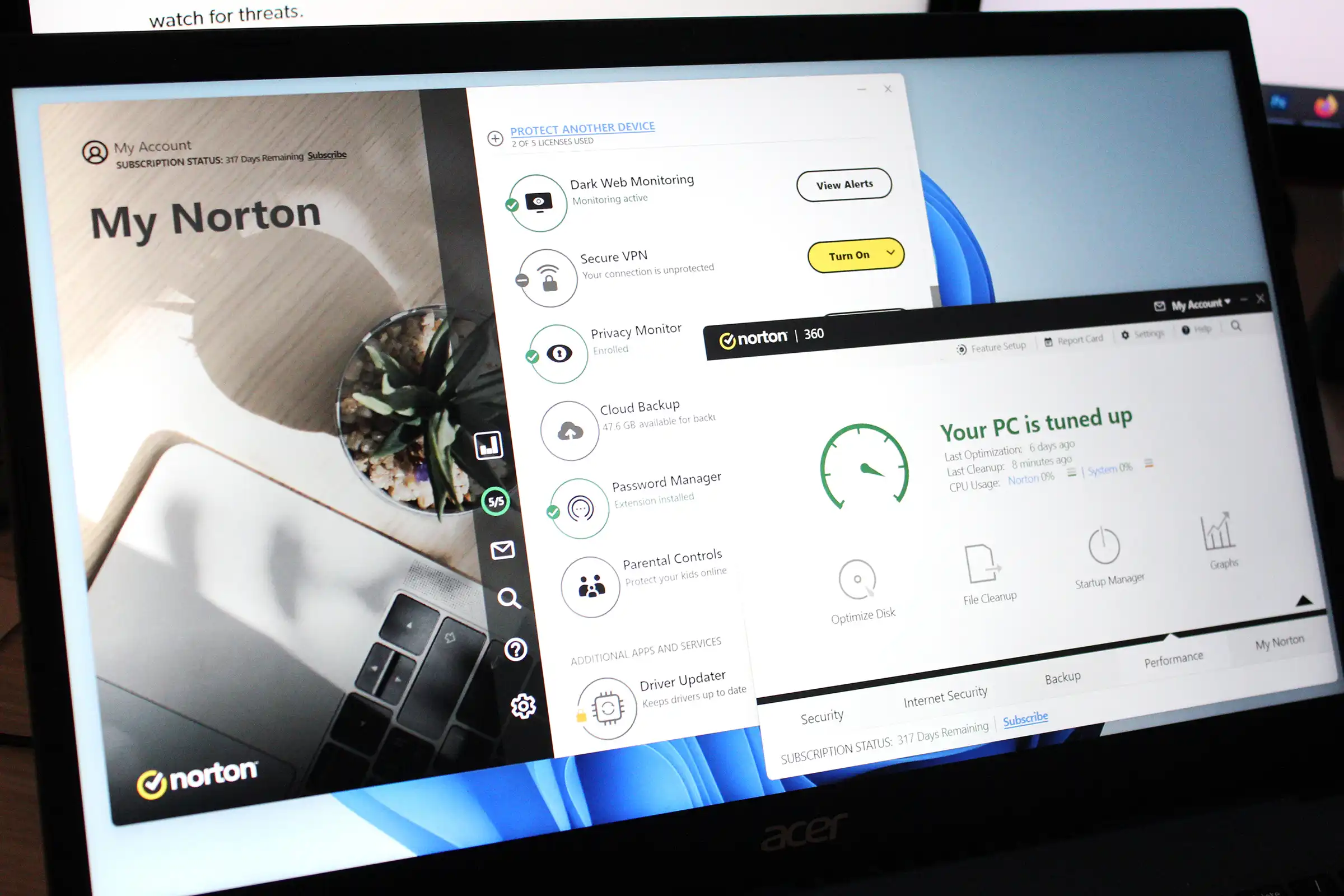
Norton combines malware protection with a collection of services that may include a VPN, password management, cloud backup, parental controls, and dark-web monitoring. The exact package varies by market. Recent independent Windows tests place Norton among the stronger protection options.
Choose it when consolidating several tools into one subscription is genuinely convenient. Before paying, compare the first-year price with the renewal price and check device limits, backup storage, and regional availability of identity features.
3. Bitdefender Total Security: strong lab performance
Bitdefender is worth shortlisting when independent protection results are the priority. Its consumer suites combine real-time malware protection, web protection, ransomware defenses, and additional privacy or device tools depending on the tier.
Read the plan details carefully: platform support and the VPN allowance can differ by product. Run the trial on your own PC if possible, because a favorable lab performance score does not guarantee that every computer will feel equally responsive.
4. Avast Free Antivirus and Avast One: flexible free and paid tiers
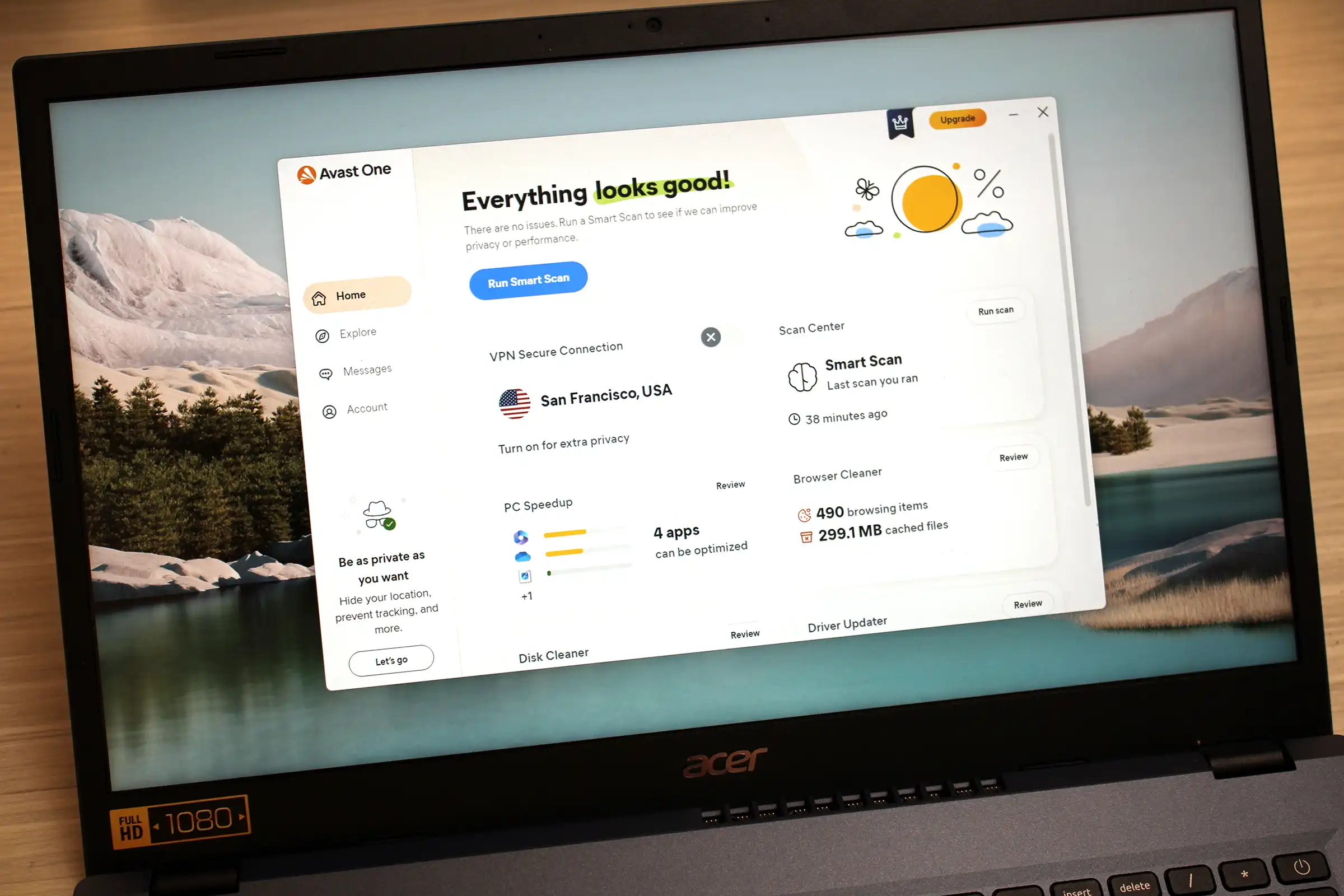
Avast offers a capable free antivirus and paid Avast One packages with additional web, privacy, and maintenance features. Its interface is approachable, and recent independent tests show strong protection.
The trade-offs are frequent upgrade prompts and a large menu of optional features. Review privacy settings during installation, decline components you do not need, and confirm the limits of any included VPN before treating it as a replacement for a dedicated service.
5. AVG Free and AVG Internet Security: a straightforward alternative
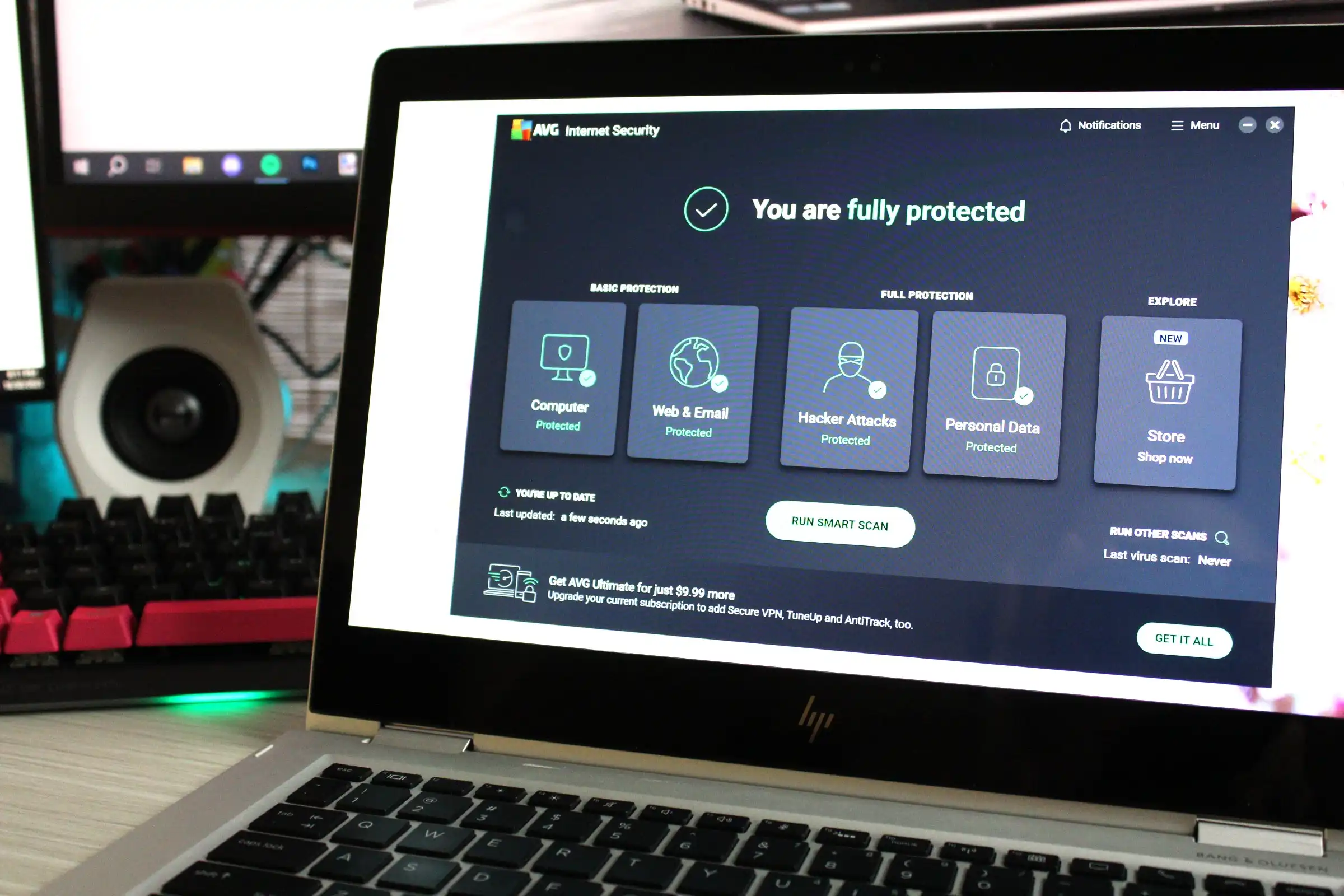
AVG's free tier covers core malware protection, while Internet Security adds broader web, email, webcam, and network defenses. Current independent testing also places AVG among the stronger Windows products.
AVG and Avast are owned by the same company and their packages overlap, so installing both is unnecessary. Compare their interfaces, plan terms, and included features, then choose one. Expect some promotion of paid tools in the free edition.
6. Avira Free and Avira Prime: simple controls with optional utilities
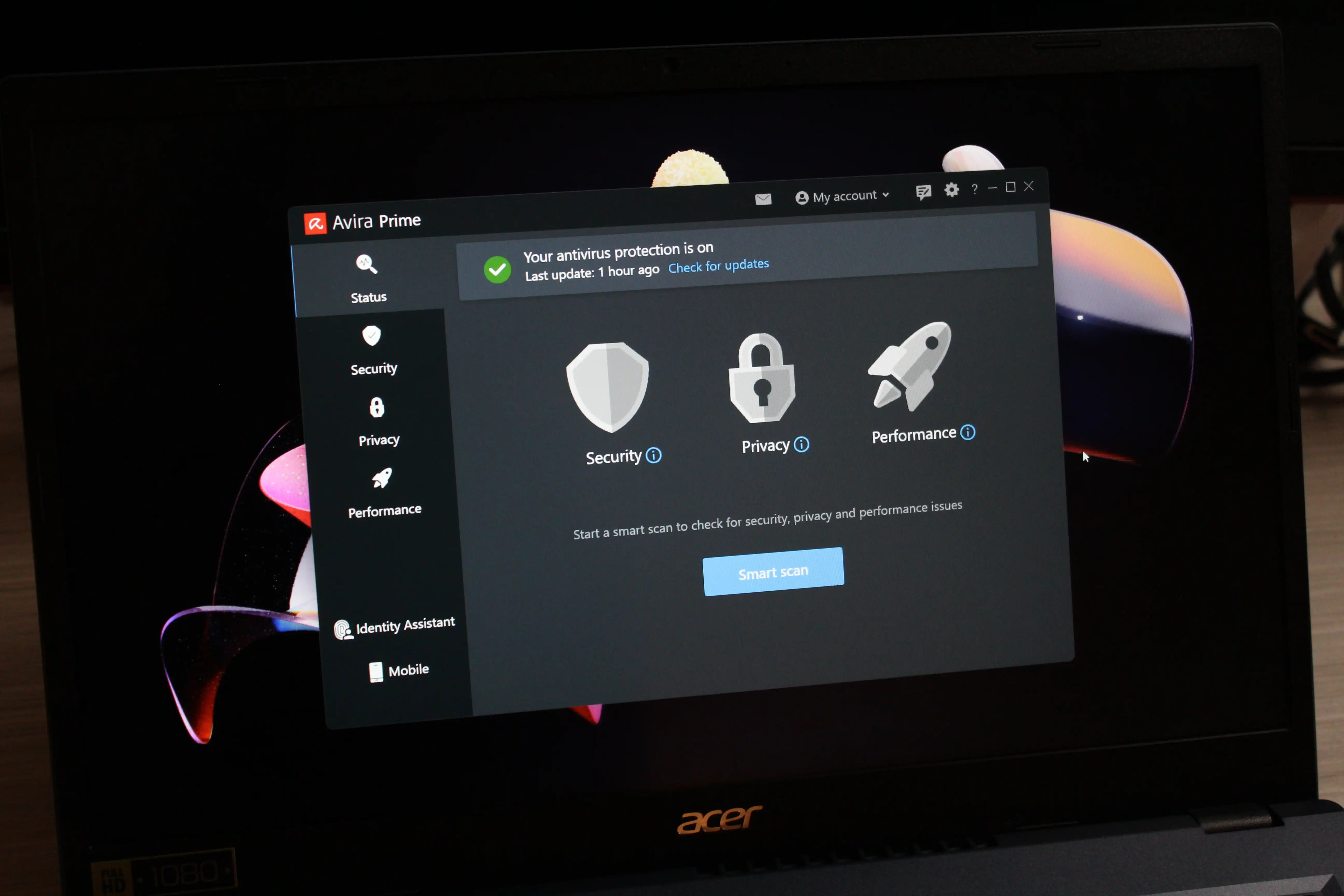
Avira's clear interface suits people who want the main security controls without navigating a highly technical dashboard. Prime bundles antivirus protection with privacy and system utilities, although not every user needs those additions.
Test Avira on the actual computer before committing to a long subscription. Independent results can vary by test round, and older hardware may react differently to scans and maintenance tools.
7. McAfee+: identity-focused multi-device packages
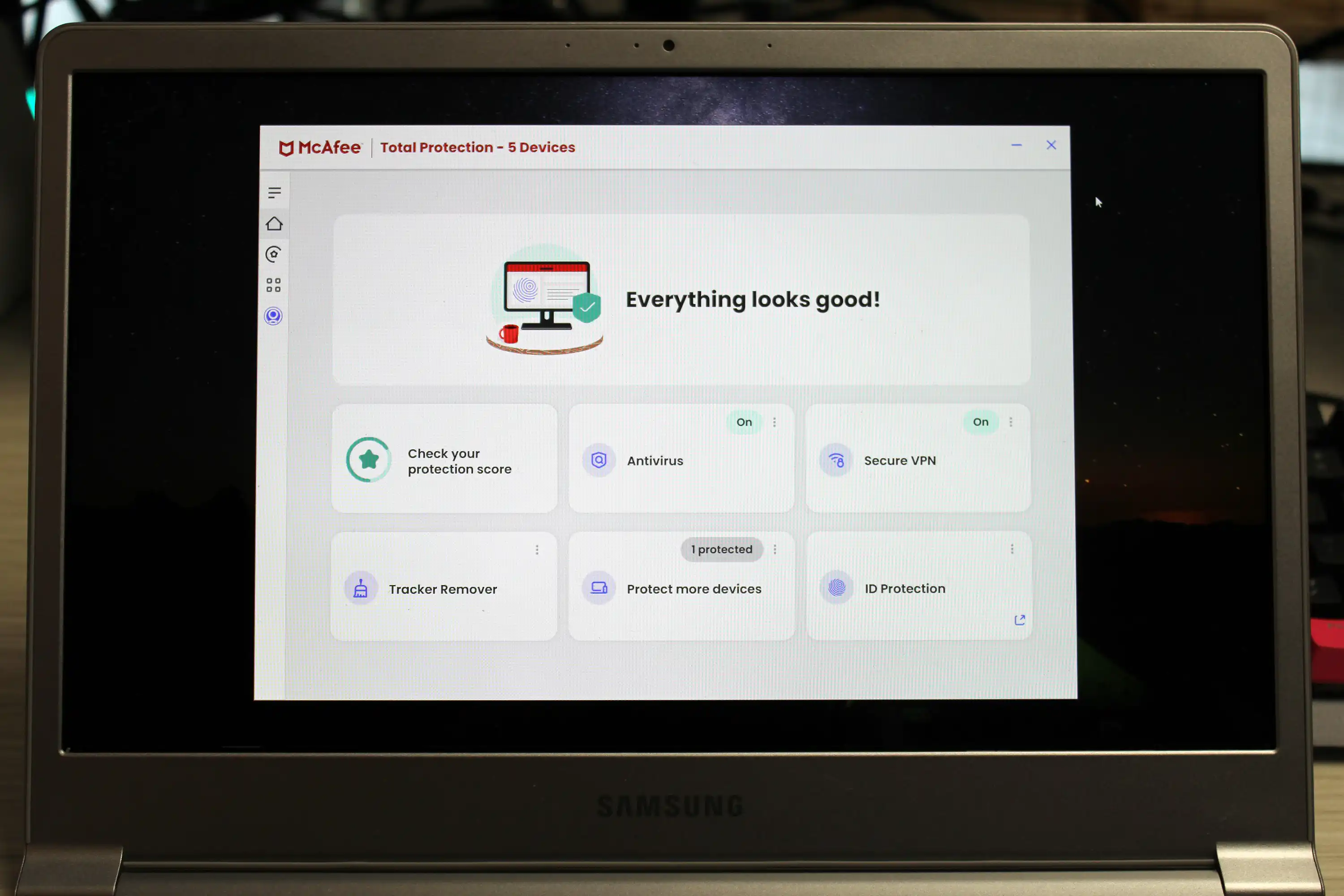
McAfee's current consumer plans emphasize protection across multiple devices together with privacy and identity-monitoring services. This can be useful for a family that wants one account and one support channel.
Identity monitoring, recovery assistance, financial protections, and device counts differ by country and plan. Verify the exact coverage rather than assuming a feature mentioned on a global product page applies to you. Also compare recent independent protection and performance results with the other products on this list.
8. Panda Dome: many tools and flexible tiers
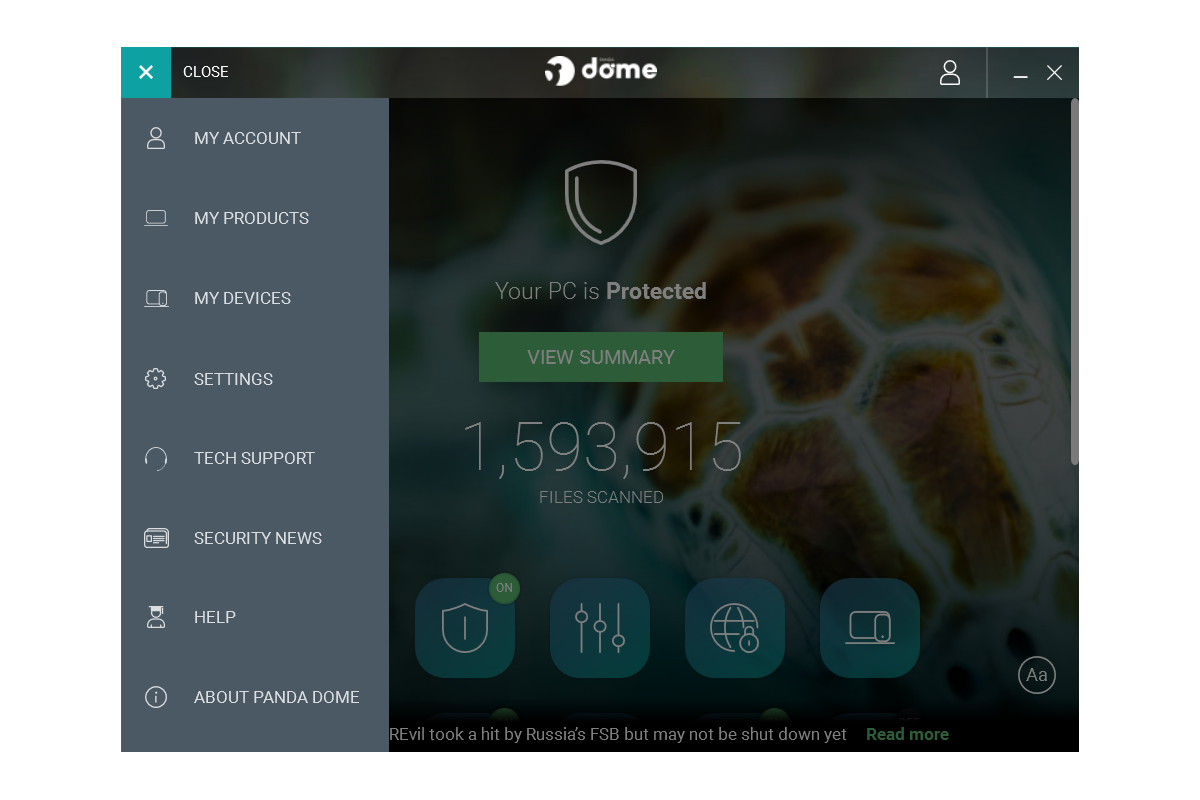
Panda Dome offers several tiers, from basic antivirus protection to packages containing more privacy, password, cleanup, and parental-control tools. Its visual dashboard can make a long feature list easier to navigate.
The abundance of utilities is valuable only if you use them. Check recent third-party test coverage, VPN data limits, renewal pricing, and whether Windows already provides an equivalent tool. A short trial is the safest way to judge its interface and system impact.
Antivirus is only one layer of protection
Even excellent antivirus software cannot reliably prevent every phishing attack, account takeover, or data loss. Keep Windows, browsers, and applications patched; use unique passwords with multi-factor authentication; maintain an offline or versioned backup; and treat unexpected attachments and login links with suspicion.
If you still use Windows 10, Microsoft's standard support has ended. Upgrade to Windows 11 where possible or review the official Windows 10 Extended Security Updates options. Installing a different antivirus does not replace missing operating-system security patches.
Which option should you choose?
Start with Windows Security if you want dependable, no-cost protection and do not need a bundled suite. Shortlist Norton or Bitdefender for strong tested protection with paid extras; compare Avast and AVG for free or upgradeable choices; and consider Avira, McAfee, or Panda only when their specific interface or package benefits fit your needs. Whichever product you choose, keep one real-time antivirus active, enable automatic updates, and review the renewal terms before subscribing.
Related Articles
 7 Most Effective Antivirus Software for Windows 202411 minutes read
 11 Most Effective Antivirus Software for Windows 2023: Best Options Compared15 minutes read
 10 Most Effective Antivirus Software for Windows 201910 minutes read
 Microsoft Claims Windows Defender Is the Best Antivirus Software3 minutes read
 5 Things to Consider Before Buying Antivirus Software4 minutes read
 minutes read
Reader Comments 0
Sign in with email or Google to join the discussion.