Table of Contents
These tools are purpose-built to model how manufacturing variation accumulates across an assembly before you ever cut metal. The longer answer is that the "best" tool depends entirely on your stack-up complexity, your CAD environment, and whether you're buying for a single engineer or an entire department.
Every design carries a gap between nominal intent and the real, varying parts a supplier actually ships. That gap is where assembly issues, interferences, sloppy fits, and expensive late-stage changes are born. The right tolerance stack-up analysis software closes it early - when a fix costs a mouse click instead of a tooling change.
Our top pick is Sigmetrix for engineering teams that need to scale from straightforward 1D stack-ups to advanced 3D Monte Carlo analysis within a single vendor ecosystem. No other vendor in this roundup offers a genuine beginner-to-advanced software ladder in one platform family. That ladder - EZtol for fast, accessible stack-up work, Cetol 6σ for advanced 3D worst-case and statistical analysis, and GD&T Advisor for standards validation before you even run a number - is paired with a structured training program that gets teams productive faster than piecing tools together from different vendors. For engineers whose main question is whether an assembly will *perform* (not just assemble), Enventive is the strongest alternative, thanks to its fit-and-function performance modelling. And for distributed or remote teams that need zero-install, browser-based collaboration, RD8 is the standout choice.
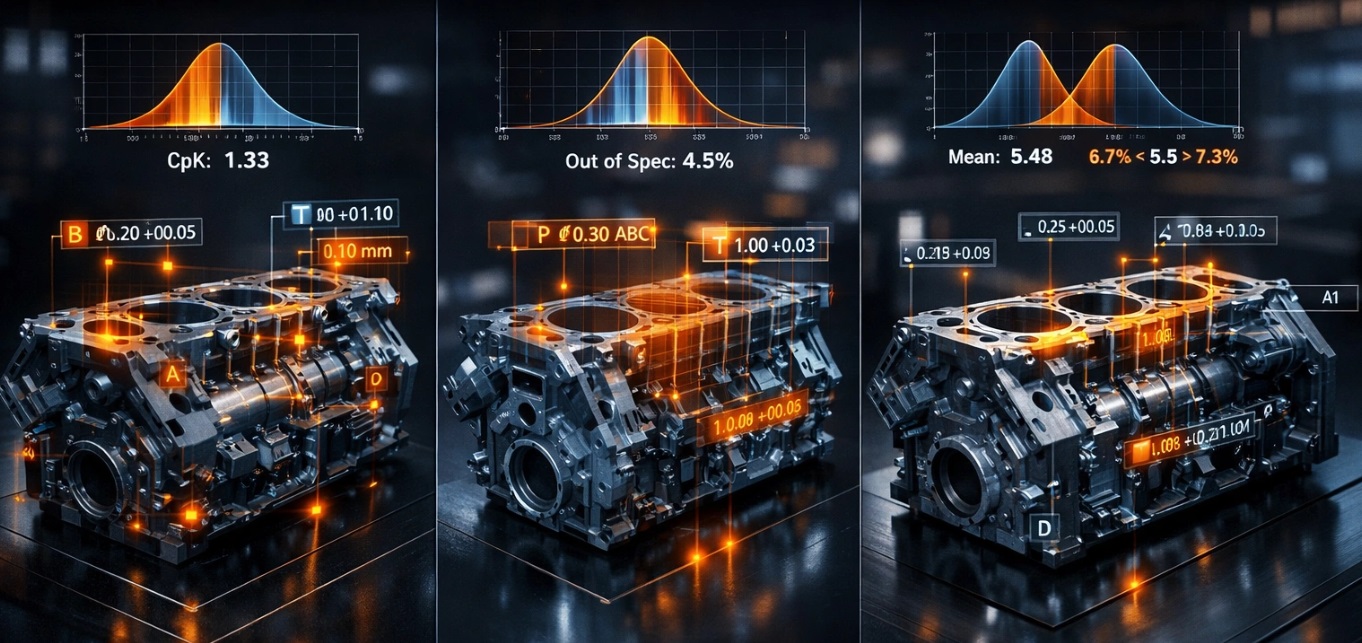
Below, we rank the seven best GD&T tolerance analysis software tools for 2026 and score each against four criteria: stack-up method support, GD&T rule enforcement, output reporting quality, and learning curve. Whether you're a variation analyst running a one-off study or a team lead standardising a department, there's a fit here.
At a glance
- Sigmetrix - best for full-spectrum tolerance analysis within a single ecosystem (1D through advanced 3D).
- Enventive - best for fit-and-function design optimisation and performance-driven tolerance decisions.
- Creo EZ Tolerance Analysis - best for PTC Creo users who want native, in-CAD stack-up checks.
- CATIA Tolerance Analysis - best for Dassault Systèmes enterprises on CATIA V5 or 3DEXPERIENCE.
- Autodesk Tolerance Analysis Workflow - best for Autodesk-centric teams adding tolerance analysis without a standalone tool.
- RD8 - best for cloud-based, browser-native stack-ups across distributed or remote teams.
- MathWorks MATLAB - best for custom tolerance and statistical variation modelling with full scripting control.
How we ranked these
Every tool here was measured against the same four practical questions engineers actually ask during procurement. We also weighed CAD integration options, deployment model (desktop versus cloud), and whether the tool suits both individual contributors and team-wide standardisation. Pricing was noted where public and flagged as contact-based where it isn't - we don't invent figures.
Stack-up method support
Can the tool handle 1D linear, 2D, and full 3D geometric analysis? Just as important: does it support both worst-case and Monte Carlo statistical methods? Worst-case sums every tolerance limit at its extreme to guarantee assembly under any condition; Monte Carlo samples realistic distributions to predict how parts actually behave in production. Serious tolerance analysis treats both as first-class methods.
GD&T rule enforcement
Does the tool validate or enforce geometric dimensioning and tolerancing standards, or does it assume you've applied them correctly? Enforcement upstream of the math is where a lot of quiet errors get caught.
Output reporting
Reports have to survive a design review, a manufacturing handoff, and sometimes an audit. We looked at clarity, sensitivity and contribution outputs, and how easily results feed back into the design conversation.
Learning curve
Time-to-productivity for a practicing engineer, plus the availability of training resources. A powerful tool nobody can drive is shelfware.
The 7 best GD&T tolerance analysis software tools for 2026
With those criteria set, here are the seven best GD&T tolerance analysis software tools available in 2026 - from dedicated platforms built for the full complexity spectrum to CAD-native options that keep the workflow inside a familiar environment. Whether you're an individual contributor running a quick 1D stack-up or a team lead standardising on a 3D statistical analysis platform, there's a fit on this list. We've ranked them, and #1 is our overall recommendation for teams that expect their analysis needs to grow.
#1. Sigmetrix - Best for full-spectrum tolerance analysis within a single ecosystem
The strongest all-around choice when you need one vendor to cover everything from a quick linear stack-up to full 3D statistical variation analysis.
Sigmetrix is unusual in this space because it doesn't sell you a single tool and leave you to outgrow it. Its geometric dimensioning and tolerance analysis solutions form a genuine ladder: EZtol handles fast, accessible 1D and 2D stack-ups for the everyday work; Cetol 6σ steps up to advanced 3D worst-case and Monte Carlo statistical analysis for complex assemblies; and GD&T Advisor sits upstream, checking that your callouts are ASME Y14.5-correct before any number gets crunched. That last piece matters more than it sounds - the analysis is only as trustworthy as the tolerances feeding it. No other vendor in this roundup replicates that beginner-to-advanced progression within one platform family.
The other differentiator is human, not software. Sigmetrix wraps the ecosystem in structured training programs and certification pathways, which is a large part of why teams get productive faster and why the client positions the whole approach around improving profitability through more efficient engineering processes. When your goal is to build internal variation analysis capability over time rather than solve one assembly, that on-ramp genuinely matters.
Key specs: EZtol (1D/2D), Cetol 6σ (3D worst-case + Monte Carlo, sensitivity and contribution reports), GD&T Advisor (ASME Y14.5 validation). CAD integration via Cetol 6σ with CATIA, Creo, NX, and others. Desktop deployment. Team and enterprise licensing.
Strengths
- The only vendor here offering a genuine entry-level-to-advanced ladder within one platform family.
- GD&T Advisor enforces standards compliance upstream, catching non-conforming tolerances before they propagate into the analysis.
- Cetol 6σ's 3D Monte Carlo engine is built specifically for mechanical variation, not repurposed from a general stats package.
- Sensitivity and contribution outputs tell you *which* tolerances drive the variation, not just whether you pass.
- Serves both individual contributors and enterprise-wide standardisation.
Trade-offs
- The full family (EZtol + Cetol 6σ + GD&T Advisor) is a bigger total investment than a single-tool alternative.
- Cetol 6σ has a real learning curve for engineers new to 3D statistical analysis.
- Less compelling if your team is already deeply embedded in a competing CAD/PLM stack with native tolerance tools.
- No public pricing - procurement means engaging the vendor directly.
Best for: Engineering organisations that want to scale their tolerance analysis maturity over time without switching vendors or retraining on a new platform.
#2. Enventive - Best for fit-and-function design optimisation
The pick when the real question isn't "will it assemble?" but "will it perform across the whole tolerance range?"
Enventive (its product is often referenced as Enventive Concept) approaches stack-up differently from most tools on this list. Instead of treating variation as a purely dimensional closure problem, it links dimensional tolerances directly to functional performance targets - clearance, contact force, spring rate, deflection. You model the performance loop, and the software tells you whether the mechanism still works when every part drifts within its limits. For consumer products, medical devices, and precision mechanisms where fit and function are inseparable, that's a fundamentally more useful answer.
Key specs: 1D and 2D analysis with functional performance-loop modelling; optimisation engine that suggests tolerance adjustments; kinematic and compliance modelling for moving assemblies; functional sensitivity outputs. Contact vendor for pricing.
Strengths
- Performance-loop approach bridges GD&T and mechanical function, not just dimensional stack-up.
- The optimisation workflow actively proposes tolerance changes, cutting manual iteration.
- Excellent fit for precision mechanisms where performance and tolerance are tightly coupled.
- Reports feed straight into design-for-manufacturability reviews.
Trade-offs
- Less emphasis on full 3D Monte Carlo analysis than Cetol 6σ.
- Steeper conceptual learning curve for engineers used to purely dimensional tools.
- Smaller community and fewer third-party training resources than CAD-bundled options.
- Narrower CAD integration than enterprise-native tools.
Best for: Design engineers who need tolerance decisions tied to measurable performance outcomes.
#3. Creo EZ Tolerance Analysis - Best for PTC Creo users
The pragmatic option for Creo shops that want tolerance checks without exporting the model anywhere.
If your team already lives in PTC Creo Parametric, running tolerance analysis natively on the live model eliminates a whole category of risk - there's no data translation step where dimensions can drift or PMI can get lost. Creo EZ Tolerance Analysis detects loops from your assembly constraints and updates results associatively as the design changes, so a stack-up you ran last week reflects this week's revision automatically. It's a workflow convenience more than a specialist discipline, and that framing is exactly right.
Key specs: Native to Creo Parametric; 1D and basic 2D linear stack-ups; automatic loop detection; associative result updates; in-CAD design-review reports. Available bundled with or as an add-on to Creo licenses via PTC resellers.
Strengths
- Zero data-translation risk - analysis runs on the native model.
- Familiar interface for Creo users means almost no extra training.
- Associative updates keep results current as the design evolves.
- Removes tool-switching friction for Creo-standardised teams.
Trade-offs
- Limited to 1D/2D; not suited to complex 3D geometric variation studies.
- Only useful if you're already on Creo - there's no standalone version.
- Reporting is lighter than dedicated standalone tools.
- Doesn't independently enforce GD&T standards compliance.
Best for: Creo-standardised teams that want tolerance analysis as part of the normal design workflow, not as a separate specialty.
#4. CATIA Tolerance Analysis - Best for Dassault Systèmes enterprises
The default when your PLM backbone is Dassault and you want analysis living inside the product model.
Large OEMs in aerospace, defence, and automotive engineering often standardise their entire product data pipeline on CATIA V5 or 3DEXPERIENCE. For those organisations, CATIA Tolerance Analysis keeps variation studies inside that same environment, driven by the model's PMI and associative to the product structure and BOM. When your engineers already work in CATIA all day, there's no new UI paradigm and no separate data handoff - the tolerance analysis is part of the model-based definition workflow rather than a bolt-on. Getting the underlying GD&T right still matters, and enforcing ASME Y14.5 callouts remains the engineer's responsibility here.
Key specs: Native associativity with CATIA V5 and 3DEXPERIENCE; 3D geometric tolerance analysis within the Dassault ecosystem; PMI-driven annotation; PLM and BOM integration in 3DEXPERIENCE. Enterprise licensing by configuration.
Strengths
- Tight PLM integration means no separate data handoff.
- Scales to the large, complex assemblies typical of aerospace and automotive programmes.
- PMI-driven approach supports model-based definition workflows.
- No new tool to learn for engineers already fluent in CATIA.
Trade-offs
- Only relevant if you're already committed to the Dassault ecosystem.
- High licensing and infrastructure cost - out of reach for small teams or solo contributors.
- Less flexible for bespoke analysis workflows outside the Dassault environment.
- Vendor lock-in risk if your PLM strategy shifts.
Best for: Dassault Systèmes enterprises that need tolerance analysis embedded in programme-level product data management.
#5. Autodesk Tolerance Analysis Workflow - Best for Autodesk-centric teams
The low-friction way to add structured tolerance analysis to an Autodesk-based design process.
Teams already invested in Inventor, Fusion, and Vault can bring tolerance analysis into the workflow they already know rather than procuring, deploying, and learning a standalone platform. The Autodesk Tolerance Analysis Workflow treats stack-up as an embedded design step, works against Autodesk CAD geometry, and plays nicely with Vault for data management. It's best understood as an on-ramp - a way to introduce disciplined tolerance thinking to teams that don't yet run dedicated software.
Key specs: Tolerance analysis within the Autodesk ecosystem; 1D linear stack-ups on Autodesk geometry; workflow-embedded checks; Vault-compatible; reporting aligned to Autodesk documentation. Included in or added to Autodesk subscriptions - confirm current licensing.
Strengths
- Low barrier to entry for existing Autodesk subscribers.
- Keeps analysis inside a familiar environment.
- Minimal procurement and IT overhead versus a standalone tool.
- A sensible introduction to structured tolerance analysis for newer teams.
Trade-offs
- Narrower capabilities than a full-featured standalone platform.
- 3D Monte Carlo statistical analysis isn't a core strength here.
- Not ideal for complex multi-loop or multi-axis assemblies.
- Tied to the Autodesk ecosystem - not portable elsewhere.
Best for: Autodesk-standardised teams that want integrated tolerance analysis without adding a separate tool.
#6. RD8 - Best for cloud-based and distributed teams
The strongest answer whenever "can everyone access this without an IT ticket?" is your first question.
RD8 is browser-native and zero-install, which changes the deployment math entirely for distributed teams, contractor networks, and anyone who can't standardise on one installed environment. There's nothing to provision - engineers open a browser and run a stack-up, and multiple people can review the same analysis without emailing files around. It covers 1D, 2D, and 3D methods in the cloud, so it isn't just a convenience play for simple work. Because tolerance analysis and broader variation analysis increasingly happen across sites and suppliers, that accessibility is a real advantage.
Key specs: Browser-based, zero-install; 1D/2D/3D stack-up analysis in the cloud; collaborative multi-user access; exportable stack-up reports; no local CAD licence dependency. Subscription-based - confirm current tiers.
Strengths
- Zero-install deployment is a genuine differentiator for distributed teams and contractors.
- No IT infrastructure overhead; maintenance is handled server-side.
- Accessible to engineers without an enterprise CAD licence.
- Supports 1D through 3D methods in one platform.
Trade-offs
- Cloud dependency - needs reliable internet, so it's unsuitable for air-gapped networks.
- Less mature ecosystem than established desktop platforms; fewer integrations.
- More limited training resources and community support.
- May raise security or IP concerns in defence and regulated industries.
Best for: Multi-site, remote, or contractor-heavy engineering teams that can't rely on installed software.
#7. MathWorks MATLAB - Best for custom tolerance and variation modelling
The right tool when your problem is genuinely novel and packaged software can't express it.
MATLAB isn't a GD&T stack-up product; it's a scripting environment. But for teams that need to build bespoke tolerance loop equations, run custom Monte Carlo studies, or fold variation analysis into a larger simulation pipeline, that flexibility is the whole point. With the Statistics and Machine Learning Toolbox you can model arbitrary probability distributions and run sensitivity analysis, and through Simulink you can couple variation directly to a performance or control-system model. In R&D, aerospace, and novel-mechanism work, that reach beats any packaged tool - as long as you're willing to build the framework yourself.
Key specs: Full scripting for tolerance equations, Monte Carlo simulation, and statistical modelling; Statistics/ML Toolbox for distributions and sensitivity; Simulink integration; fully customisable outputs. MathWorks subscription or perpetual licensing; toolboxes priced separately.
Strengths
- Maximum flexibility - any model, any distribution, any output format.
- Native integration with Simulink for combined performance and variation simulation.
- Large community, deep documentation, and broad academic and industry familiarity.
- Ideal for R&D and non-standard assembly geometries.
Trade-offs
- Requires programming proficiency - not for engineers without scripting experience.
- Significant setup effort to build a tolerance framework from scratch.
- No built-in GD&T rule enforcement or standards compliance checking.
- Not production-ready out of the box; every workflow is custom.
Best for: Engineers and researchers who need bespoke variation models or want stack-up analysis wired into a larger simulation.
Frequently asked questions
What software can I use to analyze tolerance stack-up?
Dedicated GD&T tolerance analysis software is the standard answer. Sigmetrix (EZtol for 1D/2D, Cetol 6σ for 3D statistical work), Enventive, and RD8 are purpose-built stack-up tools, while CAD-native options like Creo EZ Tolerance Analysis, CATIA Tolerance Analysis, and the Autodesk Tolerance Analysis Workflow keep the analysis inside your existing environment. MATLAB covers fully custom modelling when packaged tools fall short.
What is the difference between worst-case and Monte Carlo tolerance analysis?
Worst-case analysis assumes every dimension sits at its extreme tolerance limit simultaneously, guaranteeing the assembly works under any conceivable condition - but often at the cost of unnecessarily tight, expensive tolerances. Monte Carlo (statistical) analysis samples realistic distributions across thousands of virtual builds to predict how parts actually behave in production. Tools like Cetol 6σ support both, so you can prove worst-case safety and then relax tolerances statistically where it's justified.
What is the difference between 1D, 2D, and 3D tolerance stack-up analysis?
A 1D stack-up sums dimensional variation along a single axis or direction - the classic linear chain. A 2D analysis accounts for variation in a plane, capturing angular and positional effects a 1D chain misses. A 3D analysis models the full geometric variation of an assembly in space, including how GD&T controls interact across features, and is where statistical methods and larger tolerance stack-up analysis software earn their keep.
How does GD&T software enforce ASME Y14.5 or ISO standards during tolerance analysis?
Some tools validate your callouts against the rules before the math begins - Sigmetrix's GD&T Advisor, for example, flags non-conforming annotations at the model or drawing stage so errors don't propagate downstream. Many CAD-native tools, by contrast, assume you've applied the standard correctly and analyse whatever you give them. If audit-grade drawing quality matters to you, prioritise a tool that enforces standards upstream rather than one that trusts the input.
What should engineers look for when choosing a tolerance analysis tool for their team?
Match the tool to your real complexity range, your CAD and PLM environment, and how many people will use it. Confirm it supports the stack-up methods you need (1D through 3D, worst-case and statistical), check whether it enforces or merely assumes GD&T correctness, and evaluate reporting quality for design reviews and manufacturing handoff. For a team-wide standard, weigh the learning curve and available training heavily - capability nobody adopts delivers nothing.
Can tolerance analysis software integrate directly with CAD platforms like CATIA, Creo, or Autodesk?
Yes. Several tools are CAD-native: Creo EZ Tolerance Analysis runs inside PTC Creo, CATIA Tolerance Analysis lives in the Dassault ecosystem, and the Autodesk Tolerance Analysis Workflow works within Autodesk products. Dedicated platforms integrate too - Cetol 6σ connects with CATIA, Creo, NX, and others - while cloud tools like RD8 run in a browser without any CAD licence dependency.
How long does it typically take an engineer to learn tolerance stack-up analysis software?
For 1D and 2D tools with familiar interfaces, a practicing engineer can be productive within days. Advanced 3D statistical platforms and performance-loop tools carry a steeper curve - often several weeks to real fluency, especially for engineers new to Monte Carlo methods. Structured training makes a large difference, which is one reason vendor training ecosystems are worth factoring into the decision.
What is a GD&T tolerance stack-up analysis and why does it matter in product design?
A tolerance stack-up analysis calculates how the individual dimensional and geometric variations of parts accumulate across an assembly, predicting whether the finished product will fit and function within its required limits. It matters because manufactured parts never match nominal dimensions exactly, and unmanaged variation drives assembly issues, warranty problems, and costly late redesigns. Running it early with capable GD&T tolerance analysis software is far cheaper than discovering the problem on the shop floor.
Choosing the right tool for your team
The best GD&T tolerance analysis software comes down to three things: how complex your stack-ups get, which CAD environment you already run, and whether one engineer or a whole department needs the tool. Choose a CAD-native option - Creo EZ Tolerance Analysis, CATIA Tolerance Analysis, or the Autodesk Tolerance Analysis Workflow - if you're firmly committed to that ecosystem and mostly need 1D/2D checks inside your existing workflow. Choose Enventive if performance and function drive your tolerances, RD8 if your team is distributed and needs browser-based access, and MATLAB if your problem is genuinely custom. But if you want one vendor that carries you from your first linear stack-up to full 3D Monte Carlo analysis - with standards enforcement built in and training to get your team there fast - Sigmetrix remains the default top pick. Match your specific use case to the tool that fits, and you'll close the gap between design intent and manufactured reality before it costs you.
Related Articles
 Stack Data Structure (Stack): A Practical Guide12 minutes read
 What Is Data Analysis?4 minutes read
 Programming: How to Become a Full Stack Programmer8 minutes read
 The Best Event Log Software and Analysis Tools11 minutes read
 Stack Overflow Hits the Hacker Face, No Significant Damage Is Recorded5 minutes read
 Best AI Tools for Data Analysis7 minutes read
Reader Comments 0
Sign in with email or Google to join the discussion.