Table of Contents
This practical guide explains how to close all open applications at once on Windows 11. Follow the steps in order, review the requirements first, and use the troubleshooting notes when a setting or option does not work as expected.
Use Windows PowerShell to close all applications
Step 1:
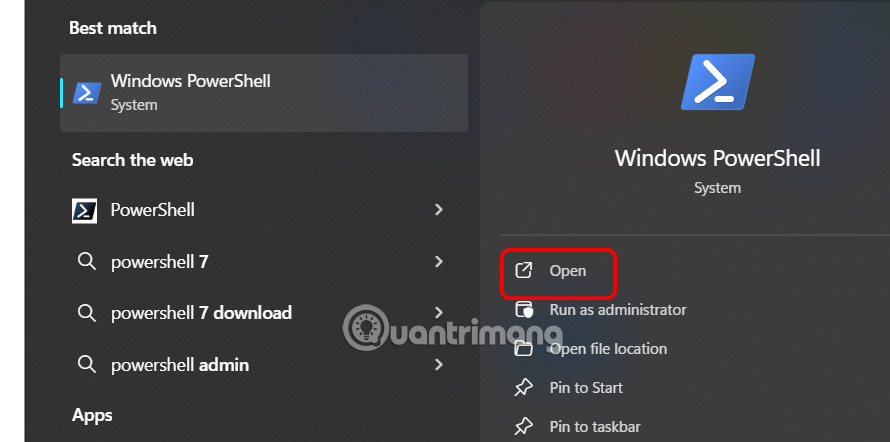
Type Windows PowerShell in the search bar and then click to open as usual.
Step 2:
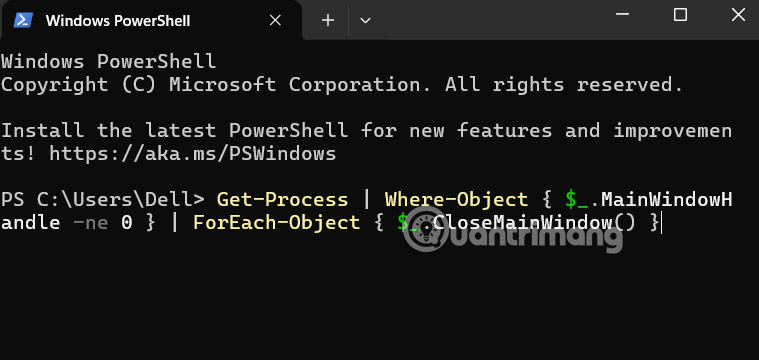
Then the user enters the command below and presses Enter to execute.
Get-Process | Where-Object { $_.MainWindowHandle -ne 0 } | ForEach-Object { $_.CloseMainWindow() }This will close all applications including the PowerShell window.
Close all open windows with shortcut key
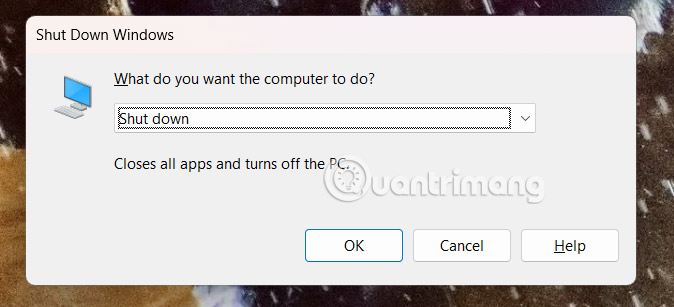
The Alt + F4 shortcut is commonly used to close a specific application or shut down/restart the system. You can use similar shortcuts to close all open applications at once, then trigger the shutdown or restart action.
Press the Alt and F4 keys at the same time to open the Shut Down Window dialog box. Click OK to execute. Windows will automatically close all open applications.
Close the specified application on Windows
If you only want to close a few specific applications, creating a batch file can automate the process of closing them all at once.
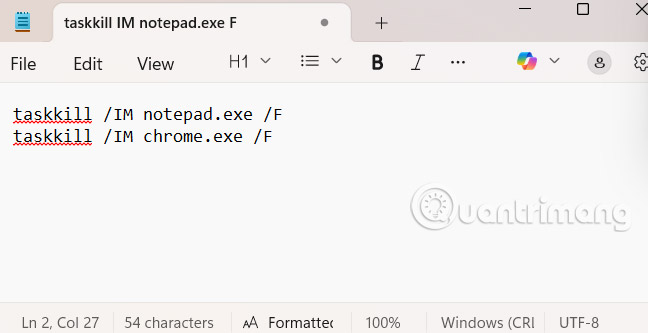
Open the Notepad application and enter the following command for each application you want to close.
taskkill /IM appname.exe /FReplace appname.exe with the name of the application you want to close , such as notepad.exe, chrome.exe, winword.exe, etc.
Then you need to save this file with.bat extension. Finally double select this file to execute. All specified applications will be closed immediately.
Close multiple windows of an application
Right-select the application icon on the taskbar and select Close all windows .

Use Alt + Tab
Alt + Tab helps you observe all open application windows, but we still close them manually, which is to select the x icon.
FAQ
What should you know about use Windows PowerShell to close all applications?
Type Windows PowerShell in the search bar and then click to open as usual.
What should you know about close all open windows with shortcut key?
The Alt + F4 shortcut is commonly used to close a specific application or shut down/restart the system. You can use similar shortcuts to close all open applications at once, then trigger the shutdown or restart action.
What should you know about close the specified application on Windows?
If you only want to close a few specific applications, creating a batch file can automate the process of closing them all at once.
What should you know about close multiple windows of an application?
Right-select the application icon on the taskbar and select Close all windows.
Related Articles
 How to Close All Open Windows of an App in Mac Os4 minutes read
 How to Close Windows: Step-by-Step Guide7 minutes read
 How to Close the Application on Android5 minutes read
 8 Ways to Close Applications and Programs on Windows9 minutes read
 Shortcut to Open / Open CD / DVD Drive Tray on Windows 106 minutes read
 3 Ways to Turn Off Suspended Applications on Windows 115 minutes read
Reader Comments 0
Sign in with email or Google to join the discussion.