
Office information
Create Your Own Numbering Format in Word: Microsoft Word
Microsoft Word allows you to number a list very quickly by selecting the numbered items and clicking the Numberring button on the Word's Formatting tool.
Browse more Explore practical Office information guides, useful tools, setup instructions and troubleshooting tips for common tasks, features and problems.
Microsoft Word allows you to number a list very quickly by selecting the numbered items and clicking the Numberring button on the Word's Formatting tool.
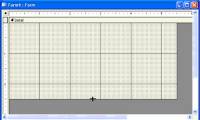
When Wizard forms do not meet your needs, you can use the Design window to create a separate form or edit an existing form.

You can open PDF documents on the web browser program by using the Adobe Reader plug-in or using the Adobe Reader program.

Office Live Workspace integrated on SharePoint Services provides users or businesses with many SharePoint utilities without requiring the use of SharePoint.
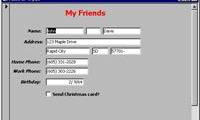
Access is the focus of this article. Forms provide a convenient and convenient way to represent information and import data from users.
Here are the 10 most effective tips that are almost an introduction to how to perform functions in PowerPoint 2007.
It is expected that early next year, Microsoft will put most of the Office application packages online, including Word and Excel.
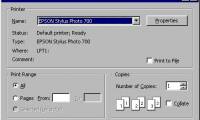
Microsoft Access is the focus of this article. In this chapter, you will learn how to print the information contained in the database.
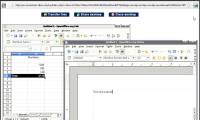
Although Microsoft Office is widely used, but not so that other Office suites lost 'land', especially the OpenOffice suite with many features not inferior to.
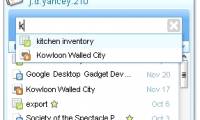
Officially released by Google last week via Google Docs Gadget for Desktop can allow users to quickly access Google Docs without having to open the browser.
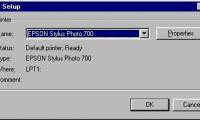
Microsoft Access is the focus of this article. Like many programs, Access provides all the features of the Window environment.
Microsoft has announced it will test the beta version of Web-based office applications to compete with rival Google Docs.

Google Apps is a 'dreaming' virtual office for small and medium businesses with limited budgets that want to apply the latest and most necessary.
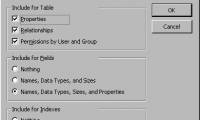
Access allows you to print the layout of tables or any database objects you have specified (such as queries, forms, macros).
Phat is the focus of this article. Sometimes you encounter a Microsoft Office application that crashes your system.
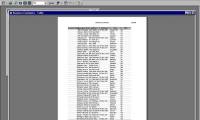
Microsoft Access is the focus of this article. In the previous section, you got a little familiar with the print preview tool feature in Access.
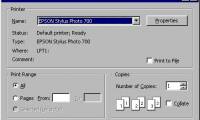
Microsoft Access is the focus of this article. Access is based on the Windows environment when it comes to printing.
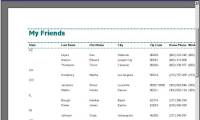
Microsoft Access is the focus of this article. To get started with Report Wizard, make sure the Reports tab is selected in the Database window.

We can easily add any Office feature to the Quick Access Toolbar that appears at the top right of the screen, next to the Office button.
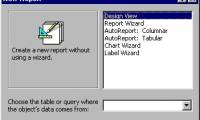
The Report Wizard you used earlier in this chapter is not the only part provided by Access, but other parts you can use as well.