
Office information
Word 2016 Complete Guide (Part 8): Make a List
Instructions for Using Word 2016 is the focus of this article. In Word documents, bookmarks and numbers are used to organize, list and emphasize text.
Browse more Explore practical Office information guides, useful tools, setup instructions and troubleshooting tips for common tasks, features and problems.
Instructions for Using Word 2016 is the focus of this article. In Word documents, bookmarks and numbers are used to organize, list and emphasize text.

What Is SUMIF Function is the focus of this article. The SUMIF function in Excel is a function used to compute values in a specified range.
When you open Word 2016, the Start interface will appear first with suggestions for selecting common text formats.

Creating an automatic table of contents in Word 2003 makes the document look more professional, easy to find the item you need by clicking on the table of.
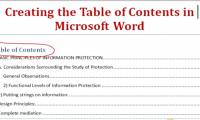
Create automatic table of contents in Word to save time and increase convenience when working on this text editor.
Cover JPG to PDF Online is the focus of this article. Converting JPG image files to PDF files is now very popular.

Create a Tabular List is the focus of this article. Creating a list of tables in Microsoft Word 2013 is extremely simple.
Convert Zamzar to Doc is the focus of this article. Zamzar is an application that converts online file formats, including PDF files.

Google - the father of cloud services so you can also use Google Docs offline to access your files and documents anywhere.

In addition to the fact that we often work and create charts on Excel, sometimes you will have to conduct charting in Word content.
In many cases you want to count the number of characters in a text string (text string) to calculate or combine with other functions, or to do something.
Optimize Office 2016 is the focus of this article. Microsoft Office is the most commonly used office suite in the world.

When drafting a passionate document, make sure you don't want your document images to become disfigured or degraded when appearing on different resolution.

The Word replacement feature in Google Docs will help you quickly type with long terms, special characters or long email in the textual content.

The Search function in Excel is used to search for the position and order of a text string, so you can find the position of the Word or the data you need.
Mixing text will be helpful when making meeting invitations, announcements, sending salaries to many people.
When converting Excel file data into a CSV file, you often encounter errors that do not display Vietnamese fonts.

Adobe Reader DC is set to automatically update (if your device is connected to the Internet), to make sure that the updated version has cloud computing.

Microsoft Word 2016 is a Word processing application that allows you to create a variety of documents, including letters, resumes and many other document.

In the process of opening any Word document, you will receive an error message on the screen: 'The document file name is locked for editing by another user.