Basic setup
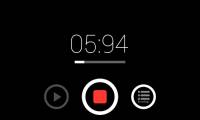
How to Automatically Delete the Recording File in Voice Memos on
This guide explains how to automatically delete the recording file in voice memos on, what to check before you begin, and how to solve common problems.
Browse more Discover mobile guides, app tutorials, troubleshooting steps and useful tips for iPhone, Android phones and other connected devices.
This guide explains how to automatically delete the recording file in voice memos on, what to check before you begin, and how to solve common problems.

Explore usage podcasts chapters share music tracks in songs on iPhone and with clear explanations, practical examples.

Use this practical guide to use trackpad mode on iPhone. It covers the main steps, important settings, and reliable fixes for common errors.

Follow this guide to turn on live listen mode on airpods correctly. Review the essential steps, key settings, and mistakes that can affect the result.

Use this practical guide to display the weather on the iPhone lock screen. It covers the main steps, important settings, and reliable fixes for common errors.

Need to save zip file to iPhone or iPad? Use these practical instructions to complete the process, verify important settings, and fix typical issues.

Explore trick to delete junk files to free up space and cache iPhone, iPad with clear explanations, practical examples.

In this article, Admin will share with you a little trick to directly attach stickers to the content of the message is extremely impressive.

iOS allows you to control purchased apps on the App Store. You can hide or show purchased apps on iPhone and iPad. Review the key features, practical uses.

To activate Virtual Home key on iPhone / iPad is quite simple, please follow the instructions below to turn on virtual Home button on iPhone.
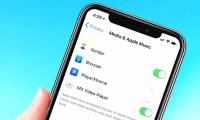
This guide covers cancel apple music access of third party applications with straightforward explanations, key considerations.

Learn how to fix iPhone screen errors with color noise with clear steps, practical tips, and troubleshooting advice for the most common problems.

Need to reject an unwanted call on iPhone? Use these practical instructions to complete the process, verify important settings, and fix typical issues.

By default notifications appears in the iPhone lock screen, as soon as new news becomes available. Sometimes such displays will confuse users.

Currently, there are many Vietnamese users who reflect that they cannot access the App Store on iOS 12. The steps below explain to fix this problem.

Two-step verification on Apple devices will create additional login classes, password requests and verification codes to enhance device security.
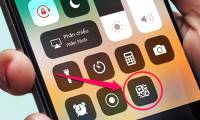
This guide covers add the qr code scanning function to control center on iOS 12 with straightforward explanations, key considerations.

Deliver Quietly feature on iOS 12 will send silent notifications, not appear on the lock screen and vibration feature is also turned off.

Get a practical overview of instructions for downloading applications from family members on, including important details, common questions.

Use this practical guide to play music from iPhone / iPad to many speakers using airplay. It covers the main steps, important settings.