Mobile
How to Save iPhone Clipboard Items with Shortcuts and Notes
Create a shortcut that appends copied text to a Notes log, trigger it with Back Tap, and keep sensitive clipboard contents out of your saved history.
Browse more Discover mobile guides, app tutorials, troubleshooting steps and useful tips for iPhone, Android phones and other connected devices.
Create a shortcut that appends copied text to a Notes log, trigger it with Back Tap, and keep sensitive clipboard contents out of your saved history.
Disable Hold Assist Detection to stop automatic hold-music prompts, while understanding how manual Hold Assist and return-to-call alerts differ.
Disable Wallet's promotional category while leaving useful payment and order alerts enabled, and check separate card or pass notifications if needed.
Simplify Control Center, prevent accidental gestures, manage notification badges, find app settings faster, and check camera sound options.
Get an alert when Adaptive Power activates, understand what the notification means, and change alerts separately from the battery-saving feature.
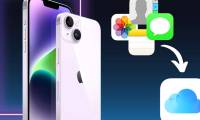
Allow iPhone backups over mobile data when your device and carrier support it, check the latest backup, and avoid unexpected data charges.
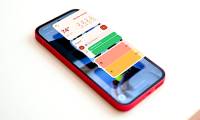
Enable and customize lock screen widgets where your device supports them, with separate guidance for Pixel Tablet and version-dependent phone menus.
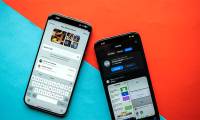
Find a Shared Album invitation in notifications or Photos, enable the required iCloud setting, and leave an album without confusing it with Shared Library.
Control shutter sound, choose a Photographic Style, preserve settings, record QuickTake video, use lens hints and turn a burst into a GIF.
Check regional FaceTime availability, shutter-sound limits and SIM support before buying an imported iPhone or traveling with one.
Create a built-in iMessage poll, add choices, send it to your conversation and see who voted, with compatibility checks for participants.
Find the Unknown Callers list in the Phone app, mark a recognized caller as known, and distinguish call filtering from silencing or blocking.
Check Always-On wallpaper options, distinguish dimming from blur, and use the separate Home Screen Blur control when that is the affected screen.
Understand three different listening features, enable supported controls, and use Live Listen at a comfortable volume without relying on it for monitoring.
Compare automatic Adaptive Power adjustments with manually enabled Low Power Mode, check compatibility and separate battery charge from battery health.
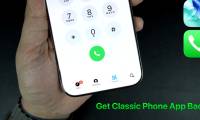
Restore separate Favorites, Recents and Voicemail tabs in the Phone app, or switch back to Unified without resetting your iPhone.
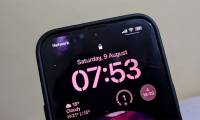
Read a clear overview of Change These iPhone Settings for All-Day Battery Life! with key facts, practical insights, and useful takeaways.
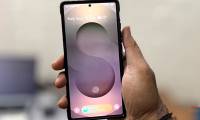
Adjust screen resolution, charging, refresh rate, restart options, mute gestures, keyboard suggestions and notification history, with model-specific limits explained.
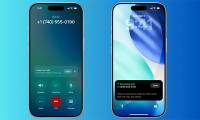
Turn off unknown-call screening in iOS 26, understand the Never, Ask Reason for Calling and Silence options, and check why calls may still be quiet.
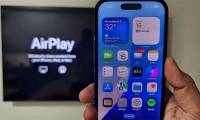
Check whether your TV supports AirPlay, mirror an iPhone, stream individual videos, and troubleshoot missing devices without buying an unnecessary receiver app.