Table of Contents
After updating your iPhone to iOS 26, missed calls from unknown numbers are not showing up in the Calls or Recents section of the Phone app. Calls from unknown numbers are also muted. This is due to the new Call Filter feature in iOS 26. In this guide, you will learn how to view all missed calls from unknown numbers on your iPhone.
Instructions for viewing missed calls from unknown numbers on iPhone
Step 1:
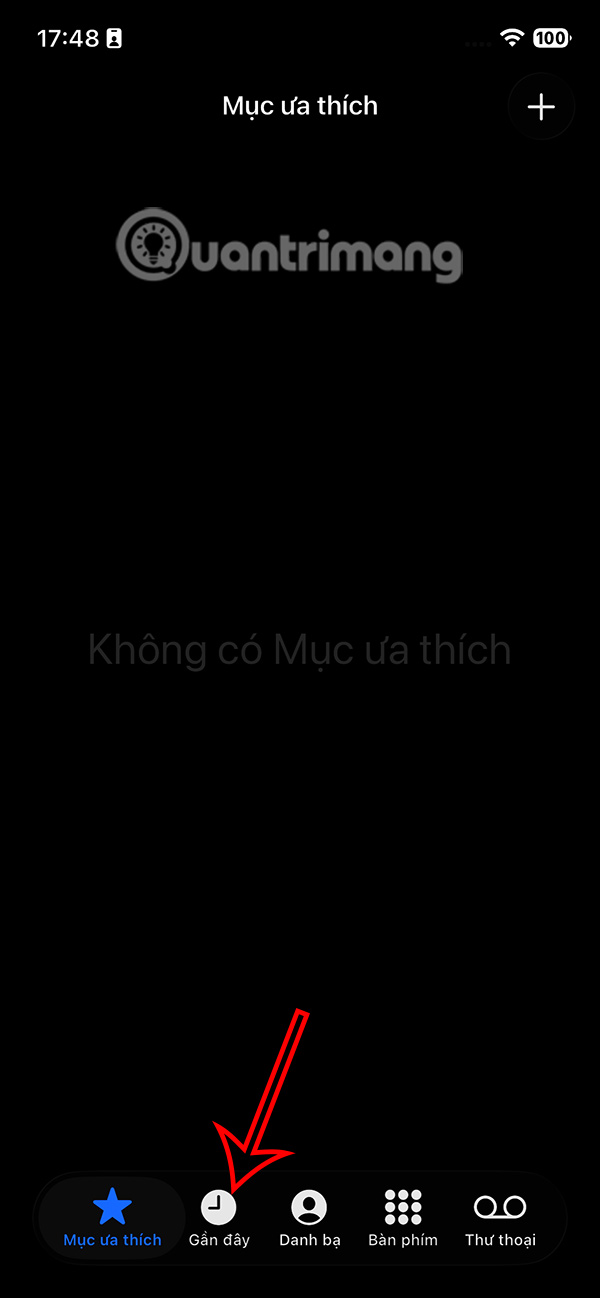
Users open the Phone app, then tap the Calls tab at the bottom. If you're using the classic interface on the Phone app, tap Recents.
Step 2:
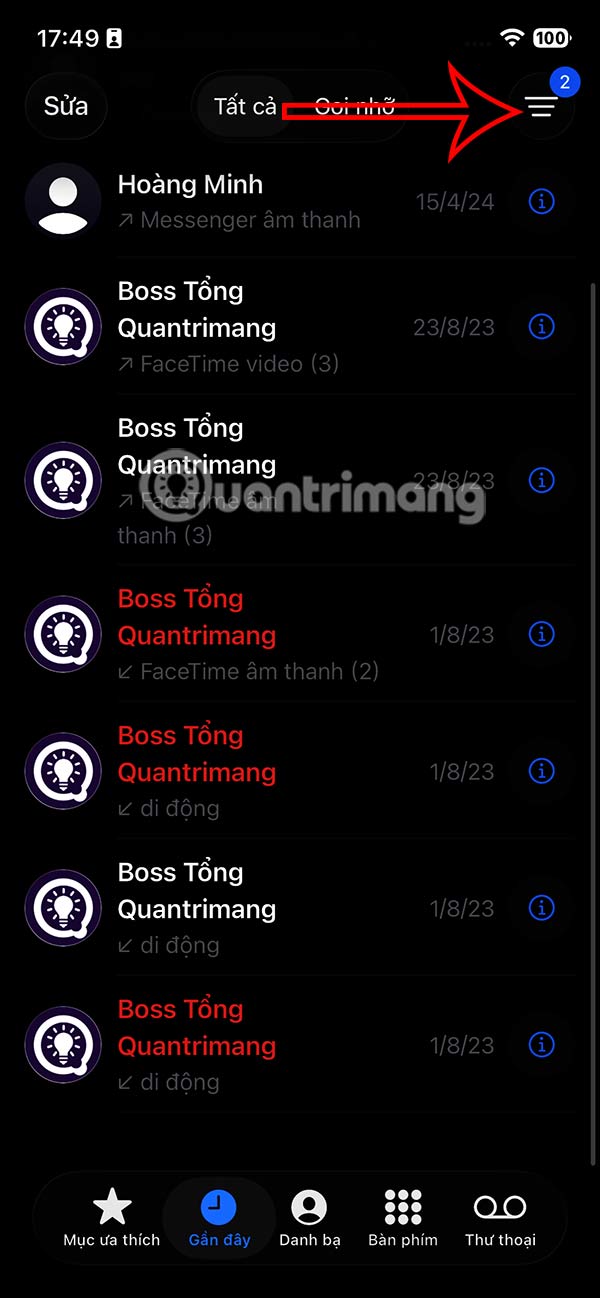
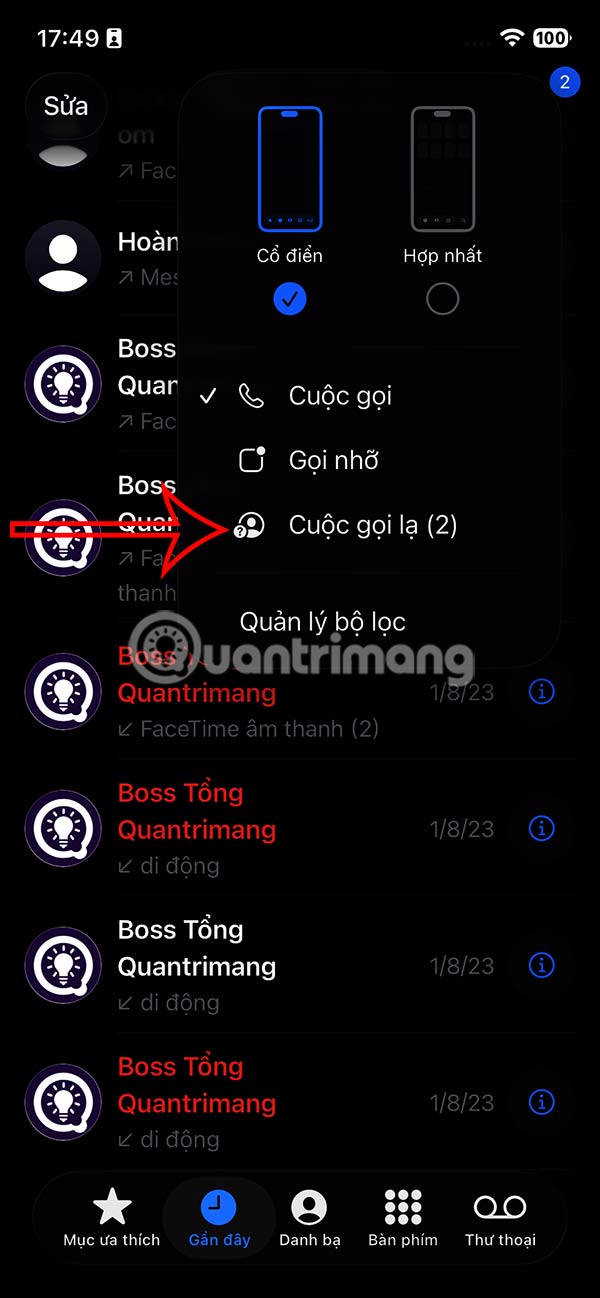
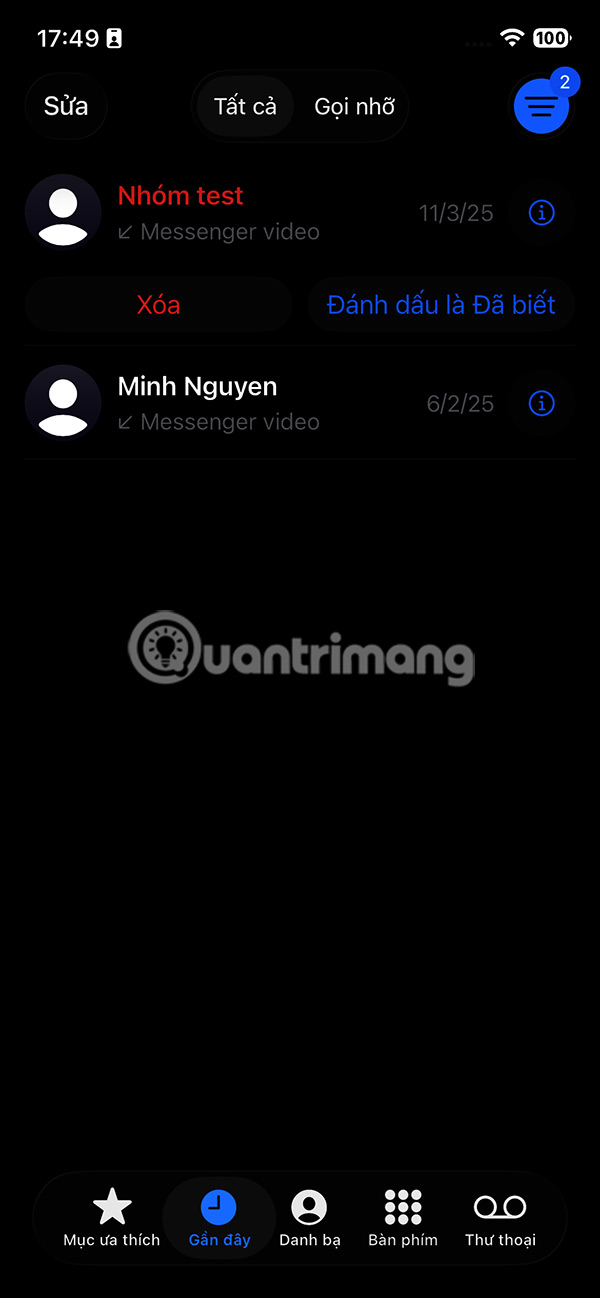
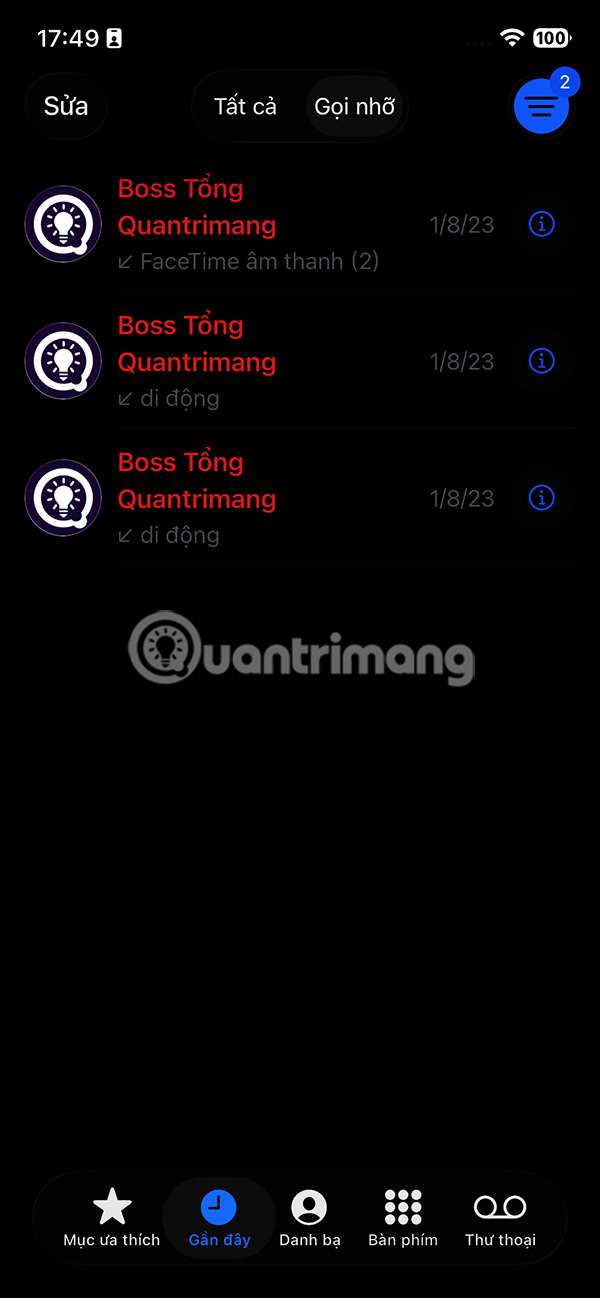
Switch to the new interface, users continue to select the 3-dash bear icon and select Strange Calls to view all missed calls from strange numbers on iPhone.
Step 3:
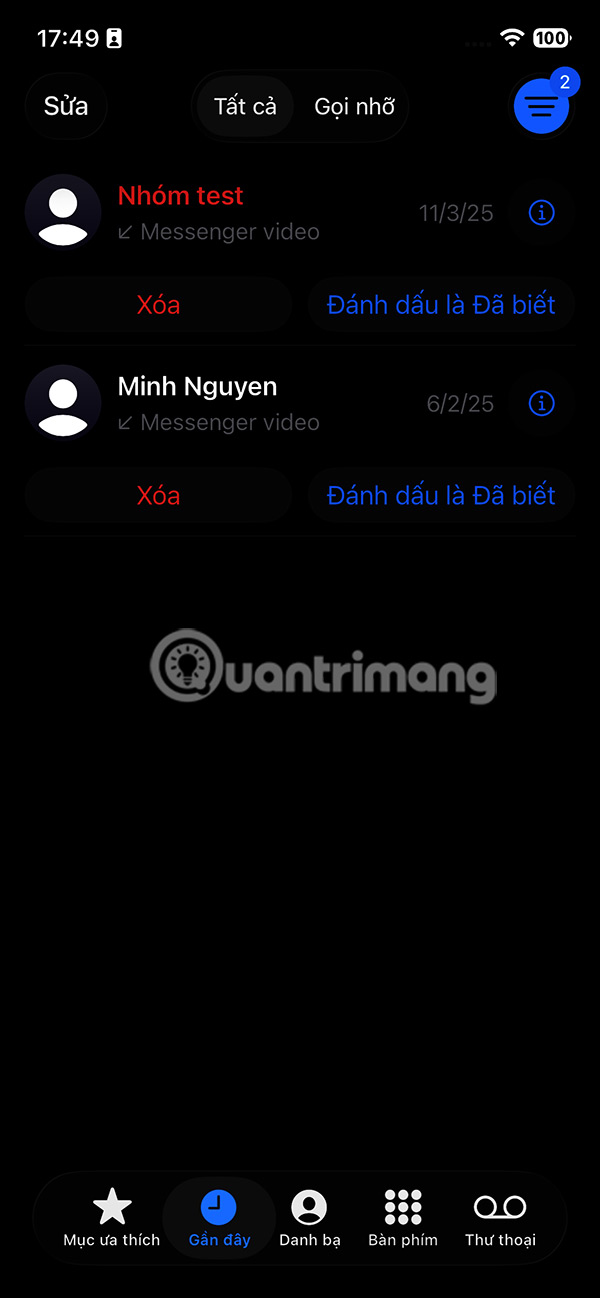
As a result, you will see missed calls from unknown numbers not saved on your iPhone . If it is an acquaintance, you can click Mark as Known , or Delete for calls whose numbers you do not know.
Additionally, in this interface you also see the Missed Calls section.
Step 4:
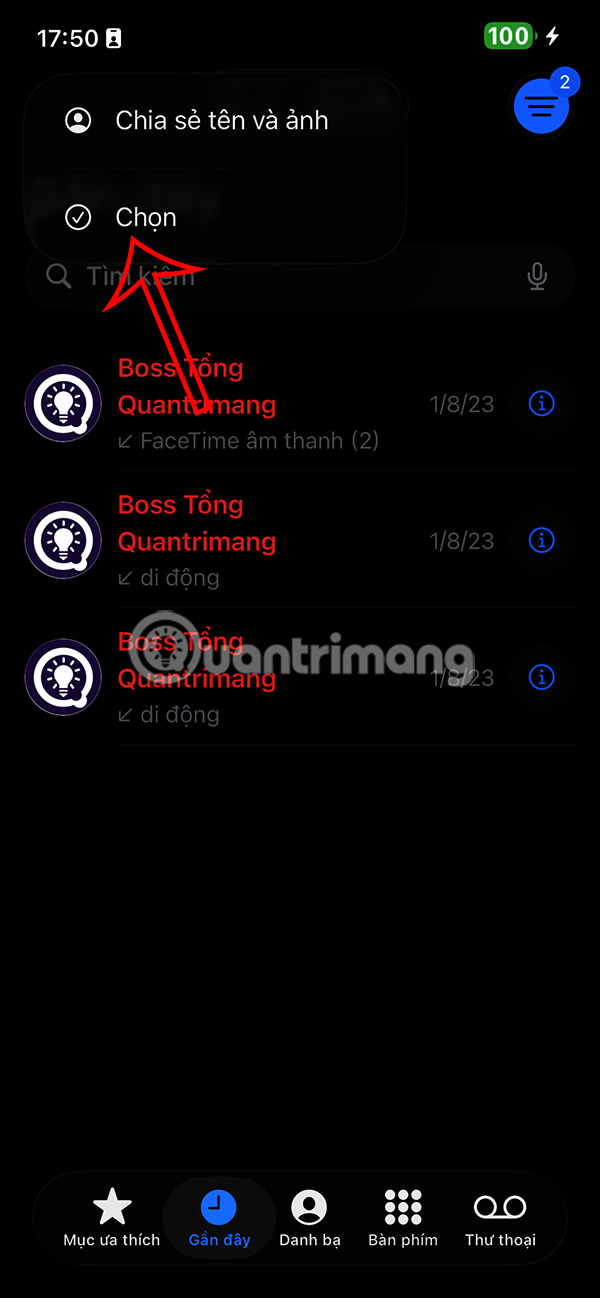
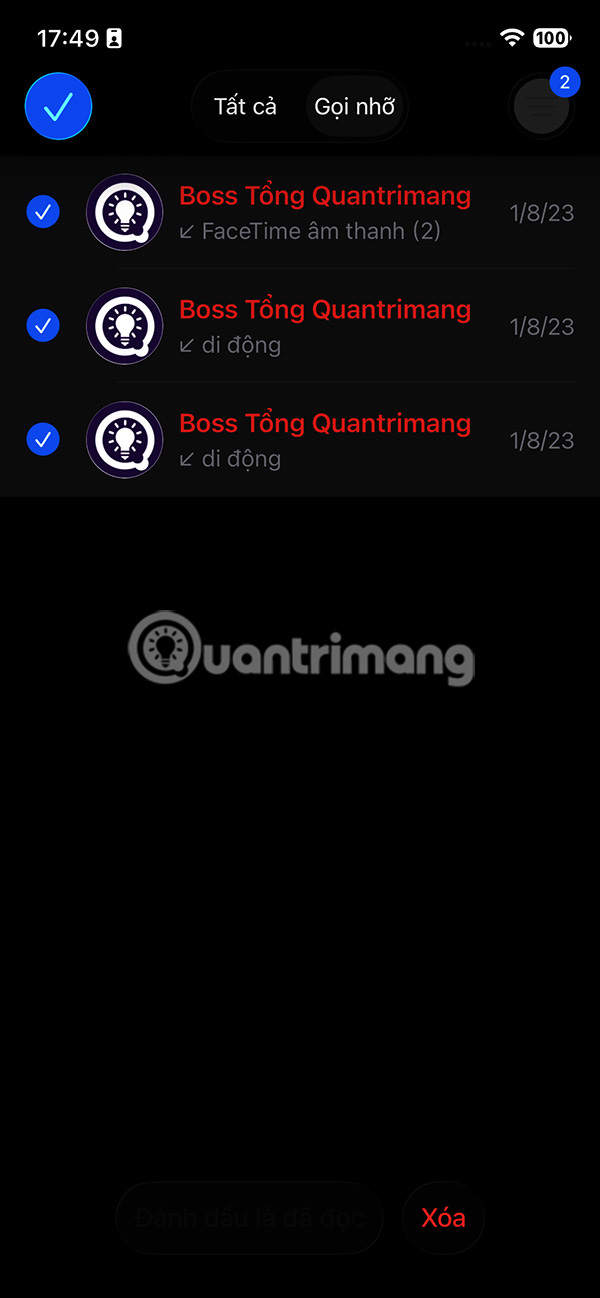
You select Edit and can select calls to delete if you want.
Final Thoughts
Following the steps in order and checking version-specific settings should make it easier to Find Missed Calls from Unknown Numbers on iPhone. If an option looks different, verify the device, app, or operating-system version before changing additional settings.
FAQ
What is the best way to Find Missed Calls from Unknown Numbers on iPhone?
Start with the requirements described in the article and follow the steps in order. After updating your iPhone to iOS 26, missed calls from unknown numbers are not showing up in the Calls or Recents section of the Phone app. Calls from unknown numbers are also muted. This is due to the new Call Filter feature in iOS 26.
What should you know about Instructions for viewing missed calls from unknown numbers on iPhone?
Users open the Phone app, then tap the Calls tab at the bottom. If you're using the classic interface on the Phone app, tap Recents.
What should you do if the instructions do not match your screen?
Check the device, software version, account permissions, and regional settings. Interfaces can change after updates, so use the closest matching option and consult the official support documentation when necessary.
Related Articles
 How to Block Calls from Unknown Numbers on iPhone: Complete Guide5 minutes read
 How to Block Unknown Numbers on Android: Step-by-Step Guide6 minutes read
 How to Secure Missed Calls on iPhone Lock Screen: Step-by-Step Guide3 minutes read
 How to Receive Strange Calls on iPhone3 minutes read
 How to Block Spam Phone Numbers on iPhone5 minutes read
 How to Block Unwanted Calls: Complete Guide10 minutes read
Reader Comments 0
Sign in with email or Google to join the discussion.