Table of Contents
iPhone has a mode to mute the iPhone from unknown calls and on iOS 26, iPhone automatically receives incoming calls from an unknown number and asks for the reason for the call. iPhone will display the response from the other party and then you decide whether to accept the call or not. If you do not want to use this feature and want to receive unknown calls on iPhone, follow the instructions below.
How to receive strange calls on iPhone
Step 1:
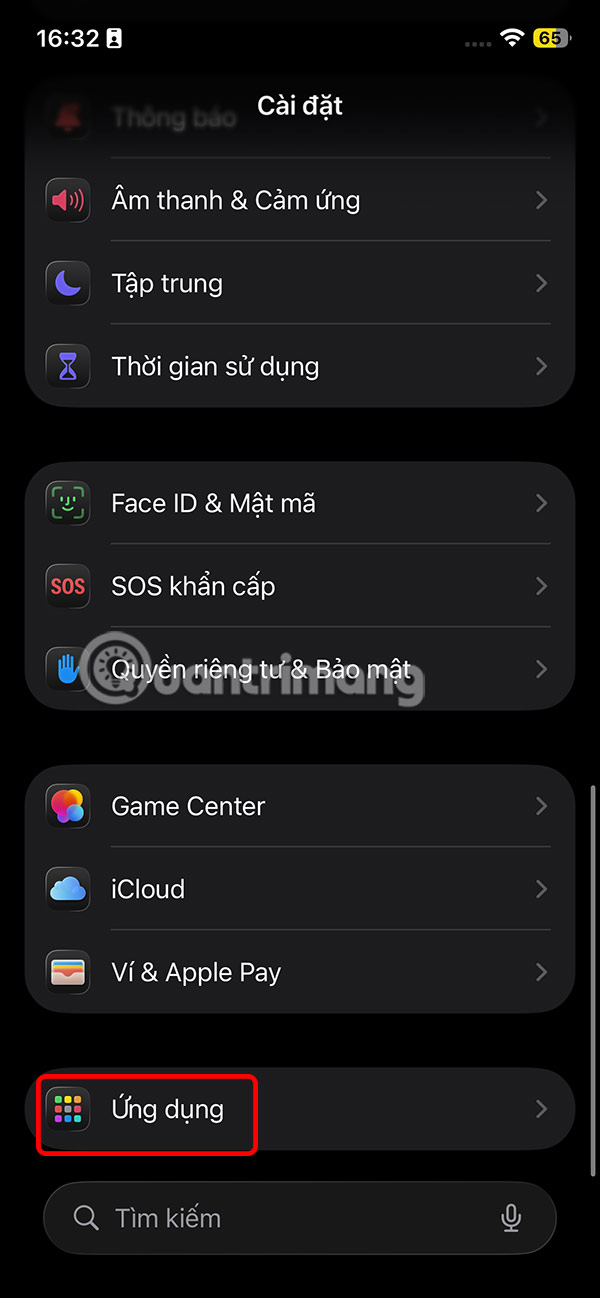
On the iPhone interface, click Settings and then select Applications to access the application list.
Step 2:
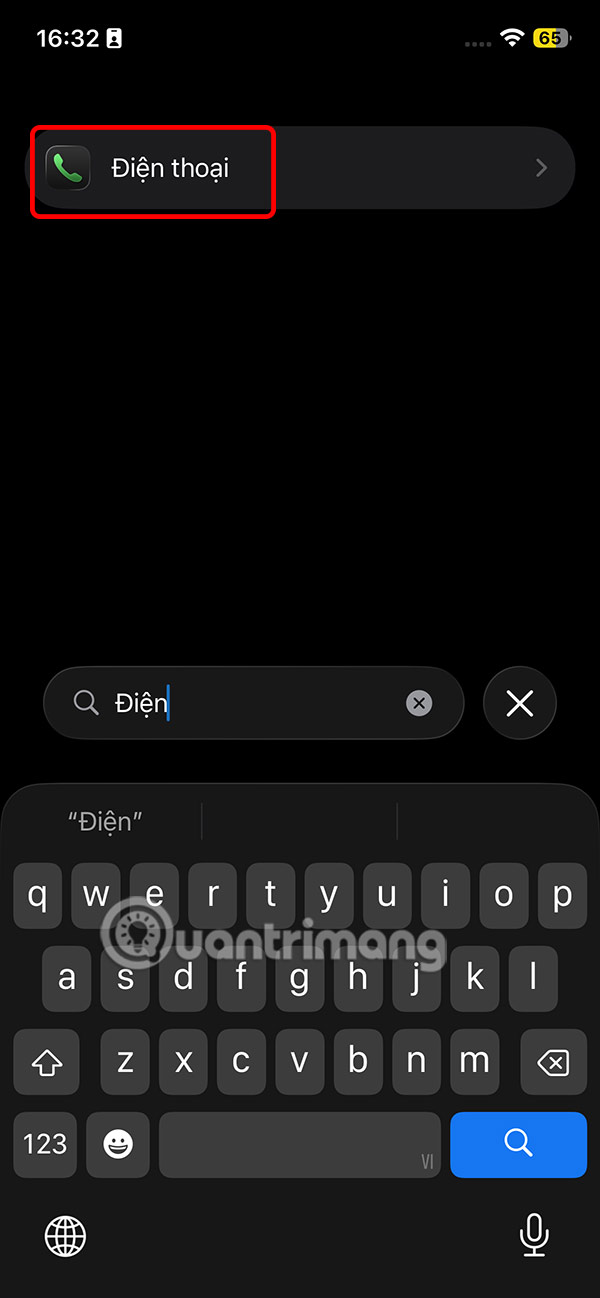
Next, enter the Phone app to quickly search for the app and tap to adjust access to controls related to the Phone app.
Step 3:
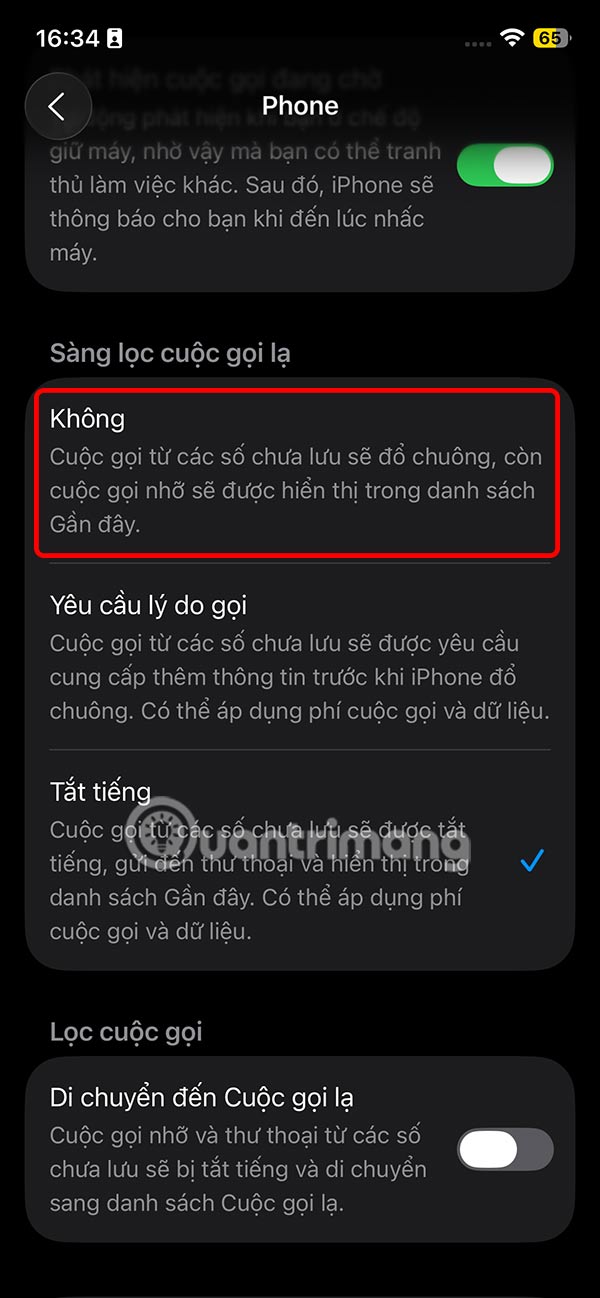
In the settings interface for calls on iPhone, scroll down to the Strange Call Screening section to adjust receiving strange calls on iPhone.
Here, tap on the No option . When you select No, calls from unsaved numbers on your iPhone will ring as usual and missed calls will be shown in the Phone app's recent calls list.
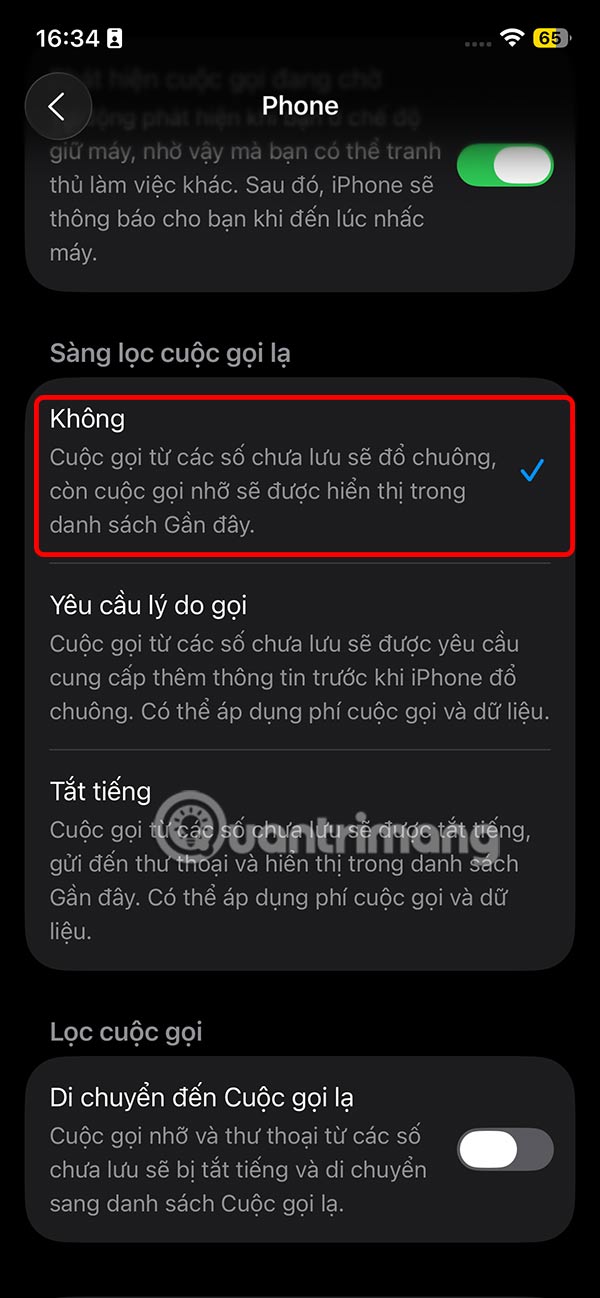
From now on, iPhone will no longer silence incoming calls or ask the caller why they are calling, but instead will ring as soon as a call comes in.
Final Thoughts
Following the steps in order and checking version-specific settings should make it easier to Receive Strange Calls on iPhone. If an option looks different, verify the device, app, or operating-system version before changing additional settings.
FAQ
What is the best way to Receive Strange Calls on iPhone?
Start with the requirements described in the article and follow the steps in order. iPhone has a mode to mute the iPhone from unknown calls and on iOS 26, iPhone automatically receives incoming calls from an unknown number and asks for the reason for the call.
What should you know about How to receive strange calls on iPhone?
On the iPhone interface, click Settings and then select Applications to access the application list.
What should you do if the instructions do not match your screen?
Check the device, software version, account permissions, and regional settings. Interfaces can change after updates, so use the closest matching option and consult the official support documentation when necessary.
Related Articles
 iPhone Is Not Ringing When a Strange Number Calls, Why Is That Explained7 minutes read
 How to Receiving iPhone Calls on Macbook6 minutes read
 How to Receive Emergency Calls on iPhone in Silent Mode3 minutes read
 How to Filter Spam Calls on FaceTime: Step-by-Step Guide3 minutes read
 How to Find Missed Calls from Unknown Numbers on iPhone3 minutes read
 How to Record Calls on Latest iPhone 20227 minutes read
Reader Comments 0
Sign in with email or Google to join the discussion.