Table of Contents
By default, the Wallet app on iPhone always receives all notifications, including notifications about promotions and advertisements. Not everyone wants to receive these notifications because they affect you and are unnecessary. If so, you can completely turn off promotional notifications from iPhone Wallet.
How to turn off promotion notifications from iPhone Wallet
Step 1:
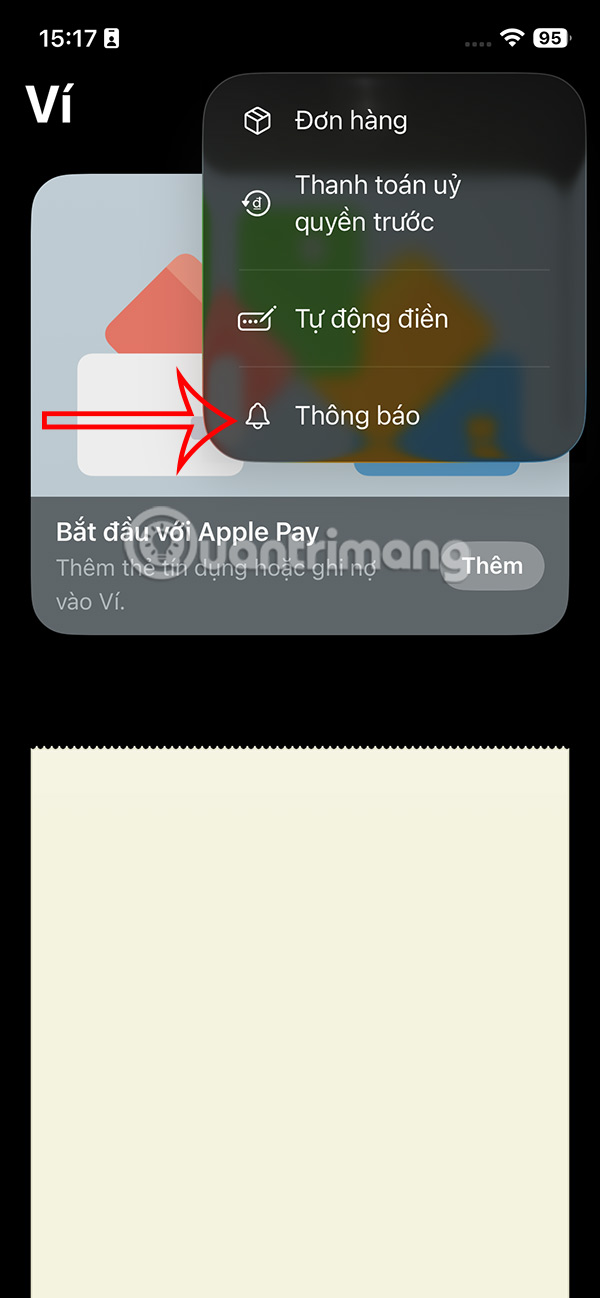
First, open the Wallet app on your iPhone, then tap the 3-dot icon in the top right corner of the app.

Step 2:
To display the options for the Wallet app, tap on the Notifications app .
Step 3:
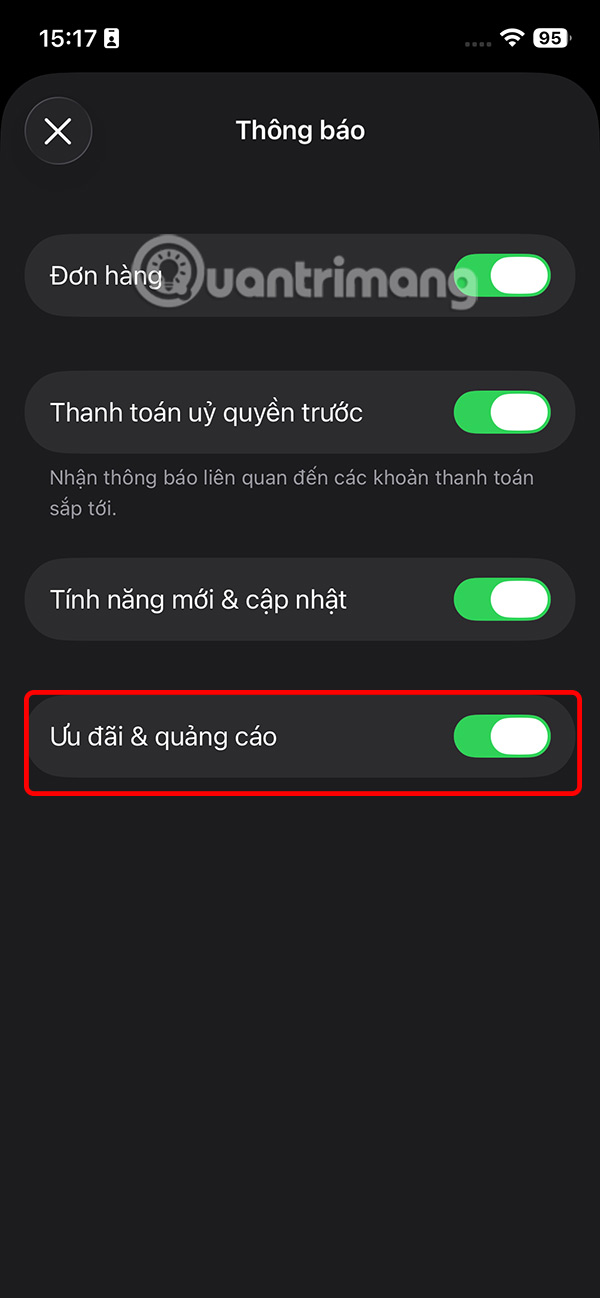
Switch to the new interface and you will see that all notifications on the Wallet app are enabled. Turn off Offers & Ads notifications to avoid being bothered by these notifications.
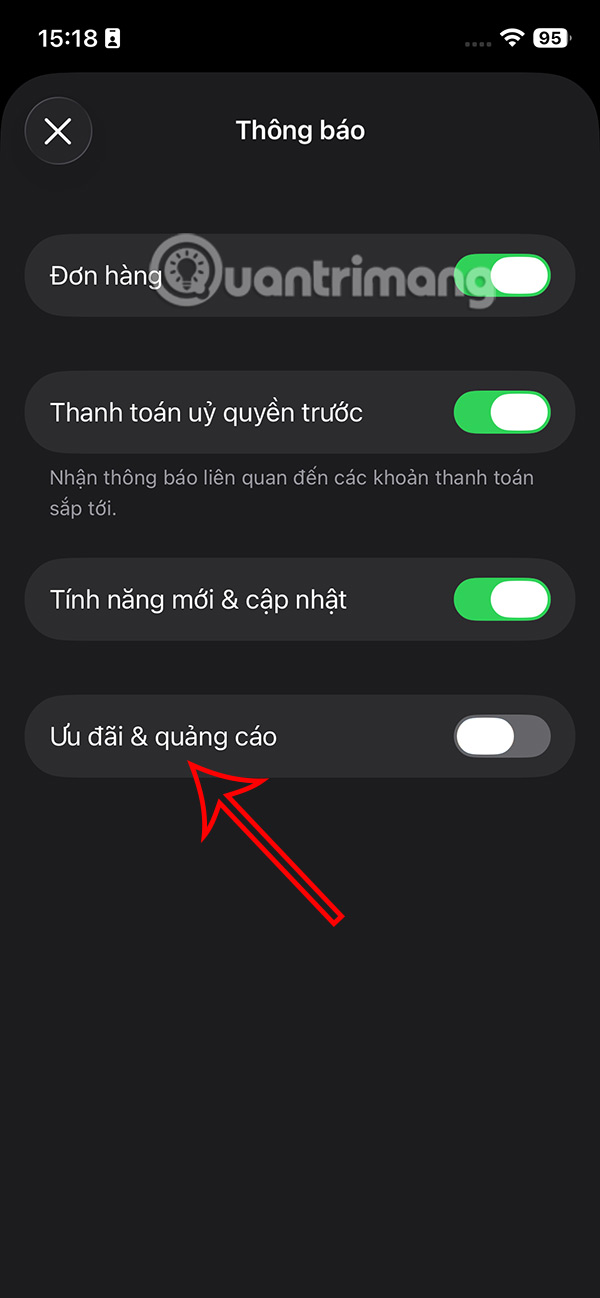
Once turned off, you will no longer receive notifications about special offers and discounts through the Wallet app, but will still receive important transaction and payment alerts.
You can also manage order notifications, track shipping and delivery updates, control alerts for pre-authorized payments like subscriptions and recurring charges, and decide whether you want to receive notifications about new Wallet features and app improvements as Apple releases them.
Final Thoughts
Following the steps in order and checking version-specific settings should make it easier to Turn Off Promotional Notifications from iPhone Wallet. If an option looks different, verify the device, app, or operating-system version before changing additional settings.
FAQ
What is the best way to Turn Off Promotional Notifications from iPhone Wallet?
Start with the requirements described in the article and follow the steps in order. By default, the Wallet app on iPhone always receives all notifications, including notifications about promotions and advertisements. Not everyone wants to receive these notifications because they affect you and are unnecessary.
What should you know about How to turn off promotion notifications from iPhone Wallet?
First, open the Wallet app on your iPhone, then tap the 3-dot icon in the top right corner of the app.
What should you do if the instructions do not match your screen?
Check the device, software version, account permissions, and regional settings. Interfaces can change after updates, so use the closest matching option and consult the official support documentation when necessary.
Related Articles
 How to Turn Off iPhone Notifications on Mac3 minutes read
 How to Track Orders in iPhone Wallet: Step-by-Step Guide3 minutes read
 How to Turn Off iPhone Application Notifications?5 minutes read
 How to Turn Off Notifications in Standby iPhone Mode3 minutes read
 How to Turn Off Wi-Fi Notifications on iPhone3 minutes read
 Instructions for Using Google Wallet for Beginners8 minutes read
Reader Comments 0
Sign in with email or Google to join the discussion.