Table of Contents
iOS 26 brings Adaptive Power, a smart battery saving mode that helps extend battery life when your device's battery usage is unusual. And it also has a notification setting when Adaptive Power slows down your iPhone's performance if enabled. Here's how to turn on the notification when Adaptive Power slows down your iPhone.
How to enable Adaptive Power notification to slow down iPhone
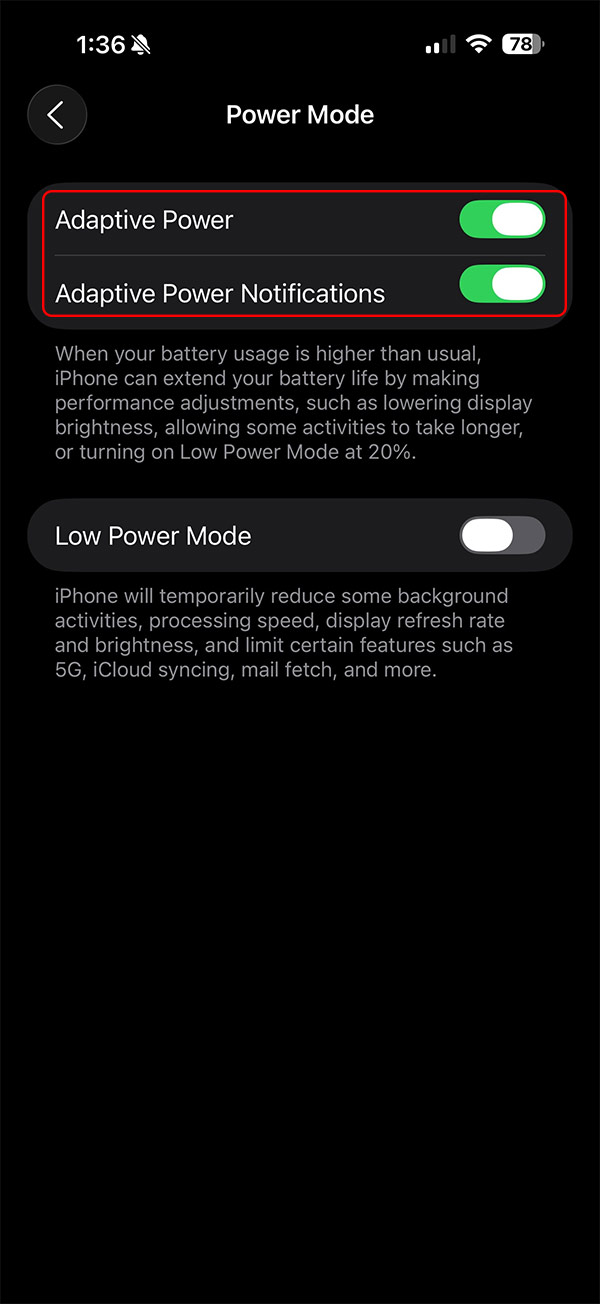
Open Settings on your iPhone, then tap Battery and select Power Mode to access battery management options on your phone.
Switching to the new interface, users just need to turn on Adaptive Power and Adaptive Power Notifications .
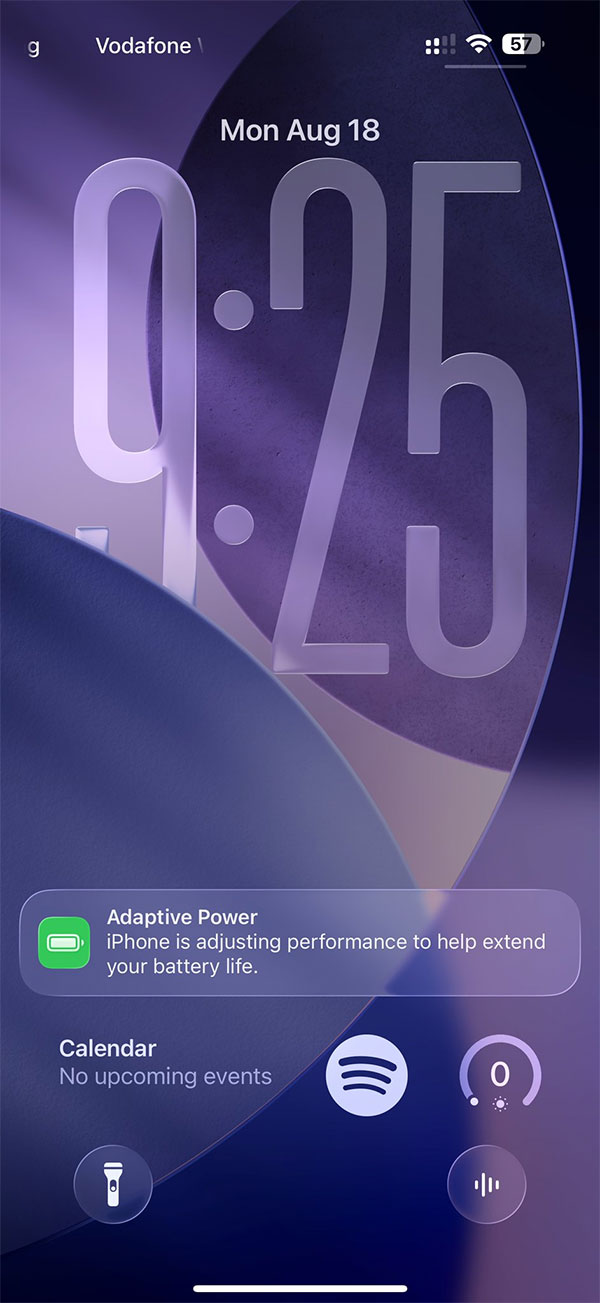
The result when Adaptive Power reduces performance to save battery will display a notification on the lock screen as below.
Adaptive Power mode makes smaller system-wide adjustments like dimming the display, slowing down background activity, and automatically switching to Low Power Mode when the battery is at 20%. Support for the feature is still limited to devices with Apple Intelligence, which currently includes the iPhone 15 Pro and Pro Max, along with the entire iPhone 16 lineup.
Final Thoughts
Following the steps in order and checking version-specific settings should make it easier to Turn on Adaptive Power Notifications to Slow Down iPhone. If an option looks different, verify the device, app, or operating-system version before changing additional settings.
FAQ
What is the best way to Turn on Adaptive Power Notifications to Slow Down iPhone?
Start with the requirements described in the article and follow the steps in order. iOS 26 brings Adaptive Power, a smart battery saving mode that helps extend battery life when your device's battery usage is unusual. And it also has a notification setting when Adaptive Power slows down your iPhone's performance if enabled.
What should you know about How to enable Adaptive Power notification to slow down iPhone?
Open Settings on your iPhone, then tap Battery and select Power Mode to access battery management options on your phone.
What should you do if the instructions do not match your screen?
Check the device, software version, account permissions, and regional settings. Interfaces can change after updates, so use the closest matching option and consult the official support documentation when necessary.
Related Articles
 How to Enable Adaptive Power on iOS 262 minutes read
 Adaptive Power and Low Power: Which iPhone Battery Saving Mode Should5 minutes read
 How to Turn Off iPhone Application Notifications?5 minutes read
 How to Turn Off and Turn on the Power of iPhone X4 minutes read
 How to Turn Off iPhone Notifications on Mac3 minutes read
 minutes read
Reader Comments 0
Sign in with email or Google to join the discussion.