Table of Contents
This guide organizes the entries in "7 tvOS 26 Features That Will Make Everyone Want to Switch to Apple TV" and explains what each option, idea, or example offers. It also highlights practical details that matter when comparing the choices.
7. Liquid Glass on Apple TV
The big news at Apple's 2025 Worldwide Developers Conference (WWDC) was the introduction of a new design element called Liquid Glass. While this change is getting the most attention for the changes it brings to iOS 26 and the iPhone, it's also coming to iPads, Macs, and, yes, Apple TVs.
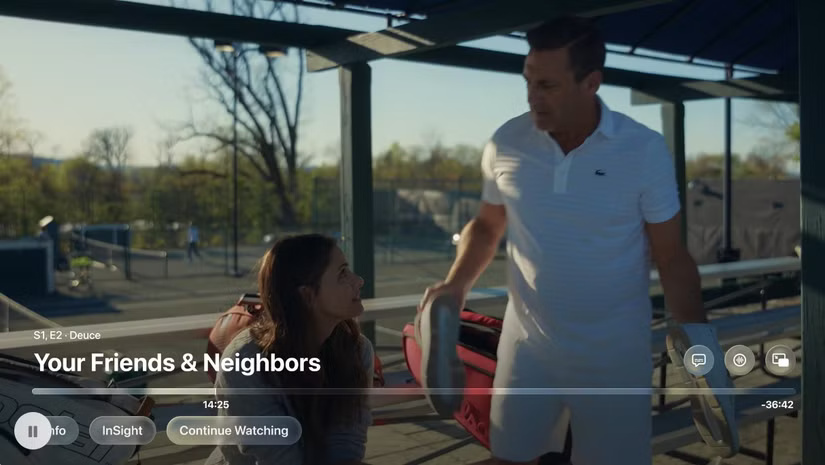
As the name suggests, this new interface adds transparency to several key interface elements, including app icons, system controls, and more. This allows you to now see through these elements to varying degrees, allowing other features to stand out.
6. Access profiles and entertainment content faster and easier
Profiles aren't a new feature on Apple TV, but the way you access them is changing. In tvOS 26, you now have the option to see an icon for each profile in the middle of the blank screen whenever Apple TV is on. From there, you can switch to the profile you want, showing only that person's content.
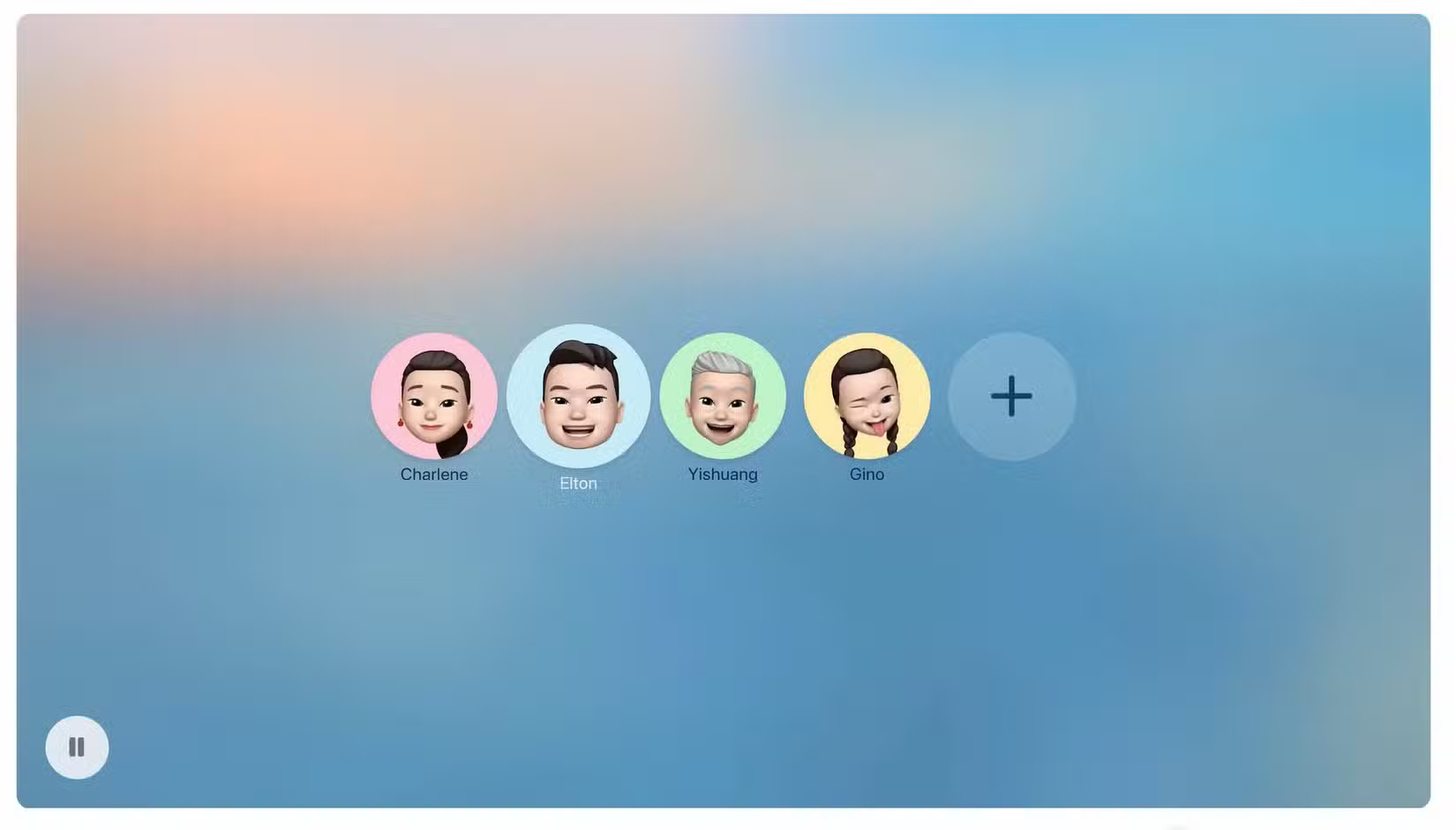
Previously, switching between profiles was done through the Apple TV Control Center, a design that wasn't exactly user-friendly and may have discouraged some family members from using profiles in the first place.
5. New "Movie Night" feature
As part of the Liquid Glass redesign, Apple also plans to introduce a new feature called 'Movie Night,' which will be located in Control Center. Not much is known about the feature yet; what we do know is that it will focus more on the content playing on the screen, perhaps by blurring or applying a similar effect.
4. Improved Apple Music Sing
Subscribers can already sing karaoke on Apple TV with Apple Music Sing. The next version of tvOS will introduce two new features. First, you can now use your iPhone as a microphone. This will allow multiple users to join in and create playlists, as well as send emoji responses.
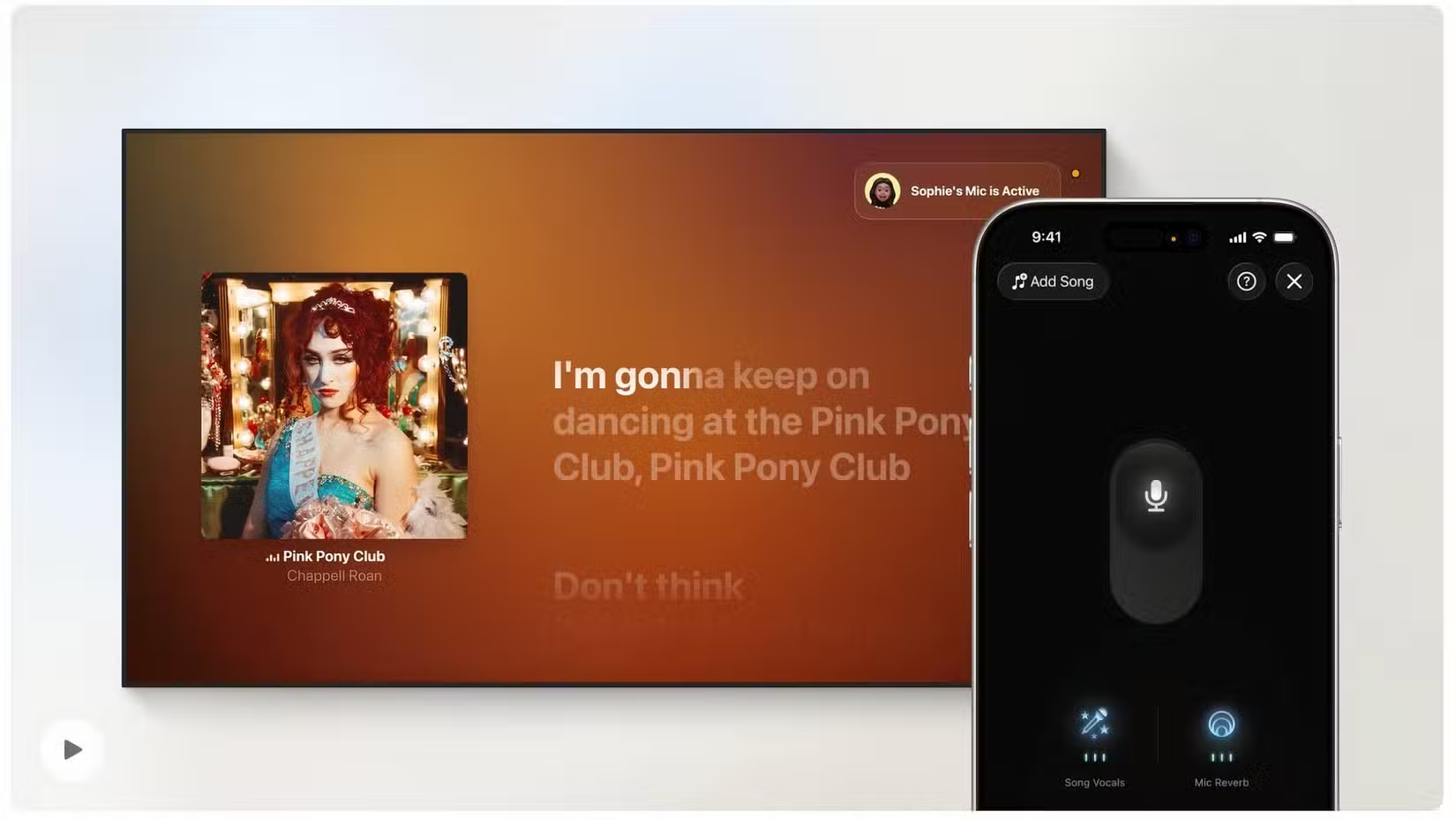
The Apple Music Sing feature will also have translated lyrics and pronunciations for some foreign language songs. This is expected to add more international songs to the list, which is a welcome addition. Not all songs in the Apple Music library are compatible with the Sing feature, so any time a new song is added is great news.
3. Better FaceTime
FaceTime on tvOS 26 will also get a few extras. First, contacts are being brought over from iOS, making it easier to see who's calling on screen.
Live captions in FaceTime on Apple TV are also expanding to include more languages. In addition to English, captions are available for speakers of French, German, Japanese, Korean, Mandarin, and Spanish. FaceTime call notifications and audio will also appear on screen with tvOS 26, allowing you to easily switch connections to a connected HomePod or iPhone.
2. Update screensavers
Last year, Apple TV added a Snoopy screensaver option. In tvOS 26, new aerial images of Indian landscapes are also being added. With stunning flyovers of Goa and Kerala, these new images and countless others have helped make the aerial screensaver option one of the most popular on Apple TV.
With the software update, you'll also be able to categorize the Aerial screensavers you want to see between Cityscape, Earth, Landscape, or Underwater. Previously, when you selected the Aerial option, you had to look through everything on offer.
1. A small tweak to the speaker
Finally, with tvOS 26, users can now permanently select their preferred AirPlay-enabled speakers, eliminating the need to manually connect through settings. This may seem like a small improvement to some, but it adds convenience, which is always appreciated.
There's no doubt that tvOS has always been overshadowed by other Apple products, but it's great to see Apple bringing some new and updated features to the product with tvOS 26. At the time of writing, the tvOS 26 rollout is in beta 4, which means these new features should be coming to your actual Apple TV devices soon!
FAQ
What should you know about 7. Liquid Glass on Apple TV?
The big news at Apple's 2025 Worldwide Developers Conference (WWDC) was the introduction of a new design element called Liquid Glass. While this change is getting the most attention for the changes it brings to iOS 26 and the iPhone, it's also coming to iPads, Macs, and, yes, Apple TVs.
What should you know about 6. Access profiles and entertainment content faster and easier?
Profiles aren't a new feature on Apple TV, but the way you access them is changing. In tvOS 26, you now have the option to see an icon for each profile in the middle of the blank screen whenever Apple TV is on. From there, you can switch to the profile you want, showing only that person's content.
What should you know about 5. New "Movie Night" feature?
As part of the Liquid Glass redesign, Apple also plans to introduce a new feature called 'Movie Night,' which will be located in Control Center. Not much is known about the feature yet; what we do know is that it will focus more on the content playing on the screen, perhaps by blurring or applying a similar effect.
What should you know about 4. Improved Apple Music Sing?
Subscribers can already sing karaoke on Apple TV with Apple Music Sing. The next version of tvOS will introduce two new features. First, you can now use your iPhone as a microphone. This will allow multiple users to join in and create playlists, as well as send emoji responses.
Related Articles
 Wwdc 2019: Tvos New Version, More Features to Support Users3 minutes read
 Apple Released iOS 11.3, macOS 10.13.4, TvOS 11.3 and WatchOS 4.34 minutes read
 List of Devices That Support iOS 14, IPadOS 14, WatchOS 7, TvOS 14 and4 minutes read
 5 Android Features That Make Apple Fans Jealous6 minutes read
 List of Apple Watch Models That Support watchOS 264 minutes read
 How to Download and Install the iOS 14, IPadOS 14 Developer Beta5 minutes read
Reader Comments 0
Sign in with email or Google to join the discussion.