Table of Contents
When you browse your TV's settings, you'll notice that its microphone is always listening even when you're not talking to it.
When you browse your TV's settings, you'll notice that its microphone is always listening even when you're not talking to it. If that bothers you, turn it off!
Why should you turn off the always-listening mic feature of Smart TV?
At first, many people don't think much of the TV's always-listening mic feature - it's just a built-in convenience feature. But the more they think about it, the more uncomfortable they become. Eventually, they decide to turn it off. This decision comes down to three important reasons.
1. Privacy concerns
One of the biggest reasons people decide to turn off their Smart TV mics is privacy. Nobody likes being eavesdropped on all the time. Sure, these mics are designed to record only when you say a wake command like 'Hey Google,' but to do that, they have to stay active in the background. If the mic isn't active in the background, it won't pick up on those wake commands.
That means conversations at home are always being recorded, just not made unless you say the wake command. Even though manufacturers insist that they only record snippets of our interactions with these voice assistants after hearing the wake command, the reality is that, as users, we have no idea what is being recorded in its entirety. Furthermore, recordings captured by Smart TVs are often sent back to the manufacturer or a third party to process your commands and fulfill your requests.
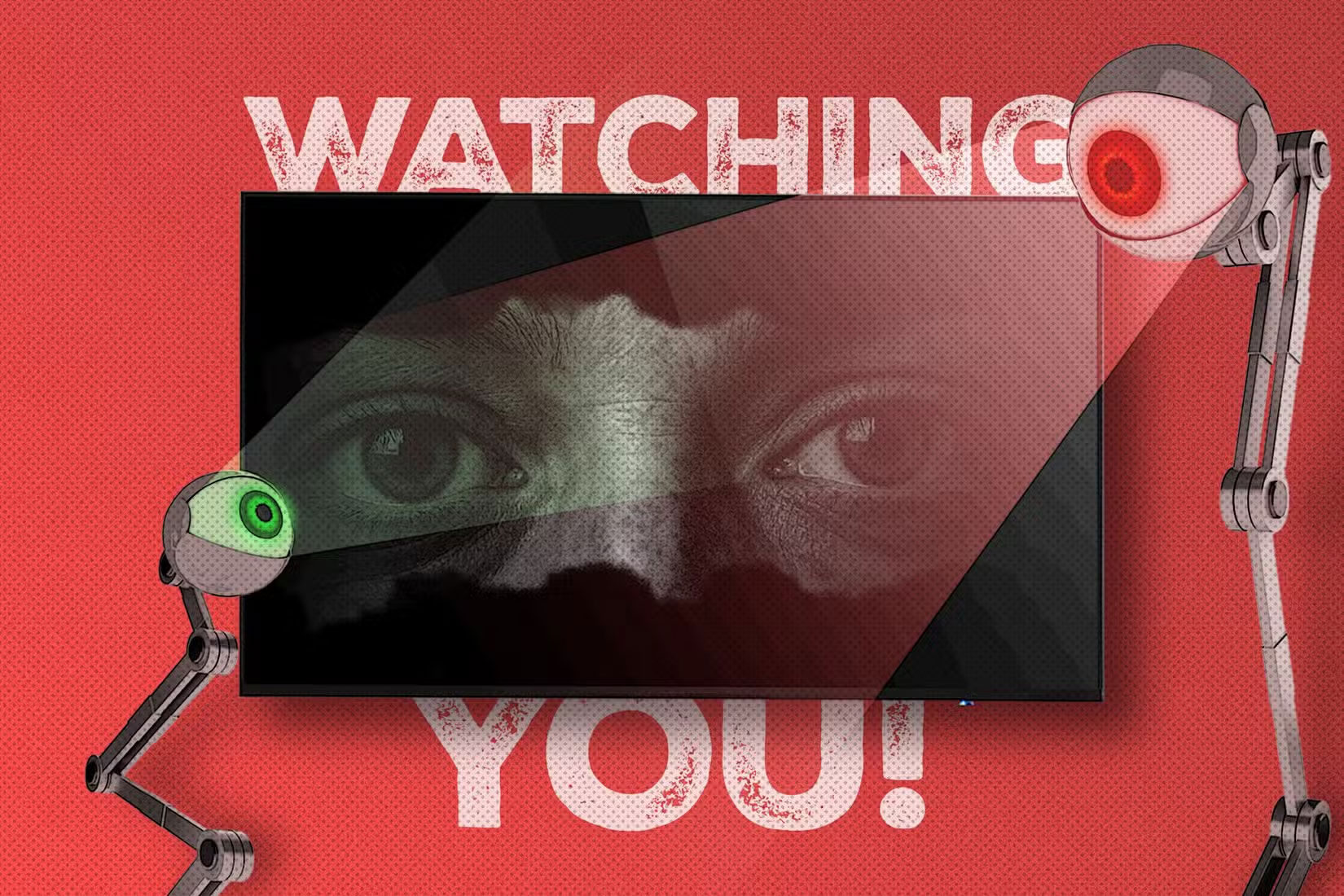
You can even review these recordings to help improve speech recognition algorithms. It's a level of exposure that many people are uncomfortable with. The living room is where we relax, hang out with family, and have casual conversations. The thought of having part of those conversations recorded—even unintentionally—feels like an invasion.
2. Many people rarely use voice commands
Another important factor in your decision is realizing how little you actually use voice commands. When I first heard about voice assistants in the early 2010s, many people thought the idea of controlling their devices with their voice sounded far-fetched and convenient. But after trying them on their phones and Smart TVs, they weren't interested at all.
The TCL Smart TV running Google TV has two ways to activate the voice assistant (using the dedicated Google Assistant button or by saying "Hey Google"). However, you always have to reach for the remote for simple tasks like opening apps or adjusting the volume. And unlike the remote, the microphone doesn't always work correctly the first few times you try it. Sometimes you have to repeat yourself or deal with misheard requests, making the feature more annoying than helpful.
Plus, if your TV is far away from where you sit, you'll always feel like you have to shout to control it with voice commands. That makes many people wonder why they turned on such a privacy- and security-sensitive feature if it doesn't actually provide any benefit. So turning off your TV's mic seems like a no-brainer.
3. Risk of hacking or misuse
The final piece of the puzzle is security. In case you didn't know, any device that connects to the Internet is at risk of being hacked. Connecting your TV to the Internet opens up a whole host of risks. While Smart TVs aren't the most common target for hackers, they're not completely out of reach.
After all, they're still computers, running software that can contain vulnerabilities that hackers can exploit to bypass security features. And it's not just software bugs. Hackers can take control of your TV in a variety of ways. The thought of someone gaining unauthorized access to your TV's mic makes many people nervous. That's also why it's a good idea to always cover your Smart TV's camera, because you never know.
There is also a risk that manufacturers will abuse it, collect more data than is allowed, or use recorded voice data in ways that users do not consent to, such as providing personalized advertising.
The small convenience of voice commands simply isn't worth leaving your home open to eavesdropping.
How to turn off the mic on TV
With all that in mind, many people decide to disable the mic on their Smart TV. The steps will vary depending on the Smart TV manufacturer, but here's how it works on a TCL Smart TV running Google TV.
- Open the Settings App.
- Select Privacy And on the next page, select Google Assistant .
- In Google Assistant settings, turn off Hands-free mic And Voice control .
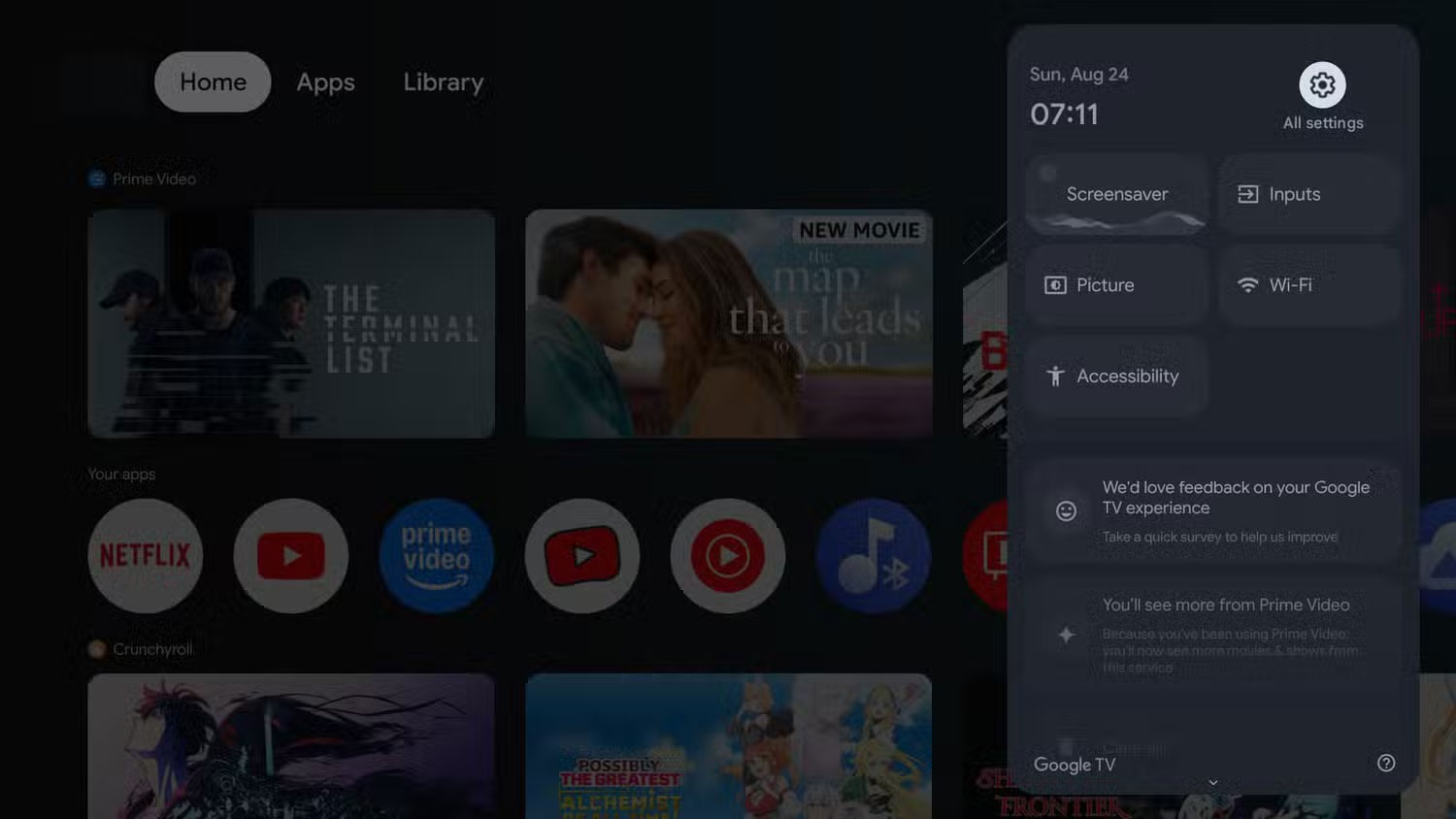
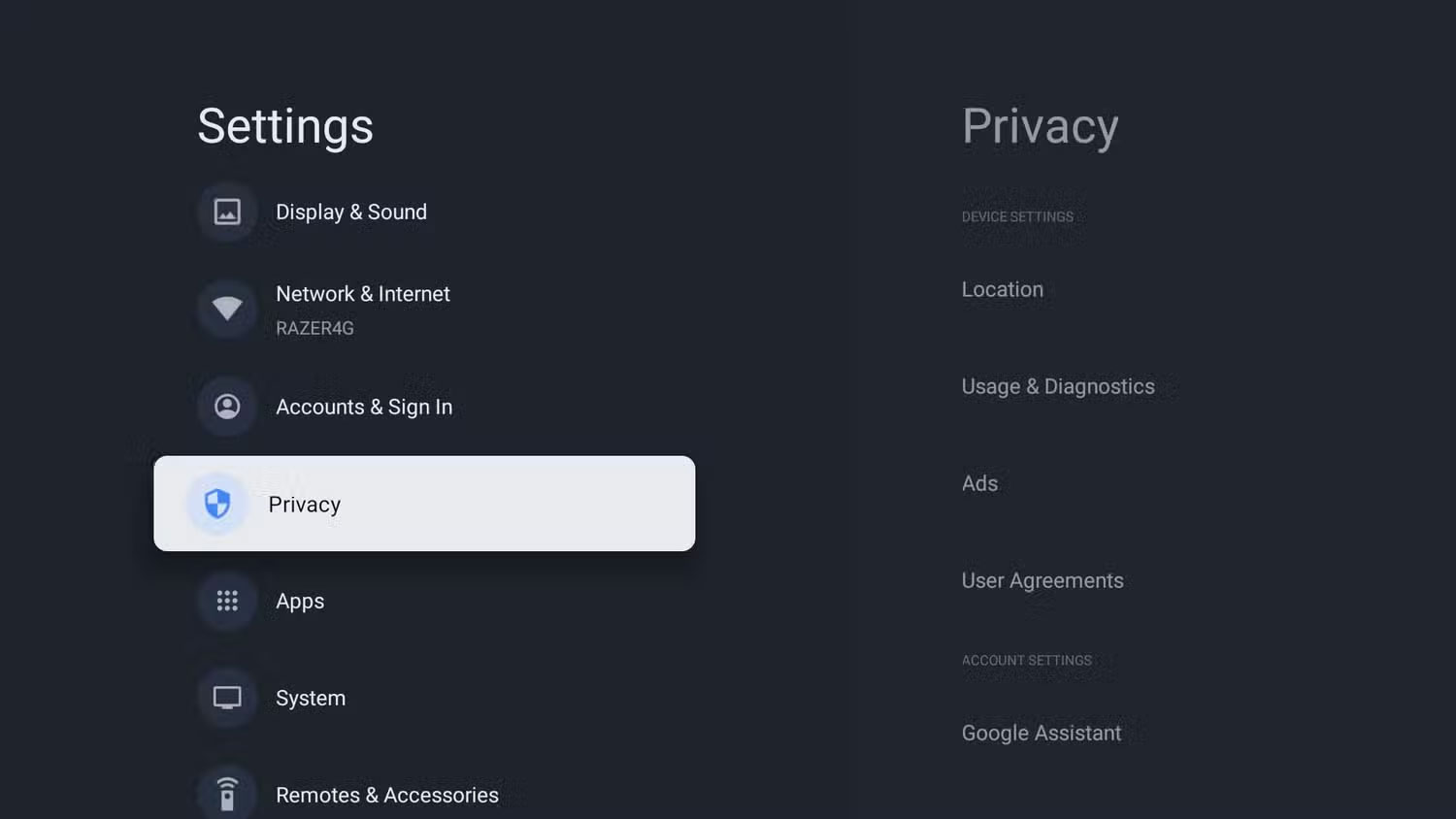
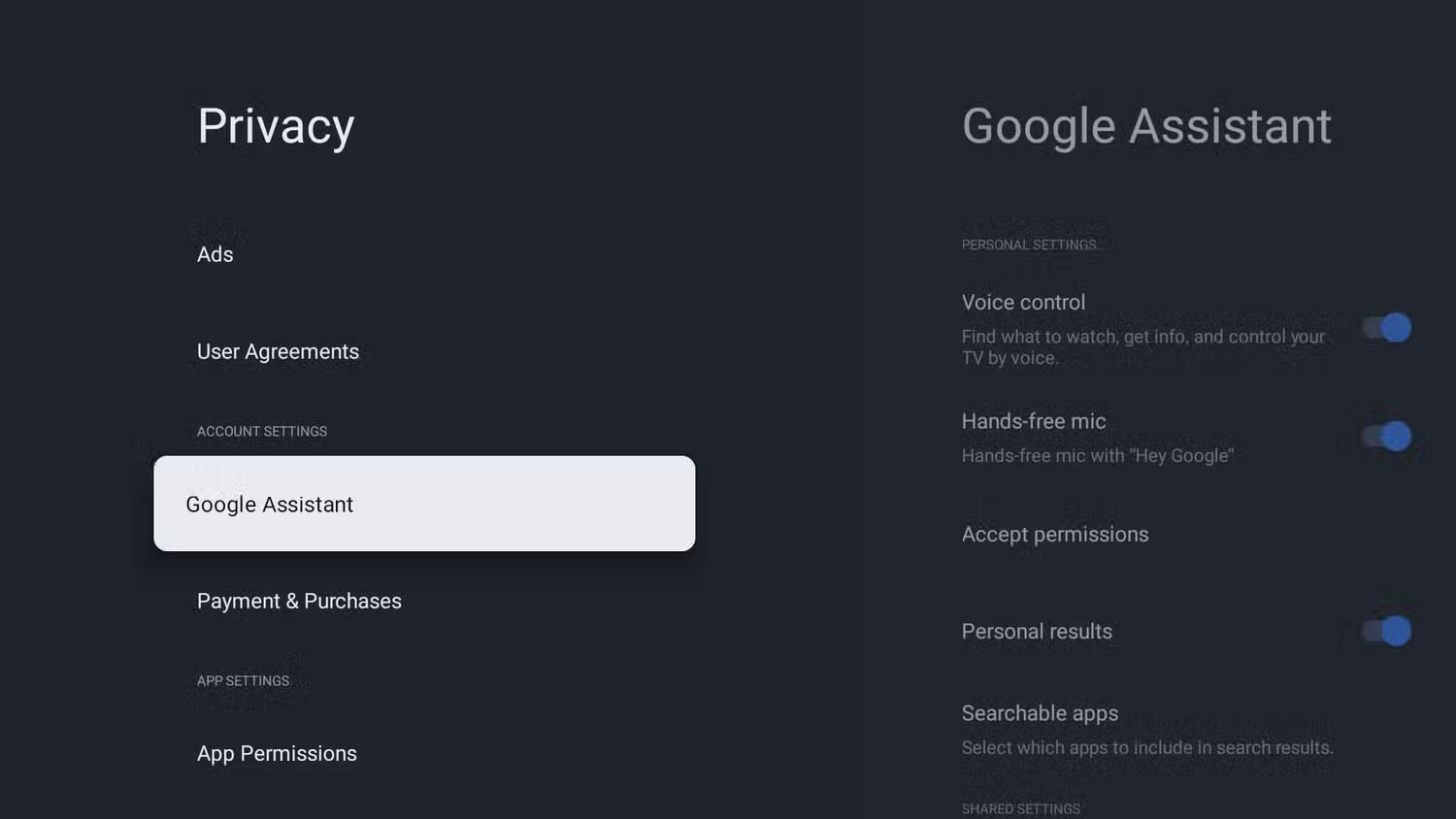
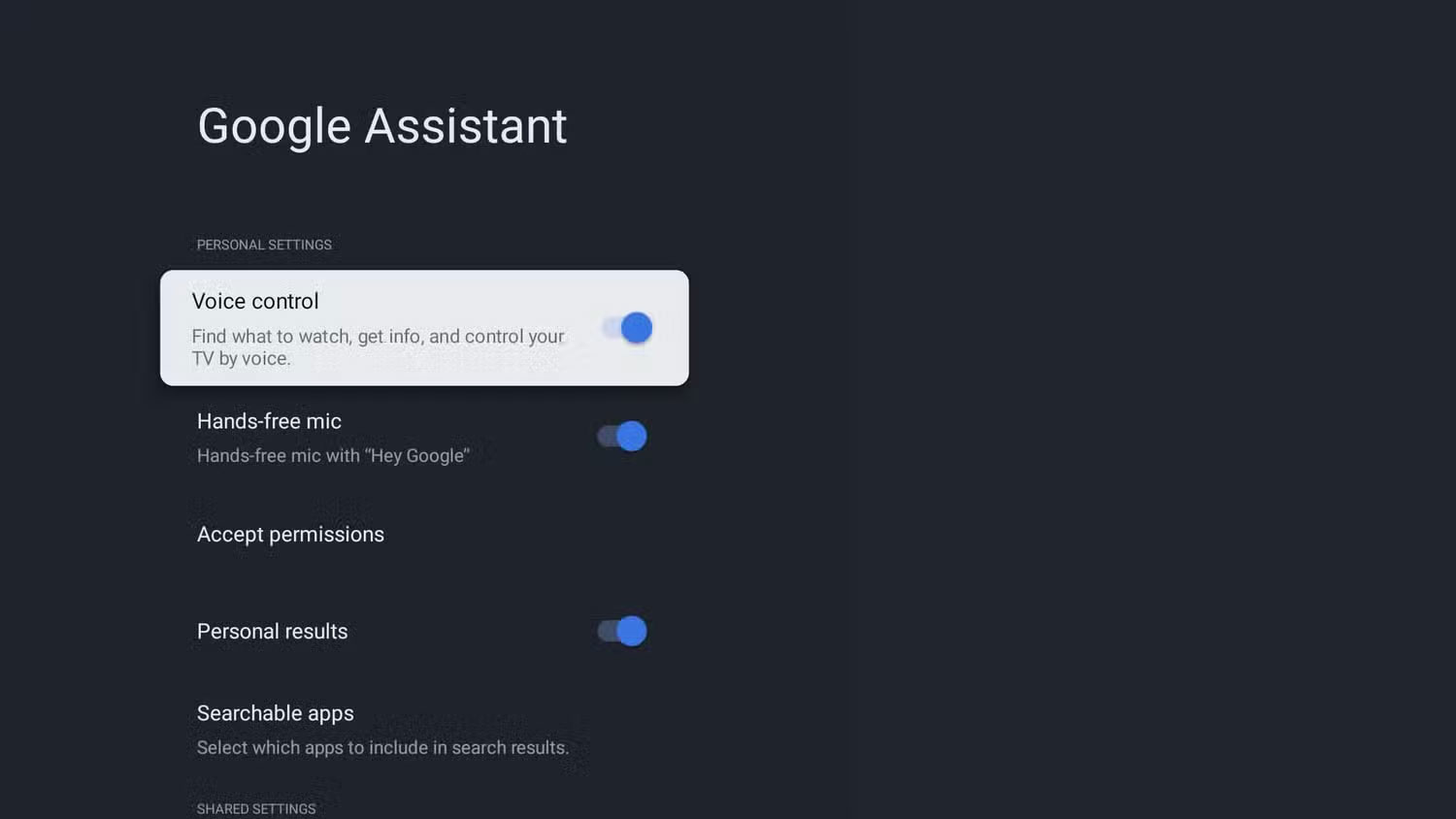
The TV runs Google TV, so these steps are specific to that Smart TV operating system. If you have a different Smart TV operating system, check online for applicable instructions.
FAQ
Why Should You Turn Off the Always-Listening Microphone of Smart TV: Key Facts?
In practical terms, when you browse your TV's settings, you'll notice that its microphone is always listening even when you're not talking to it.
What factors are most important?
The article highlights that privacy concerns One of the biggest reasons people decide to turn off their Smart TV mics is privacy.
What is the main takeaway?
The main takeaway is that how to turn off the mic on TV With all that in mind, many people decide to disable the mic on their Smart TV.
Related Articles
 How to Enable Microphone in Windows 104 minutes read
 Tips for Using Android Phones to Replace Microphones for Computers4 minutes read
 How to Fix Microphone on Laptop7 minutes read
 5 Simple Ways to Connect Microphone to PC6 minutes read
 How to Fix a Noisy Microphone and in Detail7 minutes read
 Summary of 4 Ways to Turn on the Microphone on Windows 10 Computers Explained7 minutes read
Reader Comments 0
Sign in with email or Google to join the discussion.