
Edit photo
How to Create a Rounded Image in Photoshop: Edit Photoshop Photos
The 4 rounded operations on the corner of Photoshop are very simple, and you can choose the level of 4 corners of the image.
Browse more Explore practical Edit photo guides, useful tools, setup instructions and troubleshooting tips for common tasks, features and problems.
The 4 rounded operations on the corner of Photoshop are very simple, and you can choose the level of 4 corners of the image.
Do you believe you can design an impressive movie poster without going to Photoshop?. Follow the main steps and troubleshooting guidance.

To reduce image size, users can use online image compression services, without compromising the quality of the image.

Animation Tool is the focus of this article. To create an animation, we can use a lot of different software with professional features.

Cut Photos on Photoshop is the focus of this article. To crop the image in a circle on Photoshop, you just need to select the round frame type.

Photoshop is the focus of this article. If the selection is incorrect, the design will be affected. Follow the main steps and troubleshooting guidance.

What Is Krita is the focus of this article. Krita is a free and open source image editor built for the KDE Plasma Linux desktop interface.

Photoshop is the focus of this article. Photos taken with a film have a special quality, difficult to express in words.
Find out about the best way to get a free Photoshop experience and the rare cases that older downloads might be the best option.
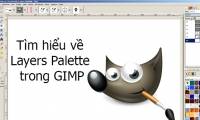
Layers Palette is the focus of this article. GIMP photo editing application provides a powerful set of tools to work with layers in graphic files.

Photoshop is the focus of this article. The podcast cover is just as important as the content of the podcast itself.

Photoshop CC 2018 will help with this with the improved Select and Mask feature. Follow the main steps and troubleshooting guidance.

Adobe CC 2019 has a full set of versions for Windows and Mac, with more features added than the previous version.

Photoshop is the focus of this article. In this tutorial, TipsMake. Review the key facts and practical impact.

Creating an Adobe account allows you to download the entire Adobe software suite and make full use of other features for each software.

Adobe Photoshop CC has many tools that can help design a better image. Follow the main steps and troubleshooting guidance.

Photoshop CC is a great tool for creating gradients. Follow the main steps and troubleshooting guidance.

GIMP is the focus of this article. In this tutorial, TipsMake. Follow the main steps and troubleshooting guidance.

To create A3, A4 paper sizes in Photoshop users only need to enter the standard sizes of the paper sizes.

Photoshop is the focus of this article. Typography is one of the most beautiful parts but also causes a lot of frustration in graphic design.