
Chat, Text, Call
Instructions to Delete Zalo Account on the Phone
You want to delete Zalo account because you don't want to be bothered, no longer want to use this Zalo account or change your phone number and need to.
Browse more Explore practical Chat, Text, Call guides, useful tools, setup instructions and troubleshooting tips for common tasks, features and problems.
You want to delete Zalo account because you don't want to be bothered, no longer want to use this Zalo account or change your phone number and need to.

With Zalo Web, users can still receive messages and send messages to friends in the list, such as when using Zalo version on PC or Zalo application.

Mini chat on Zalo like Messenger chat bubble, enabling users to easily chat with friends on any interface without opening the application.

Recently, WhatsApp has announced a new feature that meets the wishes of the majority of application users.

Video call Zalo feature can split screen, call 2 screens directly on the interface. Follow the main steps and troubleshooting guidance.

Messenger Messages is the focus of this article. How to know who is the most message on Facebook for you, with the number of messages?

On the new version Zalo PC has allowed users to send data from Google Drive or Dropbox, when you just need to login your personal account is done.

The tips, tricks to use Zalo on the phone will help users experience Zalo more interesting, effectively exploit the features on Zalo.

In the latest version of Zalo PC, the public creates polls that are provided to help users easily poll on a certain issue in the chat group Zalo.

Along with combining the backup feature of Zalo messages on Android devices, we can completely find and review the backed up Zalo messages by.

After upgrading iOS 11, users often encounter errors that cannot log into the Snapchat application, and the Not Not Connect message appears.

Forward mesages Viber feature is a new update feature, allowing users to forward links, files, images or text messages to many people.

Portable application is a shortened version of the software, can run without installation on the server and does not change computer configuration.
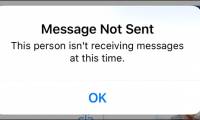
In addition to blocking someone completely on Facebook, you can only use Messenger blocking in Messenger if you want to temporarily stop receiving messages.

One of the most frequent errors in the Zalo PC version is that users cannot type Vietnamese, while other programs can still type.

Zalo application has launched the Zalo shop feature, supporting users to buy and sell online, upload photos, comment and advertise products directly on Zalo.

How to Set up a Zalo Page is the focus of this article. To create Zalo Page on your phone or computer, we will use it via Zalo Official Account.

Delete You Zalo is the focus of this article. Manipulate any Zalo account in your friends list very simply.

On Zalo computer has added message sharing feature, forwarding messages for other Zalo accounts or for Zalo chat group.

When there is no audio on Skype, users will not be able to make calls and video calls on Skype because it cannot receive sound from the enemy.