Artificial intelligence
How to Create a Two-Character Dialogue Video in Google Flow
Combine two character images into a scene, write a clear dialogue prompt, and generate and check the video in Google Flow.
Browse more Explore artificial intelligence guides, AI tools, model comparisons and practical tutorials for using AI at work and in everyday tasks.
Combine two character images into a scene, write a clear dialogue prompt, and generate and check the video in Google Flow.

Use Photoshop in ChatGPT for conversational image edits, then check the result and move to the full editor when you need precise control.

See how Adobe tools in ChatGPT support image edits, template-based designs, and PDF work, and what to check before exporting.

Explore reasons why many people uninstall ChatGPT atlas, including the key concepts, practical examples, important considerations, and useful guidance.

Compare local and cloud AI by hardware needs, answer quality, privacy, offline use, and total cost before choosing a workflow.
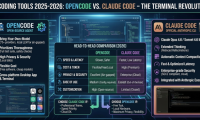
Compare model choice, workflow, costs, extensions, and data handling, then test both coding agents on the same repository task.

Define a useful role, tone, method, and boundaries for an AI task, with English templates and examples you can test.

Compare Originality.ai, prompts.chat, DocsBot, and AIPRM, and note PromptPerfect's closure before choosing a prompt-writing tool.

Improve AI requests with explicit tasks, useful roles, examples, a principles-first approach, and clear output requirements.
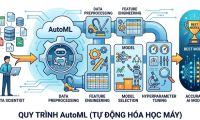
Compare ten AutoML options by workflow and task, with a structured Python example and checks for data leakage, cost, and deployment.

Use separate task briefs, sample writing, and specific feedback to produce better ChatGPT drafts and reduce repeated revisions.

Try nine adaptable prompts for summaries, emails, goals, learning, and task planning, with checks to keep drafts accurate and schedules realistic.

Give an AI email assistant the message, relevant facts, and desired tone, then check its draft for accuracy, commitments, and sensitive information.

Set up a Grok project with focused instructions and source files, organize separate conversations, and check answers against the documents you provide.

Nested Learning treats AI models as interconnected learning processes with different update rates. See how Hope applies the idea and what its experimental results do—and do not—show.

Ask Gemini to turn a rough idea into a usable prompt for writing, images or an app. Follow a review-and-test workflow, with examples and safeguards against invented requirements.

Use Gemini Live's camera to plan meals, identify appliances, understand assembly instructions and organize a drawer—with focused questions and checks for accuracy.
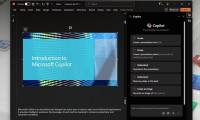
Explore how copilot in powerpoint helps you complete any presentation.

Remove the Copilot app and adjust AI controls in Edge, Notepad, Word, Excel, and PowerPoint, with guidance for settings that vary by version.
Compare Copilot's search, reasoning, voice, image tools, file analysis, and Microsoft integration, and test which assistant fits your work.