Table of Contents
Explore 5 ChatGPT tips to help you get better results, including the key concepts, practical examples, important considerations, and useful guidance.
1. Set up a 'chat' for each task you perform
Many people's jobs require writing everything from website content to service descriptions on Google Business Profiles. Each of these tasks requires a different approach, meaning they can't expect the same machine to perform everything efficiently without proper training. Therefore, whenever they start working for a new client, they must set up multiple different chats within their ChatGPT account and begin training them on both the client and the task the chat needs to perform.
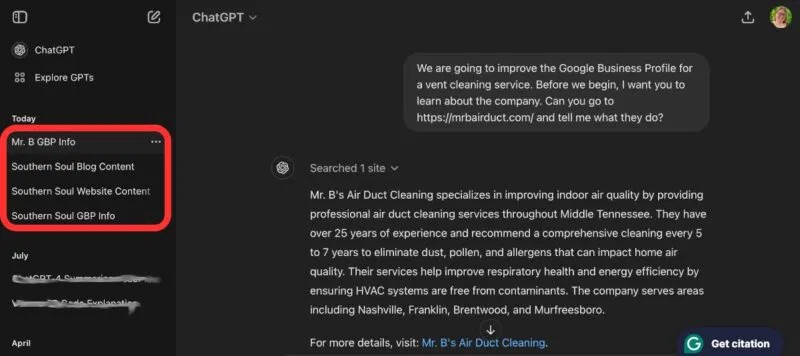
This is crucial because ChatGPT is constantly learning from you and has the ability to store information. Therefore, if you want it to perform a specific task, you need to set up a separate version of the platform dedicated solely to that task, much like different tools in a toolbox serving different purposes.
When setting up a new conversation, you should follow these steps:
- Clearly explain the task you want GPT to perform.
- Provide any information it needs to write accurately, including writing style and information relevant to the task, business, or website.
- Ask ChatGPT to 'remember' certain information when you speak to it.
Furthermore, you can use several Chrome extensions for ChatGPT for tasks such as writing emails or SEO.
2. Request ChatGPT to analyze and interpret the information you provide
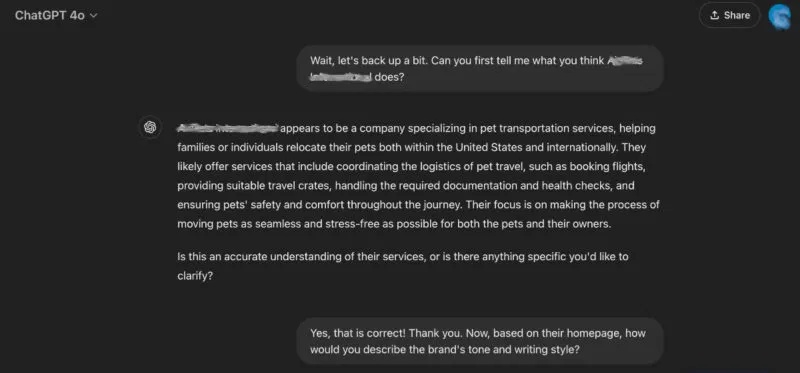
One of the best ChatGPT tricks is to ask questions to gauge its understanding of the information you provide for tasks. This is especially helpful when you're just starting to program it for a specific task, as you can fix potential problems before they become more serious.
For example, let's set up a conversation to help you brainstorm blog topics for a company. However, you first need ChatGPT to understand the business's services so it can provide viable topics. Ask ChatGPT to visit the website and summarize what the company does in its own words. Then, once any issues have been resolved, ask it to analyze the brand's tone and style to emulate. Without clarifying these things before letting it determine the topic and write the article, you might end up with unsuitable topics or require significant revisions to the tone and style of the writing.
3. Provide your own 'template' to train the AI
ChatGPT learns from your interactions and the feedback it provides. Therefore, one of the best pieces of advice is to provide job templates, just like you do when training a new employee.
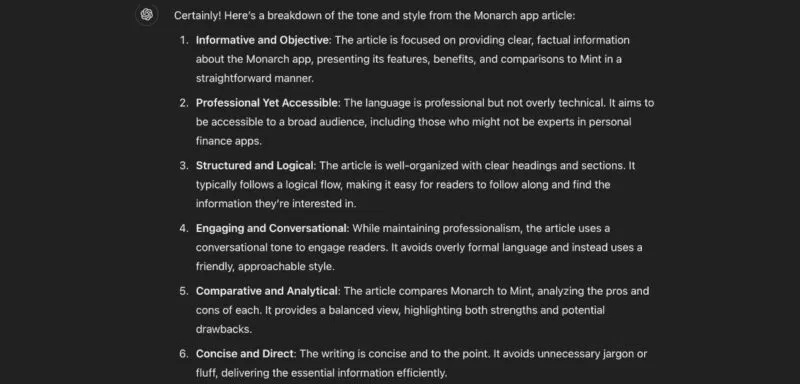
When you provide ChatGPT with article templates, you don't just want to 'provide' them to it. You need to ask it to analyze and interpret the templates to ensure it can reproduce them correctly (see the previous ChatGPT trick mentioned in the article). Doing so doesn't violate any rules; you can still legally use ChatGPT as long as you have the right to use the templates.
Need some suggestions on what questions to ask after providing the templates? Try providing ChatGPT prompts, such as:
- How would you describe the tone and style of this sample?
- Who do you think your target audience is?
- What is the structure of the article? Does it follow a logical flow?
- What makes this article unique?
4. Edit the results you get, then share them with ChatGPT
One of the best ChatGPT tricks that people haven't fully utilized is providing feedback to the AI on its work. We frequently do this with the humans we supervise or train, so doing the same with artificial intelligence makes sense, given its ability to remember what you've shared and improve its future results.
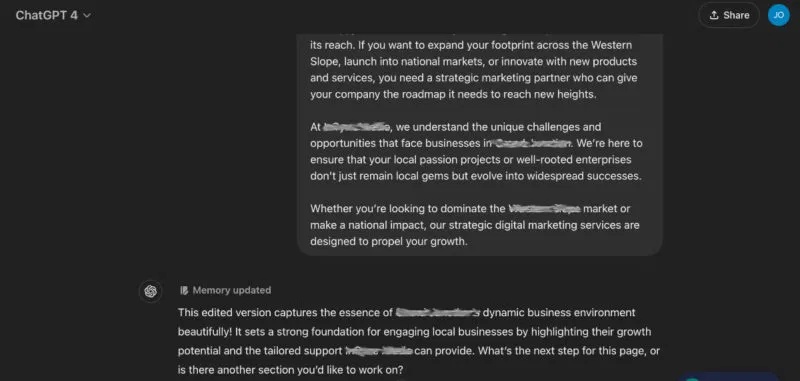
Copy the first draft provided by the AI assistant, whether it's 300 characters or 3000 words. Transfer it to Google Docs and make your edits. Then, copy and paste the edited version back into ChatGPT by saying something like: 'I've edited your writing. Could you please review the edited version?' ChatGPT will read the edits and briefly summarize the changes it noticed. You can then ask it to store this information for future writing tasks.
5. Chat with ChatGPT like a human, not a machine
One of the best ChatGPT tips and tricks of the past year is that ChatGPT doesn't work like a machine. All artificial intelligence is designed to mimic human thinking, which means we need to approach interacting with these tools as if they were real people.
When you tailor a tool to work for you, you want to give it a personality, to some extent mimicking you (or the person/company you're mimicking). This results in more human-like outcomes and improves your overall experience with ChatGPT. It's not just a machine – it's your employee.
ChatGPT can be a very effective tool for most people, and leveraging these ChatGPT tricks can improve your experience. If you're interested in other ChatGPT tricks, check out the ChatGPT productivity prompts suggested by TipsMake.com. Otherwise, if ChatGPT isn't working for you, it might be time to try other alternative AI platforms.
Final Thoughts
Understanding 5 chatgpt tips to help you get better results makes it easier to evaluate the information and apply the most relevant recommendations. Focus on the key points above and verify details that may change over time.
FAQ
What is 5 chatgpt tips to help you get better results?
Explore 5 ChatGPT tips to help you get better results, including the key concepts, practical examples, important considerations, and useful guidance.
What key points does this article cover?
The article focuses on 1. Set up a 'chat' for each task you perform, 2. Request ChatGPT to analyze and interpret the information you provide, 3. Provide your own 'template' to train the AI, with practical explanations and examples.
How can you use this information in practice?
Use the explanations to compare options, verify important details, and make a more informed decision. Apply the recommendations that best match your goals and situation.
Related Articles
 minutes read
 8 Little ChatGPT Automations That Make Every Day More Enjoyable9 minutes read
 10 Tips for Using ChatGPT Effectively That You Should Know7 minutes read
 Why Shouldn't We Trust ChatGPT to Summarize Text?7 minutes read
 Learn About ChatGPT-4o: Features, Benefits and How to Use It: Complete Guide7 minutes read
 What Is ChatGPT Pro? Is It Worth It in 2026?8 minutes read
Reader Comments 0
Sign in with email or Google to join the discussion.