Table of Contents
A local language model can replace some cloud-AI tasks, but whether it can replace your everyday ChatGPT or Gemini workflow depends on the model, computer, and tasks you use. Test the work you actually need done instead of treating “local” or “cloud” as a guarantee of quality.
Hardware determines what is practical
Storage holds the model files; system RAM and GPU memory help determine what can be loaded; CPU and GPU performance affect response speed. A machine with substantial RAM may still generate slowly. Conversely, the lack of a dedicated GPU does not mean that every local model is impossible to run.
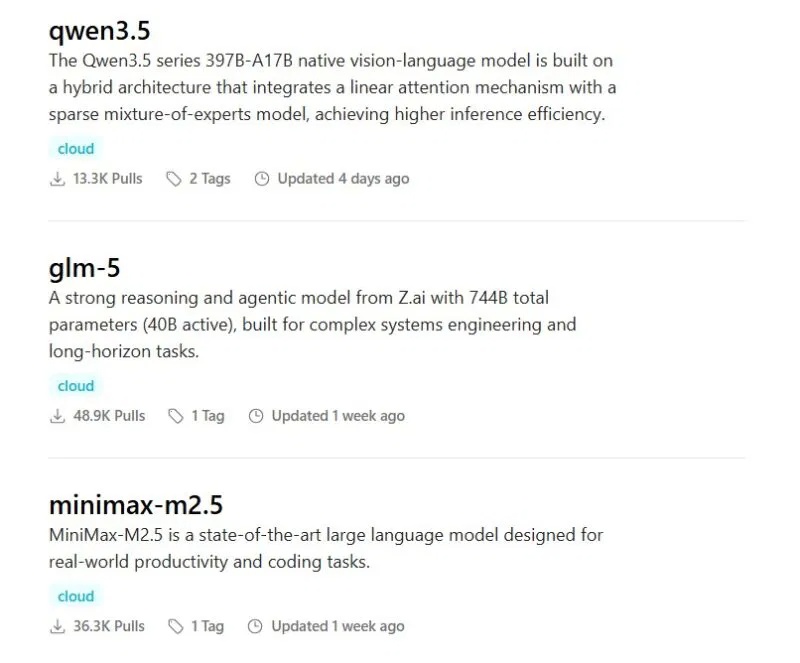
Start with a model your runner supports and check its requirements. Quantization, context length, and concurrent requests can change memory demands. In Ollama, ollama ps shows whether a loaded model is using CPU, GPU, or a combination; see the Ollama FAQ.
For setup choices, see tools for running LLMs locally and the Ollama desktop guide.
Compare answer quality with repeatable tasks
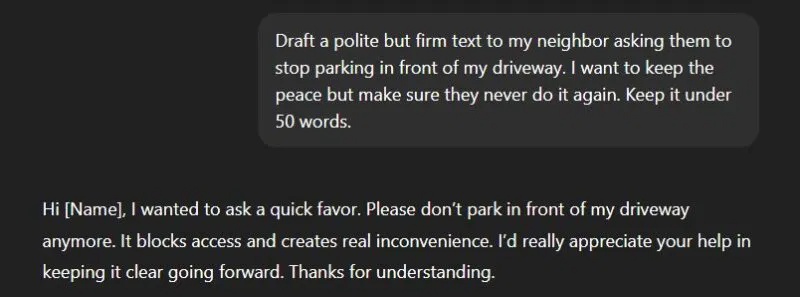
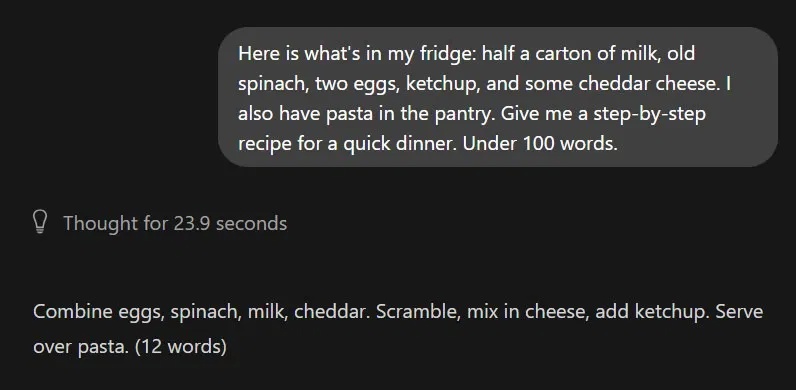
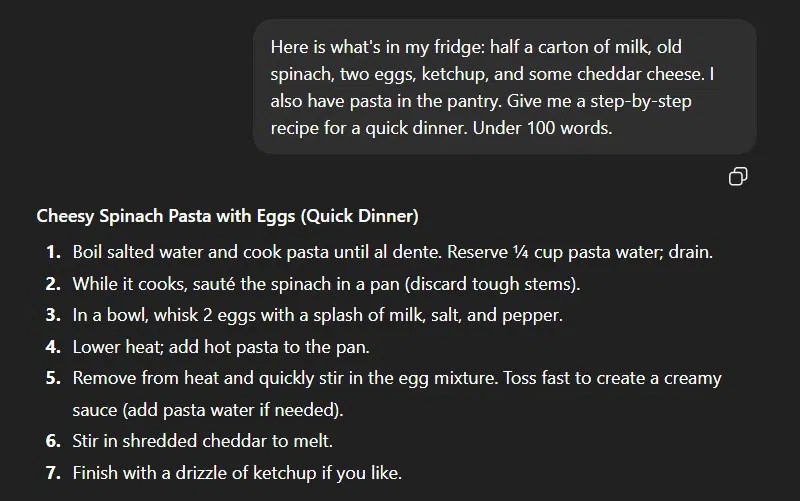
The examples below come from the source article's comparison of a small local model and ChatGPT. They illustrate tasks worth testing, but isolated screenshots do not establish a general ranking. Record the model version, prompt, settings, and expected answer when comparing your own setup.
Factual questions
Ask questions whose answers you can check against reliable references. Look for invented details and unsupported confidence. Both local and cloud models can produce incorrect answers; neither should be treated as an encyclopedia that reliably stores every fact.


Tone and rewriting
Give the same audience, purpose, and tone requirements to each model. Compare whether the output preserves meaning, avoids unnecessary wording, and fits the intended reader. Model size alone does not explain every difference in writing quality.

Messy or mixed input
Test a realistic note or error report with missing context. A useful answer should identify what is known, ask for missing details, and avoid guessing a technical fix. Then repeat with a structured version of the input to see how much preparation the model needs.
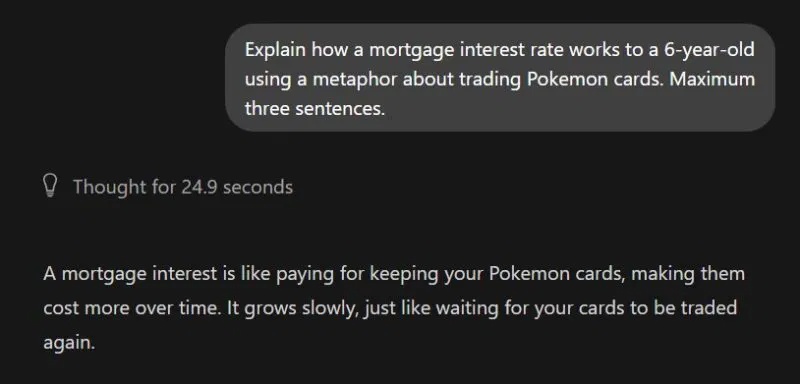
Explanations and analogies
Ask for a beginner-level explanation and a worked example. Check the underlying concept, not just whether the analogy sounds convincing. A memorable comparison can still teach the wrong relationship.

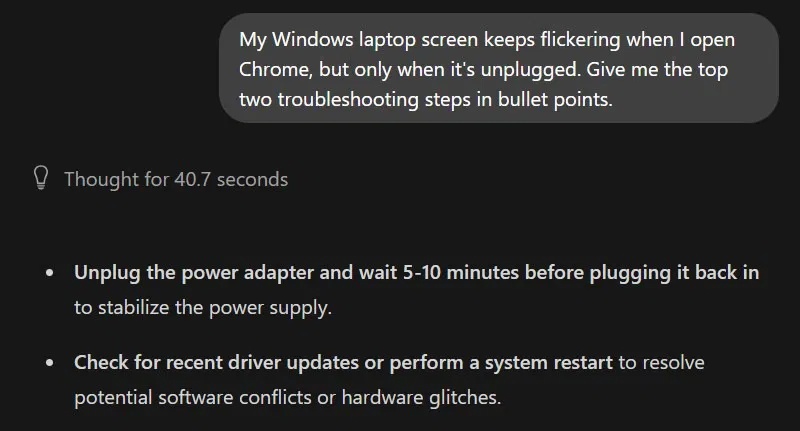
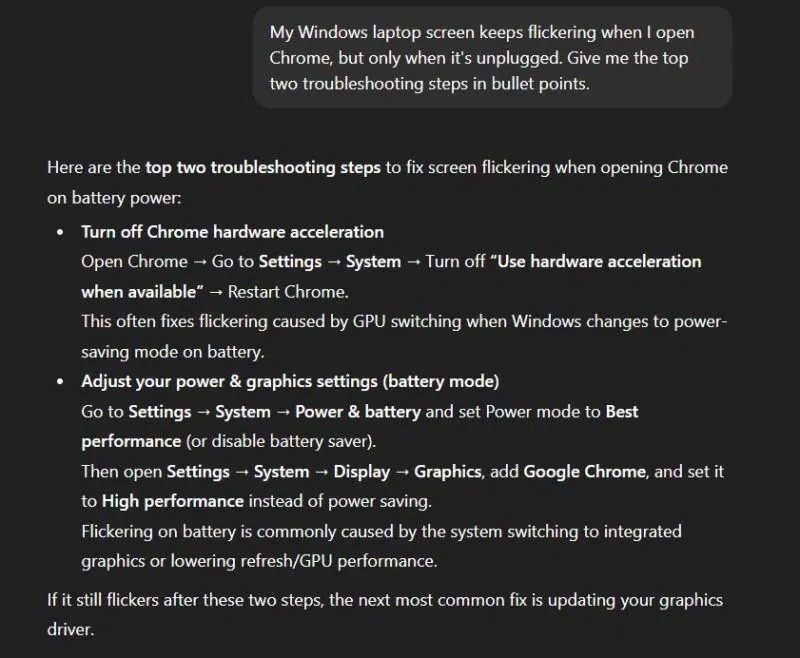
Technical troubleshooting
Use the same software version and error details for each model. Check suggested commands against official documentation and test in an appropriate environment. Access to current search tools or supplied manuals can matter as much as whether inference runs locally.
Where local models can be useful
More control over where data is processed

A genuinely local workflow can avoid sending prompts to a hosted model. That is a useful privacy benefit, not “100% security.” Check the runner, extensions, cloud features, logs, backups, and network exposure. A local interface can still call a remote service.
Ollama distinguishes downloaded local models from cloud models. Verify the active model and configuration before working with confidential material.
Offline drafting and document work
After the software and model are installed, a local-only setup can support tasks without an internet connection. Test it offline before relying on it while traveling. Web searches and other online integrations still require connectivity.
Control over model and prompts
You can choose a model and tailor instructions for drafting, editing, or a specific document task. Calling a model a specialist does not give it professional credentials or make its output reliable enough for consequential legal, medical, or financial decisions.
Costs you can estimate

Local inference may avoid a hosted service's per-request fee, but it still uses hardware, electricity, storage, and maintenance time. Check the model license for your intended use. Your practical usage limit is the capacity of the machine, not a promise of unlimited free computing.
Choose based on your actual workflow
List a few representative tasks and compare correctness, speed, ease of use, data handling, and cost. Keep a local model for tasks it handles well and use another tool when it cannot meet the requirements. A mixed workflow can be more practical than trying to replace every cloud feature at once.
Related Articles
 The Difference Between Gemini and ChatGPT13 minutes read
 minutes read
 5 Reasons Why Gemini Advanced Is Far Superior to ChatGPT Plus7 minutes read
 Compare ChatGPT and Gemini Learning Modes7 minutes read
 ChatGPT vs Claude vs Gemini: Which AI Should You Use?12 minutes read
 Which Is Better Gemini Advanced or ChatGPT Plus: What to Know13 minutes read
Reader Comments 0
Sign in with email or Google to join the discussion.