Artificial intelligence
How to Write a Training Report with NotebookLM
Turn training documents into a structured NotebookLM report, customize the prompt, verify source support, and export a draft for final editing.
Browse more Explore artificial intelligence guides, AI tools, model comparisons and practical tutorials for using AI at work and in everyday tasks.
Turn training documents into a structured NotebookLM report, customize the prompt, verify source support, and export a draft for final editing.

Gemini offers you various data processing modes, such as the Canvas mode, to create more dynamic and intuitive document reports through the use of charts…
These two tools are not mutually exclusive. Many developers use both daily to take advantage of each tool's strengths.

Compare three free local interfaces for Stable Diffusion, choose the right workflow, install models safely, and create your first image.
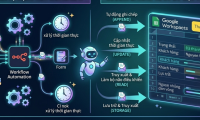
Connect Google Sheets to n8n, choose the right row operation, map columns, test safely, and configure OAuth for cloud or self-hosted workflows.

A practical framework for judging whether an AI product solves a meaningful problem, fits a real workflow, and delivers reliable value beyond a demo.
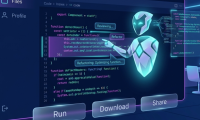
Use Grok's file workspace to review, refactor, test, and export code while checking diffs, protecting secrets, and validating every AI-generated change.

Turn a clean CSV into an interactive chart in Claude Artifacts, refine the result with focused prompts, and download or publish the finished visualization.

Learn how a least-squares regression line models the relationship between two variables and how to calculate its slope and intercept in JavaScript.

Compare Claude and ChatGPT by workflow, including writing, coding, files, images, voice, custom assistants, and automation.

Understand how deep learning, self-supervised training, feedback, and continual learning differ from human development, plus the limits and risks that remain.
Use Gemini's Chrome side panel to summarize pages, work with images, and automate supported browsing tasks—while checking tab access, permissions, and every consequential action.

Copilot Labs is Microsoft's space for testing early Copilot ideas. See how to explore experiments and why older descriptions of Vision and Think Deeper need context.

Find photo spots with Gemini, verify access and views in Google Maps, and build a route that accounts for travel time and changing light.
Prepare a workbook, ask Copilot focused questions, build charts and verify results; understand when a PivotTable is better for repeatable reports.
Create a ticket-classification prompt with clear categories, escalation rules, JSON fields and test cases for human-reviewed support workflows.
Evaluate a trained perceptron on separate points, count classification errors, inspect class balance and avoid tuning on the test set.
Open Gemini in Sheets, describe an illustration, review generated options and insert one without confusing it with a data chart.
Find Grok's automatic video setting, switch it off and check image mode if Imagine still turns a still image into a clip.

See how gradient descent updates a line's slope and intercept to reduce mean squared error, with a complete JavaScript example.