Table of Contents
Explore 5 tools to help you create the perfect prompt for your AI chatbot.
1. Originality AI Prompt Generator
Price: 20 prompts per day are free, paid packages are also available.
Although focused on creating prompts for writers and content creators, this tool is also great for other uses. You simply provide the purpose of the prompt to Originality AI Prompt Generator, and it will generate a detailed prompt that the AI chatbot can use correctly.
For example, you can simply say 'find the best products for the Dropshipping model based on the latest trends' , and it will automatically identify the product type, the response format, and any related information.
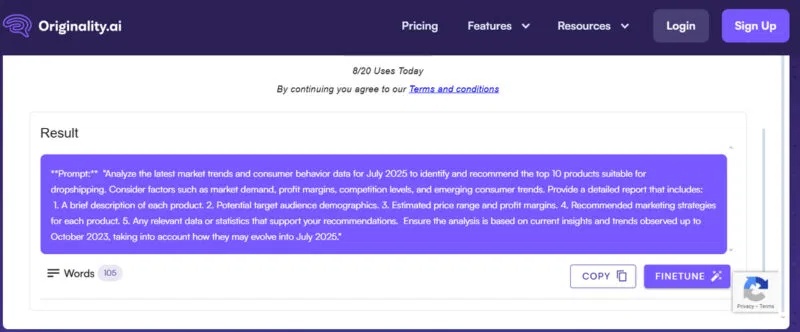
For most prompts, it will specify the goal, how to format the answer, things to avoid or ensure, and additional information that can further improve the answer. It also has a great FineTune tool that you can use to select a portion of the generated prompt to recreate it.
2. PromptPerfect
Price: 10 prompts per day are free, paid packages are also available.
PromptPerfect is an all-in-one chat assistant manager with prompt optimization functionality to create perfect prompts. You'll need to register to use PromptPerfect, and it will display the AI chat assistant window and the optimization window side-by-side in the main interface. You can optimize the prompt on one side and then quickly execute the created prompt within the chat assistant.
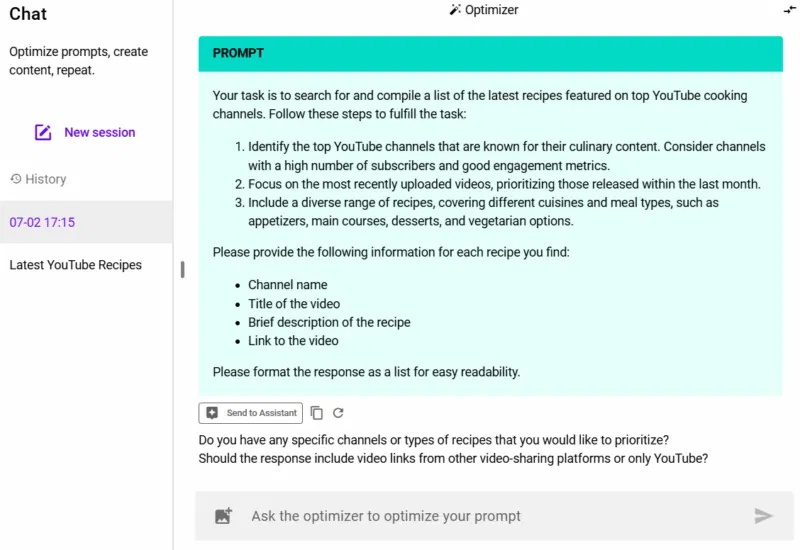
It works similarly to a chatbot. You provide the purpose of the prompt, and it will generate a detailed prompt. Within the same conversation, you can continue to further optimize the prompt. For each optimization, it will also ask for related subsequent prompts to make the optimization process easier.
3. prompts.chat
Price: Free
prompts.chat is a directory containing hundreds of prompts for various uses. The prompts are community-added, so they don't follow any specific format. You can use the search bar in the left-hand panel to find prompts that suit your needs. Once you've found the right prompt, click the Copy button to copy it or use the button to open it directly in one of the supported AI chatbots.
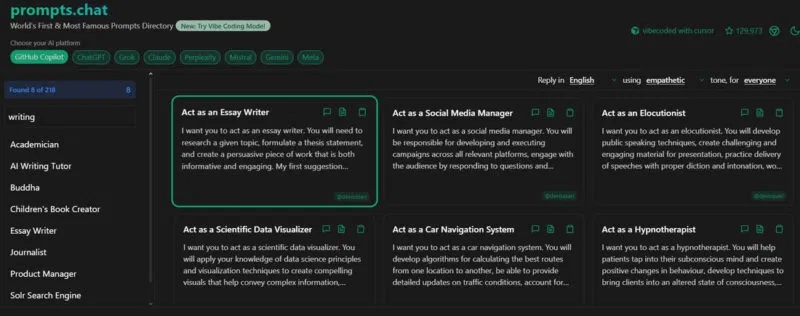
Additionally, there's a Vibe Coding mode where you can find complete prompts for writing code for basic tasks such as creating to-do list apps, password generators, PDF viewers, 3D racing games, etc.
4. DocsBot AI Prompt Generator
Price: The free plan has a limited number of daily prompts (not yet disclosed), and there are paid plans available.
This is a 2-in-1 AI prompt generator and AI prompt directory. DocsBot AI Prompt Generator creates a detailed prompt from minimal information. You can paste your original prompt for optimization or simply specify the goal you want to achieve, and the tool will generate a new prompt.
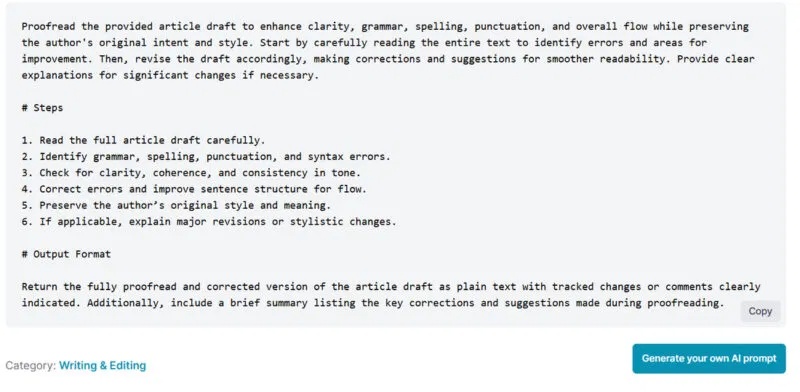
However, it will also publish prompts if useful, so make sure you don't share personal information. You'll also find thousands of AI-generated prompts for almost any use case. The prompts are categorized, and you can use the search bar to find the prompts you need.
All the prompts we tried had accurate instructions regarding the target, formatting, examples, and additional information.
5. AIPRM
Pricing: Community-created prompts are free, with premium packages available for customization.
This is essentially a Chrome and Edge extension that directly integrates its functionality into ChatGPT and Claude. After installation, AIPRM customizes the ChatGPT/Claude interface to include a list of over 5000 community-generated prompts, filters, and management tabs. It doesn't display the prompt content; you simply apply them and provide the required information to use the prompt.
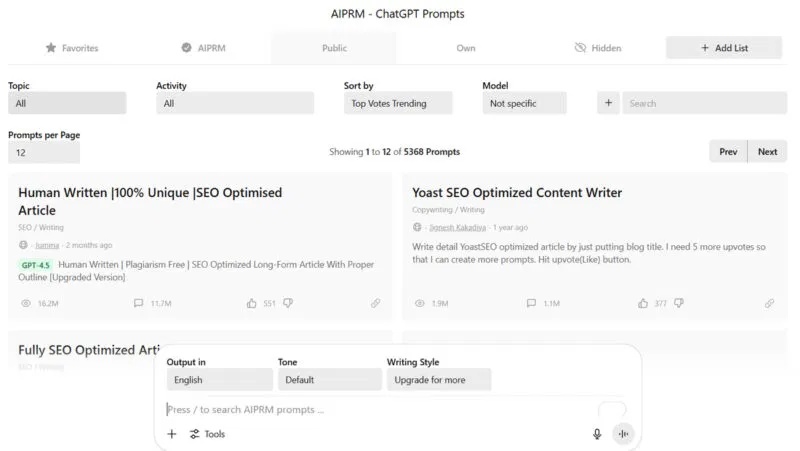
The prompts are community-contributed, so quality can vary, but you should focus on using those with high usage and ratings. It also allows you to add language, tone, and style enhancements, but most are only available with the paid plan. The original ChatGPT/Claude tools are still accessible, such as the inference mode.
These tools can provide you with detailed prompts, but most prompts won't be perfect for immediate use. You'll still need to make minor adjustments to personalize them for the best results. You should also check out these tips for creating perfect AI prompts.
Final Thoughts
Use this guide as a practical checklist for 5 tools to help you create the perfect prompt for your ai chatbot. Work through the steps in order, verify each result, and adjust the options to match your needs.
FAQ
What do you need before following this 5 Tools to Help You Create the Perfect Prompt for Your AI Chatbot guide?
Review the required tools, accounts, settings, or materials mentioned in the article. Explore 5 tools to help you create the perfect prompt for your AI chatbot.
What are the main steps for 5 tools to help you create the perfect prompt for your ai chatbot?
Follow the sections in order, especially 1. Originality AI Prompt Generator, 2. PromptPerfect, 3. prompts.chat. Complete each step before continuing and verify the result as you go.
What should you do if the process does not work as expected?
Recheck the prerequisites, update the relevant app or service, review the settings, and repeat the step that caused the issue. Use any troubleshooting notes included in the guide.
Related Articles
 5 Expert Tips for Creating the Perfect AI Prompt8 minutes read
 How to Create a ChatGPT Prompt That Works in All Cases: Step-by-Step Guide11 minutes read
 How to Create an AI Chatbot for Design in Canva3 minutes read
 How to Always Get Perfect Replies from ChatGPT with These 7 Prompts10 minutes read
 The Trend of Chatbot Will Explode in the Future5 minutes read
 What Is a Prompt? How to Create Effective AI Prompts: Clear Explanation12 minutes read
Reader Comments 0
Sign in with email or Google to join the discussion.