
Office information
Sync Data on Computers and Google Docs Accounts with Syncdocs
Looking for a quick, simple and easy way to bridge the gap between huge amounts of data on your Google Docs computers and accounts?
Browse more Find practical software and app guides, setup instructions, troubleshooting steps and productivity tips for popular desktop and online applications.
Looking for a quick, simple and easy way to bridge the gap between huge amounts of data on your Google Docs computers and accounts?

The following 10 add-ons are extremely useful for tasks, from data protection to project management. Review the key facts and practical impact.

Tutorial is the focus of this article. When you want to know which font set is being used in any website, what do you do?

For website owners and bloggers, spam is a real pain. Review the key facts and practical impact.

With the aim of bringing the best for users, Gmail always has many new improvements and updated features.
For most people think that a spreadsheet is a two-dimensional object (2-D), because there are rows and columns, but the spreadsheet can also be created with.
Because in recent years, Adobe's PDF reader application is overloaded and difficult to use in this article we will provide you with 6 applications that open.

As we all know, utilities that support software (also known as add - on) often yield greater efficiency than normal.
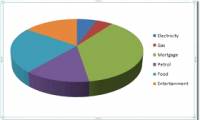
The chart is a very effective way of displaying data in computational or statistical programs, especially Microsoft Excel.
When using Google software such as Gmail, Google Calendar or Google Docs, if you want to search for a software to help backup your data on these services.
Tutorial is the focus of this article. Everyday, we often work with many text files, mostly Word. Review the key facts and practical impact.

Tutorial is the focus of this article. In everyday work, many of us still use PowerPoint to display document and text files.
Tutorials is the focus of this article. This week, Google Docs has officially unveiled Excel's Pivot Tables - a long-standing omission feature.

In the previous articles, we presented some basic methods to remove background images in photos using Adobe Photoshop, but besides, you have tried to think.
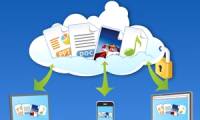
People now no longer have to 'stick around' with a particular storage or device when they want to finish work on a laptop, tablet or even a smartphone.
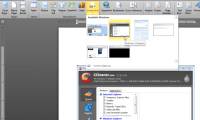
Microsoft Office 2010 Suite provides a new tool that allows users to take screenshots directly from the toolbar toolbar.

Hotmail users can create 5 virtual email addresses and manage them from a single main account. Review the key facts and practical impact.

Not stopping at supporting common text formats, Google Docs has just been upgraded to work with files of Photoshop, AutoCad, Adobe Illustrator.
In this article, I want to introduce you to 21 little-known tips in presentation software, Word processing, or spreadsheet,.
Microsoft Office Home & Student 2010 is an office product set consisting of 4 main products: Microsoft Word 2010, Excel 2010, PowerPoint 2010 and oneNote.