
Office information
Word 2016 Complete Guide (Part 13): Divide the Text Column
Split text columns is one of the familiar features when formatting text, especially with newspapers and magazines.
Browse more Find practical software and app guides, setup instructions, troubleshooting steps and productivity tips for popular desktop and online applications.
Split text columns is one of the familiar features when formatting text, especially with newspapers and magazines.

When working with a long document, it will be very difficult and will certainly take a lot of time to find a specific Word or phrase.
For those cases where you don't have Microsoft Excel installed and want to read and edit the CSV file, we can open the file via the online Google Sheets.

Online Slide Creation Application is the focus of this article. PowerPoint is at the time the most popular presentation office software.

In this article, I will show you 10 interesting tips and tricks in Google Spreadsheet and you will be surprised about them.

Word 2016's Indents and Tabs tool allows users to split textual information using Tab or horizontal ruler.
When working on Google Sheets online, if you want to restrict editing of certain column or row data areas, you can set editing rights on Google Sheets.
Tips and Tricks on Google Docs is the focus of this article. Google Docs is a very effective application with most of the features you want from a Word.
In this article, I will show you 6 useful functions for the Google Sheets spreadsheet that you should know such as Vlookup, CountIF, SumIF, JOIN, INDEX,.

While editing and formatting Word documents, you'll probably notice the LINE spacing and paragraph - LINE and Paragraph Spacing.

Typing Vietnamese Sticky Notes is the focus of this article. Sticky Notes is a popular note-taking tool on your computer, allowing users to list what to do.
Transferring Word files to PDF is extremely easy thanks to the feature of converting Word to PDF available in Office or using the online Word converter that.

Instructions for Using Word 2016 is the focus of this article. In Word documents, bookmarks and numbers are used to organize, list and emphasize text.

What Is SUMIF Function is the focus of this article. The SUMIF function in Excel is a function used to compute values in a specified range.
When you open Word 2016, the Start interface will appear first with suggestions for selecting common text formats.

Creating an automatic table of contents in Word 2003 makes the document look more professional, easy to find the item you need by clicking on the table of.
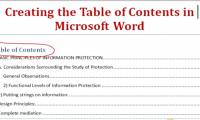
Create automatic table of contents in Word to save time and increase convenience when working on this text editor.
Cover JPG to PDF Online is the focus of this article. Converting JPG image files to PDF files is now very popular.

Create a Tabular List is the focus of this article. Creating a list of tables in Microsoft Word 2013 is extremely simple.
Convert Zamzar to Doc is the focus of this article. Zamzar is an application that converts online file formats, including PDF files.