
Office information
How to Type Pages in Word 2010
When numbering pages in Word 2010, especially when making dissertation reports, references, guidelines will make the document easier to see and scientific.
Browse more Find practical software and app guides, setup instructions, troubleshooting steps and productivity tips for popular desktop and online applications.
When numbering pages in Word 2010, especially when making dissertation reports, references, guidelines will make the document easier to see and scientific.

Microsoft Word 2007 is the focus of this article. Word 2007 provides a customizable area that allows you to create better Word documents.

So a new school year is coming up with more preparation work, especially families with children who are studying in Primary school.

Job Management Software is the focus of this article. Timo is a job management service that can be used offline even without an Internet connection.
The COUNTIF function on Excel is the cell count function to satisfy the given condition, often used in statistics tables.
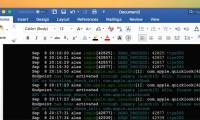
If you want to set the correct color code for Terminal code in Word, only copying and pasting will not work.

Copy Space is an application that manages content copied from clipboard, with many other useful features.

When you adjust the LINE stretching on Excel will help make the page layout more reasonable, look more professional.

PowerPoint is the focus of this article. When presenting, have you ever stopped the presentation to talk to your audience?
Free Text Editor is the focus of this article. Most of the following text editors provide users with their own unique features.

Neon Notepad is a content editor, content editor on Windows 10, designed in Fluent Design style. Follow the main steps and troubleshooting guidance.

Apply for Access for Office 365 Access 2016 Access 2013 Access 2010 Access 2007 Access 2019. Review the key facts and practical impact.

To write is a note-taking application on Windows 10, possessing many note-taking features such as creating task lists, recordings, drawings, reminders,.

When you need to point to an image to emphasize or illustrate something, drawing an arrow is the most convenient way.
The DSUM function on Excel is used to calculate the conditional sum in a field, or column in the data list.

Creating bullet lists (notation lists) in Excel is not as simple as in Word because there is no bullet button on the ribbon in Excel.

Excel Rank is the focus of this article. To rank on Excel we will use the RANK function. Follow the main steps and troubleshooting guidance.

Function keys on the keyboard are often 'forgotten' but for specific applications, they are quite useful.

To delete the same lines and figures in Excel data sheet, we can use available features like Remove Duplicate or manually delete through the Hightlight.
When printing Excel with multi-page content, if we let the title appear on each page, the reader can visualize the content of the spreadsheet or statistics.