Table of Contents
You usually do not need a separate “USB protection suite.” Current Windows includes malware scanning, BitLocker encryption, AutoPlay controls, and removable-storage policies. Use the combination that matches the risk: malware, lost-device data exposure, unauthorized copying, or accidental changes.
1. Scan removable drives with Microsoft Defender
Keep Microsoft Defender Antivirus or your organization-approved security product enabled and updated. Before opening files from an unfamiliar USB drive:
- Connect the drive without opening any files.
- Open Windows Security > Virus & threat protection.
- Choose Scan options > Custom scan.
- Select the removable drive and start the scan.
Managed PCs can also configure Defender to include removable drives in broader scans. Microsoft documents the Scan removable drives policy.
2. Encrypt confidential files with BitLocker To Go
BitLocker To Go encrypts the USB so a person who finds it cannot read the files without a password or recovery key. On Windows Pro, Enterprise, or Education, open Manage BitLocker, select the removable drive, and choose Turn on BitLocker.
Back up the 48-digit recovery key somewhere separate from the USB. Encryption does not prevent malware while the drive is unlocked and does not replace a backup.
3. Block writing to removable disks
Windows Removable Storage policy can make USB disks read-only on a PC. This helps prevent copying data to a USB or accidentally modifying it, but the restriction is local to that computer and does not travel with the drive.
Open Group Policy and enable Computer Configuration > Administrative Templates > System > Removable Storage Access > Removable Disks: Deny write access. Test the policy with a noncritical drive before deployment.
4. Turn off AutoPlay for removable media
AutoPlay can offer to open content when a USB is connected. Disable it in Settings > Bluetooth & devices > AutoPlay, or choose Take no action for removable drives. This reduces automatic prompts but does not scan or clean files.
5. Keep backups and eject safely
- Keep at least one copy of important USB files on another device or trusted backup service.
- Use Safely Remove Hardware before unplugging a drive that may still be writing.
- Do not use a USB drive as the only copy of important data.
- Replace a drive that disconnects, becomes read-only unexpectedly, or reports repeated file-system errors.
Legacy USB security utilities
The tools below appeared in the original version of this article. Their screenshots are preserved for reference, but some are old, unsupported, or distributed mainly through third-party download sites. Do not assume an old security tool is safer than maintained Windows protection.
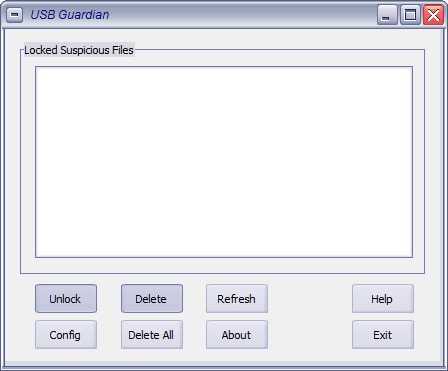
USB Guardian
USB Guardian was promoted as a monitor for autorun-based threats on removable media. Modern Windows security and changed AutoRun behavior have reduced the value of a separate tool in this narrow role.
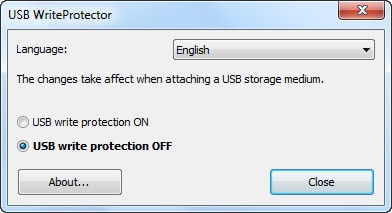
USB WriteProtector
USB WriteProtector toggles a Windows write-access setting; it does not encrypt the drive, scan it for malware, or permanently lock one USB device. Use the built-in Removable Storage policy when available.
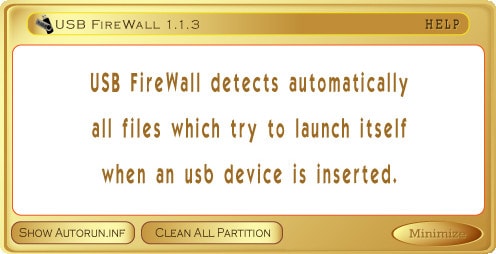
USB FireWall
USB FireWall claimed to detect suspicious autorun content when a device was connected. Because current publisher support and update status are difficult to verify, avoid installing an old build as a second security layer.
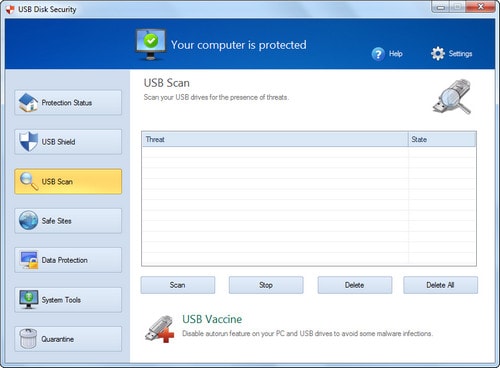
USB Disk Security
USB Disk Security combined removable-media monitoring with data-control features. If evaluating a current release, verify the publisher, supported Windows versions, privacy terms, update history, and whether it conflicts with Microsoft Defender or another installed antivirus.
Autorun Eater
Autorun Eater targeted autorun.inf-based malware. It is not a replacement for current real-time antivirus protection and should not be relied on for modern threats.
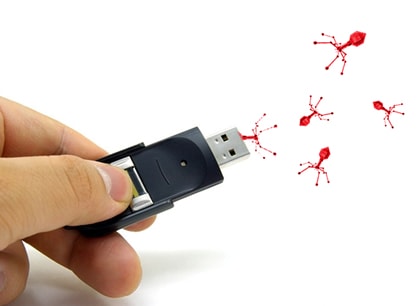
Do not run two real-time antivirus engines blindly
Installing multiple security products can create duplicate alerts, performance problems, or conflicting quarantine actions. Use one maintained real-time antivirus product and add specific Windows controls for encryption or removable-storage access.
Choose the control for the problem
| Risk | Best starting control |
|---|---|
| Malicious file on a USB | Updated Microsoft Defender and a custom scan |
| Lost or stolen USB | BitLocker To Go plus a secure recovery-key backup |
| Copying sensitive data to USB | Removable Disks: Deny write access or organization policy |
| Accidental file changes | Write protection and a separate backup |
| Automatic prompts on insertion | Disable AutoPlay |
TipsMake has step-by-step guides to encrypting a USB with BitLocker To Go, blocking USB write access, and fixing an unexpectedly write-protected drive. Administrators can also review these Windows Group Policy controls.
No tool provides absolute protection
USB security depends on updated software, cautious file handling, least-privilege access, encryption, and tested backups. Treat any promise of complete protection as marketing, particularly when the product itself is old or no longer maintained.
Related Articles
 Top 10 Best USB Protection Software Today9 minutes read
 Troubleshoot Software Protection Service Issues in Windows 105 minutes read
 TOP 9 Websites That Support Online C/c++ Programming Compilation7 minutes read
 5 Best Best USB Protection Software Today 20204 minutes read
 How to Use Acronis Ransomware Protection Against Ransomware6 minutes read
 Folder Protection: How to Protect Folders with Secure Folder?2 minutes read
Reader Comments 0
Sign in with email or Google to join the discussion.