Table of Contents
Here are some Chrome extensions that will make reading in your browser easier, and sometimes even better, than using an e-reader.
Many people are absolutely loyal to their e-readers. They spend almost all of their free time reading books. Some people need to read a lot for work and study. While reading all of that on an e-reader is certainly an option, it is not always practical.
Academic PDFs, web articles, research papers, tech explainers… they all live in the browser. If you have an Android e-reader, you can theoretically open all of these on it.
That said, it's not the best experience. That's not surprising, since e-readers aren't really designed to handle continuous web page loading, strange layouts, or long, scrolling documents. So instead of forcing your e-reader to do something it wasn't designed to do, keep reading where it belongs, but make it feel as relaxing and focused as reading on an e-reader.
Here are some Chrome extensions that will make reading in your browser easier, and sometimes even better, than using an e-reader.
Just Read
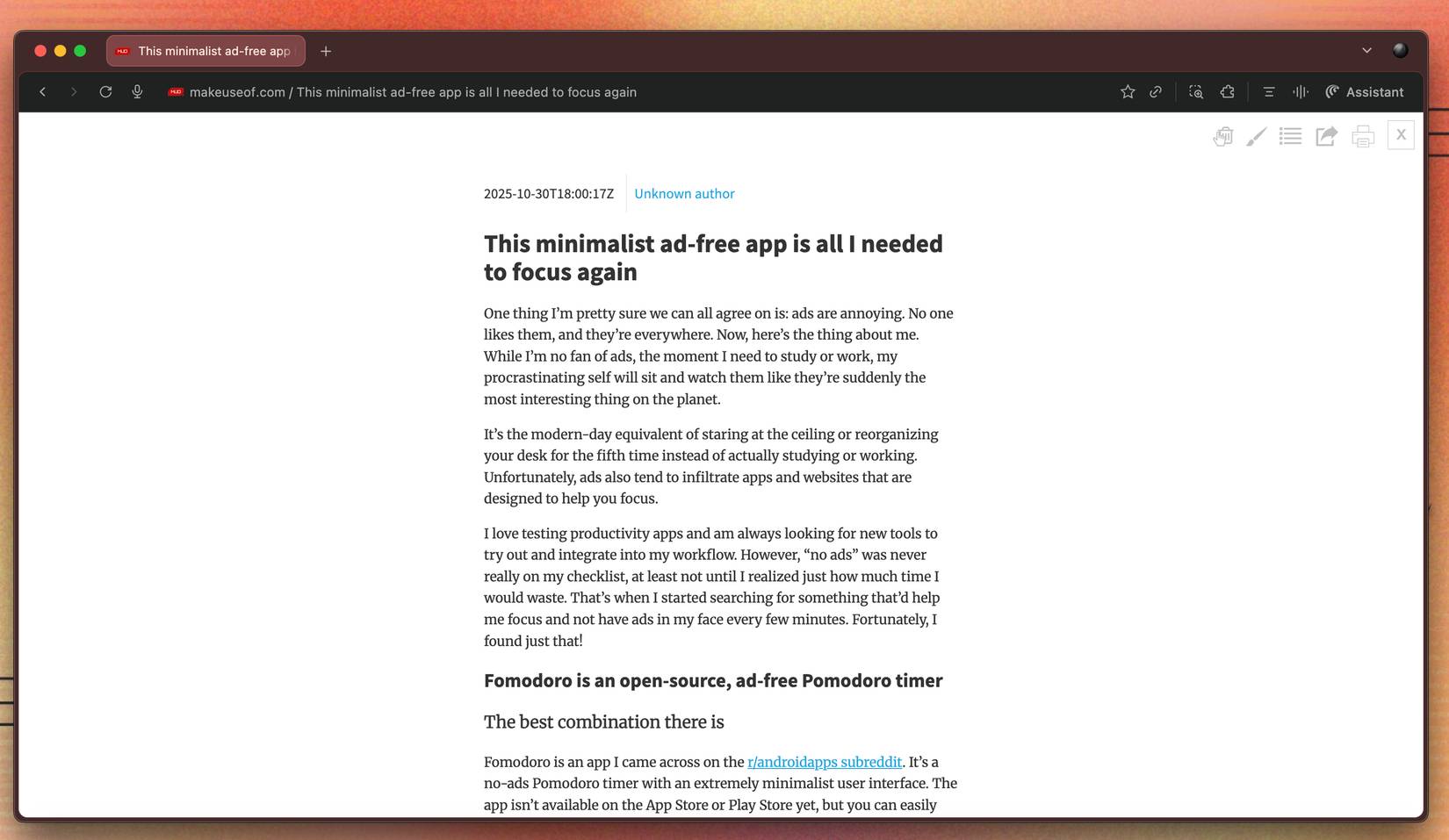
E-ink screens aside, the biggest reason people love reading on e-readers is because everything else disappears. When you read a book, it's just you and the book. You don't have to constantly dodge pop-ups, close cookie banners, or scroll through an entire sidebar of irrelevant content just to get to the passages you're interested in.
For someone who gets distracted by even the slightest noise, that's important. A flashing ad or auto-playing video can suddenly send them Googling 10 completely unrelated tabs. So the first thing You should do to bring the Kindle experience to your browser when reading online is to find an extension that can strip out all that noise and leave you with just the words. Just Read is a Chrome extension that does just that.
Web Highlights
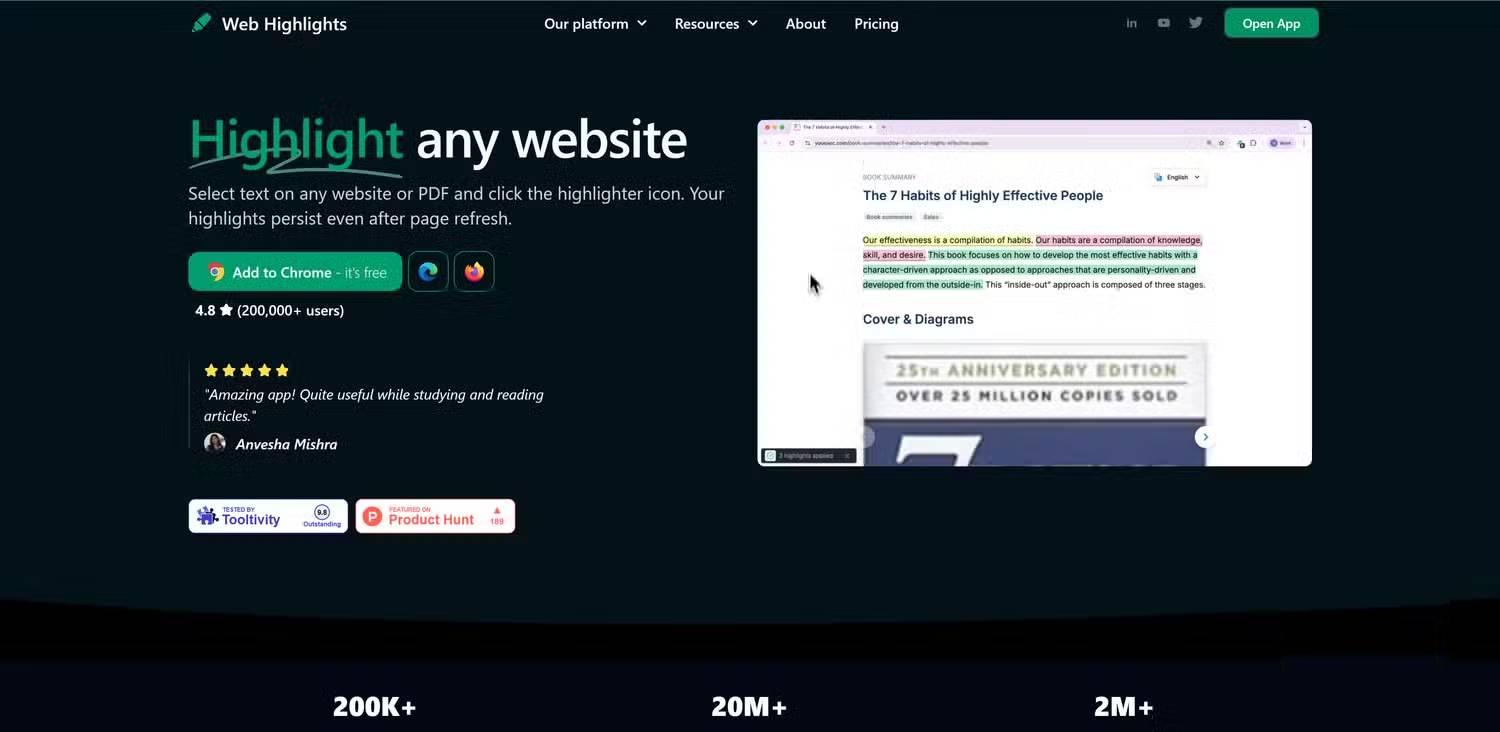
For someone who is extremely forgetful, anything you read on an e-reader (or even a physical book) is always marked up. It's the only way their brain can remember things. So, of course, after solving the problem of distraction-free reading, the next thing to have is a way to mark things up online. Taking screenshots of everything you want to remember or copying it into your Notion dashboard doesn't work.
That's where an extension called Web Highlights comes in. It lets you save and organize highlighted text from any website. Unlike many similar extensions, you don't need to create an account to use it, and it has an offline-first approach. In practice, all your highlights are stored locally on your device (unless you want to sync them), so you're not forced to go to the cloud just to keep track of what you've read.
Dark Reader
The biggest benefit of e-readers is that they are easy on the eyes and comfortable for long reading sessions. Many people spend more than half their day sitting in front of a screen because their work is entirely digital. Similarly, some people switched to digital note-taking years ago, using iPads for note-taking (or switching to e-ink tablets for easier reading).
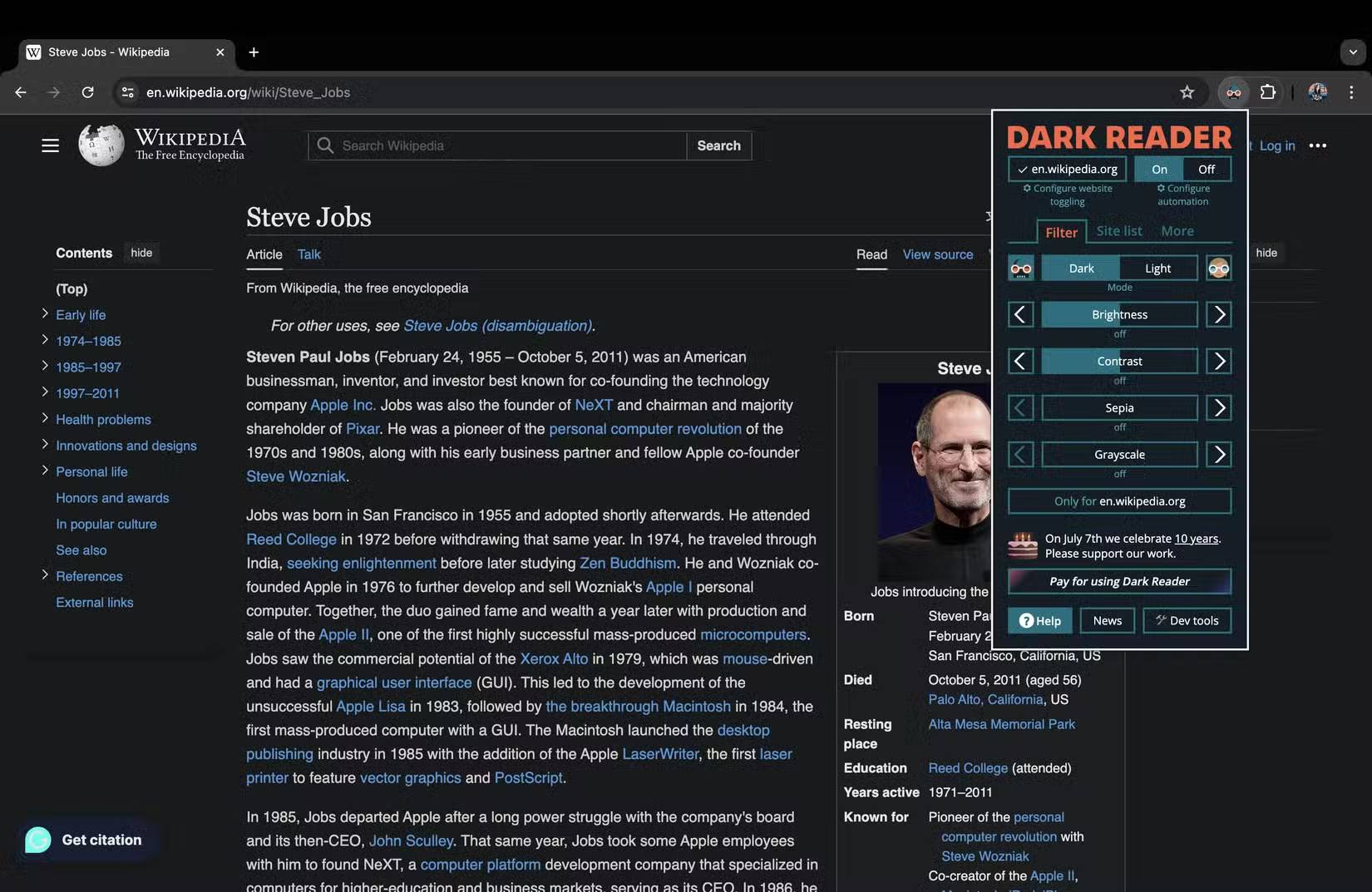
Enabling Dark Mode is a great first step, but unfortunately, Chrome's built-in dark mode doesn't work on every website. So, use the Dark Reader extension to give every website a consistent, consistent dark mode and avoid eye strain at night. There's not much to say about this extension.
Once installed, all you have to do is click the extension icon and select Dark In the Filter Tab. That's it! Dark mode will now be enabled everywhere you browse, even on websites that stubbornly refuse to support it.
FAQ
What should you know about the options in this guide?
In practical terms, here are some Chrome extensions that will make reading in your browser easier, and sometimes even better, than using an e-reader.
Which option is the best choice?
The best choice depends on your priorities, compatibility, budget, and the specific features discussed in the comparison.
What should you compare before deciding?
Compare core features, limitations, ease of use, compatibility, and long-term value before making a decision.
Related Articles
 Why Is Kindle the Best Reading App?8 minutes read
 7 Free Apps That Make Your Kindle Much More Useful: Explained8 minutes read
 Learn About Kindle Paperwhite Book Reader22 minutes read
 5 Chrome Extensions to Stay Safe Online6 minutes read
 Guide to Transfer Ebook into the Amazon Kindle5 minutes read
 5 Browser Extensions That Make Every Website More Useful: Practical Guide7 minutes read
Reader Comments 0
Sign in with email or Google to join the discussion.