Table of Contents
Convertio and the 123apps Online Audio Converter can both extract audio from an MP4 video in a web browser. Convertio has a straightforward format selector and adjustable bitrate, sample-rate, and channel controls. 123apps adds track information and several output formats in an audio-focused interface.
Both services upload files for server processing. Do not use them for confidential recordings or media you do not have permission to convert. Check current file-size and daily-use limits on the page, because free-plan restrictions can change.
Method 1: Convert MP4 to MP3 with Convertio
Open the official Convertio MP4-to-MP3 page. Convertio says source and temporary files are deleted after conversion, while output files are deleted automatically after 24 hours unless the user deletes them sooner. Review the current privacy policy if the video contains personal data.
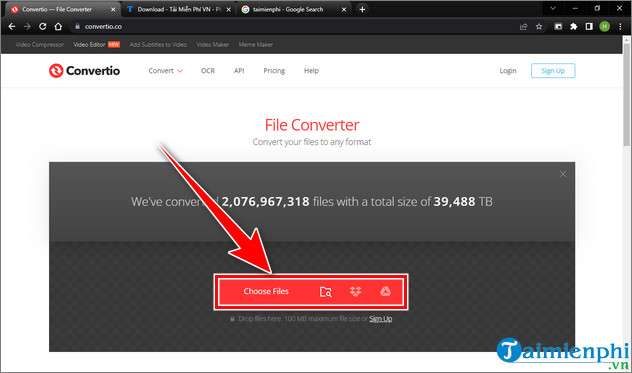
- Click Choose Files. Select the MP4 from your computer, or use a supported cloud-storage source.
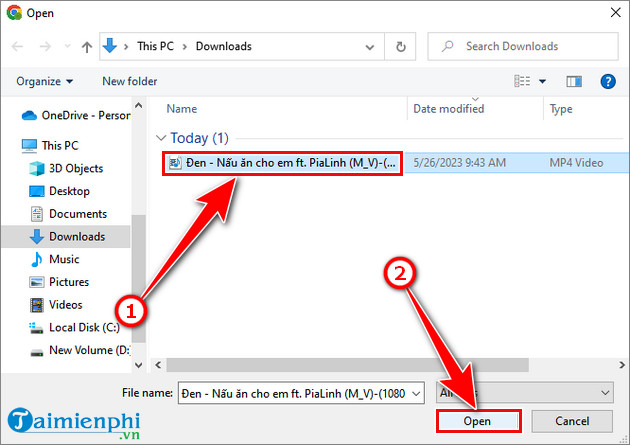
- In the file picker, select the source video and click Open.
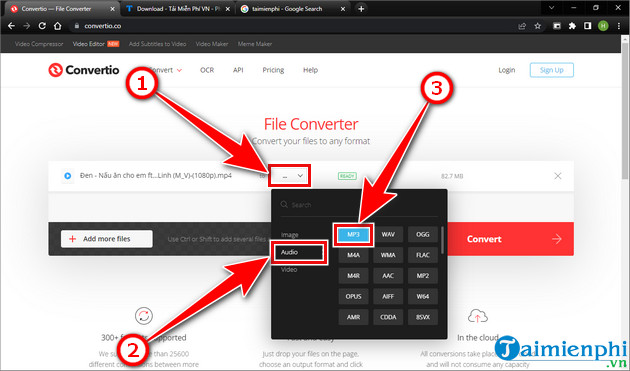
- Open the output-format menu, choose Audio, and select MP3.
- Select the gear icon if you need to change audio settings.
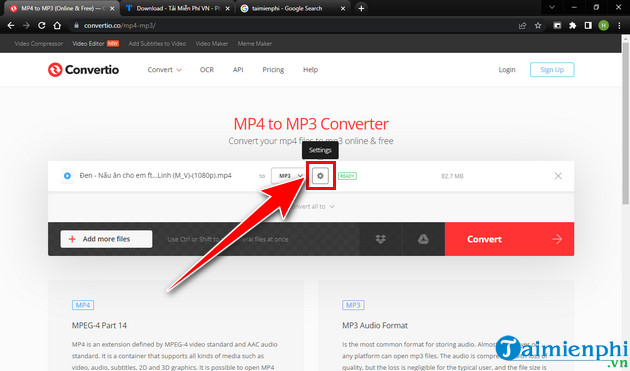
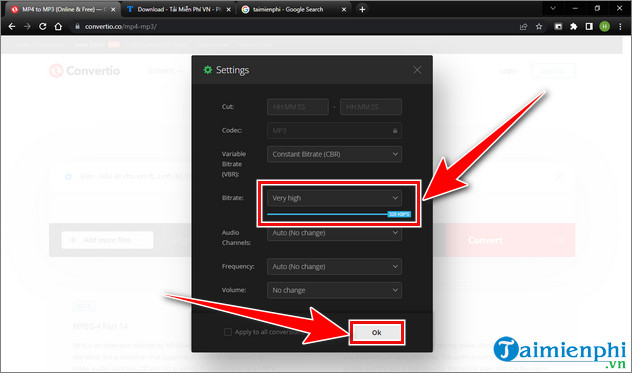
- For the first conversion, leave bitrate, sample rate, and channels on Auto or unchanged. Choose mono only for a source that does not need stereo. A high output bitrate cannot restore detail missing from the video's original audio.
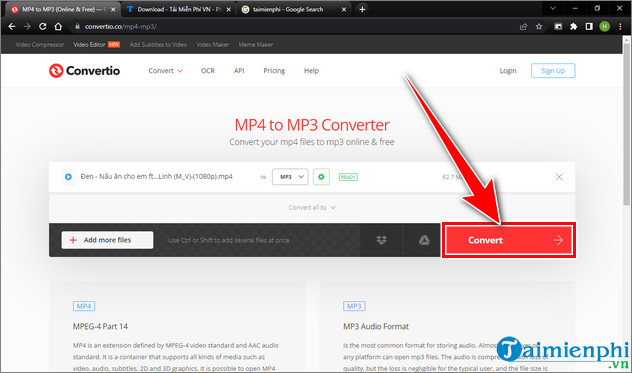
- Click Convert and keep the page open while the upload and conversion run.
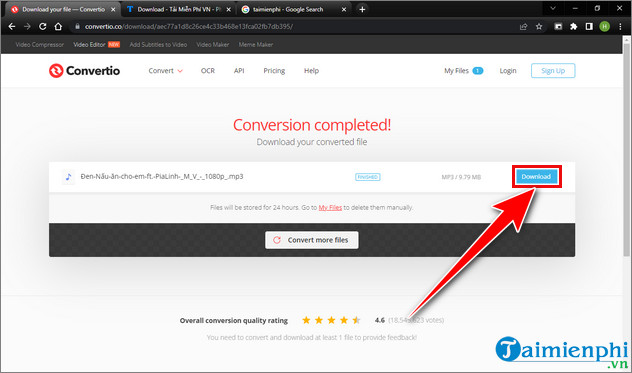
- When the page reports that conversion is complete, click Download. Delete the online result with the site's file control if you do not need it stored for the remaining retention period.
Method 2: Use 123apps Online Audio Converter
The tool previously presented as Online-audio-converter is part of the 123apps audio converter family. It supports MP3 and other audio formats and includes quality, advanced-setting, and track-information controls.
- Click Open files or drag the MP4 into the upload area.
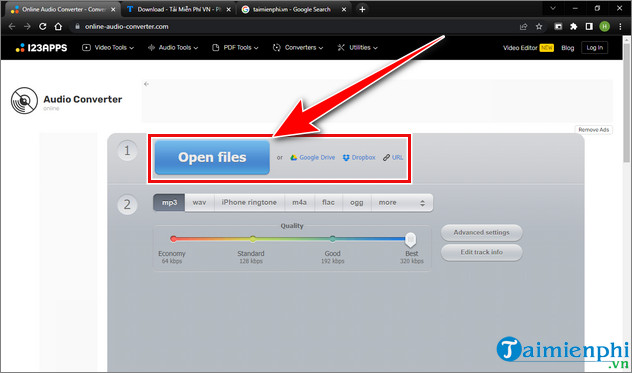
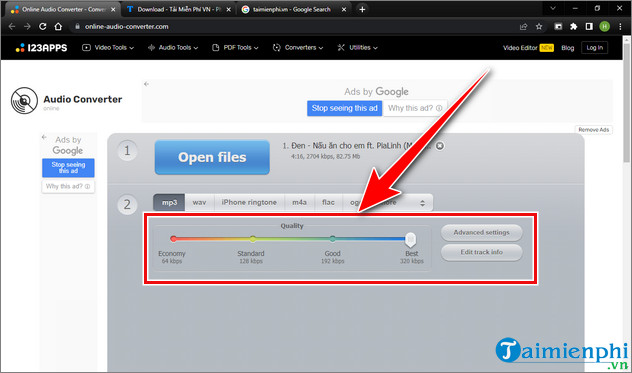
- Select MP3. Choose an output quality appropriate for the source. For a lecture, a smaller file may be more useful than the maximum setting; for music, compare a higher-quality export with the original before keeping it.
- Open Advanced settings only when you need a specific sample rate, channel layout, or other option. Use Edit track info to add a title, artist, album, or other MP3 tags.
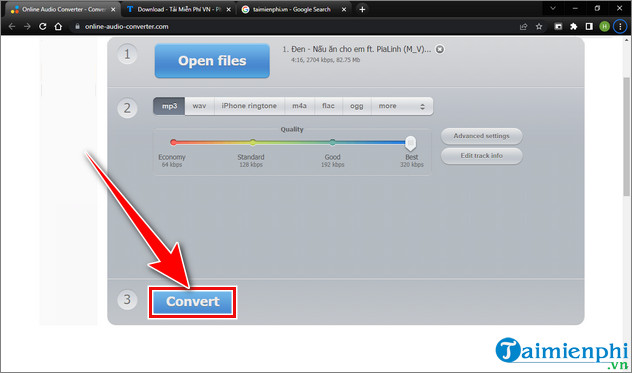
- Click Convert and wait for processing to finish.
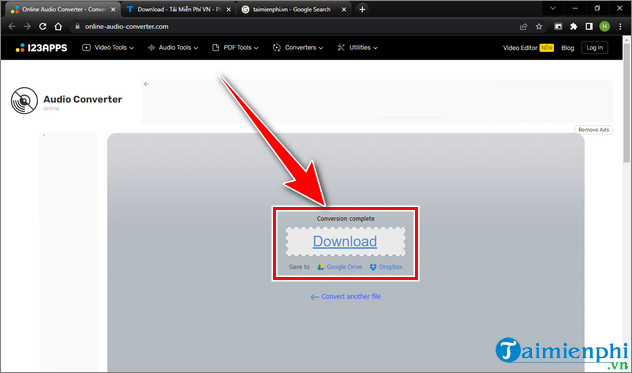
- Click Download. If cloud-storage buttons are offered, use them only if you are comfortable linking that account to the service.
Which converter should you use?
| Need | Better starting point |
|---|---|
| A simple MP4-to-MP3 workflow | Convertio |
| Track-title and artist metadata | 123apps Online Audio Converter |
| Several output audio formats | Either; compare the formats shown for the current free plan |
| Private, large, or numerous videos | A local desktop converter |
Neither service can improve damaged or heavily compressed source audio. MP3 encoding is lossy, so the result may be slightly less faithful than the audio inside the MP4. If your player supports the source audio codec, extracting to the matching audio format can sometimes avoid an unnecessary extra conversion.
Verify the MP3 before deleting the video
- Play the start, middle, and end of the track.
- Compare its duration with the source video.
- Listen for clipping, missing audio, or unexpected mono output.
- Check that track tags and the filename are correct.
- Scan an unexpected download before opening it; the expected result should be an audio file, not an installer or browser extension.
For additional choices, compare these video-to-MP3 desktop converters and online file-conversion services. If you need to edit the extracted track afterward, review these free audio editors.
Related Articles
 How to Convert PNG Images to PDF Easily and Quickly4 minutes read
 Convert PDF Files to Image Files Easily and Quickly4 minutes read
 How to Use SwifDoo PDF Online Converter4 minutes read
 Software to Convert PDF to Word Online, PDF to Doc Online8 minutes read
 How to Convert AI Files to PNG, JPG Without Software5 minutes read
 2 Ways to Convert PDF Files to Docx for Free on Mac4 minutes read
Reader Comments 0
Sign in with email or Google to join the discussion.