Table of Contents
This guide provides a clear overview of windows 10 21h2, including the main concepts, practical steps, and common questions. Use it to understand the topic, compare the available options, and make a more informed decision.
Back in November 2021, Microsoft started rolling out the Windows 10 November 2021 Update (version 21H2) to compatible devices. This is basically an update that is mainly geared towards improving and improving the stability of the platform, so it only includes minor improvements. However, the importance of this update cannot be underestimated.
In a recently released update document, Microsoft confirms that version 21H2 will end of service on June 13. This means that Windows 10 21H2 users will no longer receive important updates like Patch Tuesday after this timeline.
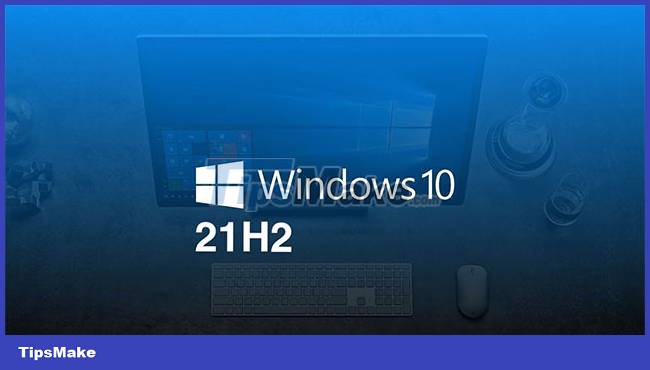
Along with the reminder, the Redmond company also encourages users who are using Windows 10 21H2 to upgrade to a newer version of Windows 10, and in the case of those with eligible devices it is best to upgrade to Windows. 11. The official announcement from Microsoft is as follows:
On June 13, 2023, the Home, Pro, Pro Education, and Pro for Workstations editions of Windows 10, version 21H2 will end of service. The upcoming June 2023 security update, scheduled to be released on June 13, will be the final update for this release. After that timeline, devices running Windows 10 21H2 will no longer receive monthly security updates and previews containing the latest security measures.
To help you stay protected and productive, Windows Update will automatically begin feature updates for unmanaged Windows 10 devices within a few months of service ending.
[.] As always, we recommend that you update your devices to the latest version of Windows 10 or upgrade eligible devices to Windows 11.
If you use Windows 10 21H2, upgrade as soon as possible to keep your system up to date and with all necessary security patches.
Conclusion
Understanding Windows 10 21H2 makes it easier to compare options, avoid common mistakes, and apply the information in this guide more effectively. Review the relevant requirements before making changes or choosing a solution.
FAQ
What is Windows 10 21H2?
This is basically an update that is mainly geared towards improving and improving the stability of the platform, so it only includes minor improvements.
Why is Windows 10 21H2 important?
Understanding Windows 10 21H2 helps you evaluate features, compatibility, performance, and potential limitations before you choose a product or follow a procedure.
What should you consider when using or choosing Windows 10 21H2?
Consider your specific goal, compatibility requirements, available features, cost, security, and the practical recommendations described in this guide.
Related Articles
 Microsoft Teams App Will Stop Supporting iOS 13 from October3 minutes read
 Microsoft Set a Time to Stop Supporting Windows Thin PC3 minutes read
 Microsoft Begins to Force Many Computers to Update Windows 10 21H23 minutes read
 Microsoft Reduced $ 100 When Upgrading from XP to Windows 83 minutes read
 Windows 11 Is About to Let You Transfer Data from Your Old PC During3 minutes read
 Users Are Not Yet Ready to Give up Windows 73 minutes read
Reader Comments 0
Sign in with email or Google to join the discussion.