Table of Contents
This updated overview organizes the essential information about What to Do When You Lose One AirPod, including practical uses, key features, setup considerations, and common questions.
What This Guide Covers
- 1. Locate your lost AirPod through Find My
- 2. Alternative options
- 3. Buy new AirPods instead
Here are the options you have in such a situation.
1. Locate your lost AirPod through Find My
The first (and perhaps best) way to find a lost AirPod is to try to locate it using Apple's Find My app. To locate a lost AirPod using the Find My app, here's what you need to do:
- Open the Find My app on your iPhone, iPad, or Mac.
- Go to the Devices tab . Here you can see all of your Apple devices use the same Apple account and have Find My enabled.
- Select AirPods from the list. Then, simply select the earphone you lost.

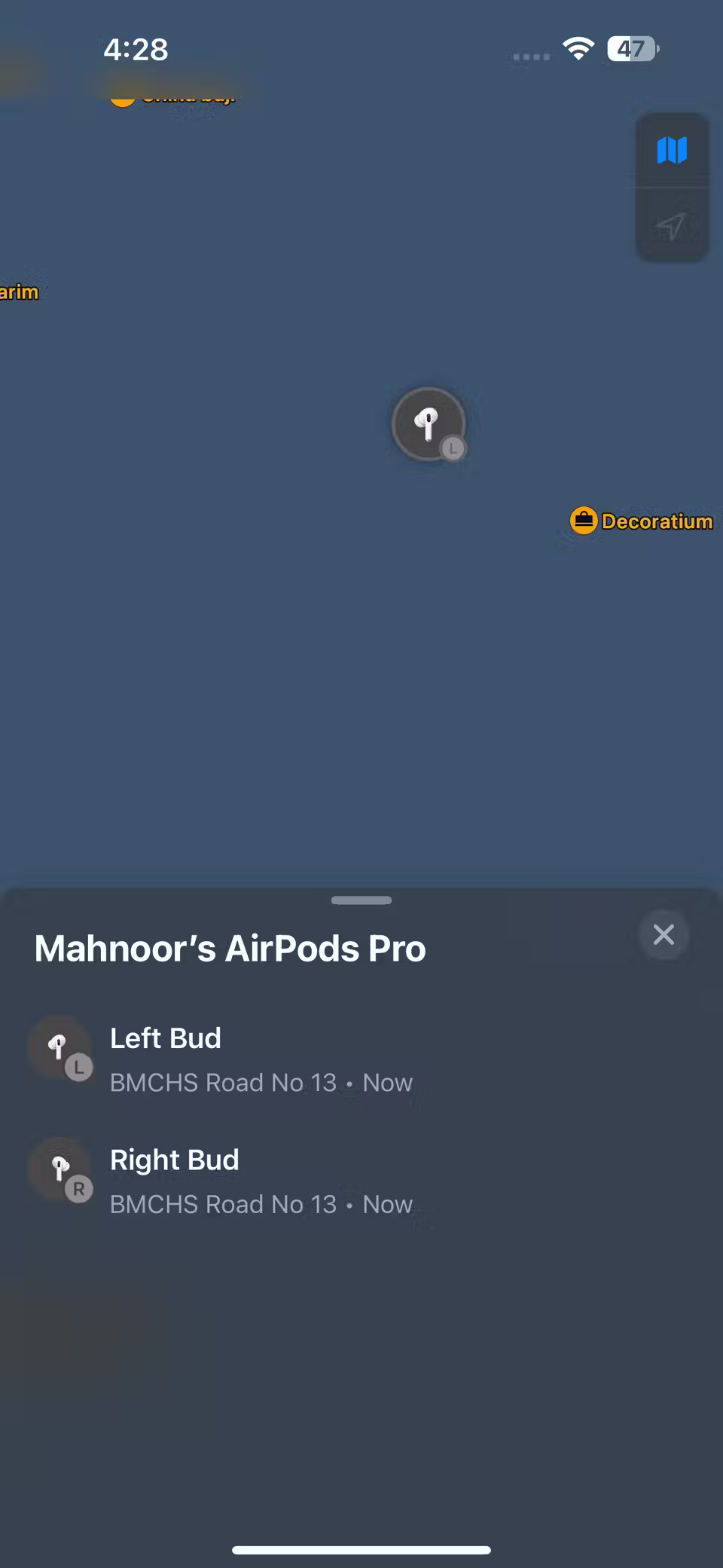

Different options for tracking AirPods using the Find My app on iPhone
You'll see a list of options to help locate your lost AirPods, such as playing a sound or getting directions. You can also enable Apple's Lost Mode from the same menu. This way, you'll be notified when someone finds your AirPods, and the finder will be able to see your contact information.
You can only use Find My to locate a lost AirPod if you enabled Find My on your paired iPhone, iPad, or Mac before you lost it. If not, you'll need to consider one of the options below.
2. Alternative options
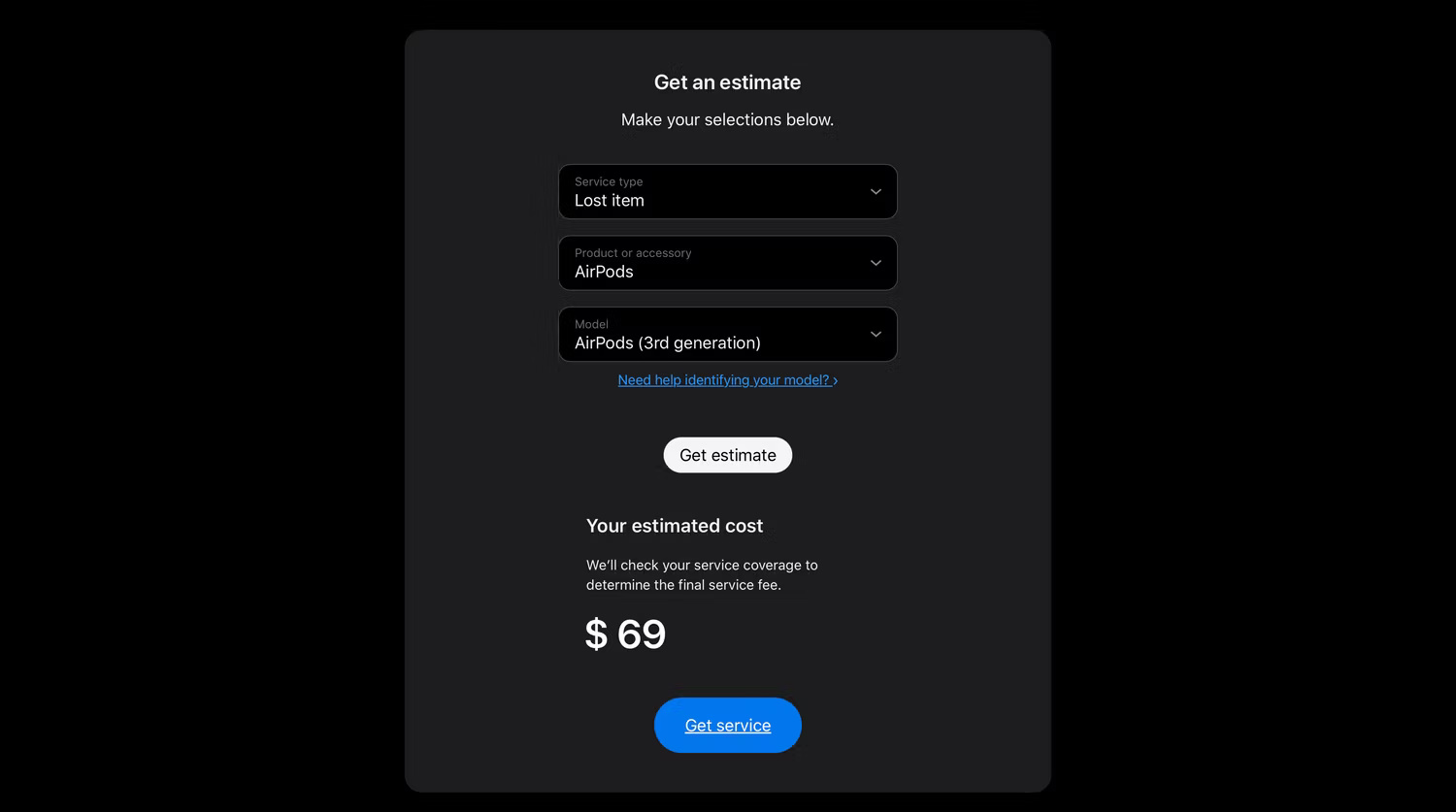
If Find My isn't enabled on the paired Apple device and you can't locate your lost AirPods by retracing your steps, then the next best option is to replace your lost AirPods. According to Apple's Get an Estimate tool, if you have first, second, or third generation AirPods, a replacement AirPod will cost around $69.
For first or second generation AirPods Pro, you can expect to pay around $89 for a replacement.
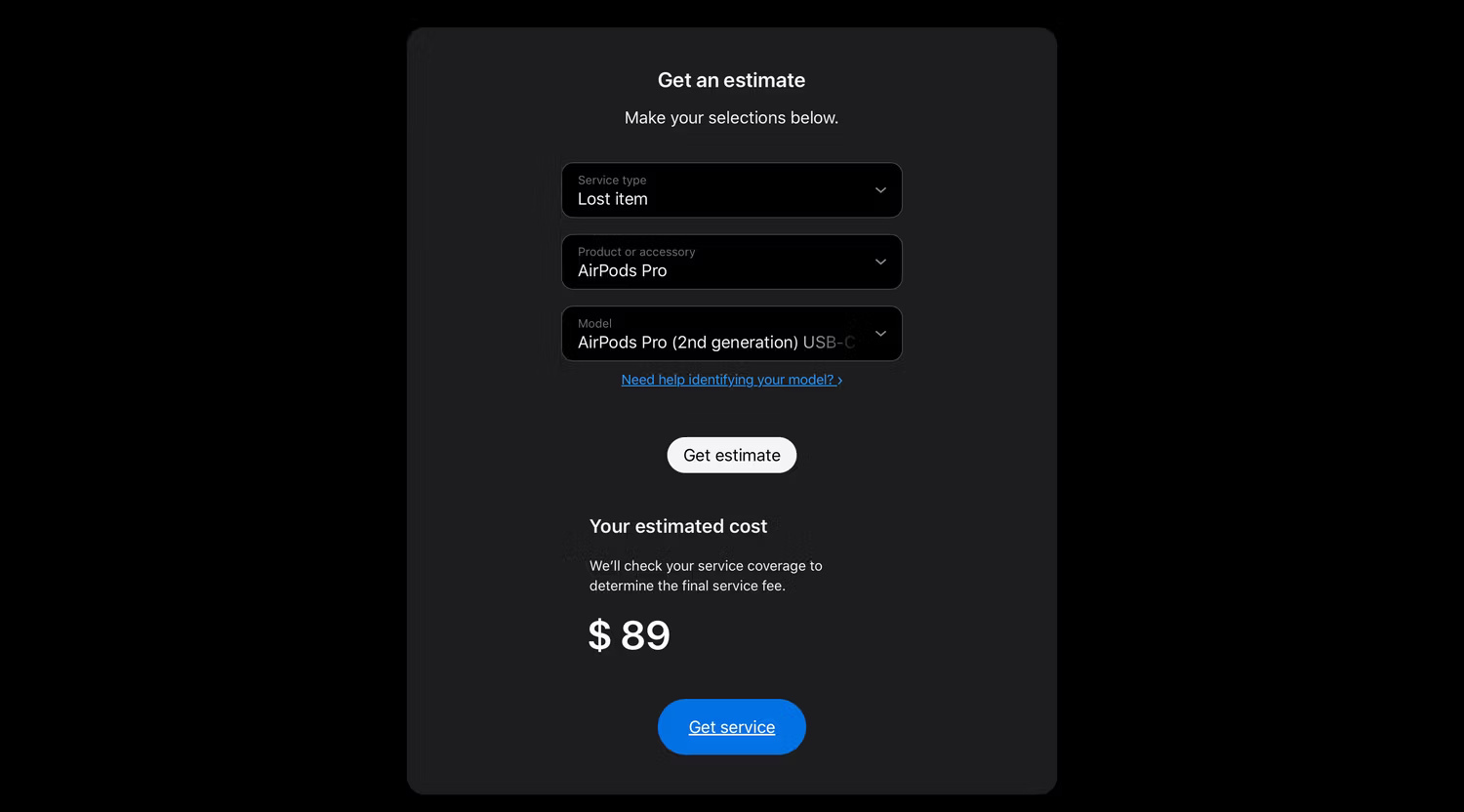
The above price still applies even if you paid for the AppleCare+ extended warranty package when purchasing AirPods.
3. Buy new AirPods instead
Buying new AirPods is often a much better choice than spending $69 or $89 on a replacement headset. If you've been using AirPods for several years and own an older model (like the first-generation AirPods or AirPods Pro), it may be time to start over and upgrade to a newer model. Newer models often have improvements like better active noise cancellation (ANC), battery life, and more.
While purchasing new AirPods will cost much more than the price of a replacement AirPod, the new features ultimately make the investment worth it. If you do a little research, you will find good priced AirPods sold on e-commerce sites, especially during the holiday season or monthly sale events.
Final Thoughts
Use the instructions and checks above in order, verify the result after each major step, and keep a backup whenever the process changes important files or system settings.
FAQ
What is AirPods used for?
Here are the options you have in such a situation.
Who should consider AirPods?
It is most useful for readers who need the features, workflow, or problem-solving approach described in this guide.
What should I check before using it?
Review compatibility, current software requirements, privacy or security settings, costs, and any limitations that could affect your workflow.
Related Articles
 How to Turn Off Siri Reading Messages on AirPod iPhone: Complete Guide4 minutes read
 5 Best Accessories to Protect Airpods8 minutes read
 How to Connect Airpods to Windows 11 Laptops Are Extremely Simple2 minutes read
 How to Connect Airpod to Laptop6 minutes read
 How to Connect Airpod to Windows Laptop and Macbook: Complete Guide7 minutes read
 Instructions for Handling iPhone Errors Not Showing Airpod Battery Explained9 minutes read
Reader Comments 0
Sign in with email or Google to join the discussion.