Table of Contents
Antigravity 2.0 has become much better than its competitors, like Claude on VS Code, because it has recognized the problem and fixed it.
Google Antigravity 2.0 and Claude Code in VS Code are not like-for-like IDE extensions. Antigravity 2.0 is a standalone desktop command center for launching, monitoring, and reviewing multiple local agents across projects. Claude Code is an agentic coding tool that can work from a terminal and integrate with editors such as VS Code.
Antigravity's clearest distinction is its agent-management and artifact-review workflow. You can inspect plans, code diffs, screenshots, and browser recordings, then leave targeted feedback while agents continue working. That can make concurrent tasks easier to supervise, but it does not remove the need to review changes, understand commands, protect credentials, and use version control.
Choose based on the work, not a universal winner
- Choose Antigravity 2.0 when you want a visual command center for several agents or projects and value artifact-based review.
- Choose Claude Code with VS Code when you prefer an editor-centered or terminal-centered workflow and want to stay close to the files, diagnostics, extensions, and Git tools already in your workspace.
- Test both on the same repository using a reversible task. Compare diff quality, tool transparency, test results, interruption and feedback controls, and how often each agent needs correction.
See Google's official Antigravity 2.0 introduction and artifact review documentation. Related TipsMake guides cover installing Claude Code, Claude Code skills and plugins, and testing coding agents on real work.
Old Antigravity tried to do everything himself
The old model treated you as an observer, not a developer
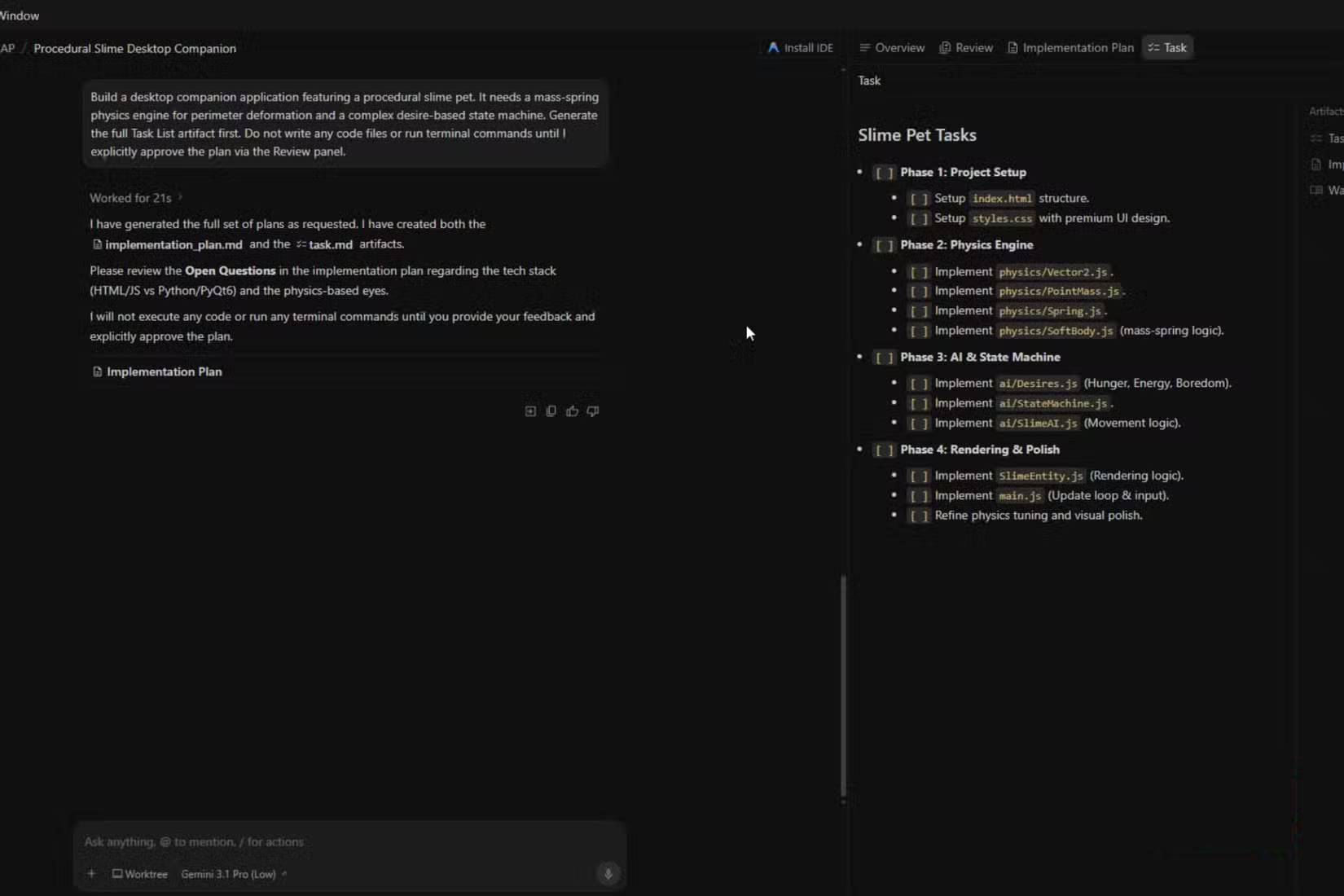
Most AI programming tools operate in the same basic way that most people are familiar with. You enter a command, press Enter, and then wait. While the model is running, you can't do anything at all. You can't edit the file, fine-tune the instructions, or tell it to stop and go in a different direction. If you've ever built an application on Gemini or any other AI, you know that this can take a while.
This is often a good time to work on something else while it's running, but it will cause you to lose the necessary focus to execute the project. Things get worse when you get caught in a loop due to problems. Then you ask, wait, review, fix, and then wait again.
This is a problem with the original Antigravity and Claude versions in VS Code. They are still chatbots that wait for instructions before acting and don't allow you to intervene unless you stop the process.
That cycle kills your motivation and wastes your time. It's especially frustrating when errors occur right from the start. If the model misinterprets your instructions midway, there's no way to correct it. You can only watch it rush forward, generating code you don't need, searching in the wrong directories, and going down a completely wrong path.
You can stop it, but sometimes you don't realize it until near the end, and you've already spent your token budget in the process. However, that rarely goes smoothly. Abruptly stopping can disrupt the operational context and leave your workspace cluttered.
This is because you now have incomplete files and unfinished changes, which can lead to a codebase that won't compile. If you stop Antigravity or Claude midway, you have to fix the consequences. You need to delete the code snippets, debug the unfinished code, or undo it via Git just to return to the original state. If you're building something complex like an extension, you know that faulty code is very difficult to fix.
That's one of the biggest reasons why Antigravity 2.0 is better than any previous version.
The live commenting feature is the best addition
How Antigravity 2.0 differs from Claude Code in VS Code
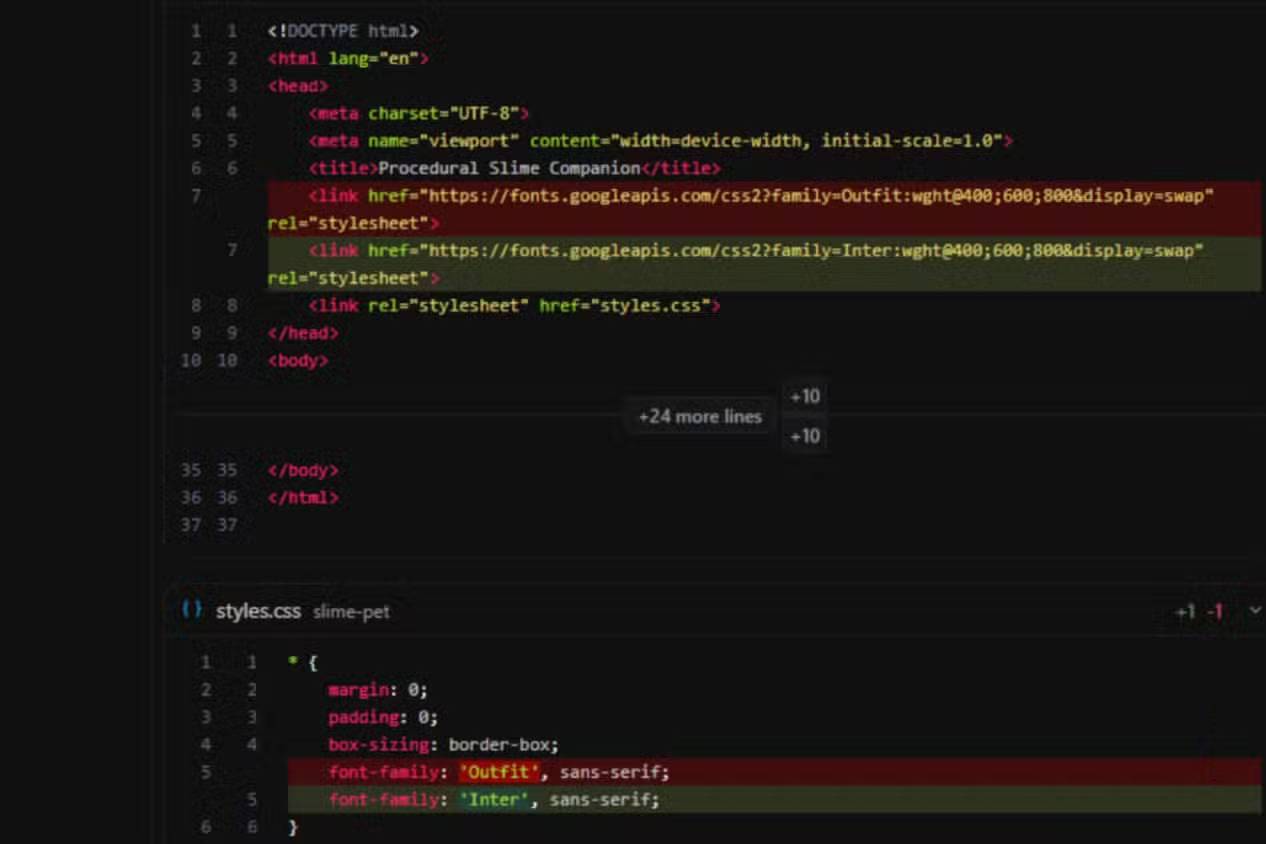
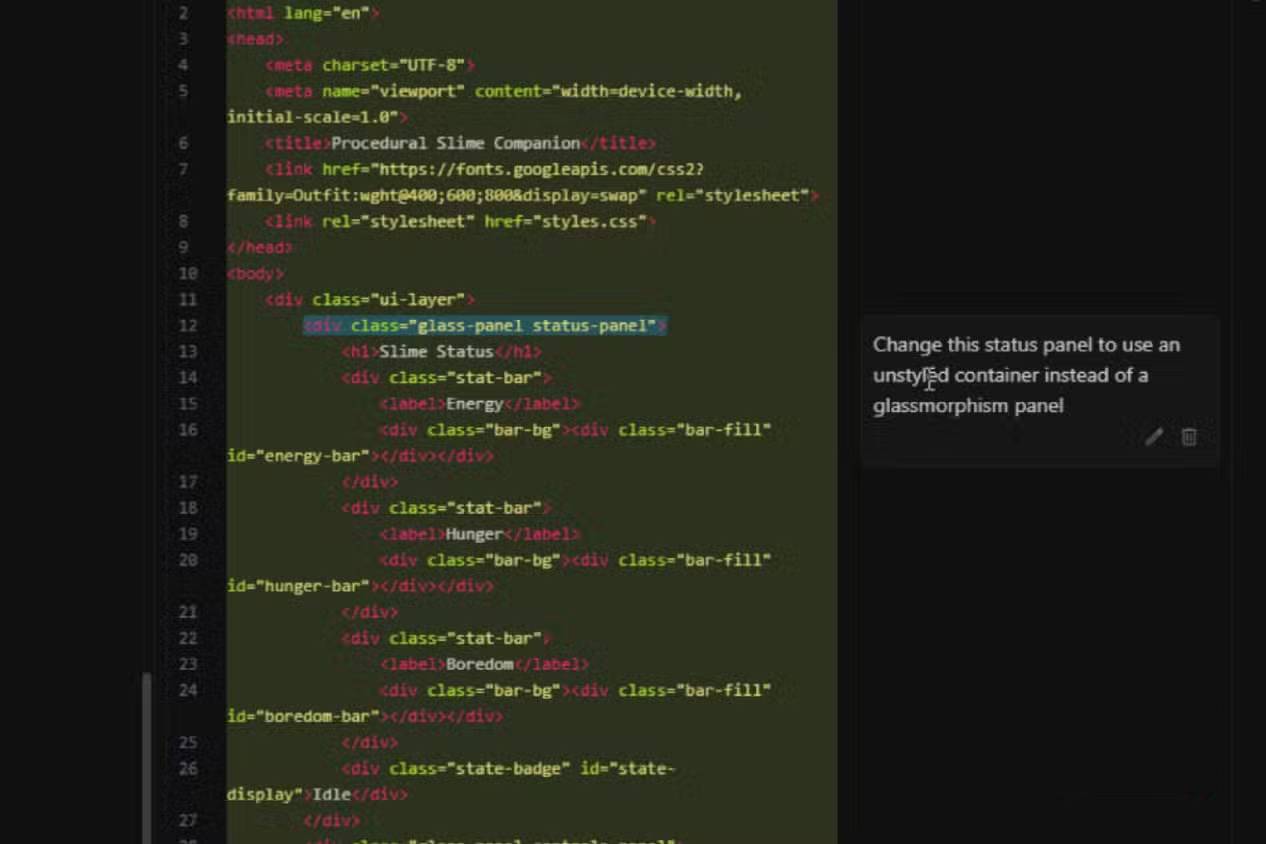
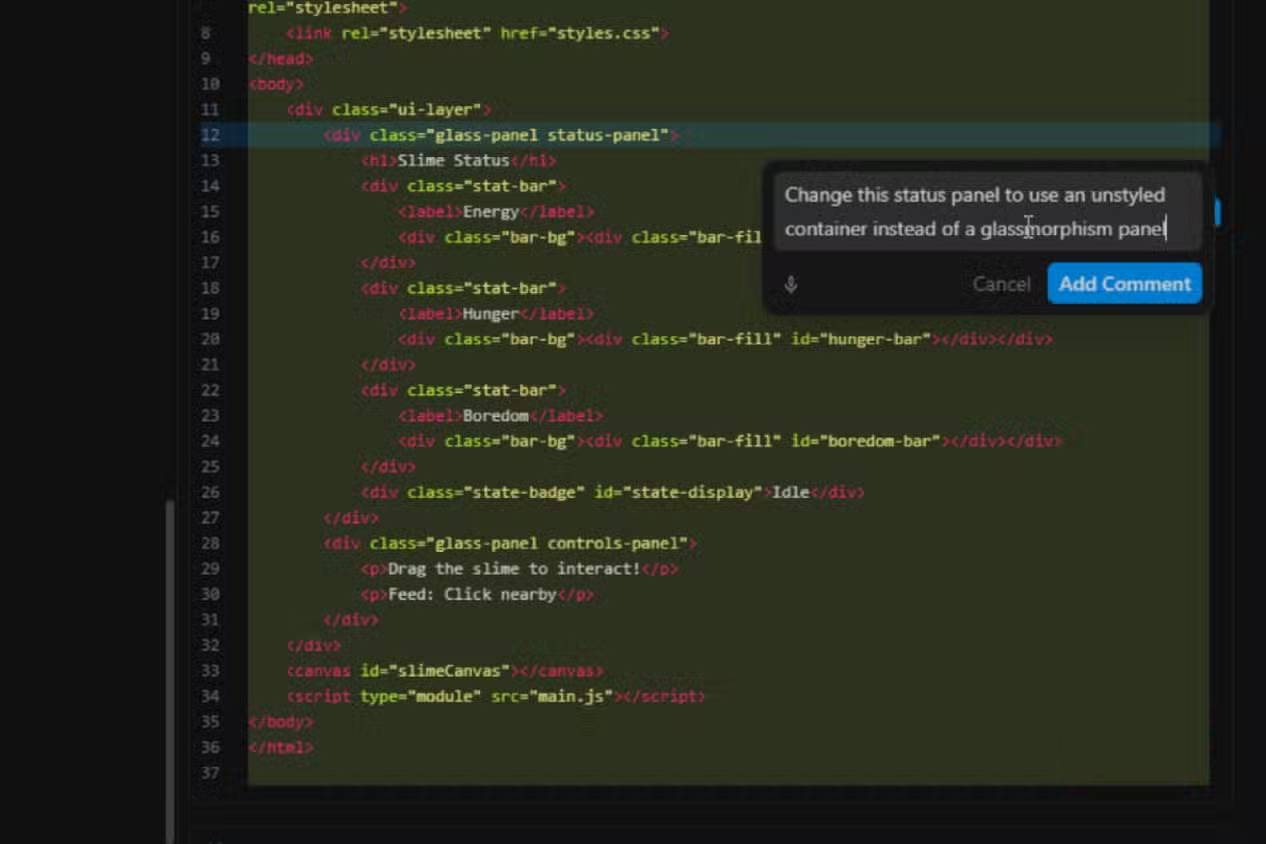
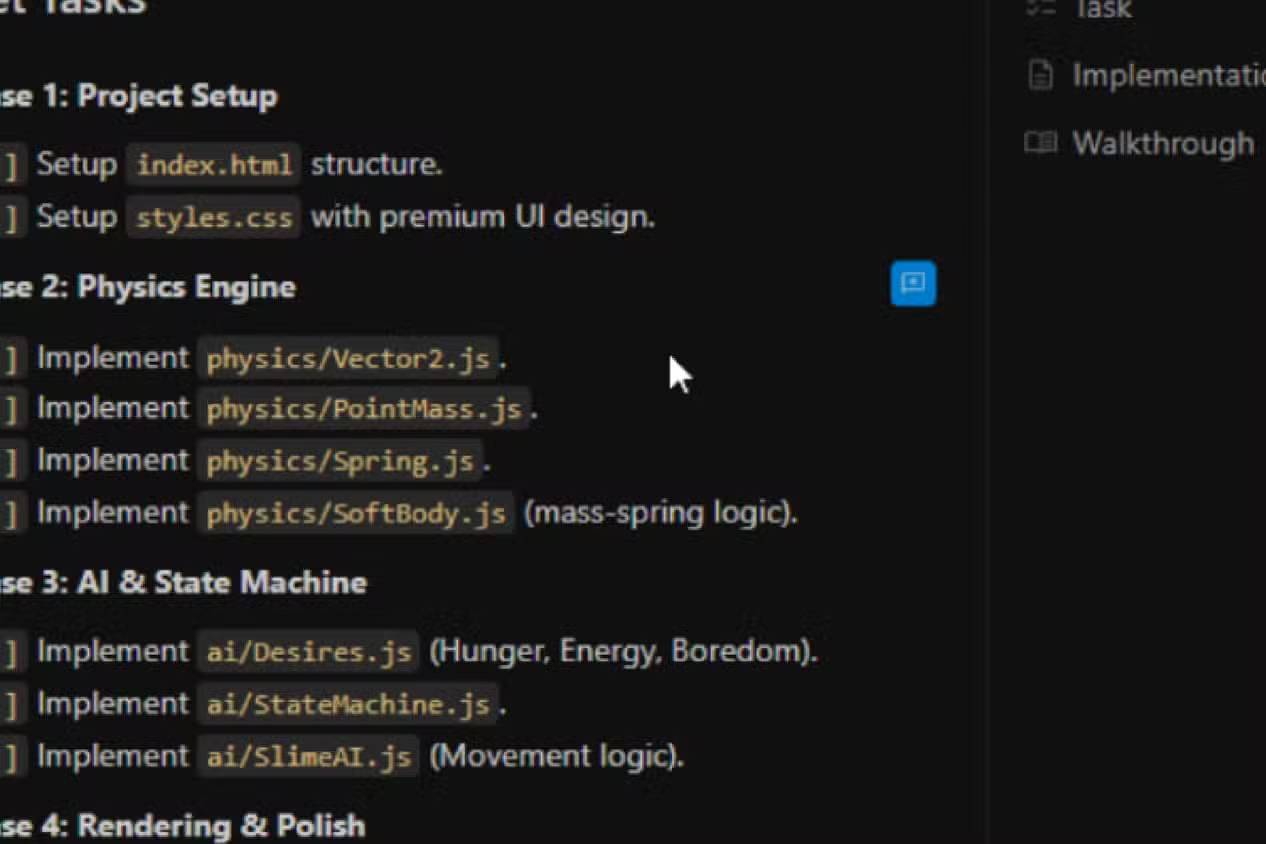
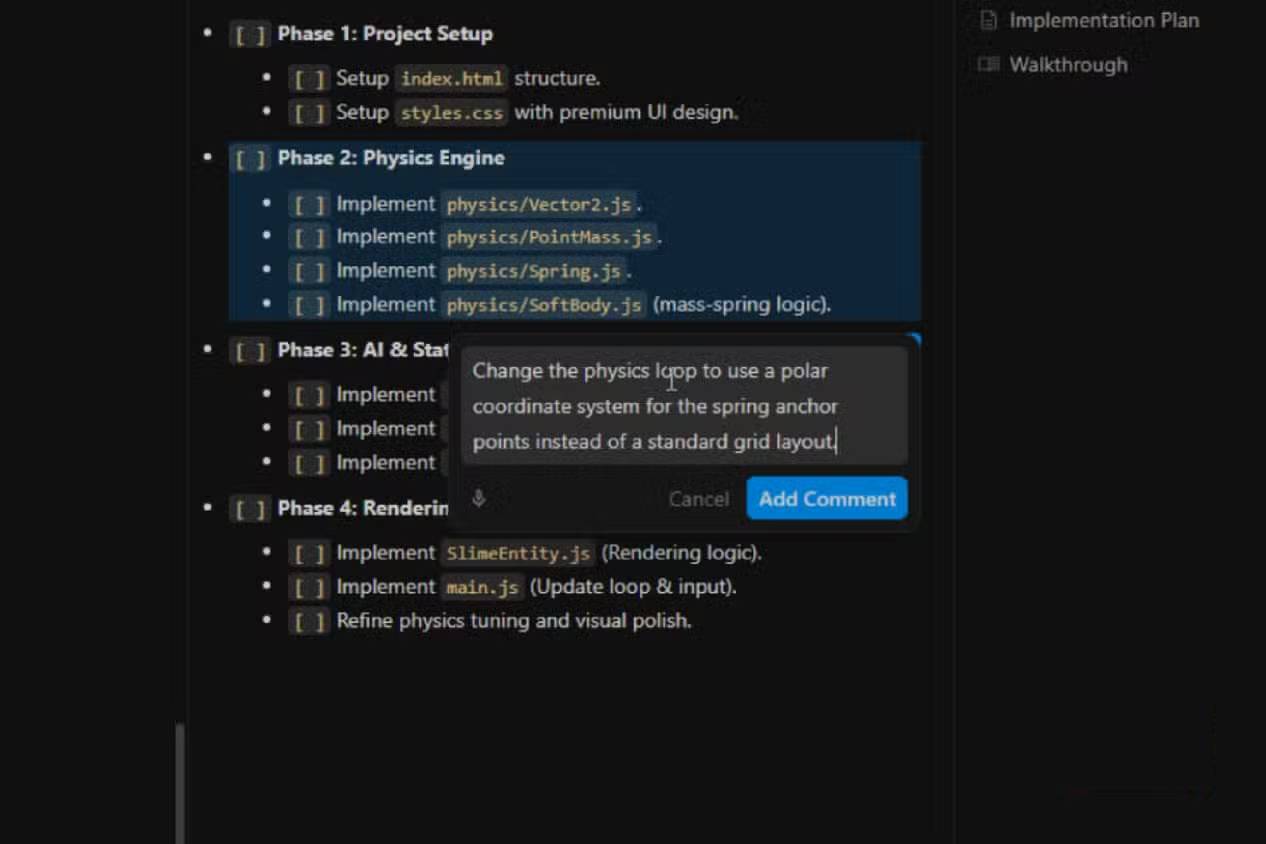
Antigravity 2.0 finally allows users to control the code generation process in real time. Google has added a real-time feedback system that lets you guide and adjust Antigravity while it's running, without stopping the stream.
This is a new live commenting feature. Instead of being locked in while the agent writes code, you can provide feedback directly in the workspace in real time. It works like a shared Google Doc document, where you add comments to specific areas.
If you notice a function going in the wrong direction logically, you can avoid hitting stop and simply report the issue to Antigravity. You highlight the code block, the agent pauses, reads your comments, adjusts its direction, and continues. You never touch the raw code yourself, and nothing is reset. Antigravity simply adapts and resumes from where it left off.
It's much more accurate than you might think because instead of using the same chat dialog box, you'll be looking directly at the interface. When you need to edit a code block, you simply go to that specific line in Artifact Detail Viewer, open the inline text editor using the shortcut, and write your response.
Instead of stopping abruptly, it's more like a gentle reminder, and the work will continue without wasting time or tokens. It won't respond with a clarifying message, but will leave a note in the window to show it understands your feedback.
It's much faster and better than the old way, which is why many people prefer using Antigravity 2.0 over Claude in VS Code. Even if you plan on it, API tokens are really valuable. Once you've used them, you can't get them back. Wasting tokens fixing things after you've stopped this kind of work is a huge waste, and hopefully Claude will add this capability as well.
You won't break anything
It's confusing that you didn't create any new command at all
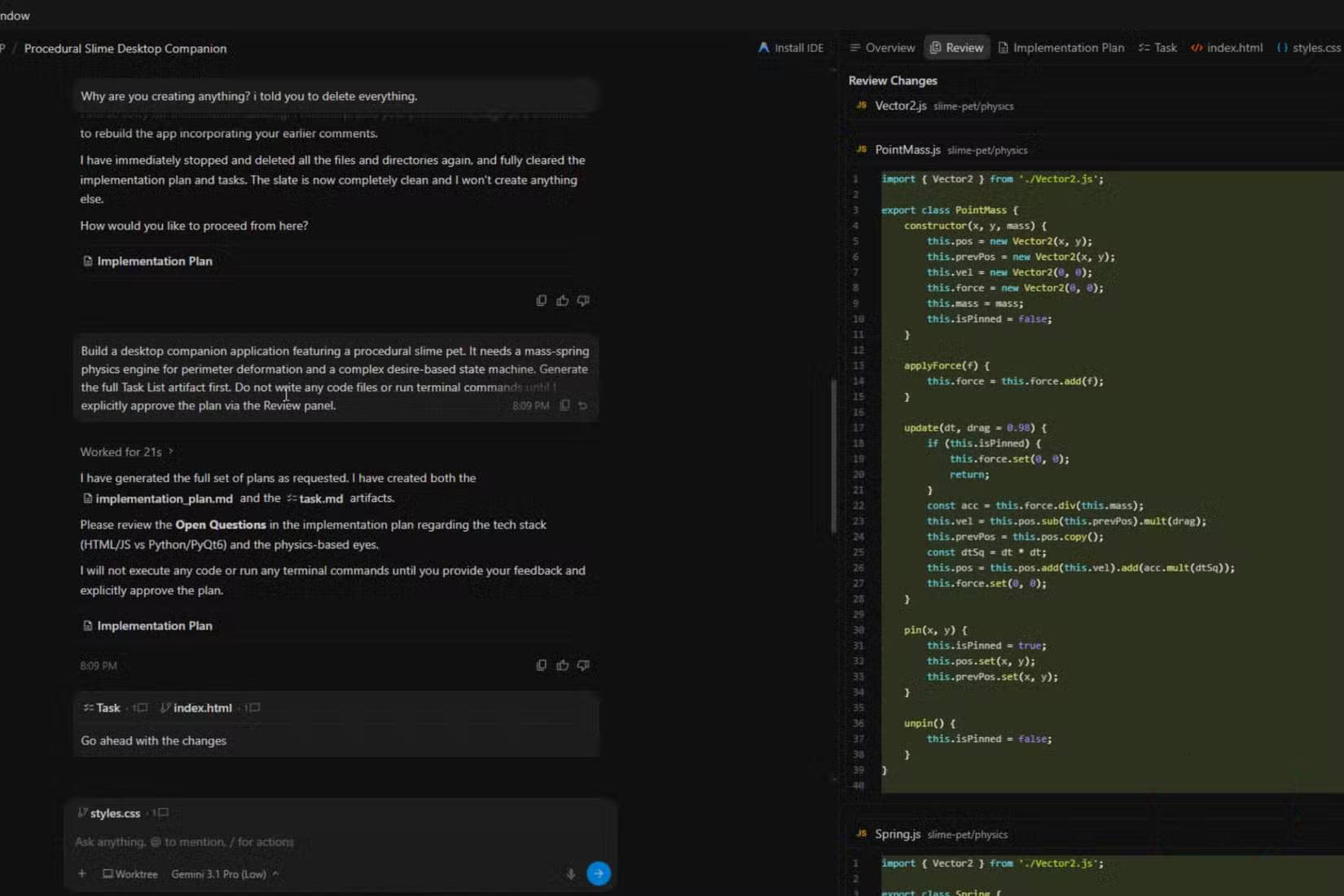
It's understandable to be concerned about doing this. There seems to be a risk of interrupting the AI code generation process midway, which could break the model's context.
This will be true for older chatbots, and especially older versions of Antigravity or AI on the IDE. Preventing an automatic generation of fixes will erase the session history, forcing you to start over with a new prompt that has no memory of what happened before or what has changed.
So, this isn't you issuing a different command; it's not considered an interruption or a stop. It's like editing a shared Google Doc document. The model will recognize these as necessary adjustments immediately, not entirely new prompts. So, you don't need to worry about anything breaking.
Your feedback is just a gentle reminder, not a complete interruption. The model will adjust immediately, and the output will still be on track. It's that simple.
Where targeted feedback is most useful
Using Google Antigravity means you have to keep an eye on everything. You have to start reading what it says it's doing instead of just sitting there passively. That's not a problem if you're used to doing things yourself, but you might struggle if you expect all your programming to be done automatically. People will continue using Antigravity 2.0 until a competitor adds a similar feature; it's too valuable, especially since it saves so many tokens.
Related Articles
 Claude Code vs Codex vs Antigravity: ESP32 Test12 minutes read
 What Is the Claude Code: Clear Explanation7 minutes read
 This Claude Code Mode Is a Worthy Competitor to Other Ides8 minutes read
 When Should You Not Use Claude Code?10 minutes read
 Things You Need to Know About Claude Code5 minutes read
 How to Use Claude to Code and Debug Code6 minutes read
Reader Comments 0
Sign in with email or Google to join the discussion.