Table of Contents
Short answer: Facebook and Messenger do not normally notify someone when you capture a standard chat, profile, post, photo, or Story. Messenger can, however, place a notice in an end-to-end encrypted chat when it detects a screenshot of a disappearing message.
The distinction is the message type, not encryption alone. Personal Messenger chats are end-to-end encrypted by default, but an ordinary encrypted conversation does not gain screenshot alerts unless disappearing messages are active.
When Messenger sends a screenshot notice
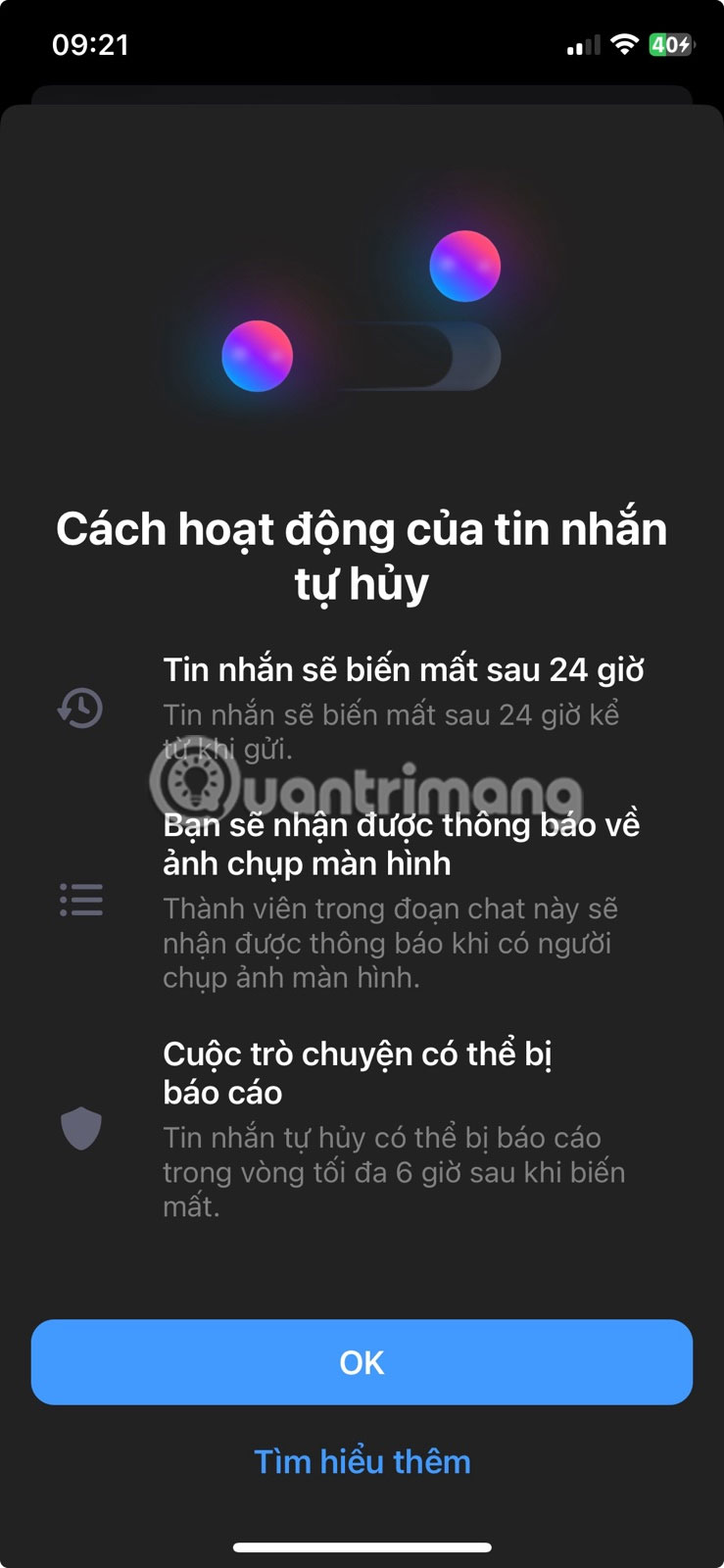
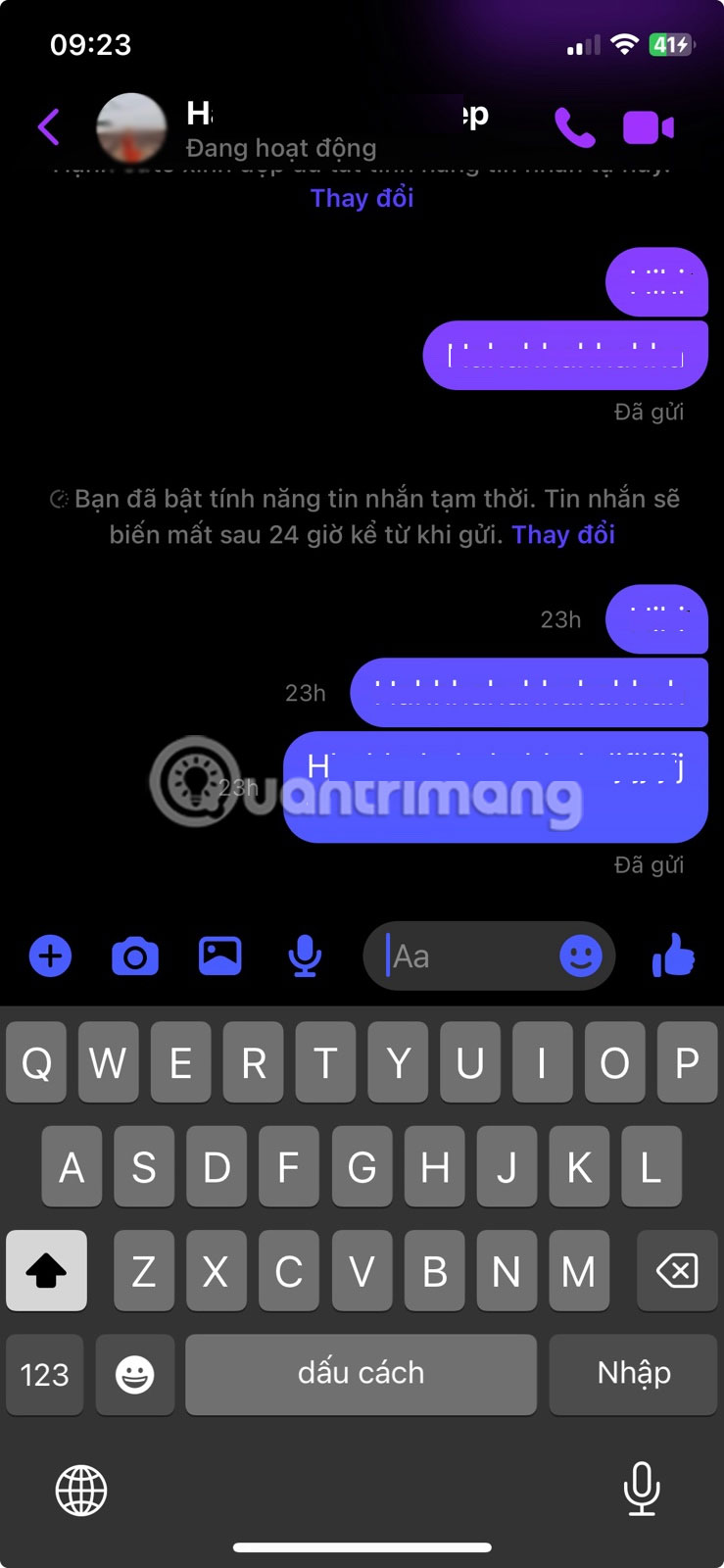
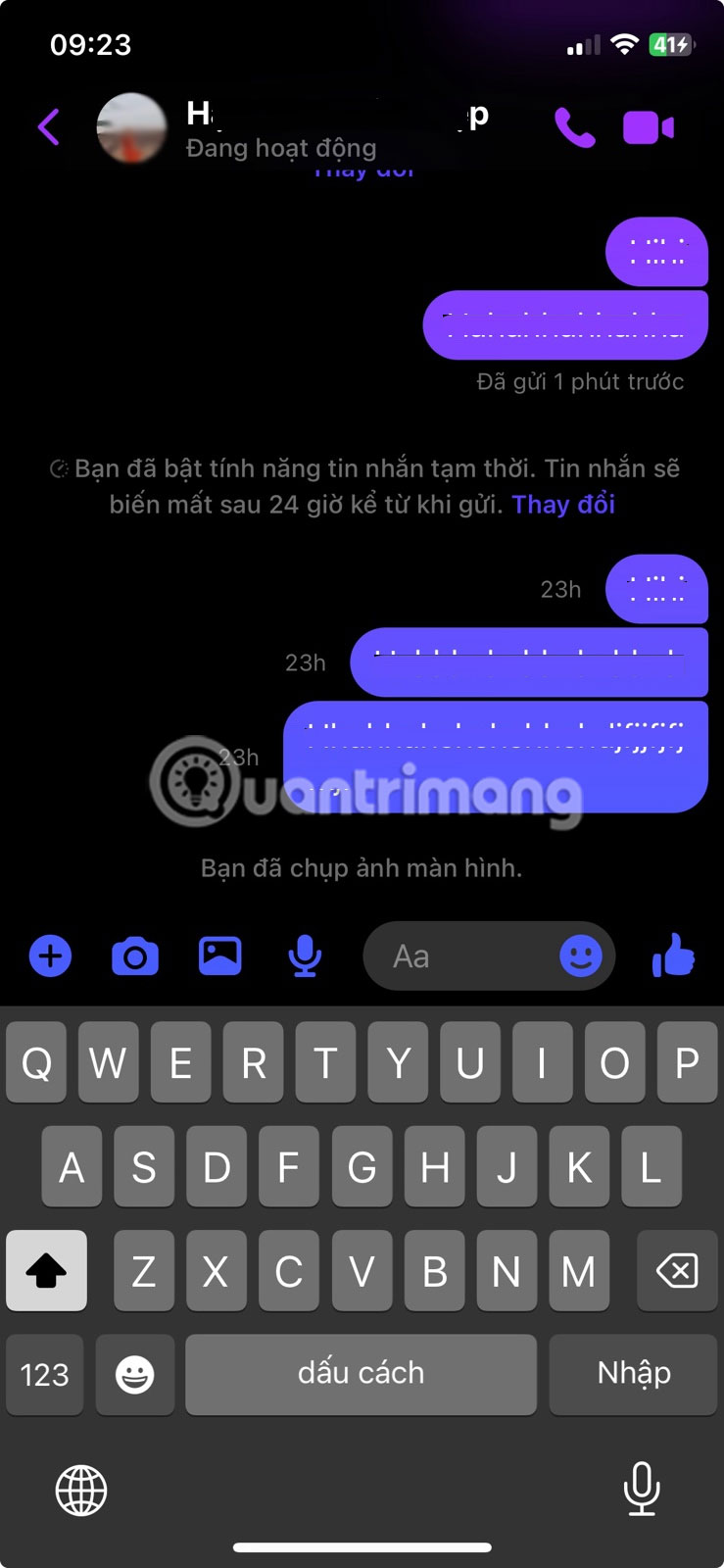
Messenger's disappearing-message feature deletes new messages after the selected interval. If the app detects that a participant screenshots a disappearing message, it adds a notice to the conversation. Meta describes the feature as detection-based, so it should be treated as a warning mechanism rather than a guarantee that every capture method will be identified.
A screen-recording attempt may also be blocked or detected on some devices and app versions, but behavior can vary. Do not assume that a lack of notification proves nobody saved the content.
Turn on disappearing messages
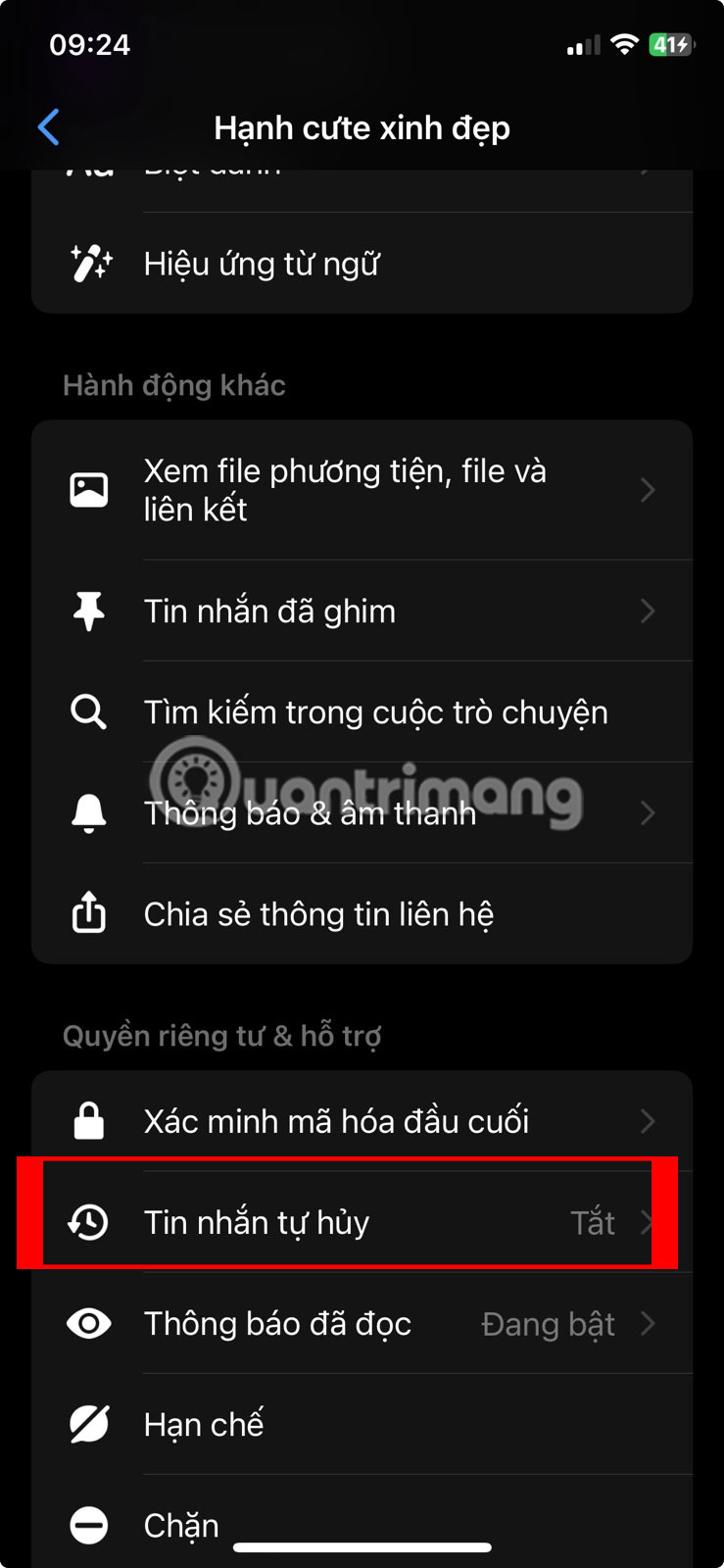
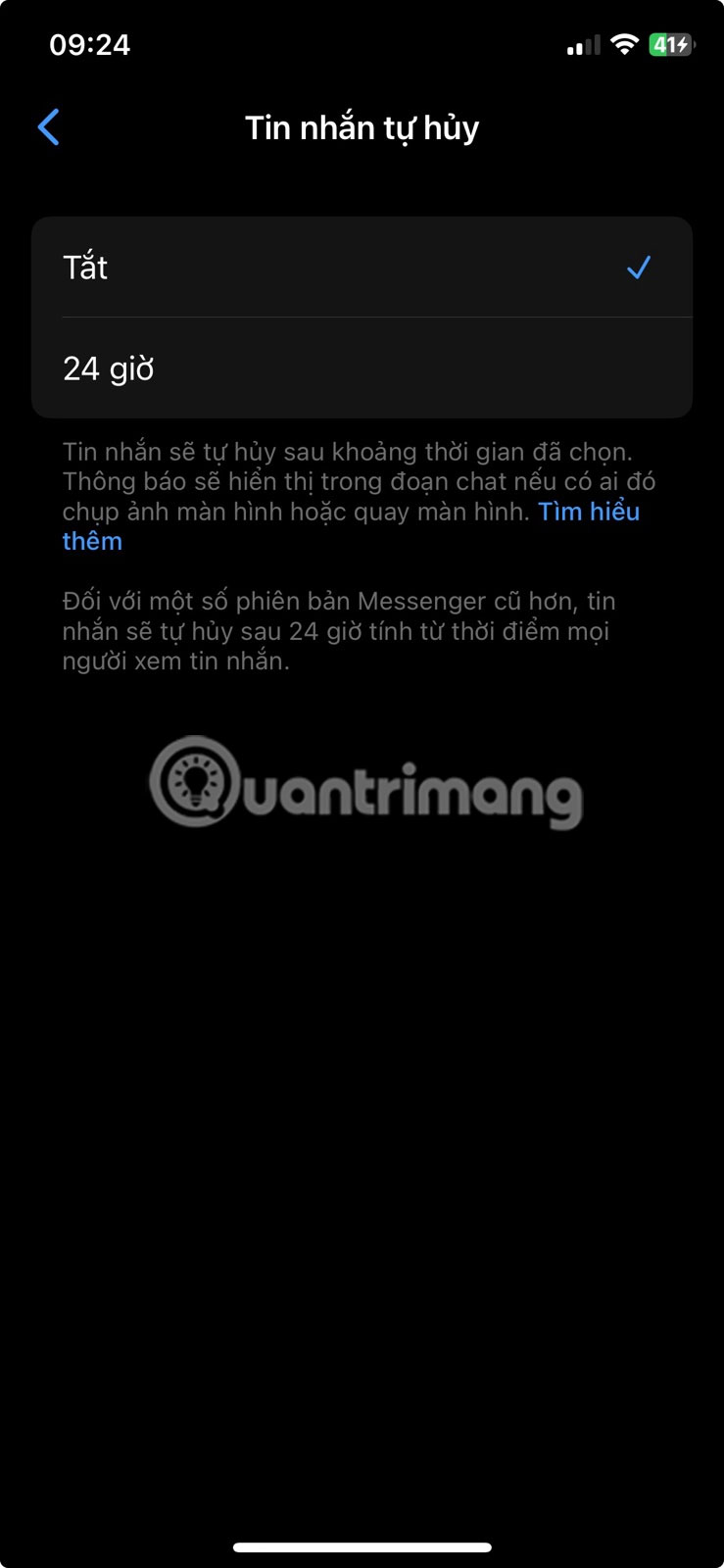
- Open the Messenger app and select an end-to-end encrypted personal chat.
- Tap the person's name or the group name at the top.
- Tap Disappearing messages.
- Select the available interval you want, or choose Off to keep future messages.
The exact timer options and menu wording can differ by device and app version. If the setting is absent, update Messenger and note that some chat types do not support disappearing messages. Older tutorials may refer to Vanish mode; Meta removed that separate Messenger mode and retained disappearing messages in encrypted chats.
What does not normally trigger a notification?
- Standard Messenger messages, photos, and shared media
- A Facebook profile or profile photo
- Feed posts, comments, and Reels
- Facebook Stories
- Marketplace listings and public Pages
Facebook does not provide a list showing who captured these items. A person may still notice that their content was reposted or shared, but that is different from receiving a screenshot notification.
View-once photos and videos are different
Messenger may let you send a photo or video that can be viewed only once. Meta says recipients cannot save, forward, screenshot, or screen-record that media through the normal app interface. This protection is stronger than a notification, but it still cannot prevent someone from photographing the screen with another device.
Can you prevent someone from saving a chat?
No messaging feature can guarantee that a recipient will not preserve what they see. A participant can photograph the display with another camera, copy text manually, or use another recording method that Messenger cannot detect. End-to-end encryption protects a message while it travels between participants; it does not stop either participant from saving it after delivery.
Use disappearing messages when temporary retention and screenshot warnings are useful, but do not send passwords, financial credentials, identity documents, or images that would cause harm if copied. If a conversation becomes abusive or unsafe, preserve evidence where lawful, block the account, and use Messenger's reporting controls.
Related Articles
 Does Facebook Messenger Notify You When You Take a Screenshot Explained5 minutes read
 How to Use Virtual Assistant Jarvis to Remind You on Facebook3 minutes read
 Fixed a Bug with Facebook Messenger Being Escaped on iOS2 minutes read
 All About How to Use Facebook Messenger Lite4 minutes read
 GIFUR Emoji Set for Facebook Messenger: Emoji Facebook Messenger5 minutes read
 How to Know Someone Blocked You on Facebook Messenger?6 minutes read
Reader Comments 0
Sign in with email or Google to join the discussion.