Table of Contents
There is no single best AI photo editor for every job. Photoshop offers the deepest control, Lightroom is better for organizing and processing large photo libraries, Topaz Photo specializes in image recovery, and Canva or Picsart make quick social graphics easier. The right choice depends on what you edit, where you work, and how much manual control you need.
AI photo editors at a glance
| Tool | Best for | Main strength | Important limitation |
|---|---|---|---|
| Photoshop | Detailed retouching and composites | Layers, masks, selections, and generative editing | Steeper learning curve and subscription |
| Lightroom | RAW workflows and large photo libraries | Cataloging, batch adjustments, and Generative Remove | Less suitable for complex pixel-level composites |
| Luminar Neo | Guided AI corrections | Approachable tools for replacing, erasing, and expanding content | Feature access depends on the current license or plan |
| Topaz Photo | Denoising, sharpening, and upscaling | Specialized image-quality restoration | Not a complete design or photo-management suite |
| Pixelmator Pro | Apple-focused layer editing | Native Mac workflow with strong selection and repair tools | Limited to the Apple ecosystem |
| Canva | Fast social and marketing graphics | Templates, collaboration, and simple AI edits | Not a professional RAW processor |
| Picsart | Quick mobile and browser edits | Background, object, effect, and enhancement tools in one interface | Less precise than a desktop layer editor for demanding work |
1. Adobe Photoshop: best for maximum editing control
Photoshop remains the strongest option when AI must fit into a detailed layer-based workflow. Its selections, masks, blend modes, retouching tools, and smart objects let you refine an AI-generated change instead of accepting a one-click result.
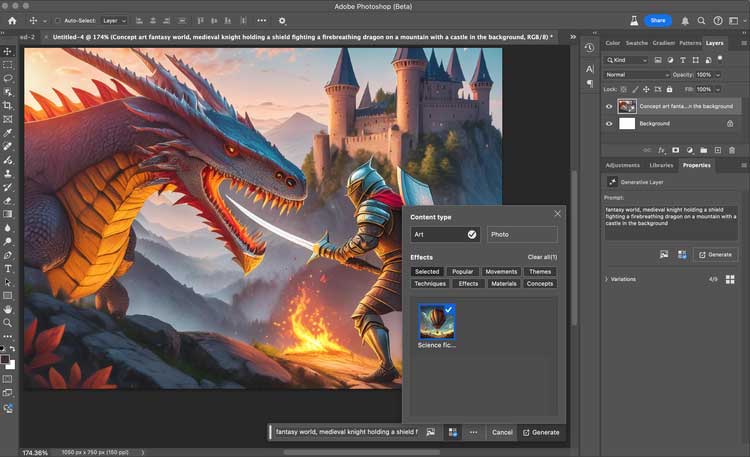
Adobe's current generative toolset includes Generative Fill, Generative Expand, Harmonize, and generative upscaling. These features are useful for extending a canvas, removing distractions, or matching an inserted object to a scene, but outputs still need close inspection around hands, text, reflections, and repeated patterns. Some operations use generative credits, so check the allowance attached to your plan. See Adobe's generative AI feature overview for current availability.
2. Adobe Lightroom: best for RAW files and batch workflows
Lightroom is the better Adobe choice for photographers who need to import, rate, organize, color-correct, and export many photos consistently. Its non-destructive adjustments can be synchronized across a set, while masks make local corrections without creating a complex layer stack.
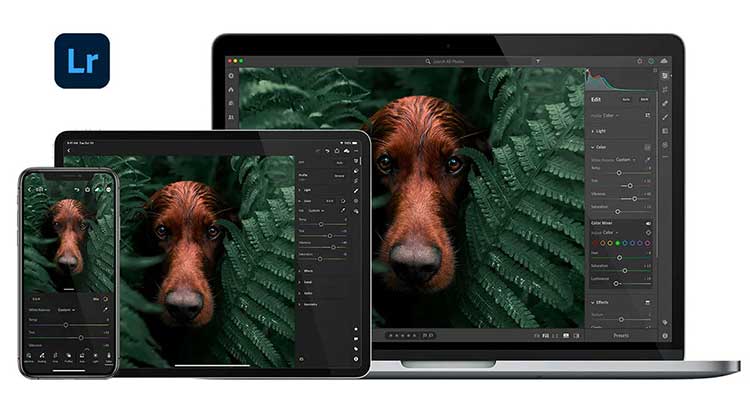
Generative Remove can identify and remove an object, then rebuild the area using Adobe Firefly. It is convenient for distractions such as signs or people in a background, although detailed edges and repeating textures may require several attempts. Lightroom also retains conventional Remove, Heal, and Clone modes. Adobe documents the options in its Remove tool guide.
3. Luminar Neo: best for guided AI corrections
Luminar Neo targets users who want substantial corrections without learning a large professional interface. Alongside conventional adjustments, its generative tools can erase an object, expand a frame, or replace a selected element. Portrait and sky tools provide faster starting points for common edits.
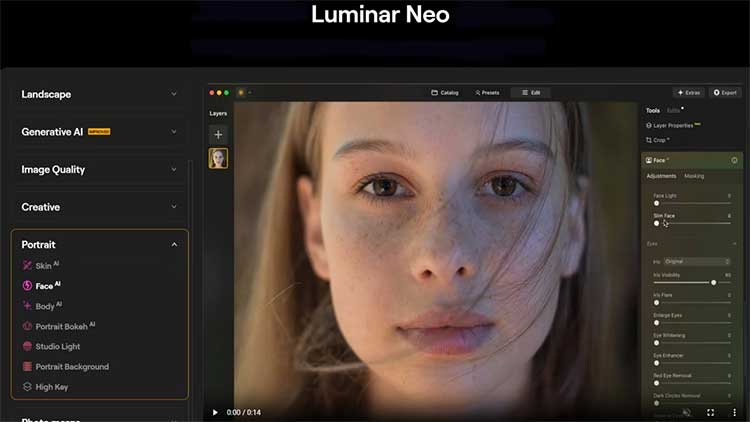
The trade-off is control: automatic results can look convincing at normal size but fail around fine hair, transparent objects, or complex lighting. Availability of GenErase, GenExpand, and GenSwap can also depend on the license and the included period of generative access. Review Skylum's GenErase information and the current plan terms before purchasing.
4. Topaz Photo: best for rescuing technically weak images
Topaz Photo—formerly commonly known as Topaz Photo AI—is a specialist rather than a full design suite. It combines denoising, sharpening, face recovery, lighting and color adjustments, and upscaling. That makes it useful when the main problem is motion blur, high-ISO noise, a small source file, or a soft scan.
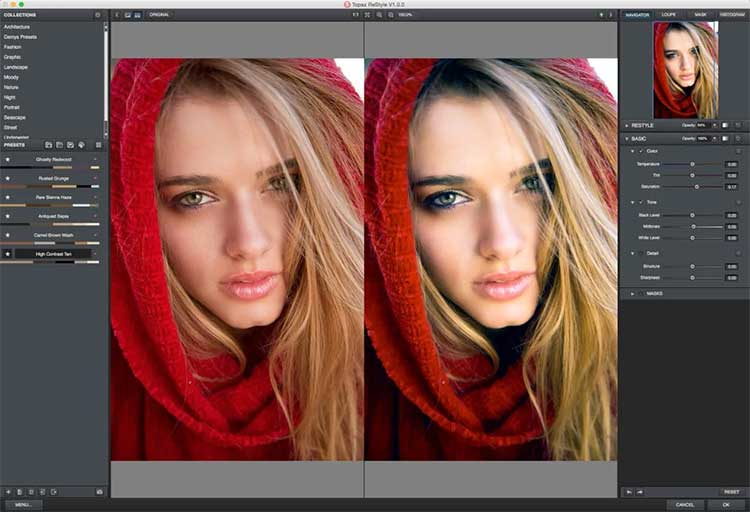
Enhancement cannot recover detail that was never captured with certainty. In particular, generative face recovery may create plausible rather than historically accurate facial detail, so it should not be treated as evidence or used aggressively on an unrecognizable face. Compare the result with the original at 100% magnification. The current product and system requirements are listed on the official Topaz Photo page.
5. Pixelmator Pro: best for an Apple-native workflow
Pixelmator Pro offers layers, masks, vector shapes, selections, RAW support, repair tools, and machine-learning-assisted adjustments in a Mac-focused interface. It is a practical middle ground for users who need more control than a template editor but do not want Photoshop's broader ecosystem.
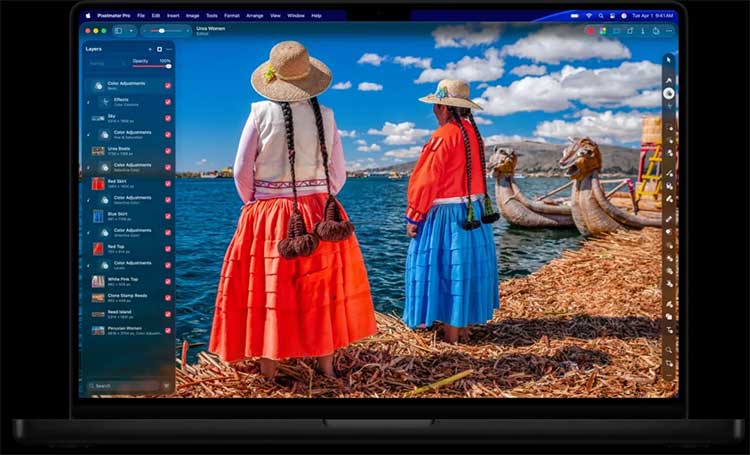
Pixelmator Pro is now part of Apple's creative software lineup. It is available through Apple Creator Studio, while a one-time Mac purchase remains available; the iPad version and some features have different access requirements. Check Apple's Pixelmator Pro page for current platform and plan details.
6. Canva: best for fast content and team collaboration
Canva is most useful when the photo is one element in a social post, presentation, advertisement, or branded template. Background removal, object editing, generative expansion, preset effects, and resize tools reduce the number of apps needed for everyday content production.

Its main advantage is speed and shared templates, not exact RAW processing or high-end retouching. Some AI features and usage limits vary by plan, and cloud-based tools may upload images for processing. Review Canva's AI photo editor information and your organization's privacy requirements before using sensitive images.
7. Picsart: best for quick mobile and browser edits
Picsart combines background removal, object cleanup, image enhancement, filters, generated backgrounds, and social-ready crops in an accessible mobile and web workflow. It suits creators who value speed and experimentation more than intricate layer management.
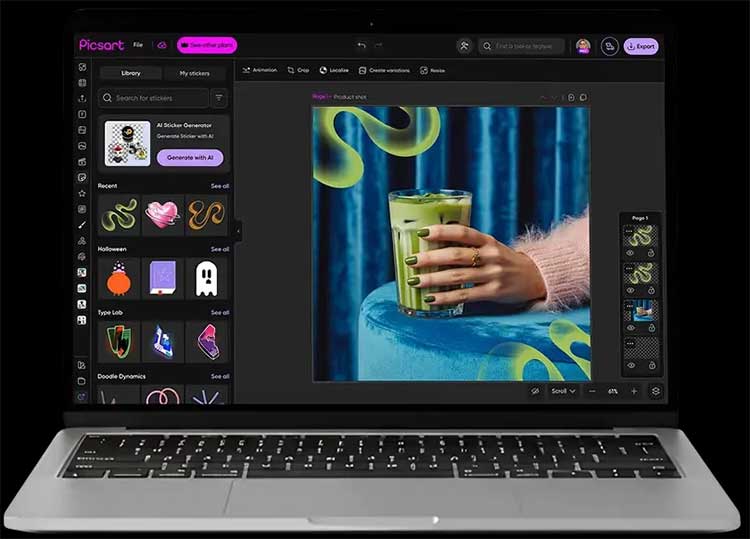
For product photography or client work, inspect exports for halos, altered logos, softened text, and inconsistent edges. Advanced tools and export options may depend on the selected plan. Picsart describes its current toolset on the official AI photo editor page.
How to choose the right editor
- Match the tool to the job. Choose Lightroom for catalogs and RAW batches, Photoshop or Pixelmator Pro for layered edits, Topaz Photo for restoration, and Canva or Picsart for fast layouts.
- Test your own difficult images. Use the same small set containing hair, text, low light, patterned backgrounds, and a high-resolution RAW file.
- Inspect at 100%. AI errors often hide at fit-to-screen size. Check edges, skin texture, reflections, shadows, and repeated details.
- Check the complete workflow. Confirm file-format support, batch tools, color management, metadata handling, export controls, and whether edits remain reversible.
- Review privacy and usage terms. Determine whether files are processed locally or in the cloud, how uploaded material is handled, and what restrictions apply to generated content.
Trials are more informative than feature lists. A tool that produces a good result on your actual files with less correction is usually the better choice, even if another editor advertises more AI features.
Related Articles
 minutes read
 Free Online Photo Editing Services Should Not Be Missed!5 minutes read
 Best AI Photo Editing Tools10 minutes read
 How to Change Photo Size on Fotor Online Application5 minutes read
 7 Reasons Why Hapic Is Becoming a Favorite Free Photo Editor6 minutes read
 Instructions on How to Pair HDR Photos on Lightroom5 minutes read
Reader Comments 0
Sign in with email or Google to join the discussion.