Table of Contents
The most useful AI tool for Microsoft Word depends on the job. Microsoft 365 Copilot is the natural choice for drafting and editing within the Microsoft ecosystem. Grammarly and QuillBot focus on sentence-level polish. GPT for Word provides a prompt-driven editor with Track Changes support, while Deckary targets multi-step business-document work.
Do not choose by the length of a feature list. Test each tool on a copy of a real document and check what content it can access, whether edits are reviewable, which Word versions it supports, and whether your organization permits the service.
Quick comparison
| Tool | Best for | Word integration | Main limitation |
|---|---|---|---|
| Microsoft 365 Copilot | Drafting, summarizing, rewriting, and using Microsoft 365 context | Built into eligible Word experiences | Availability and capabilities depend on the account, plan, platform, and rollout |
| Grammarly | Grammar, clarity, tone, and sentence-level revision | Desktop integration for Word on Windows and Mac | Less suited to restructuring an entire business document |
| GPT for Word | Flexible prompt-based drafting and editing | Word add-in with Track Changes support | Requires careful prompt design and review |
| QuillBot | Paraphrasing and grammar correction | Add-in for Word on Windows, Mac, and the web | Current Word add-in is narrower than QuillBot’s full web toolset |
| Deckary | Multi-step proposal, report, and consulting-document edits | Office add-in for Word, PowerPoint, and Excel | Newer product with less independent evidence than established tools |
1. Microsoft 365 Copilot: best for Microsoft 365 workflows
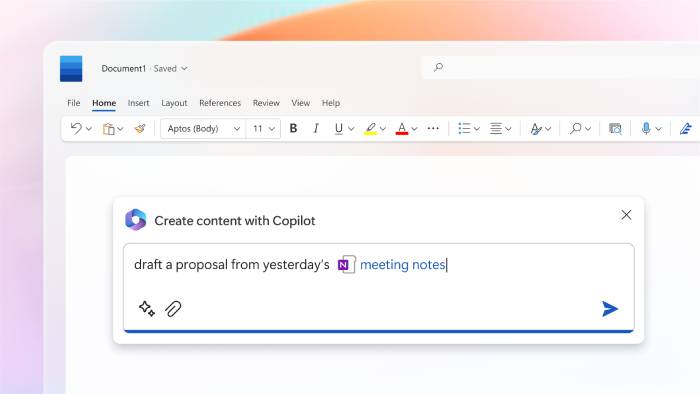
Copilot is integrated into eligible versions of Word, so it can draft text, rewrite a selection, summarize a document, answer questions about content, and help turn information into a table. Microsoft’s current Edit with Copilot experience can make broader document changes from a prompt, although the exact tools visible to you depend on the account and product release.
Choose Copilot when
- Your organization already uses Microsoft 365 and stores approved work in OneDrive or SharePoint.
- You want to reference permitted Microsoft 365 files or context without moving text into an unrelated app.
- You need help drafting, summarizing, refining, or reorganizing a document in Word.
- Central identity, administration, and Microsoft compliance controls matter to the team.
Check before buying
Confirm the required Microsoft 365 and Copilot license, supported Word platform, language, region, and administrator settings. A feature shown in a Microsoft announcement may not yet appear in every tenant. The current procedures are documented in Microsoft’s Edit with Copilot guide.
Copilot is broad rather than specialized. A legal, academic, or proposal team may still need a domain-specific review process and a person responsible for approving facts, citations, contract language, and formatting.
2. Grammarly: best for sentence-level polish
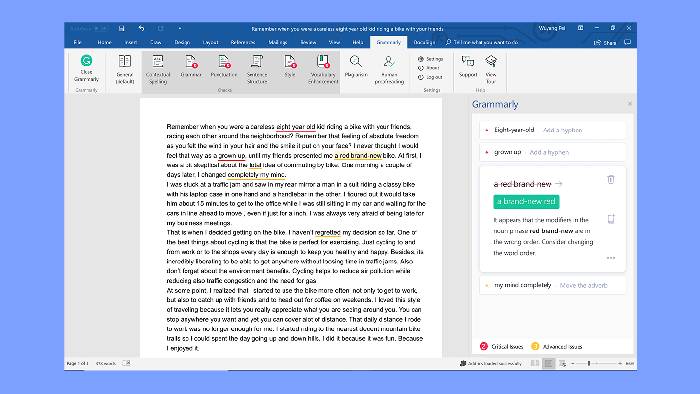
Grammarly works in Microsoft Word on Windows and Mac through its desktop applications. It checks grammar, spelling, clarity, tone, and style, with additional generative features depending on the account.
Choose Grammarly when
- The document is structurally sound but needs cleaner sentences.
- You want suggestions while writing rather than a complete rewrite.
- Tone, concision, and consistency are more important than document automation.
Grammarly is not a project-proposal checker or a substitute for subject review. It may improve a sentence while leaving an unsupported claim, missing section, or incorrect answer untouched.
Grammarly discontinued its older dedicated Word add-in for Mac and now directs Mac users to Grammarly for Mac. Its Microsoft Office compatibility page lists the current desktop integration.
3. GPT for Word: best for prompt-driven tracked edits
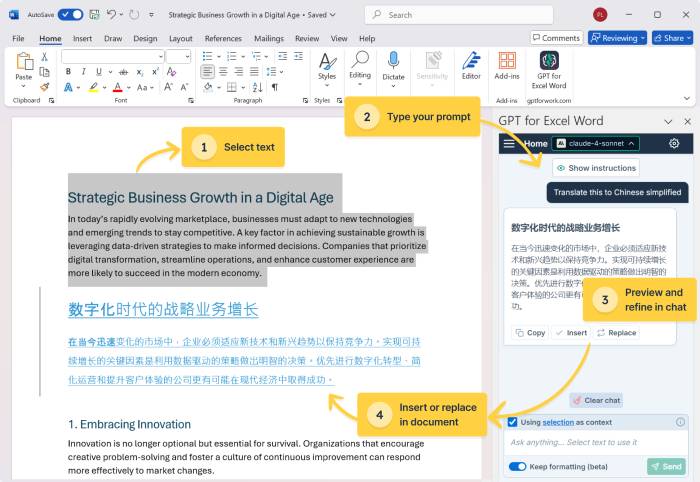
GPT for Word, part of GPT for Work, places a prompt interface inside Word. It can draft or transform selected content, and the vendor states that its add-in works with Word’s Track Changes feature so edits can be accepted or rejected through a familiar review process.
Choose GPT for Word when
- Your team already knows how to write precise prompts.
- You want to try several rewrite or analysis instructions without leaving Word.
- Reviewable tracked edits are an important part of the workflow.
Track Changes improves visibility, but it does not prove an edit is correct. Review the full sentence around every insertion or deletion, and verify numbers, names, links, and cited evidence. TipsMake’s guide to comments and Track Changes in Word explains the underlying Word review tools.
Before connecting confidential documents, read the vendor’s current data-processing and model-provider terms. The add-in’s official Word product page describes its current features and supported editing flow.
4. QuillBot: best for paraphrasing
QuillBot’s Word add-in currently brings its Paraphraser and Grammar Checker into a sidebar. It supports Word on Windows, Mac, and the web, and requires an account and internet connection.
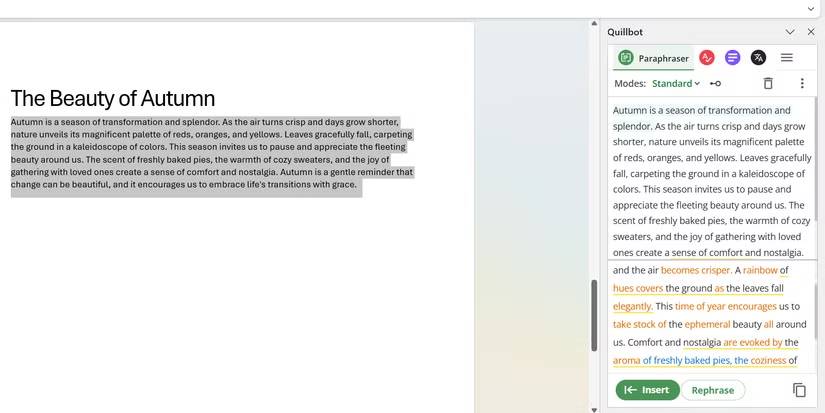
Choose QuillBot when
- You need alternate wording for a sentence or short passage.
- You want to reduce repetition or simplify phrasing.
- A focused paraphraser is enough and whole-document restructuring is not required.
Read every paraphrase against the source. Rewording can change a condition, degree of certainty, technical term, quotation, or legal meaning even when the output sounds fluent. Do not use paraphrasing to conceal plagiarism or misrepresent authorship.
The official QuillBot for Word page links to the current add-in for desktop and web versions of Word.
5. Deckary: best for multi-step business documents
Deckary is an Office add-in aimed at users who work on proposals, reports, presentations, and analytical documents. Its Word workflow is designed to read document context, draft or rewrite content, insert edits, apply styles, add comments, and complete multi-step tasks from a prompt.
Choose Deckary when
- The final deliverable must remain a native Word file.
- You need more than proofreading or one-paragraph paraphrasing.
- Proposals, consulting reports, or internal business documents follow repeatable structures.
- You want the same vendor’s add-in across Word, PowerPoint, and Excel.
Deckary is a newer option, and many detailed comparisons online are published by Deckary itself. Treat those statements as product claims, not independent benchmarks. Test document fidelity, comments, styles, tables, headers, and tracked review on a non-sensitive copy before adoption. Its current Microsoft listing is available on the Deckary Marketplace page.
Why WordAi is not in the main list
Despite its name, WordAi is primarily a web-based bulk rewriting product rather than a document-centered Microsoft Word assistant. Its own site emphasizes article rewriting, API access, and producing alternate versions of content. It may suit a specialized bulk-content workflow, but it is a weak fit when the requirement is to preserve a complex Word document, use comments, or approve edits with Track Changes.
That distinction matters: a tool that can rewrite text is not automatically a good Word integration.
How to choose the right tool
- Name the task: First draft, sentence editing, tracked revision, citation work, proposal review, translation, or document restructuring.
- Confirm the integration: Check whether the feature works in Word for Windows, Mac, or the web—not merely in a browser tab.
- Make a test file: Include headings, styles, tables, comments, footnotes, and tracked changes similar to your real documents.
- Score the result: Check factual accuracy, meaning preservation, formatting damage, time saved, and manual cleanup.
- Review data handling: Determine what document content leaves Microsoft 365, which model provider receives it, how long it is retained, and whether administrators can control access.
- Compare total cost: Include the required Microsoft plan, add-in subscription, usage limits, training, and review time.
For a wider view of the Word ecosystem, see these Microsoft Word add-ins that change the editing workflow.
Safe AI editing workflow in Word
- Work on a copy or a versioned cloud file.
- Turn on Track Changes when the tool supports it.
- Give the tool only the sections required for the task.
- Do not upload confidential, regulated, or client material without approval.
- Verify facts, calculations, names, quotations, references, and hyperlinks.
- Inspect headings, lists, tables, captions, footnotes, headers, and page breaks after editing.
- Run Word’s spelling and accessibility checks in addition to the AI review.
- Have the document owner accept or reject changes before distribution.
For most Microsoft 365 users, Copilot is the first tool to evaluate because it is integrated with Word. Add Grammarly or QuillBot when sentence-level language is the main problem, use GPT for Word when flexible tracked prompts matter, and test Deckary when the work involves longer business documents and multi-step edits. One well-matched tool with a disciplined review process is usually more useful than stacking several assistants over the same document.
Related Articles
 Link Download Microsoft Word 20194 minutes read
 Make the Most of the Power of Microsoft Word with These 10 Hidden11 minutes read
 8 Useful Tools Available in Microsoft Word6 minutes read
 10 Great Tools of Microsoft Word14 minutes read
 Create Label in Word 2010: Instructions3 minutes read
 Conquer Word 2007 (Term 4): Click21 minutes read
Reader Comments 0
Sign in with email or Google to join the discussion.