Table of Contents
This guide compares 3 leading Software to Reduce Video Size Best 2020, focusing on useful features, compatibility, ease of use, and overall value.

1. Format Factory software
Download link: http://www. pcfreetime. com/formatfactory/index. php? language=en
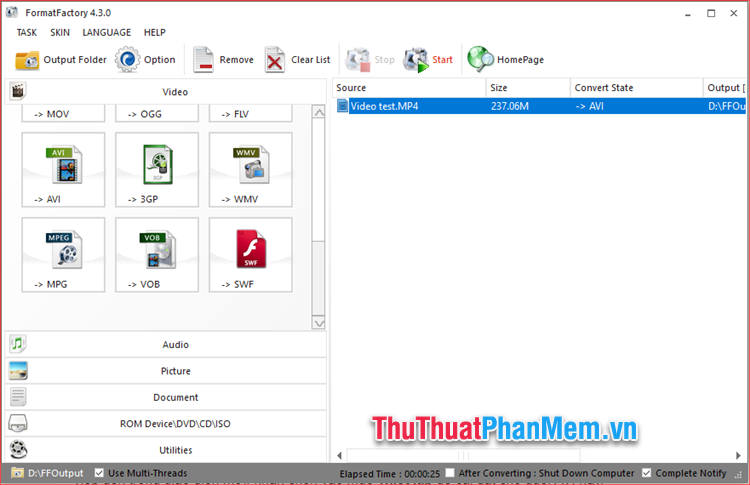
If you regularly work on video, music or other multimedia formats, you will probably know Format Factory software. This is a very versatile software, you can change the format of the media files, cut or merge music or video, etc. And of course the feature of reducing the video size is an indispensable thing on this software. With Format Factory, you can reduce the video file size from hundreds of megabytes to only a few dozen MB in a few simple steps. This software has a pretty eye-catching interface but also very easy to use, especially this is a completely free software so it will be the perfect choice for you.
2. Freemake Video Converter Software
Download link: http://www. freemake. com/free_video_converter/
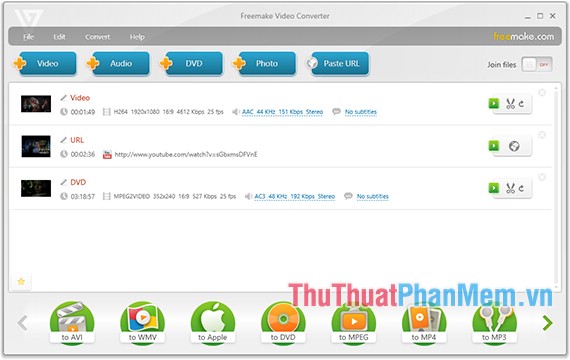
If you are a Windows computer user and are looking for a good, reliable video reduction software, Freemake Video Converter is the first choice you should consider. The tool has been used by over 93 million users over the past 8 years and is rated as one of the best software on the market. It can compress and convert videos in over 500 different formats and is compatible with the latest formats. And most importantly, this software is completely free, you will not have to pay any other money when using this software.
3. Videosmaller online software
Website link: http://www. videosmaller. com
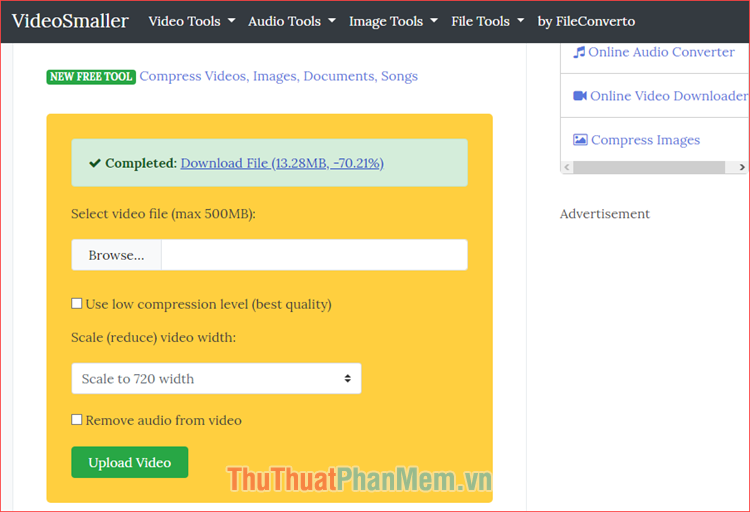
If you do not want to install more complex video compression software on your computer, then Videosmaller will be the best choice for you. This is a tool to help reduce the amount of online video, just visit the above address with a browser and use the features completely free. This tool helps you reduce video size with more than 15 different levels from which you can choose the desired video quality so that the video after compression does not reduce the quality too much.
Above are the Top 3 best video reduction software 2020 according to TipsMake. com. Hopefully through this article, you can choose for yourself a software that suits your needs. Thank you for watching!
FAQ
How should I choose among Software to Reduce Video Size Best 2020?
Compare compatibility, essential features, ease of use, security, support, and total cost rather than choosing only by popularity.
Are free options suitable for everyday use?
Free tools can be sufficient for basic needs, but advanced features, commercial use, or priority support may require a paid plan.
What should I check before installing or using one?
Verify the official source, system requirements, recent updates, privacy practices, and support for your device and file types.
Related Articles
 5 Ways to Reduce Video Capacity for iPhone5 minutes read
 How to Reduce the Size of Video Online Without Software4 minutes read
 How to Compress Video Size Without Installing Software: Step-by-Step Guide9 minutes read
 How to Reduce the Size of Video by Format Factory3 minutes read
 How to Reduce Video Size but Keep Quality: Step-by-Step Guide7 minutes read
 How to Reduce Video File Size Using Format Factory on a Computer4 minutes read
Reader Comments 0
Sign in with email or Google to join the discussion.