Table of Contents
This guide compares 3 leading Most Professional Screen Recording Software, focusing on useful features, compatibility, ease of use, and overall value.
1. Bandicam
You can download bandicam to your device by visiting the following link: https://www. bandicam. com/en/
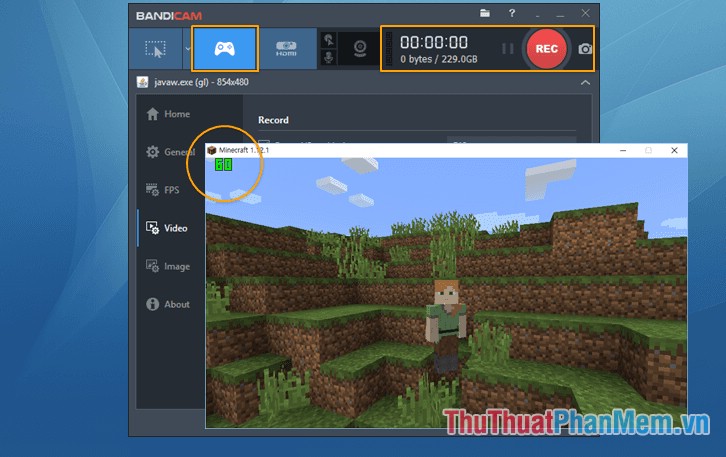
Bandicam is the best software for screen recording, games. Bandicam can capture and record any object on a computer screen with high video quality. Special support feature recording in a certain area on the computer screen.
- Computer screen recording feature: Bandicam records all activities on the computer screen and saves it in formats: AVI, MP4.
- Game recording feature: With 2D / 3D bandicam games recording with 4K UHD video quality is amazing, isn't it.
- In addition, Bandicam allows recording with peripheral devices such as Webcam, smartphone.
2. Wondershare Filmora 6
You can download the software at the link:
https://www. wondershare. net/ad/video-editor-win/filmora-dco. html
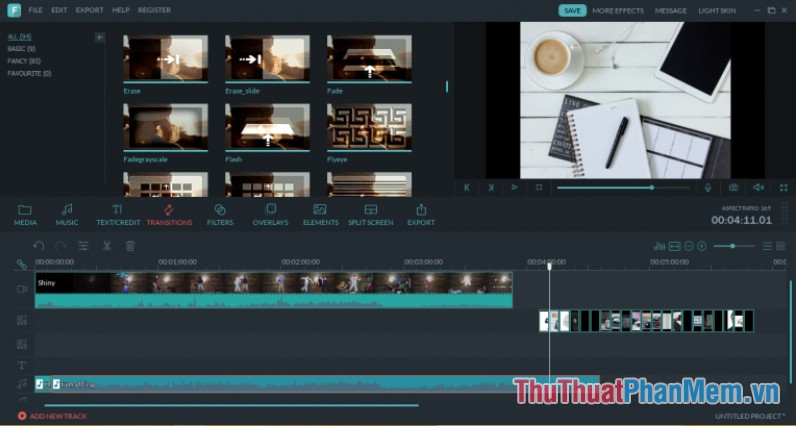
Wondershare Filmora 6 is a professional video creation and editing software that not only helps you record images and manipulate the screen but also supports many effects to make your video more unique and vivid.
Requirements of Wondershare Filmora 6:
- running on 64 bit operating systems such as Window Vista, Window 7, 8, 10.
- Minimum RAM of 2MB.
- Intel or AMD processor, 2GzH or higher.
3. Camtasia Studio
You can download the software at the link: https://camtasia-studio. vi. softonic. com/
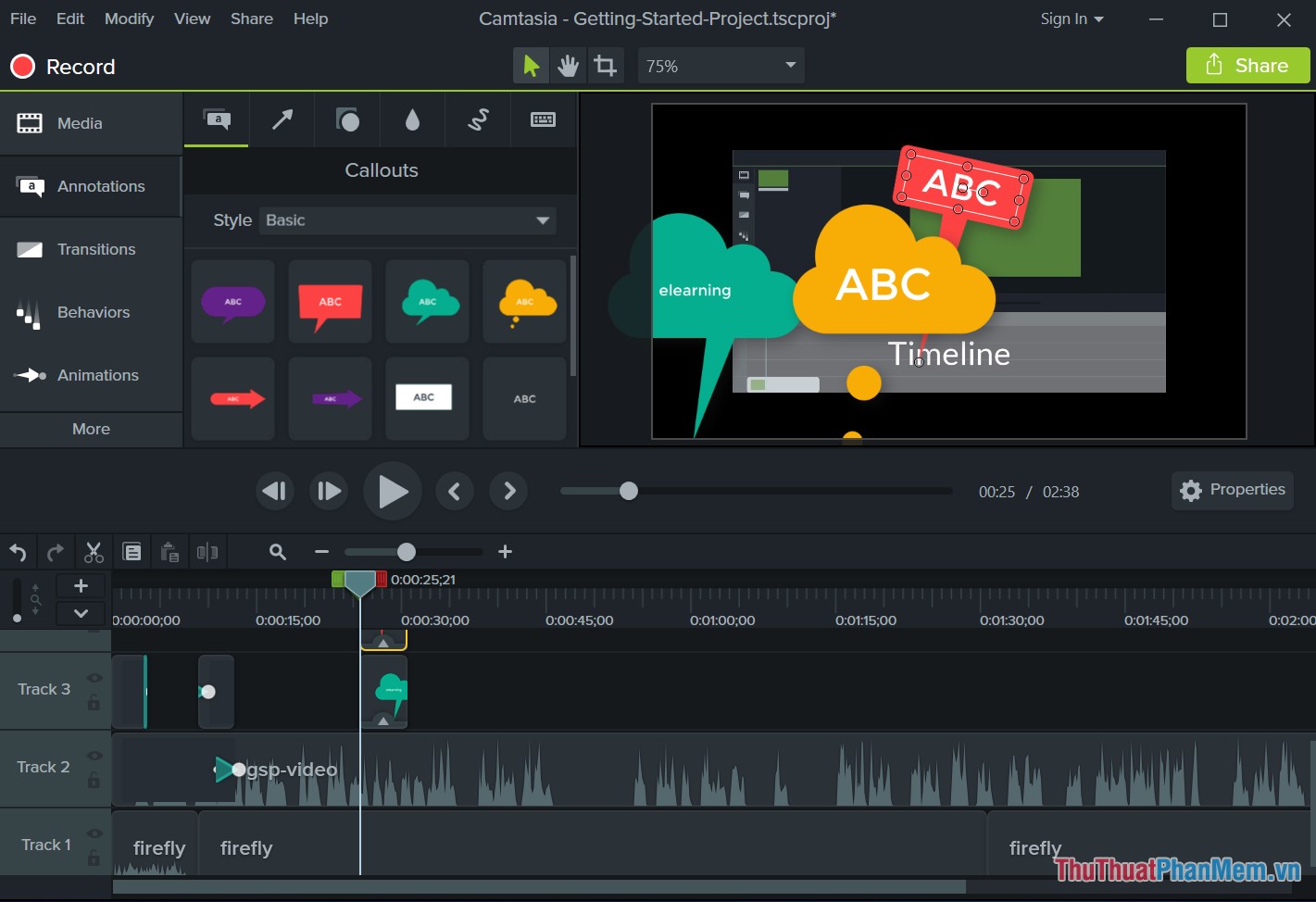
Camtasia Studio has a unique design interface, easy but powerful video editor. lets users choose a variety of output data formats, supports pre-production preview. Especially Camtasia Studio supports Youtube and HD videos.
However, the audio editor of Camtasia Studio is new at the basic level.
Above is a detailed introduction of the top 3 best screen recording software to help you experience and capture memorable moments. Good luck!
FAQ
How should I choose among Most Professional Screen Recording Software?
Compare compatibility, essential features, ease of use, security, support, and total cost rather than choosing only by popularity.
Are free options suitable for everyday use?
Free tools can be sufficient for basic needs, but advanced features, commercial use, or priority support may require a paid plan.
What should I check before installing or using one?
Verify the official source, system requirements, recent updates, privacy practices, and support for your device and file types.
Related Articles
 Top 5 Best Free Screen Recording Software 20215 minutes read
 The Best Screen Recording Software for Windows 10 20215 minutes read
 These Quality Windows Screen Recording Software14 minutes read
 Top 10 HOTTEST Computer Screen Recording Software7 minutes read
 The Best Recording App for Android5 minutes read
 Video Recording Application: The Best Video Recording Apps for5 minutes read
Reader Comments 0
Sign in with email or Google to join the discussion.