Table of Contents
An internet speed test is a short measurement between your device and a test server. A useful result depends on the connection method, server, network load, device, and time of day. One large number from one Wi-Fi test is not enough to prove that a broadband line is healthy or faulty.

Prepare a reliable baseline
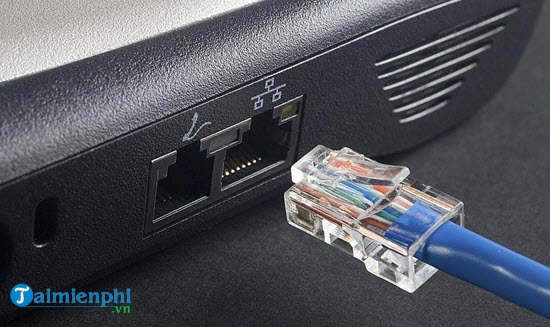
- Use Ethernet. Connect a capable computer directly to the main router with a known-good cable. Check that the Ethernet link and router ports support the plan's speed.
- Pause other traffic. Stop backups, updates, streaming, game downloads, security-camera uploads, and other tests on every device sharing the connection.
- Disconnect optional tunnels. Turn off a VPN or proxy for the baseline; it changes the route and adds another server.
- Use a capable device. Power saving, a slow processor, an old browser, security inspection, or a 100 Mbps port can become the bottleneck.
- Restart only when needed. A modem or router reboot can clear a temporary fault, but routine rebooting before every test may conceal an intermittent problem.
Run the test
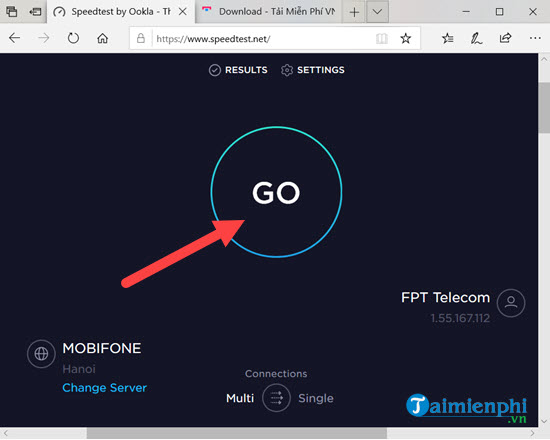
- Open a reputable service such as Speedtest, Fast.com, or Measurement Lab.
- Choose a nearby server when the service offers a choice. Keep the same server for before-and-after comparisons.
- Click Go or the equivalent start control and leave the connection otherwise idle.
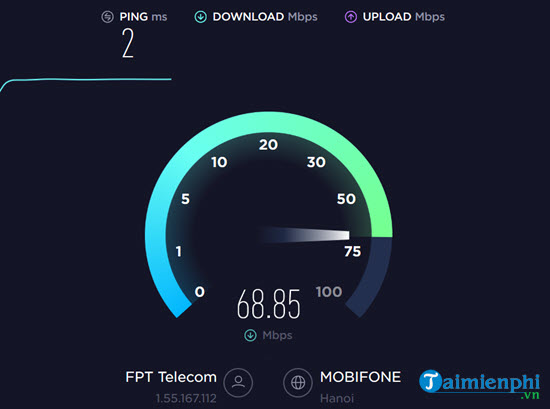
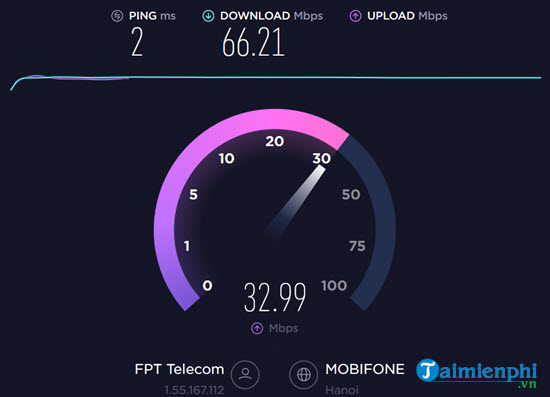
The service normally measures latency first, then generates enough traffic to estimate download and upload performance. Speed-test methods differ: some use one stream, others combine several. Results from different services may therefore vary even when the line does not change.
Read the results correctly
| Metric | What it tells you | What to watch |
|---|---|---|
| Download | Rate from the test server to your device | Streaming, downloads, and most browsing |
| Upload | Rate from your device to the server | Video calls, cloud backup, live streaming, and sending files |
| Idle latency or ping | Round-trip delay before heavy traffic | Lower and stable is generally better |
| Loaded latency | Delay while the connection is busy | A large increase can explain lag during downloads or uploads |
| Jitter | Variation in delay | Large variation can disrupt real-time audio and games |
| Packet loss | Traffic that does not arrive | Persistent loss needs investigation |
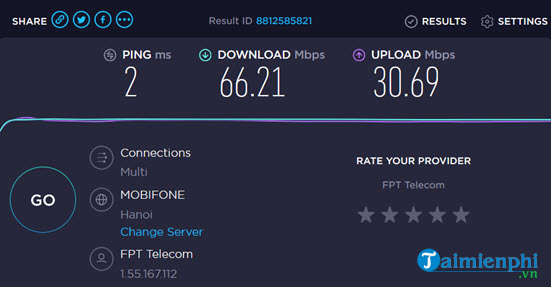
Mbps is not MB/s
Internet plans and speed tests normally use megabits per second (Mbps). File-transfer applications often show megabytes per second (MB/s). Eight bits make one byte:
MB/s = Mbps ÷ 8For example, 80 Mbps has a theoretical maximum of 10 MB/s. Protocol overhead, server limits, storage speed, and application behavior make actual file transfers lower. Dividing by eight only converts units; it does not reveal a separate “real” internet speed.
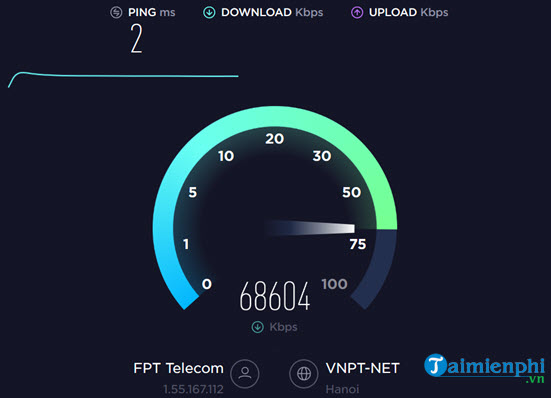
Upload and download do not have to match
Some fiber plans are symmetric, but many fiber, cable, fixed-wireless, cellular, and satellite plans provide different download and upload rates. Compare each direction with the subscribed plan's stated terms rather than assuming equality.
Repeat the measurement
Run at least three tests and use the median rather than selecting the fastest result. Repeat the set:
- once when the network is normally quiet;
- once during the busy period when users notice the problem;
- over Ethernet and Wi-Fi, if the complaint is about wireless performance;
- with the same device, service, server, and settings where possible.
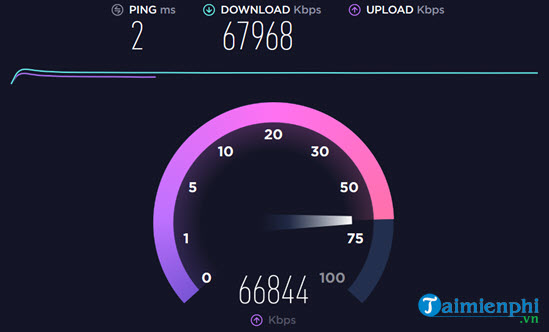
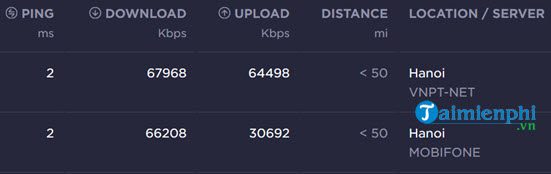
Testing only off-peak may show the line's best capacity, but it misses evening congestion. Testing both periods provides the evidence needed to separate a constant equipment limit from a time-dependent ISP or neighborhood problem.
Wi-Fi test versus broadband test
A wired result is the best baseline for the internet service. A Wi-Fi result measures the combined effect of the broadband line and the wireless link. If Ethernet is fast but Wi-Fi is slow, focus on signal, interference, band, channel, access-point placement, and the client radio.
Use TipsMake's guide to checking Wi-Fi signal and channel information, then follow the home Wi-Fi improvement checklist.
Common reasons a result is misleading
- The chosen test server is overloaded or far away.
- The client uses a slow Wi-Fi band, weak signal, or congested channel.
- A VPN changes the route or limits throughput.
- Another device begins a download or upload during the test.
- The browser, CPU, router, Ethernet port, or cable cannot handle the plan rate.
- A short multi-stream test reaches a high aggregate rate that one real application cannot reproduce.
- The result is compared with an advertised maximum instead of the plan's typical or minimum terms.
Measurement Lab's NDT is a single-stream bulk-transport measurement and publishes test data, including the public IP address, under its data policy. Review the NDT methodology and privacy terms before testing.
When to contact the ISP
Contact the provider when repeated wired tests on capable equipment remain substantially below the plan, especially if all devices are affected. Provide:
- the account plan and expected download/upload rates;
- dates and times, including peak and off-peak tests;
- test service, server, and median results;
- Ethernet link rate and router/modem models;
- latency, packet loss, modem indicators, and any outage information.
If the wired baseline is healthy, use TipsMake's slow Wi-Fi diagnostic workflow before upgrading the plan. More bandwidth cannot repair weak coverage or interference inside the home.
Related Articles
 8 Ways to Check the Network Speed Extremely Accurately, You7 minutes read
 Network Speed Test with Charter Speed Test4 minutes read
 Internet Speed Test Applications for Smartphones7 minutes read
 The Most Accurate Way to Check Your Typing Speed20 minutes read
 Checking Internet Speed, Wi-Fi Fpt, Vnpt Network, Viettel Does8 minutes read
 5 Chrome Extension to Test Internet Speed8 minutes read
Reader Comments 0
Sign in with email or Google to join the discussion.