Table of Contents
Downloading and installing Clean Master on your computer helps you clean up leftover system files to completely free up memory.
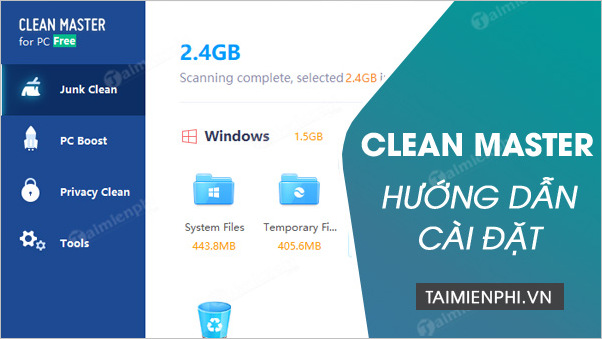
Instructions on how to download and install Clean Master on your computer.
Step 1: First, download the software using the link below.
Step 2: Double-click the Clean Master installation file to run it. Alternatively, right-click the Clean Master installation file and select Open .
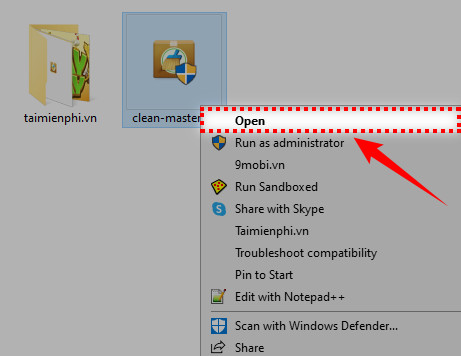
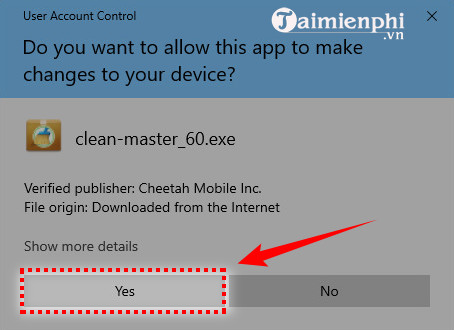
Step 3: Select Yes to continue.
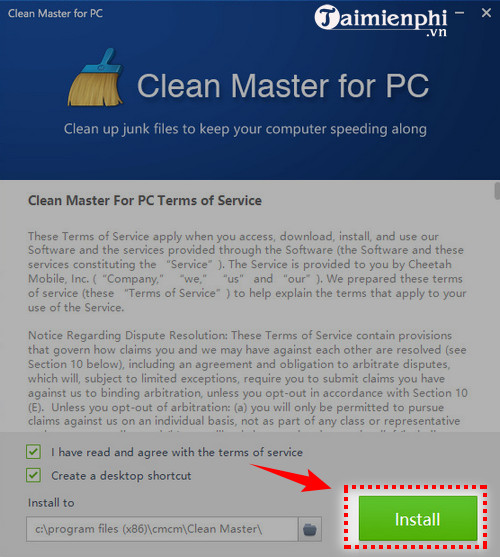
Step 4: Clean Master will by default checkbox both:
- I have read and agree with the license agreement : I accept the terms and conditions of Clean Master. - Create a desktop shortcut : Create a shortcut to quickly open Clean Master on your desktop.
Next, press Install to begin the installation process.
Step 5 : The installation process takes a few minutes.
This is what the software interface looks like after the installation is complete:
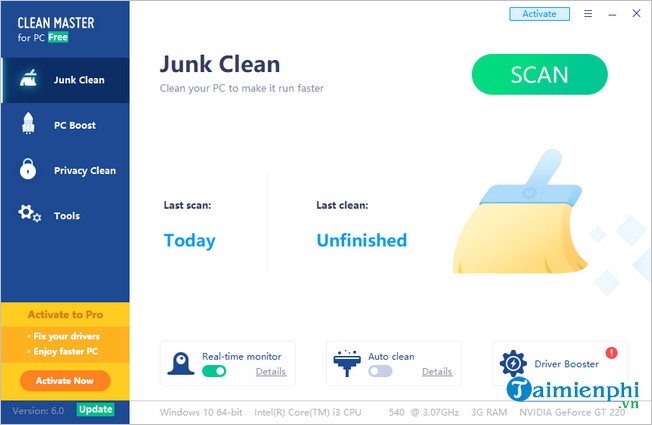
If you're still unfamiliar with Clean Master, check out the detailed usage guide that TipsMake has provided. In fact, the Clean Master interface is quite simple and user-friendly. Therefore, users usually don't need much time to get acquainted with and use Clean Master.
Install Clean Master now to clean up your computer system. Alternatively, you can check out CCleaner, one of the leading software programs available today. Download and use CCleaner to clean your computer and remove unnecessary programs.
For Android users who haven't had the chance to use Clean Master yet, download Clean Master for Android now! It's safe to say that Clean Master's features are just as good as the desktop version. In fact, with manual operation, you can use Clean Master even more effectively to speed up your phone, reduce battery drain, lag, and overheating.
FAQ
How can you install Clean Master, a computer System Cleaning Software?
Downloading and installing Clean Master on your computer helps you clean up leftover system files to completely free up memory.
Do the steps or features vary by device or software version?
They can. Menu names, available settings, and compatibility may differ by device, region, account type, or software version, so check the options shown on your own screen.
What should you do if the recommended method does not work?
Repeat the steps in order, confirm that the requirements are met, and restart the relevant app or device when appropriate. Also check for updates and review any error message before trying again.
Related Articles
 How to Use Clean Master on a Computer8 minutes read
 How to Use Clean Master to Clean up, Speed up Windows6 minutes read
 Clean up Your Computer System with Privazer3 minutes read
 How to Use Clean Space to Clean the Computer4 minutes read
 13 Best Free Windows Computer Cleaning and Acceleration14 minutes read
 Cleaning: an Effective Way to Help Your Computer 'Live' More6 minutes read
Reader Comments 0
Sign in with email or Google to join the discussion.