Table of Contents
Slow Wi-Fi is not always a slow internet plan. The bottleneck may be weak signal, interference, an old client, an overloaded router, or a problem with the ISP connection. Test near the router over Wi-Fi and then over Ethernet before buying equipment; the comparison shows which part needs attention.

1. Put the router in an open, central position
Place the router near the center of the area where Wi-Fi is used, raised above floor level, and away from cabinets, metal objects, thick masonry, televisions, and large appliances. A router hidden in a corner must push the signal through more obstacles.

If the modem enters the home in a poor location, a longer Ethernet cable can often place the router more effectively without changing the internet service.
2. Adjust external antennas methodically
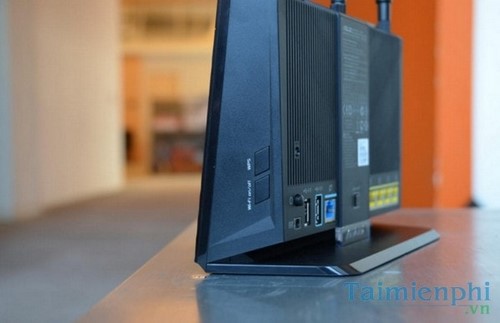
Router antennas usually radiate most strongly out from their sides, not from their tips. Start with the orientation recommended by the manufacturer. With multiple adjustable antennas, using a mix of vertical and angled orientations can help clients held in different positions, but there is no universal “one vertical, one horizontal” rule for every antenna design.
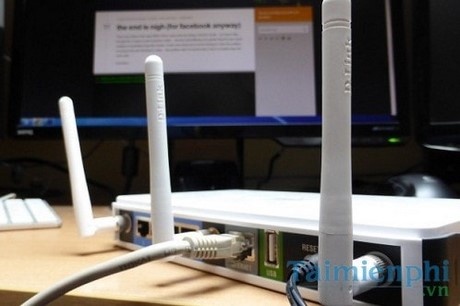
Change one thing at a time and measure signal or throughput from the same locations. Internal-antenna routers should be kept in their intended upright or flat orientation.
3. Choose the right way to extend coverage
For a dead zone, use the best backhaul available:
- Ethernet access point: usually the fastest and most predictable option.
- Mesh Wi-Fi with wired backhaul: convenient roaming plus strong capacity.
- Mesh with wireless backhaul: easier to install, but node placement and radio capacity matter.
- Powerline adapter: performance depends heavily on the electrical wiring.
- Simple repeater: inexpensive, but can reduce available airtime because it receives and retransmits traffic.
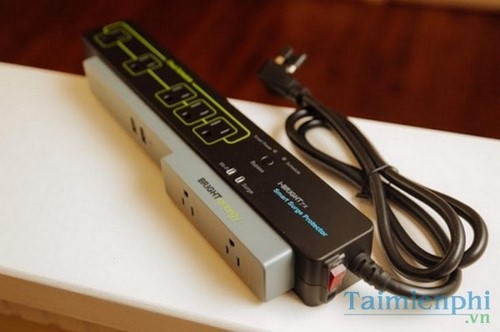
Place a wireless mesh node or repeater where the original signal is still good, not inside the dead zone.
4. Secure the network and review connected devices
Use WPA2 or WPA3 with a long, unique password, change the router's default administrator password, disable obsolete WPS PIN access, and create a separate guest network when available. An unknown device can consume bandwidth, but changing the password on a fixed schedule is less important than using a strong password and changing it after suspected exposure.
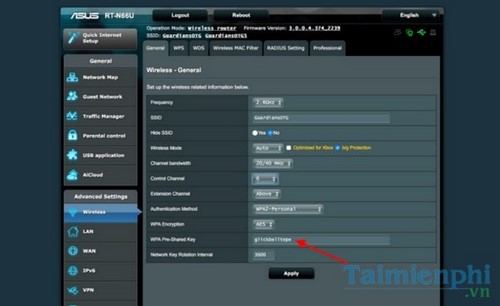
Review the router's client list before disconnecting anything. TipsMake's guide to blocking unauthorized Wi-Fi access covers the related checks.
5. Measure signal and congestion
A Wi-Fi analyzer or heat-map tool can reveal weak rooms, overlapping nearby networks, and where a mesh node should go. Test on the same device and at the same height, because phone and laptop radios can produce different results.
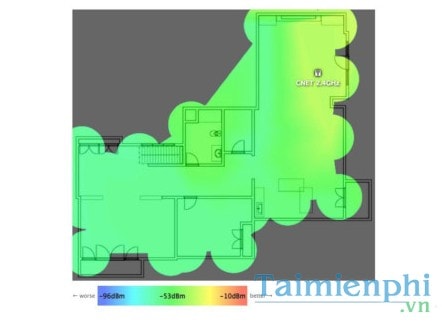
A heat map shows signal strength, not internet throughput or latency. Combine it with repeated speed and ping tests. Avoid uploading a home floor plan to an unfamiliar service without checking its privacy policy.
6. Use 5 GHz or 6 GHz where it makes sense
The 5 GHz band commonly offers more capacity and less 2.4 GHz congestion, but it has less reach through walls. The 6 GHz band on compatible Wi-Fi 6E or Wi-Fi 7 equipment adds clean spectrum but has an even more demanding range and compatibility profile. Keep 2.4 GHz for longer reach and many older or low-bandwidth smart-home devices.
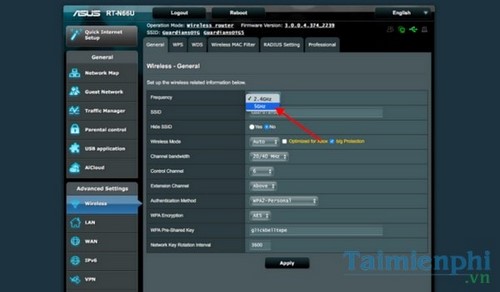
Rather than forcing every device onto one band, use band steering when it works well or separate names temporarily while diagnosing. The guide to 5 GHz Wi-Fi explains the range and speed tradeoff.
7. Select a cleaner channel and sensible width
Automatic channel selection is a good starting point, but a crowded environment may benefit from a manual choice after a scan. On 2.4 GHz, prefer non-overlapping 20 MHz channels permitted in your region; using a very wide channel can create more interference. On 5 GHz or 6 GHz, wider channels can be faster at short range but are more vulnerable to congestion and compatibility limits.
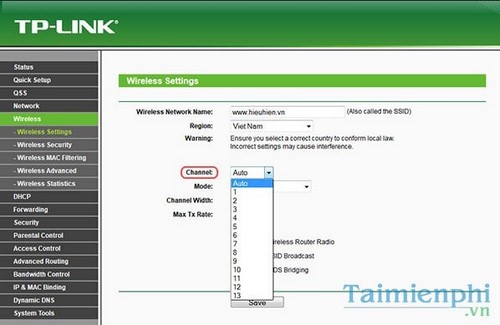
Recheck at different times of day. Neighboring networks and automatic router decisions can change.
8. Update firmware and replace a genuine bottleneck
Install router firmware from the manufacturer or ISP and update Wi-Fi drivers on computers. If the router has slow Ethernet ports, cannot sustain the subscribed WAN speed, lacks security updates, overheats, or cannot cover the number of devices and area, replacement may be justified.
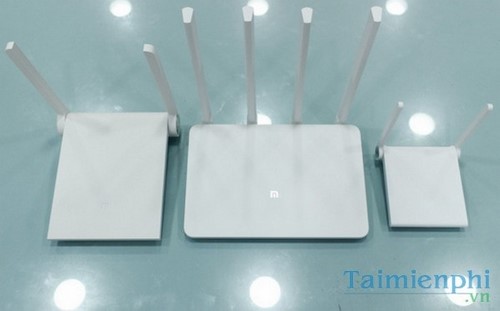
Do not choose by the large combined “AX” or “BE” marketing number alone. Check the WAN and LAN port speeds, supported bands, number of spatial streams, update policy, mesh options, and the capabilities of the client devices. TipsMake's overview of Wi-Fi 6 router features can help identify useful specifications.
9. Reuse an old router only with supported modes
An old router may work as a wired access point if its firmware provides an Access Point mode. A wireless bridge or repeater mode is another option, but it may reduce capacity and complicate roaming.
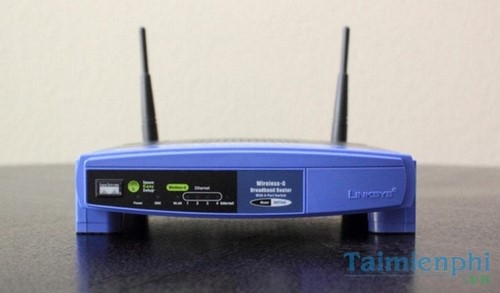
Custom firmware is not required for many routers and should not be the default recommendation. It can brick unsupported hardware or remove vendor-specific features. Use the model's documented mode, give the access point a nonconflicting management address, disable its DHCP server when the primary router handles DHCP, and connect it as the manual specifies.
10. Separate Wi-Fi problems from ISP problems
Connect a capable computer directly to the router by Ethernet and run multiple tests. If Ethernet is also much slower than the plan, check the cable, port negotiation, modem, router WAN capacity, and ISP status. If Ethernet is fast but Wi-Fi is slow, focus on placement, radio settings, coverage, and clients.
Contact the ISP with useful evidence: test times, wired and wireless results, modem light status, affected devices, and whether the fault occurs at all hours. The provider can test the line, replace faulty supplied equipment, or explain whether the subscribed service is reaching the premises.
Quick diagnosis by symptom
| Symptom | Most useful first check |
|---|---|
| Slow only far from the router | Placement, band, and access-point or mesh coverage |
| Slow on every device, including Ethernet | WAN, modem, router ports, and ISP service |
| Fast when idle, laggy during uploads | QoS or smart queue management and upload saturation |
| One device is slow | Client band, driver, radio capability, and background traffic |
| Dropouts at certain times | Interference, channel use, overheating, and ISP logs |
If Wi-Fi disconnects rather than merely running slowly, follow the connection troubleshooting workflow. Change one variable at a time and keep before-and-after results; that prevents an expensive upgrade from masking a simple placement or configuration problem.
Related Articles
 Tips to Speed up the Wi-Fi Network at the Company18 minutes read
 7 Things Affect the Speed of Wi-Fi Network14 minutes read
![[Tips] Some Tips to Speed up the Most Effective Wi-Fi](/data1/thumbs_200x120/[tips]-some-tips-to-speed-up-the-most-effective-wifi-connection_thumbs_200x120_VjqHwt5FY.jpg) [Tips] Some Tips to Speed up the Most Effective Wi-Fi14 minutes read
[Tips] Some Tips to Speed up the Most Effective Wi-Fi14 minutes read Learn About Wi-Fi Ad, Speeds up to 4.6 Gbps, Potentially14 minutes read
 Tips to Maximize Wi-Fi Speed That No One Told You5 minutes read
 These Tips Help Increase Wi-Fi Speed on the Phone4 minutes read
Reader Comments 0
Sign in with email or Google to join the discussion.