Article on the subject of "create form access 2003"
-

MS Access 2003 - Lesson 35: Creating a Form using the Form Wizards
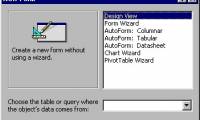
for other database objects, access provides form wizards that you can use to create forms.
-
MS Access 2003 - Chapter 9: Creating Form
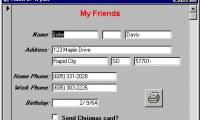
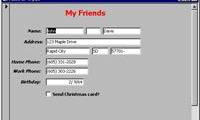
from the beginning of the lessons so far, you have entered and edited the information in the tables. in this lesson, you will learn how to use forms for entering and editing data.
-
MS Access 2003 - Chapter 9: Creating Form
from the beginning of the lessons so far, you have entered and edited the information in the tables. in this lesson, you will learn how to use forms for entering and editing data.
-
MS Access 2003 - Lesson 36: Defining individual Forms
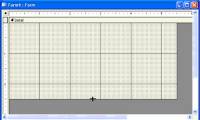
when wizard forms do not meet your needs, you can use the design window to create a separate form or edit an existing form.
-
MS Access 2003 - Lesson 35: Creating a Form using the Form Wizards
for other database objects, access provides form wizards that you can use to create forms.
-
MS Access 2007 - Lesson 12: Design Forms
forms allow you to control the interface of the data entry screen and the generated reports. in this article, we will show you how to create a form and view the form in access 2007.
-
MS Access 2003 - Lesson 15: Create an initial table
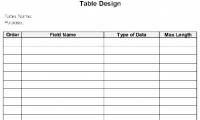
in this section, you are ready to create a table for the new database. in chapter 2, you used the table wizard to create tables easily. this not only shows that creating a table manually is difficult; but it is a sure way to understand the table.
-
MS Access 2003 - Lesson 12: Working with a table
you have learned how to create and design tables in access. and now it's time to learn how to manipulate all tables.
-
MS Access 2003 - Lesson 5: Chapter 2: Access Learning in 1 hour
access is a powerful, flexible and easy-to-use database management program. in this chapter, you will start to mention access's capabilities.
-
MS Access 2003 - Lesson 1: Chapter 1: Terminology Access
this chapter is the first step in learning and familiarizing with basic terms, as well as how to start and exit access. you will get help and master the outline of what you can do with access.
-
MS Access 2003 - Lesson 6: Creating a table in Access
after creating the database, you need to create at least one table. access uses tables to determine the data structure in the database. each table contains a collection of related information.
-
MS Access 2003 - Lesson 3: Consider working
when you start using access, you will be surprised at what you can do with the program. you really know that access is a full-featured database program built to easily manage large amounts of data. but how to work with the program?
-
Create forms (forms) in Access 2016
creating a form for your database can make data entry more convenient. when you create a form, you can design it to match your database.
-
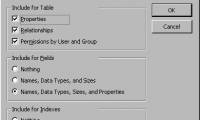
MS Access 2003 - Lesson 27: Printing information for objects
access allows you to print the layout of tables or any database objects you have specified (such as queries, forms, macros). doing this uses a feature that access calls documenter.
-
Ms Access 2003 - Lesson 14: Chapter 4: Creating another database
in this chapter, you will meet some of the parts mentioned in chapter 2, but from a different perspective. you will learn how to manually create a table without relying on the table wizard ..
-
MS Access 2003 - Lesson 37: Summary of chapter 9
forms provide a convenient and convenient way to represent information and import data from users.
-
MS Access 2003 - Lesson 31: Creating a Report
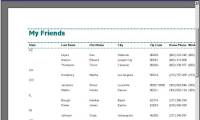
to get started with report wizard, make sure the reports tab is selected in the database window. then, double click on the create report by using wizard. access displays the report wizard dialog box as shown in figure 1.
-
MS Access 2003 - Lesson 33: Creating Mailing Labels (mailing labels)
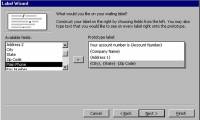
in the previous section, you learned about the lable wizard that you can use to create mailing labels. mail necessary labels in every business.
-
MS Access 2003 - Lesson 16: Check your presentation
after the table layout has been defined, you need to check and improve the table. you can do this easily by using the datasheet mode for the table.
-
MS Access 2003 - Lesson 26: Adjust the print page
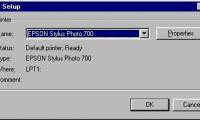
like many programs, access provides all the features of the window environment. access uses the print utilities provided by the windows environment, which means it can use any windows printer to use.
-
MS Access 2003 - Lesson 23: Own query design
at this point, you can use the query wizard to create queries. but query wizard only creates a few commonly used queries. if one of those queries doesn't match, you can create your own query.
-
MS Access 2003 - Lesson 11: Chapter 3: Customizing components
in the previous chapter, you learned how to create a database and create a table, as well as how to enter and edit information in the table. in this chapter, you will set up on the basis of chapter 2.
 Home
Home Tech info
 Technology
 Science
 Life
Life Application
 Electric
 Program
 Mobile
 System