Table of Contents
Notion AI Meeting Notes can capture meeting audio, create a transcript, and generate a summary on a Notion page. Add an agenda before recording, obtain participant consent, and review the transcript before treating the summary as an accurate record.
The screenshots below show one version of the interface. The current desktop app may use an AI Meeting Notes block started with /meet rather than the exact labels shown.
1. Create a meeting page
Open Notion and create a page for the meeting. Use a title that includes the subject and date. Add the agenda, known attendees, and decisions that need to be made; Notion can use both your written notes and the transcript when generating the summary.
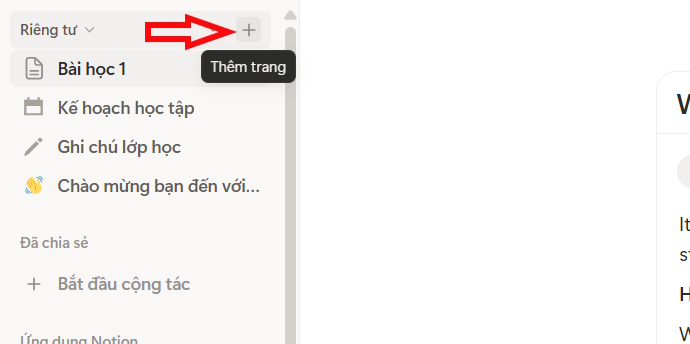
2. Add AI Meeting Notes
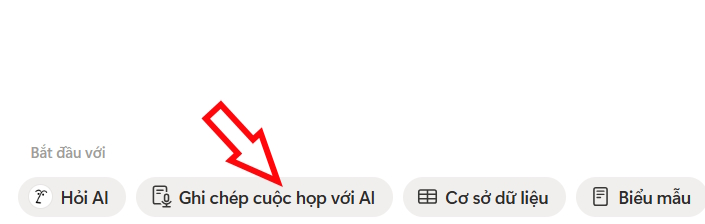
In the Notion desktop app, type /meet and select the AI Meeting Notes block. You may also find it from an upcoming calendar event or a meeting-note control on an existing page.
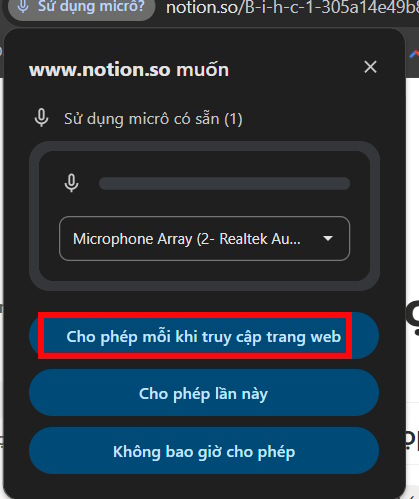
Notion may request microphone, system-audio, or screen-recording permission so it can capture your voice and other participants during a virtual call. Review the operating-system prompt and grant only the access needed for this recording.
3. Obtain consent and start transcription
Tell every participant that the meeting will be recorded and transcribed, and obtain any consent required by your organization and applicable law. Notion's AI Meeting Notes guide also recommends consent before recording.
Select Start transcribing only after consent has been established. Confirm that the recording indicator and timer appear.
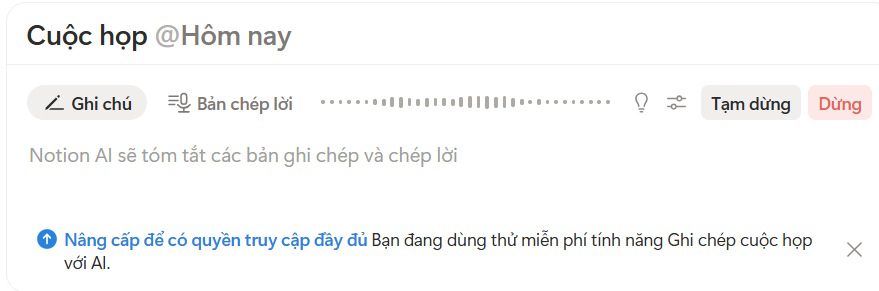
During the meeting, write short notes for decisions, unusual spellings, and action owners. These help you check the automated transcript and can improve the summary.
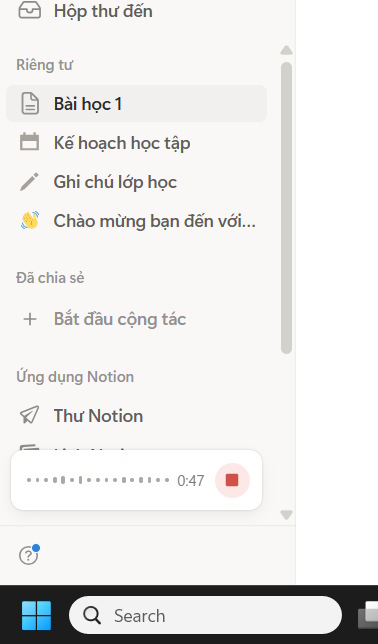
4. Stop the recording and generate the summary
At the end, select Stop. Allow the transcript and summary to finish processing. Notion may create a title automatically, but replace it with a clear, searchable title if needed.
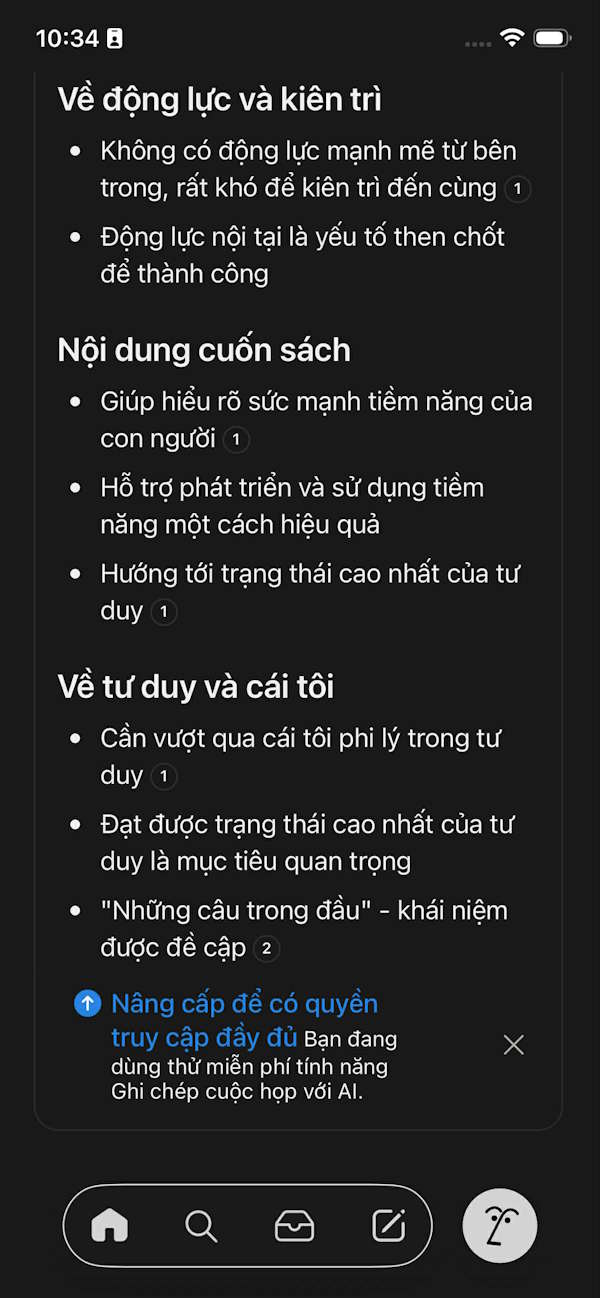
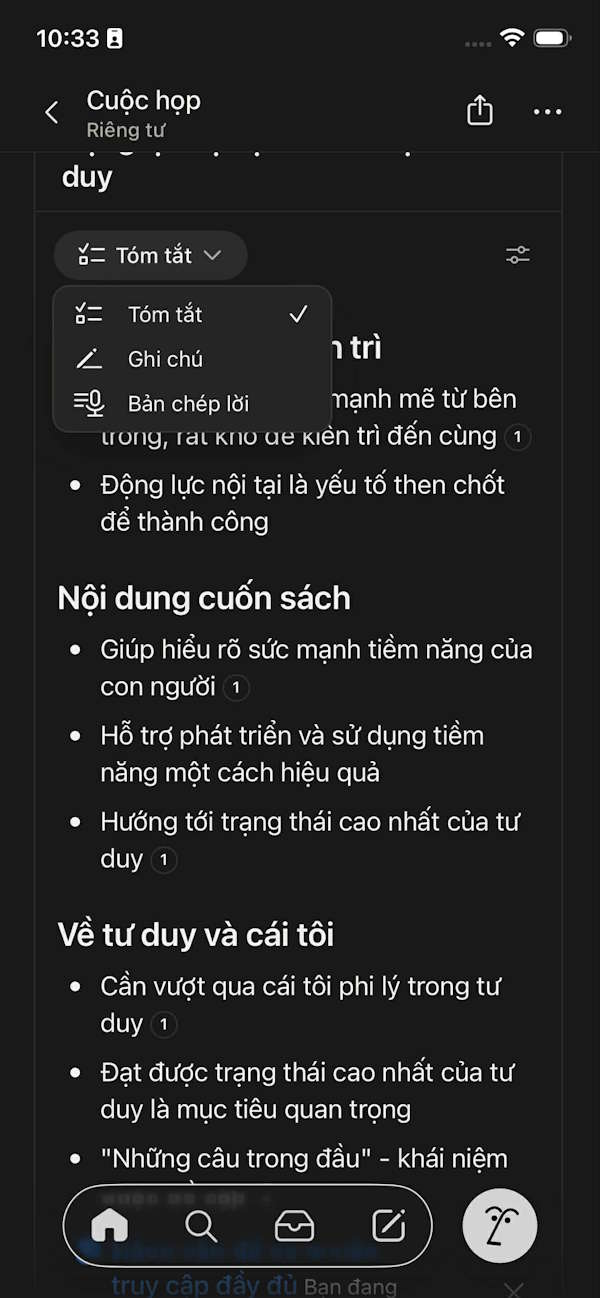
5. Verify the meeting record
Read the summary alongside the transcript and your notes. Check:
- the exact decision and any conditions attached to it;
- action-item owners and due dates;
- names, product terms, figures, and quotations;
- statements that were proposals rather than agreed actions;
- important disagreements or unresolved questions;
- items that should be removed because they are private or off the record.
Ask participants to confirm material decisions when the notes will be used as an official record. For a source-bound workflow, see how to extract, validate, and format meeting notes.
Control access and retention
Meeting notes inherit the permissions of the Notion page. Before sharing it, check who can view the page and whether the transcript contains sensitive material. Follow your organization's retention rules and remove recordings or transcripts when they are no longer required.
The feature requires an internet connection, and workspace administrators can control its availability and consent settings. If the block is missing, update the desktop app, confirm that the workspace allows Notion AI, and check plan access. For alternatives and different workflows, compare AI note-taking apps for study and work.
Related Articles
 Detailed How to Use Notion Web Clipper7 minutes read
 6 Fun Ways to Use Notion: Top Picks and Buying Guide12 minutes read
 7 Most Useful Notion Widgets6 minutes read
 How to Use the Summarize Feature on macOS - Summarize Text Content5 minutes read
 6 Reasons You Don't Need a Notion Plus Subscription6 minutes read
 Notion Calendar Explained8 minutes read
Reader Comments 0
Sign in with email or Google to join the discussion.