Table of Contents
AI note-taking apps solve different problems. Notion and Evernote organize a broad knowledge base, Otter and Fireflies capture meetings, Turbo AI turns study material into learning aids, and Google Keep is built for fast personal notes. Choose the workflow first; the longest feature list is not necessarily the best fit.
All automated transcripts and summaries need review. Poor audio, overlapping speakers, names, acronyms, numbers, and implied decisions can be captured incorrectly. For meetings or lectures, obtain any required consent before recording and follow organizational, institutional, and local rules.
Quick comparison
| App | Best for | Primary input | AI output | Main trade-off |
|---|---|---|---|---|
| Notion | Shared docs, projects, databases, and meeting knowledge | Typed notes, workspace pages, connected content, meetings | Writing, summaries, answers, databases, transcripts, and action items | Flexible setup can become complex |
| Otter | Live meetings and searchable conversation records | Zoom, Google Meet, Microsoft Teams, audio, and live speech | Transcript, summary, insights, and action items | Not designed as a general personal notebook |
| Fireflies | Meeting capture connected to business workflows | Calls, conferencing platforms, recordings, and uploads | Transcript, custom summary, decisions, and action items | Best value depends on integrations and administrative needs |
| Evernote | Personal notes and long-term information retrieval | Notes, scans, attachments, and supported meeting audio | Editing, semantic search, answers, cleanup, and meeting notes | Feature access varies by plan and platform |
| Turbo AI | Turning lessons and source material into study aids | Lectures, PDFs, videos, links, and recordings | Notes, flashcards, quizzes, activities, and podcasts | Study system rather than a full work notebook |
| Google Keep | Quick notes, lists, reminders, images, and voice capture | Short text, checklists, drawings, photos, and voice | AI-created lists and Gemini-assisted note capture where available | Limited hierarchy and long-form organization |
1. Notion: an all-purpose workspace with AI
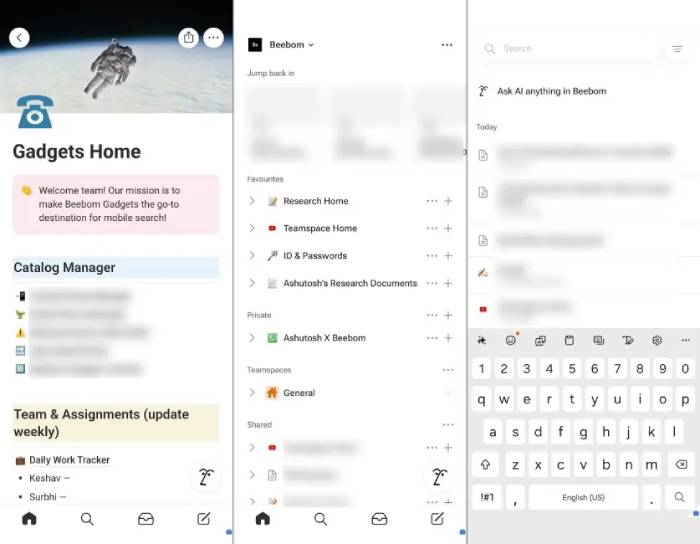
Notion AI works inside a flexible workspace of pages, databases, tasks, and team projects. It can draft and edit text, summarize pages, answer questions from workspace content, create databases, and use connected sources. Its AI Meeting Notes feature can transcribe a meeting and generate a summary and action items inside the relevant project space.
Choose Notion when
- notes must connect to projects, tasks, owners, and deadlines;
- a team needs one searchable location for decisions and documentation;
- you want templates and databases rather than a simple list of notes; or
- meeting records should live beside the work they affect.
Start with a small structure: an inbox, projects, reference notes, and an archive. Adding databases for every possible category before the workflow is clear creates maintenance work. For AI Meeting Notes, Notion explicitly asks the user to confirm that everyone has consented to recording and transcription.
2. Otter: live transcription and meeting follow-up
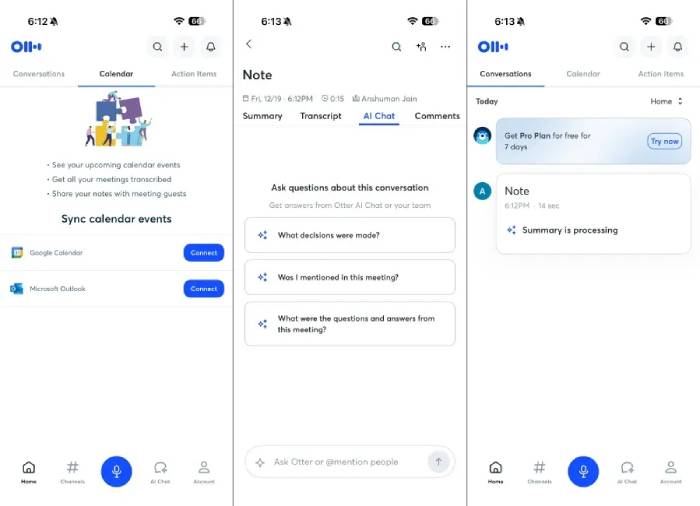
Otter is a meeting assistant rather than a conventional notebook. It can join supported Zoom, Google Meet, or Microsoft Teams calls, provide a live transcript, and produce summaries, insights, and action items. Participants can search the conversation, revisit the synchronized audio, and collaborate around highlights or comments.
Choose Otter when
- live transcripts help participants follow a conversation;
- the team needs a searchable record tied to the original audio;
- meetings happen primarily in supported conferencing platforms; or
- users want summaries and action items without maintaining a larger workspace.
Review names, numbers, deadlines, and owners while the conversation is still fresh. If a task matters, rewrite it in a complete form: owner + action + deliverable + due date. Do not let an automatically inferred task silently become a commitment.
3. Fireflies: meeting records connected to workflows
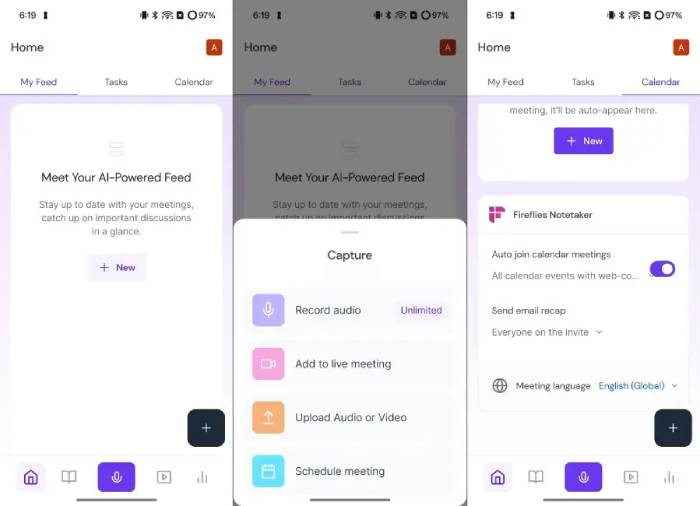
The source repeatedly calls this product “Firefox,” but the correct name is Fireflies. It records or imports conversations, transcribes them, and produces customizable summaries with decisions, action items, and next steps. Its integrations can send meeting information to tools such as CRMs, collaboration apps, and note systems.
Choose Fireflies when
- meeting notes need to move into a CRM or another operating system;
- different meeting types require different summary templates;
- administrators need a repeatable capture and sharing process; or
- teams want to search a library of customer, sales, recruiting, or internal conversations.
Test the exact integrations before purchasing. Confirm what is sent, where it is stored, whether duplicate records are created, who can see the transcript, and how recordings are deleted. A technically successful sync can still expose information to the wrong audience if permissions are not mapped carefully.
For a deeper comparison of meeting-focused options, see TipsMake's guide to AI meeting assistants.
4. Evernote: personal knowledge storage with AI search and editing
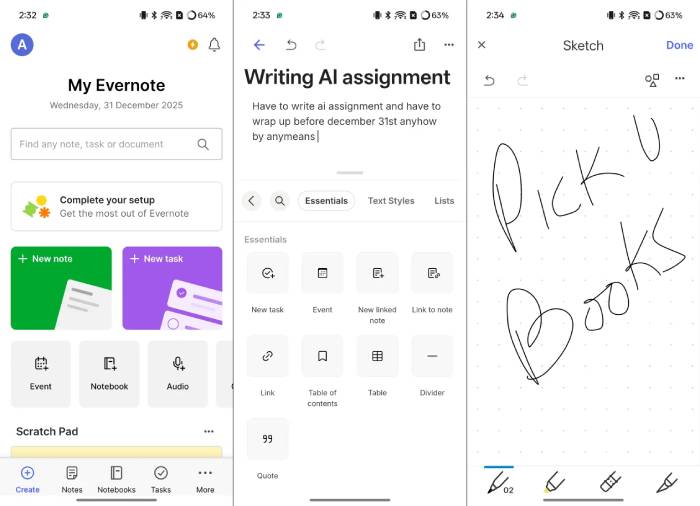
Evernote remains a general-purpose note archive. Its current AI features include AI Edit for summarizing, rewriting, translating, correcting, and reformatting text; semantic search and answers across notes; OCR-assisted processing of PDFs and images; and meeting-note features in supported workflows.
Choose Evernote when
- you already have years of notes and attachments to search;
- web clips, scans, personal notes, and tasks belong in one archive;
- semantic retrieval is more important than building custom databases; or
- AI should assist an established note-taking habit rather than define it.
AI cannot repair an archive with no ownership or retention rules. Use a simple inbox, a limited set of notebooks or tags, and regular review. When an AI answer draws from old notes, open the cited source and check the date and current relevance before acting on it.
5. Turbo AI: notes that become study material
Turbo AI, previously known as TurboLearn AI, is designed for students. It can turn live lectures, recordings, videos, PDFs, and other source material into organized notes, then generate quizzes, flashcards, activities, and podcast-style study content. Users can also chat with the resulting notes.
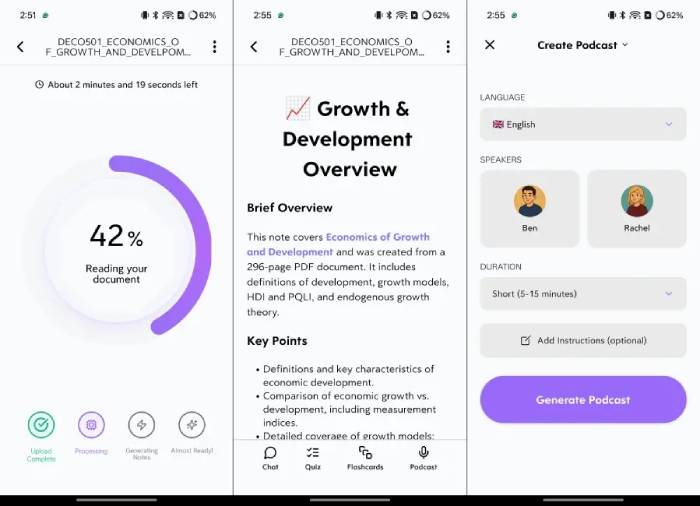
Choose Turbo AI when
- the goal is active recall rather than only storing a transcript;
- lectures and uploaded sources should become several study formats;
- students want to review through quizzes, flashcards, or audio; or
- a course-specific study space is more useful than a general work notebook.
Generated flashcards can oversimplify or repeat an error from the transcript. Compare them with the lecturer's slides, assigned reading, and your own notes. Delete cards that test trivia rather than the learning objective, and rewrite answers in language you understand.
Students who need a broader notebook rather than an AI-first study generator can compare TipsMake's note-taking apps for students.
6. Google Keep: fast capture with selective Gemini features
Google Keep is the simplest product in this group. It handles short notes, checklists, drawings, photos, labels, colors, sharing, and voice capture. It works well as an inbox for thoughts and reminders that do not need a complex hierarchy.
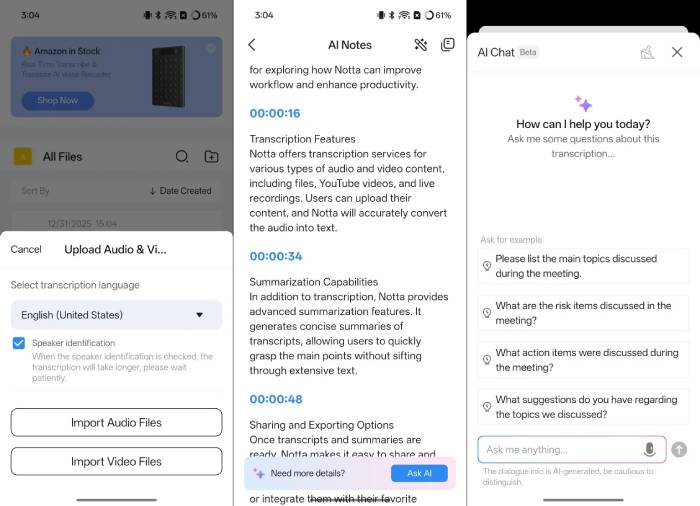
The original article overstates AI inside Keep. Google's documented features are more specific: eligible Android users can use Help me create a list, and Gemini Apps can connect to Google Keep to create or show notes and lists and add items to an existing list. Availability depends on account, device, region, language, and settings. These features do not turn Keep into a full meeting transcription or long-document summarization platform.
Choose Google Keep when
- speed matters more than folders, databases, or long documents;
- you need a shared shopping list, checklist, reminder, or captured idea;
- notes should move easily into Google Docs or other Google workflows; or
- a lightweight inbox will feed a separate long-term system.
TipsMake's article on a three-app note-taking system shows how Keep can handle quick capture while other apps hold temporary and long-form material.
How to choose an AI note-taking app
- Define the source. Are you typing, speaking live, uploading a recording, scanning paper, or importing files?
- Define the durable record. Decide whether you need the audio, verbatim transcript, edited minutes, personal notes, or only action items.
- Test difficult input. Use a real sample with accents, acronyms, noisy audio, overlapping speakers, formulas, and names.
- Review editing controls. You should be able to correct the transcript, change the summary, assign owners, and link back to the source.
- Check export and integrations. Confirm the exact file formats, destination fields, permissions, and behavior when a user leaves.
- Review privacy and retention. Determine where audio and text are processed, how long they are retained, whether they are used for model training, and how deletion works.
- Calculate the real cost. Include per-user charges, transcription limits, storage, integrations, administrative controls, and time spent reviewing output.
A reliable meeting-note workflow
- State that the meeting will be recorded or transcribed and obtain the required consent.
- Prepare an agenda with the decisions needed and any expected owners.
- During the meeting, verbally confirm important decisions, names, dates, and numbers.
- After the meeting, compare the summary with the transcript or audio.
- Rewrite action items with an owner, deliverable, and deadline.
- Remove sensitive side conversations and restrict access to the appropriate group.
- Share the edited record promptly and let participants correct errors.
The value of AI notes comes from a trustworthy review process. A polished summary can still omit disagreement, invent an owner, or turn a tentative idea into a decision. Keep the source available long enough to verify the record, then apply the organization's retention policy.
Related Articles
 7 Top Distraction-free Note-taking Apps for Windows: Best Options Compared7 minutes read
 Top 10 Note-Taking Apps for Linux8 minutes read
 Why Should You Stop Switching Note-taking Apps to Obsidian?6 minutes read
 Android Note Apps: The 10 Best Free Note Taking Apps for Android10 minutes read
 How to Update Apps on iOS 116 minutes read
 7 Best Note Taking Apps for Ipad and Ipad Pro8 minutes read
Reader Comments 0
Sign in with email or Google to join the discussion.