Table of Contents
This updated guide explores learn about dark web tracking service f - secure ID protection with practical details, clear explanations, and useful takeaways. Many people never considered the dark web a real threat until one of their favorite services warned them about a data breach. That wake-up call prompted them to dig deeper and try a dark web monitoring service: F-Secure ID Protection.
What Is F - Secure ID Protection?

F-Secure ID Protection is a digital security service designed to protect user identities by monitoring the dark web for leaked personal information. The service offers a full suite of identity protection features, including continuous online identity monitoring.
The service will alert you if your email, logins, or other sensitive data is found in known data breaches or illegal marketplaces. It also includes other tools, like a secure password manager and VPN.
it is not a free service, though. F-Secure's ID Protection costs $65/year and includes a password manager, dark web monitoring, breach alerts, and dedicated professional help in the event of a data breach.
How to Set Up F - Secure ID Protection
Signing up and setting up dark web monitoring on F-Secure's ID Protection service is fairly straightforward. First, you fill out a registration form with the necessary information to confirm your participation. The initial setup process lets you choose which devices to protect, as F-Secure offers device and ID protection.
You can skip device protection (or set it up later) and select ID Monitoring in the upper left corner. Next, accept the terms of use and you're ready to turn on dark web monitoring. choose Add Monitored Item , then enter your email address.
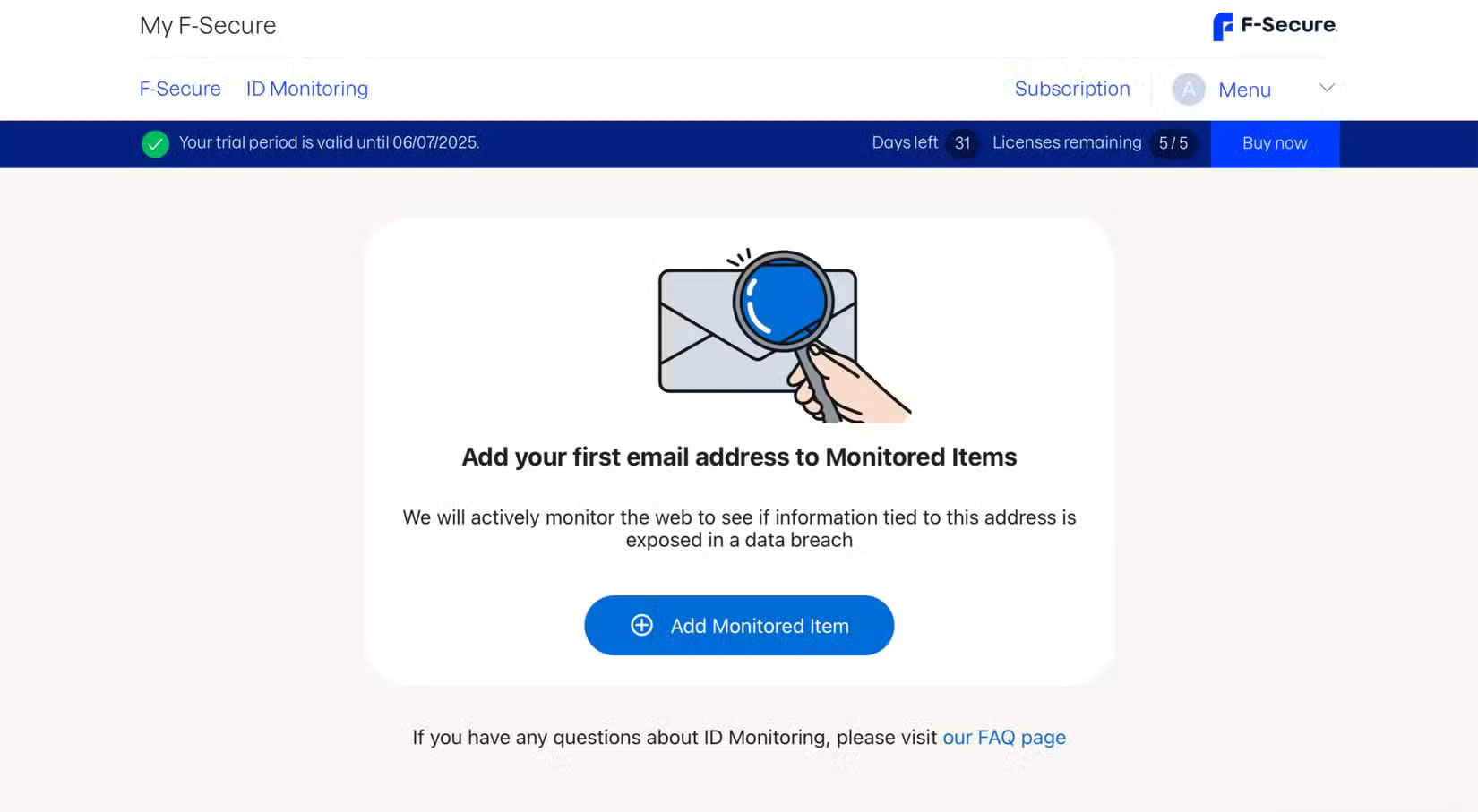
Once submitted, the site will send a confirmation email to the email address entered. Once confirmed, the service will scan the dark web for your personal information in previous data leaks or leaks and provide immediate results.
Does F - Secure ID Protection Find Your Data on the Dark Web?
After confirming via email, it was time to determine if your data was on the dark web. F-Secure quickly ran a scan and returned results almost immediately. As expected, the scan showed that the author's data was on the dark web. The author had used tools like F‑Secure Identity Theft Checker and had a clue that his data had been exposed.
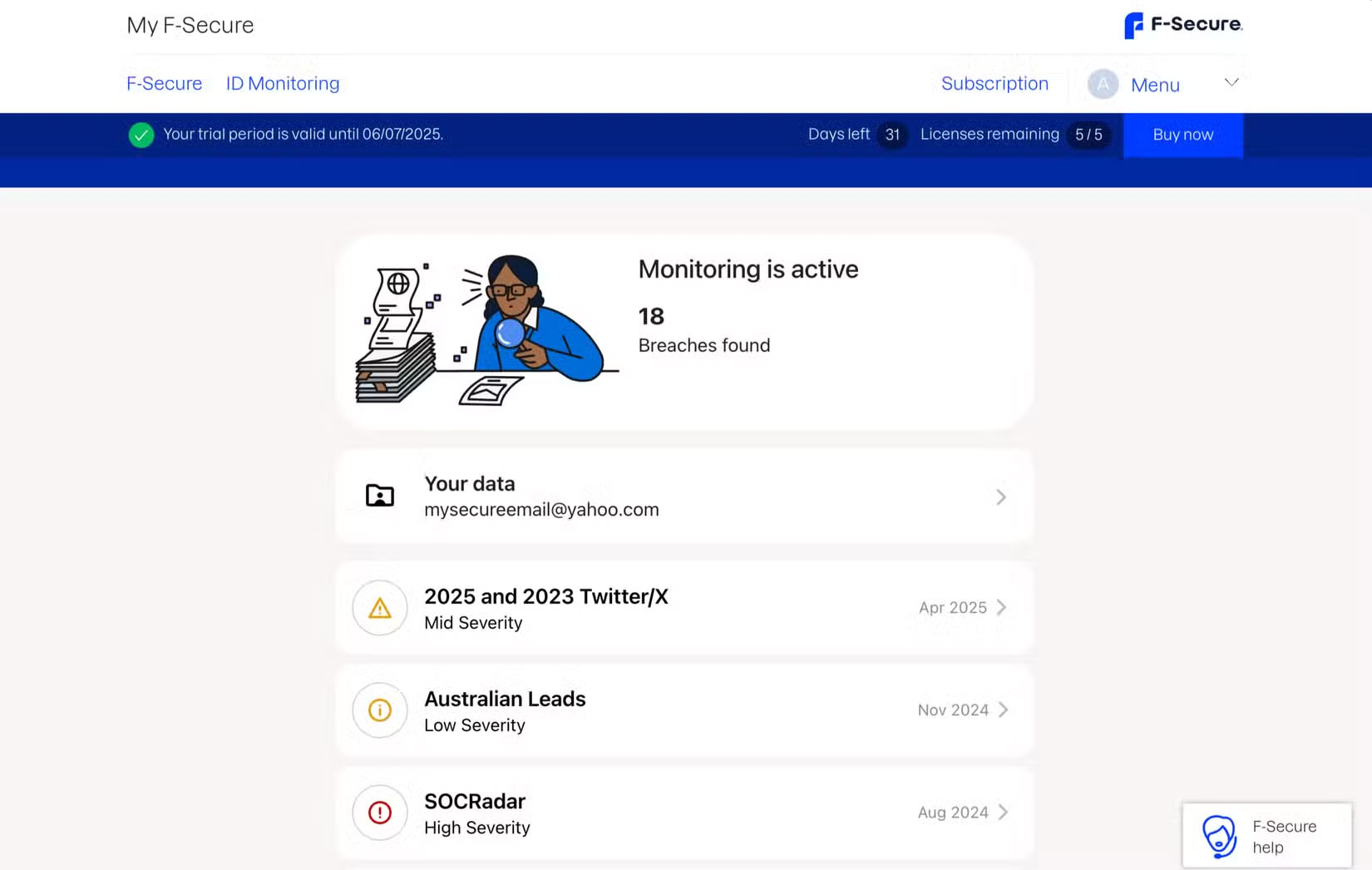
Still, the service displays the results in a nice dashboard, showing the total number of breaches that have been detected and analyzed for each, along with the date the data was discovered. F-Secure's analysis is quite handy, with not only the date and leak information, but also a handy icon indicating the severity of each one.
Pay special attention to high severity breaches, which are very concerning. To be clear, a high severity label means your passwords, credit card information, passport numbers, or social security numbers have been exposed.
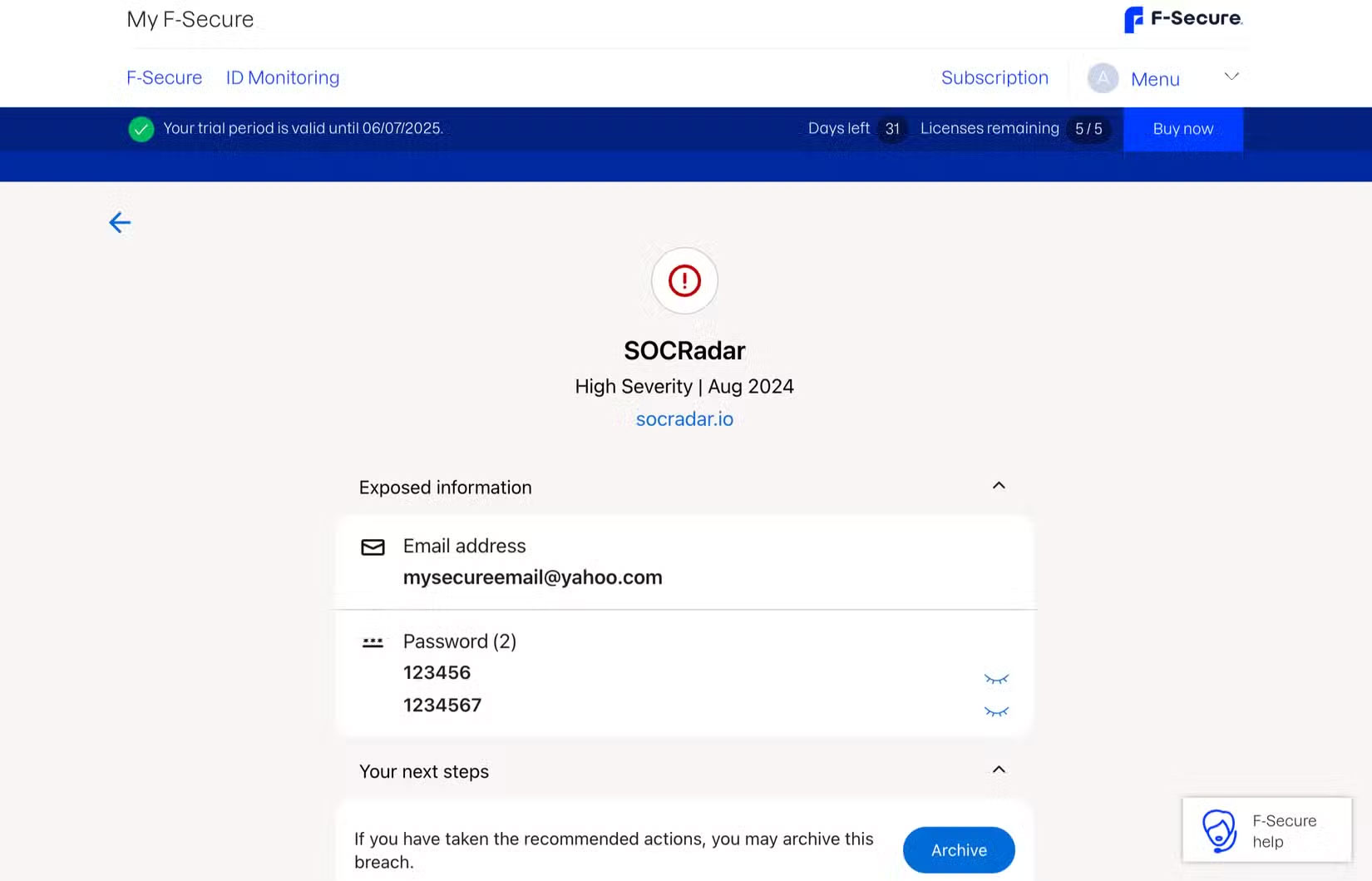
On F-Secure, you can select each leak to see more details, such as what information was leaked and what information was found. for instance, if your password or city of residence was leaked, F-Secure will show you the compromised data.
But some of the more recent breaches are even more concerning. for instance, the most recent breach in which the data in the example was discovered was in April 2025, but fortunately that only exposed the victim's email X (formerly Twitter), username, and city. In 2024, the data was discovered in two breaches, prompting the victim to take immediate action.
What to Do After Finding Your Data on the Dark Web?
it is frustrating to see some serious breach involving your data. But F-Secure does not keep you waiting. It provides clear guidance on what to do next if personal data is found on the dark web.
First, review each breach and take immediate action on affected accounts. Set strong, unique passwords using our secure password generator guide for all affected services. Also, ensure two-factor authentication is enabled on all your accounts for added security.
FAQ
What is the main takeaway about Learn About Dark Web Tracking Service F - Secure ID Protection?
The key is to understand the core idea, compare the available options, and apply the practical guidance that matches your situation.
What should beginners know about Learn About Dark Web Tracking Service F - Secure ID Protection?
Start with the essential steps and terminology. Avoid changing advanced settings until you understand how they affect performance, privacy, cost, or compatibility.
How can I use this information in practice?
Follow the relevant section in order, test one change at a time, and confirm the result before moving to the next step or recommendation.
Related Articles
 What Is Dark Web? Who Uses It? the Potential Dangers of Dark Web20 minutes read
 Firefox 57 Adds the Option for Tracking Protection3 minutes read
 How to Use the Dark Web Without Doing Anything Illegal10 minutes read
 Host Service Dark Web Is Hacked, Data Is Stolen10 minutes read
 Why Is Customization Service a Privacy Nightmare on Samsung Phones7 minutes read
 How to Block Tracking Cookies on Firefox: Block Browser Cookies4 minutes read
Reader Comments 0
Sign in with email or Google to join the discussion.