Table of Contents
This updated guide compares Windows features you should turn on by default and highlights the details that matter most. Windows comes with many useful features that are hidden or disabled by default, although they are good enough to be enabled on first launch.
9. Show File Extensions
Windows hides file extensions by default, making it more difficult to distinguish between file types, especially for similar media types like JPEG, PNG, and SVG for images or MP3, M4A, and WAV for audio. Without visible file extensions, it is also easier for malware to disguise itself as a regular file by using familiar Windows icons to fool users.
By displaying the file extension, you can easily tell if the file is a JPG, PNG, RAW, or something more suspicious, like an executable disguised as a document. This also lets you edit the file extension to correct an incorrect type label or determine how to open the file.
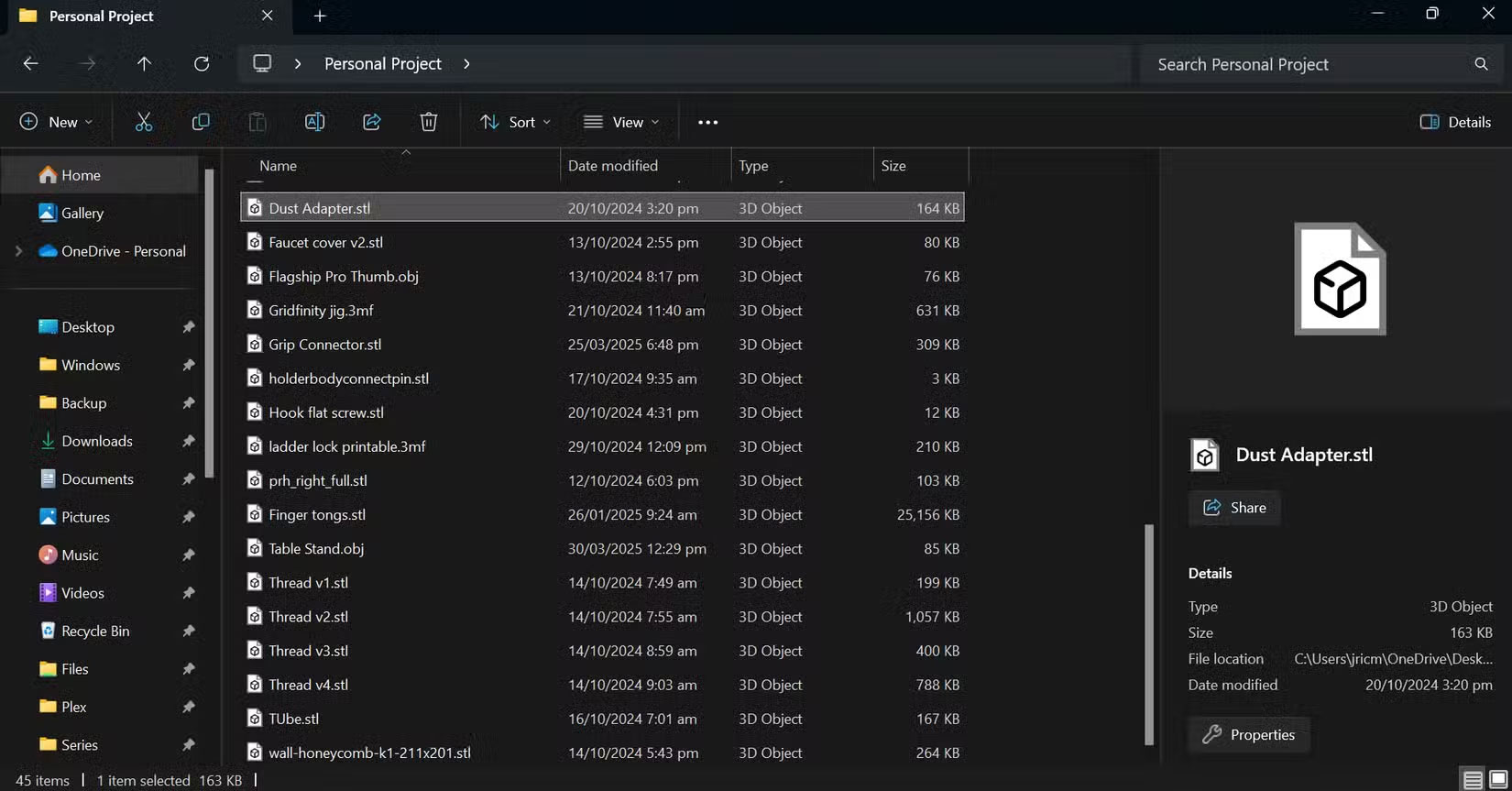
This is the folder where a person stores his 3D design files. Without the file extension, it would be impossible to tell if the file is STL, 3MF, or OBJ.
8. Show Hidden Files
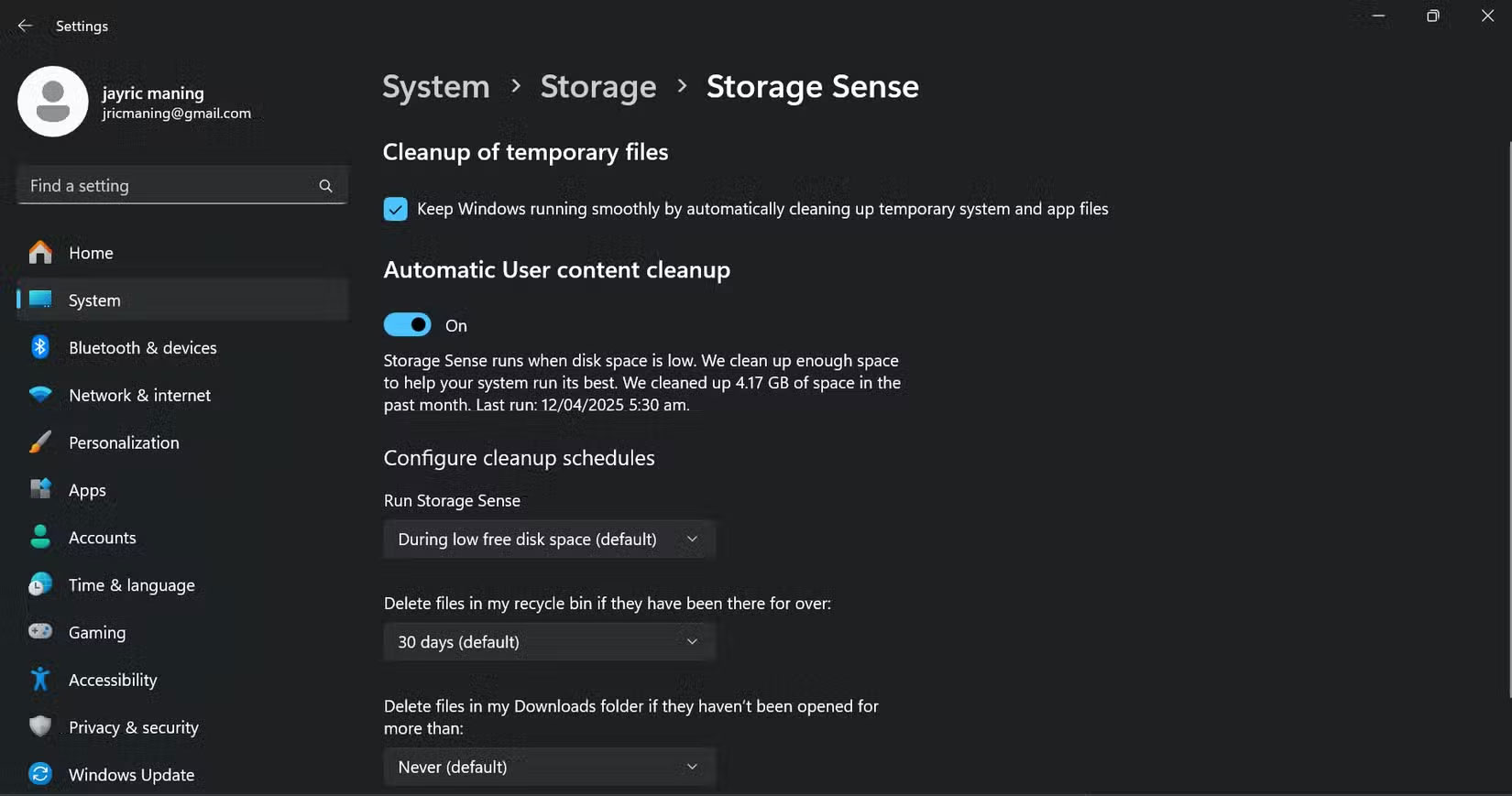
Along with file extensions, showing hidden files is another setting It is best to always enable. By default, Windows hides many important folders. This includes configuration files, application data, and caches that most people never see. While this helps prevent accidental changes, it can be a real hindrance if you need to troubleshoot or migrate your settings to a new device.
for instance, many people often need to copy configuration files for certain applications when setting up a new PC or syncing settings between devices. Without displaying hidden files, it would be difficult or impossible for non-technical users to locate and copy these important configuration files.
7. Storage Sense
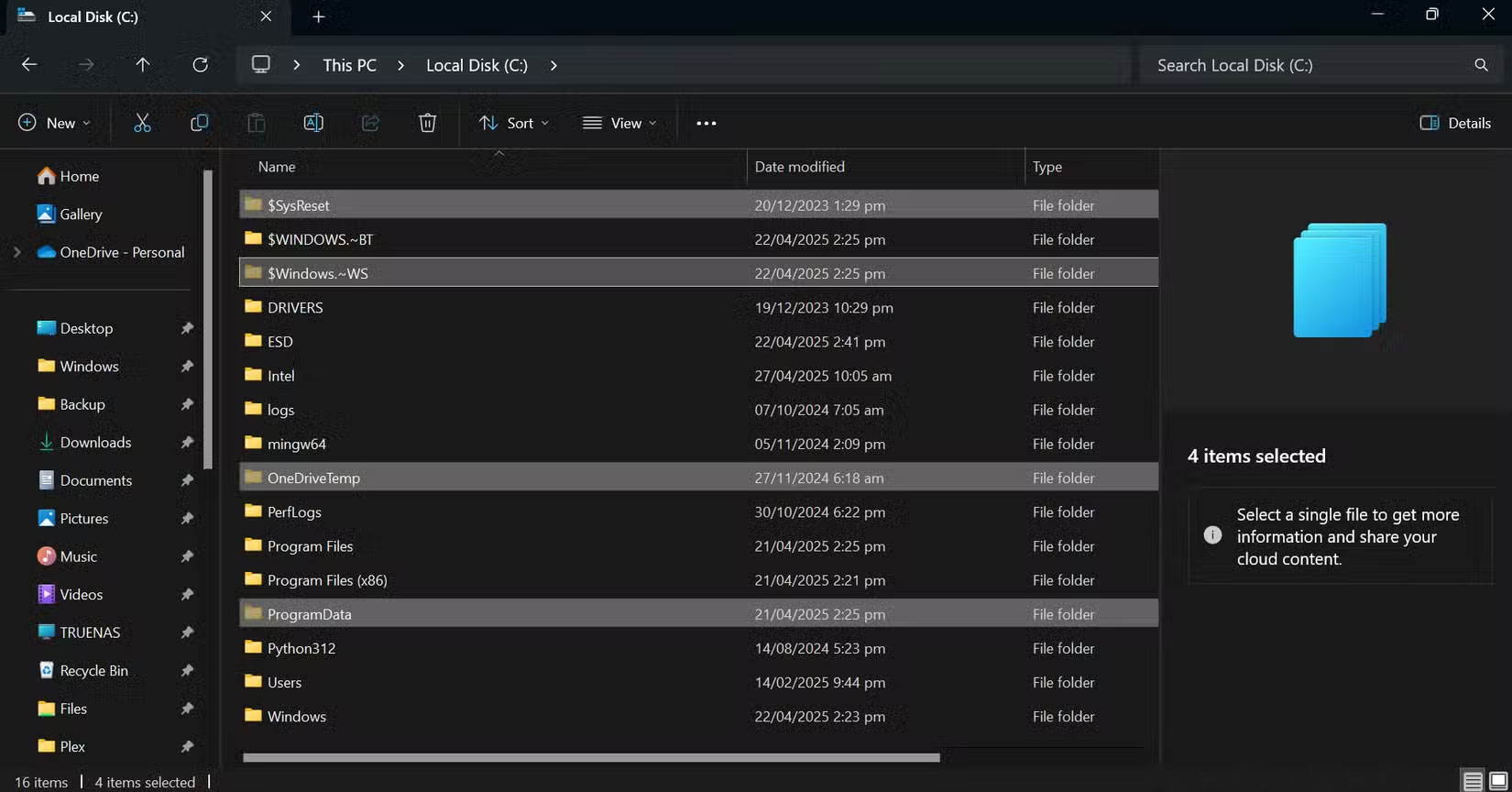
Storage Sense is one of those features that silently does its job in the background. It automatically deletes temporary files, empties the Recycle Bin, and manages OneDrive storage, freeing up space without you having to think about it. it is especially useful on laptops, as it helps you save a little space and optimizes your device.
For most of us, there's really no downside to having Storage Sense enabled by default. As you can see, I've saved over 4GB of storage in the past month alone.
6. Clipboard History
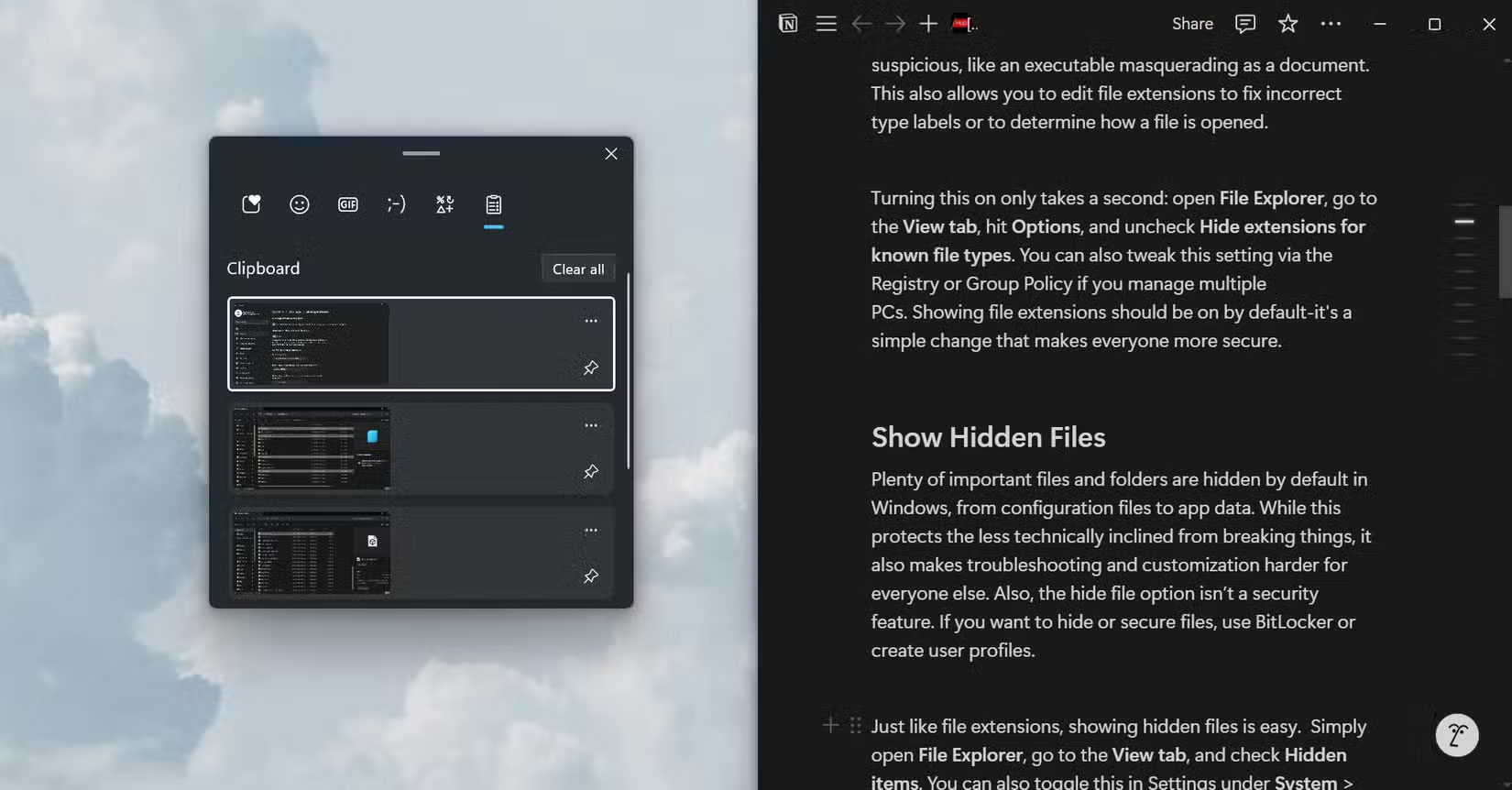
You will find a number of Windows features that can improve user productivity. Clipboard History is one that It is best to be using. By simply pressing the Windows + V shortcut, you can access recently copied items (text and screenshots), pin favorites, or clear the entire list when you want to start over. This is one of those features that many people use often, especially when doing in-depth research on certain topics for work and personal projects.
5. Focus Assist
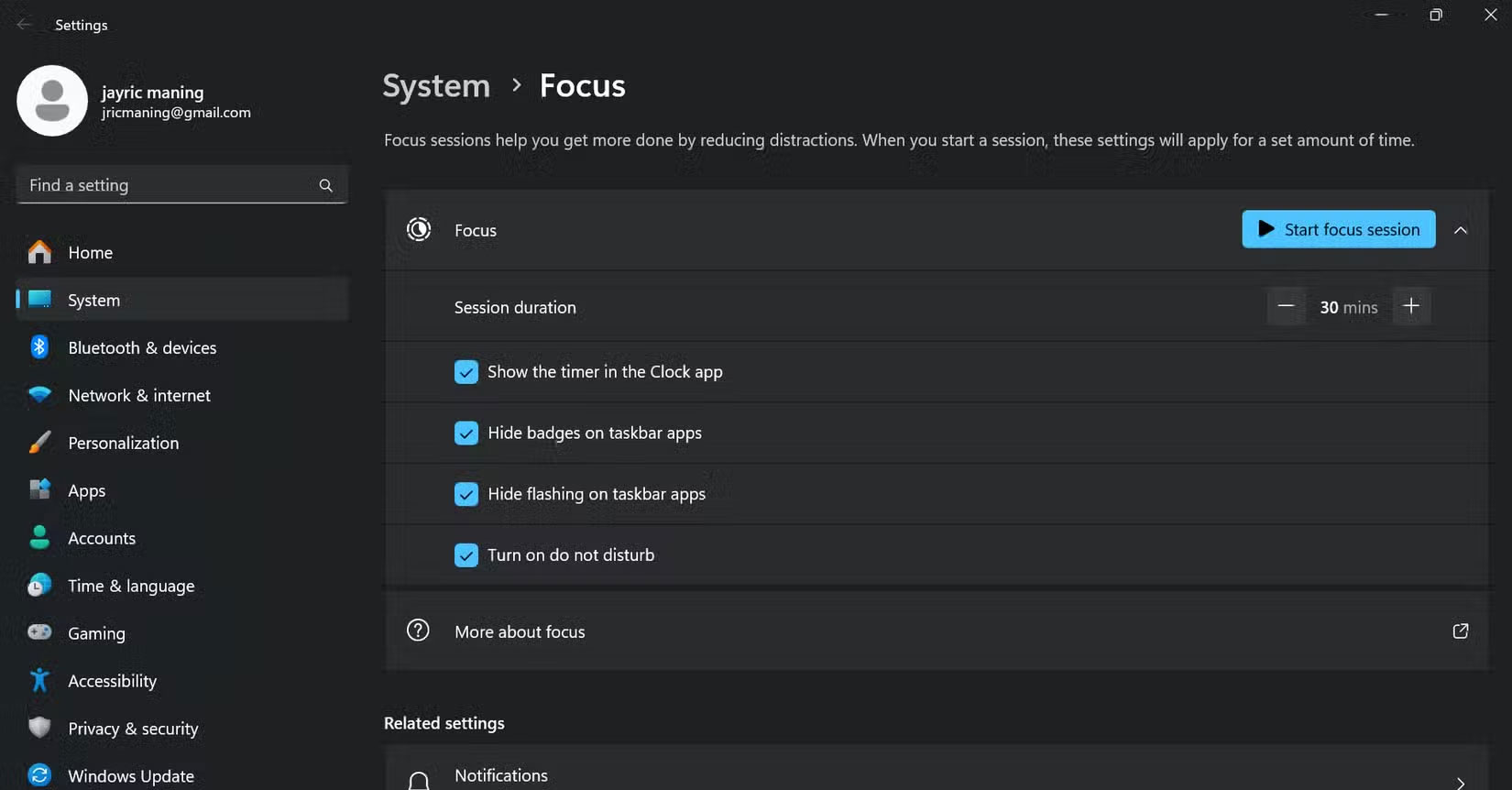
Notifications are productivity killers, and Windows Focus Assist helps you block them when you need to focus. Focus Assist typically only turns on automatically when you're duplicating your screen, playing a game, or using a full-screen app. But most people need distraction-free time to work, too. Turning Focus Assist on by default, or at least making it easy to schedule, would help people get more done.
4. Automatic Night Light
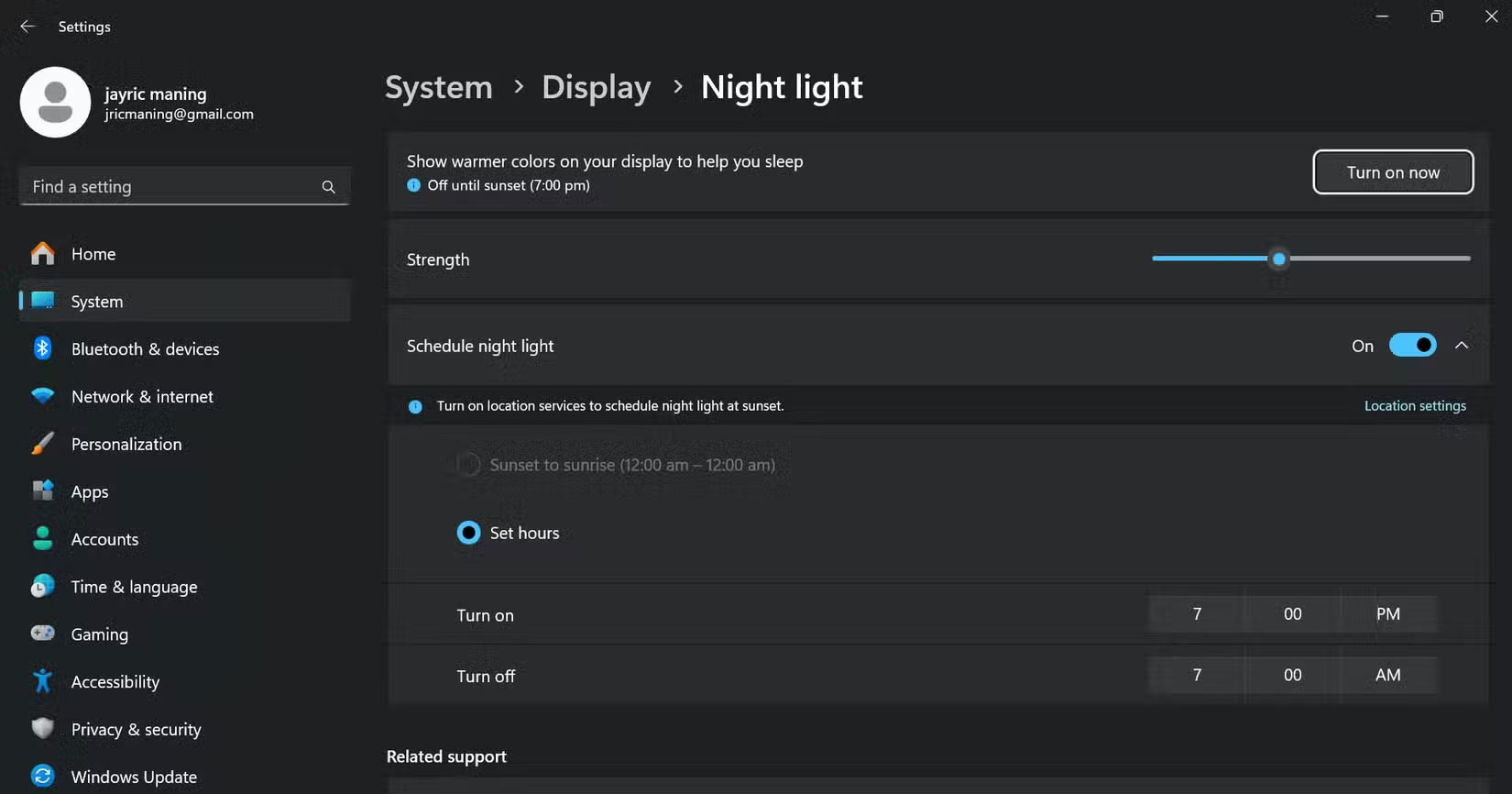
Night Light is a built-in feature in Windows that reduces the amount of blue light emitted from your screen by adjusting the display color to a warmer tone. It turns on automatically after sunset or during the hours you specify. By reducing the amount of blue light on your screen, Night Light can help reduce eye strain and discomfort, especially at night when you've spent many hours looking at a screen.
3. Virtual Desktop
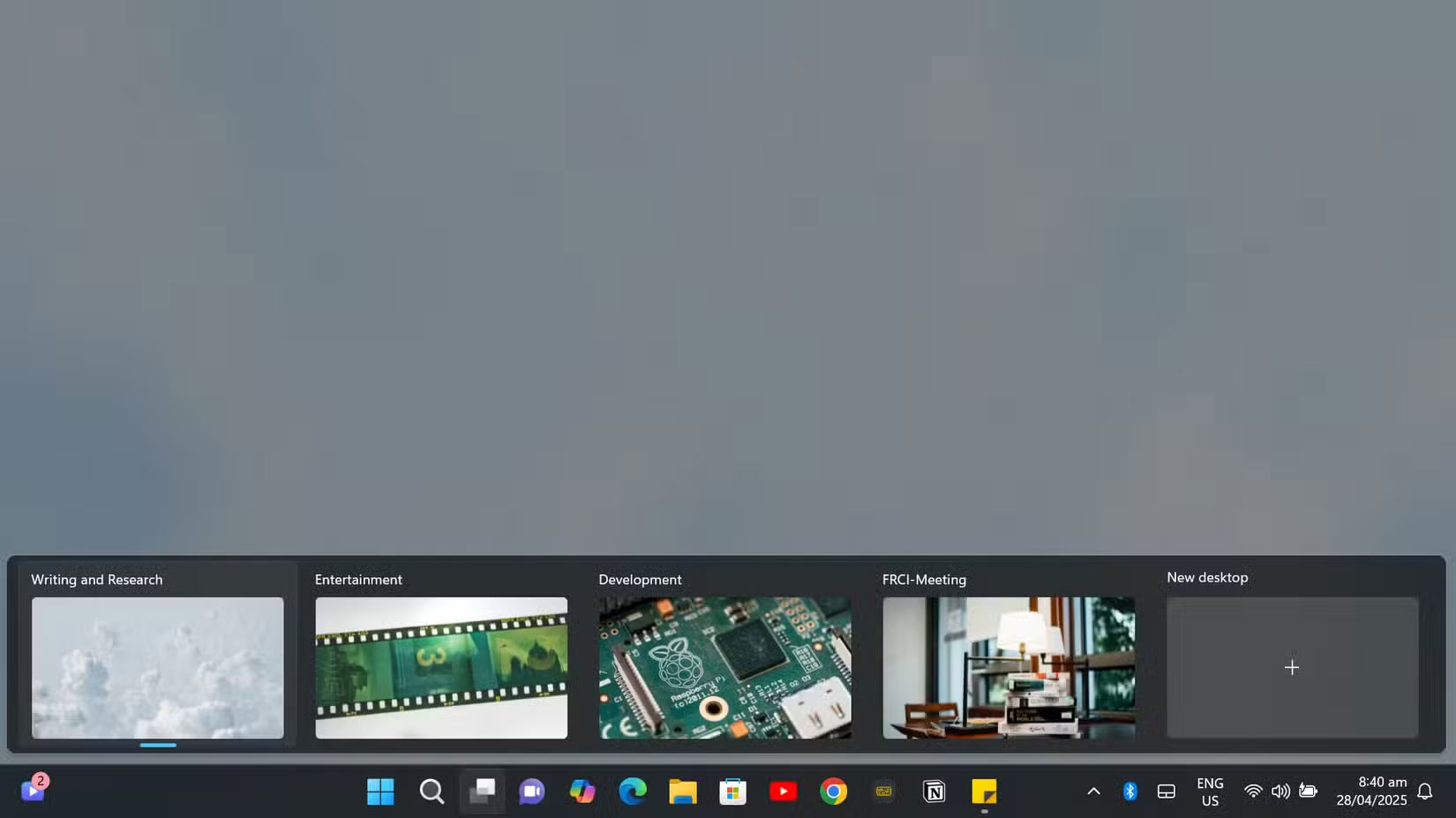
Virtual Desktops are a Windows productivity feature that will change the way you work. This productivity tool lets you organize your open windows into separate workspaces, helping you stay focused and clearly separate between different tasks. The great thing about these virtual desktops is that they are persistent and can be accessed even after restarting or shutting down your Windows computer.
2. Find My Device
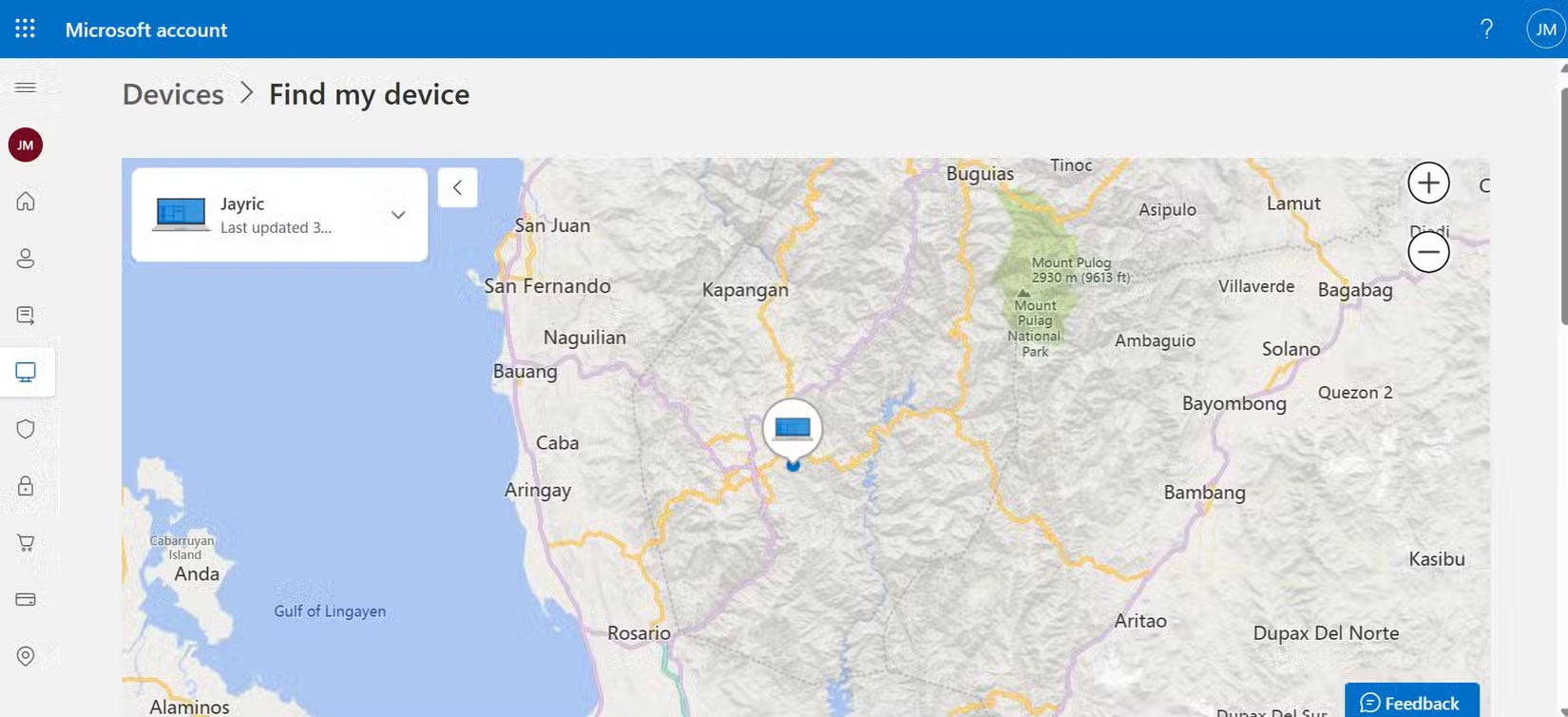
With so many people working remotely and taking their laptops with them everywhere, having a tracking feature in case of theft or loss is important. Windows offers a Find My Device feature that lets you track your laptop or lock it remotely. Still, this feature is often disabled by default.
1. Dynamic Lock on Laptop
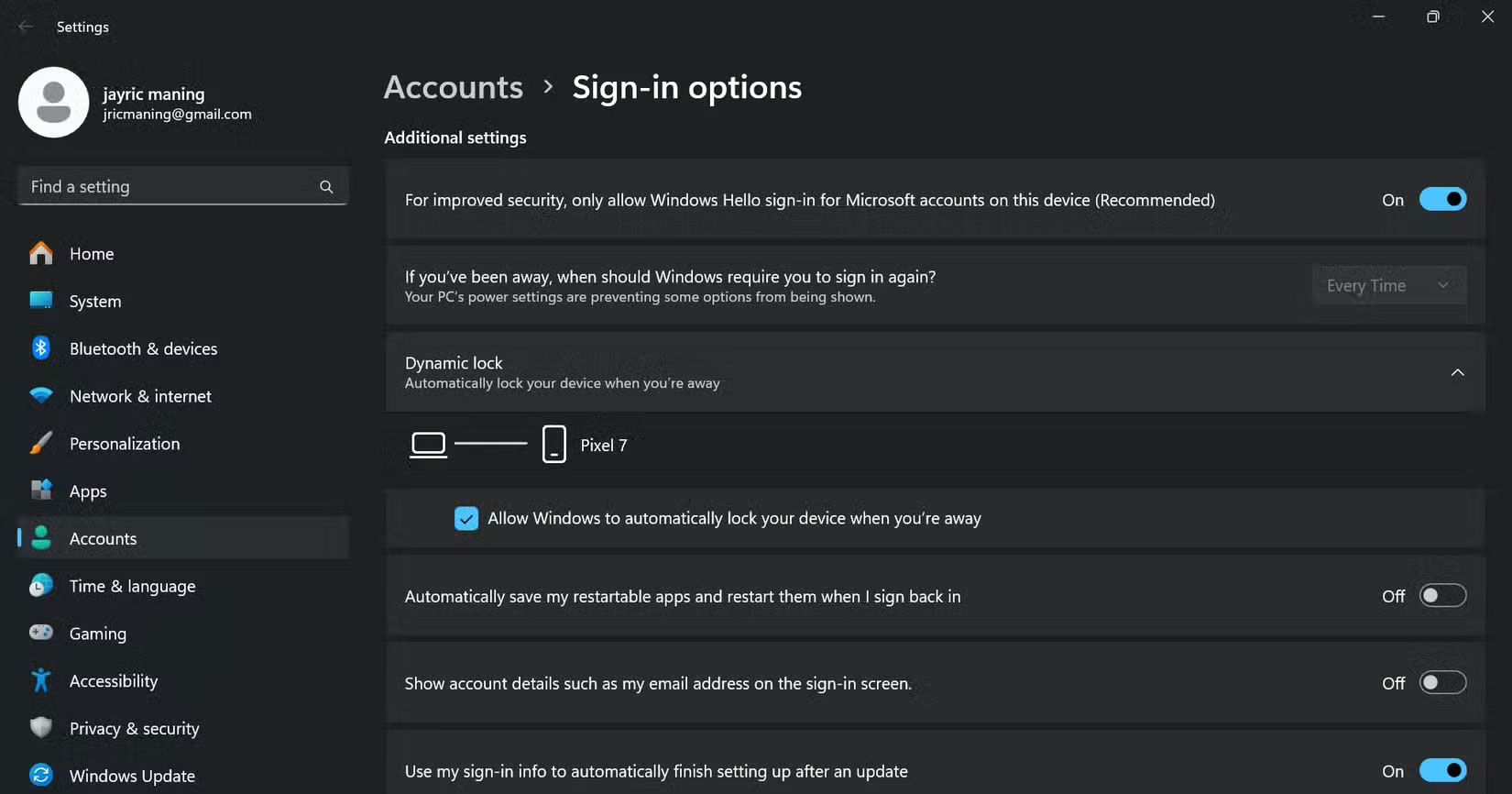
Another security and privacy feature you can implement on your computer is Dynamic Lock, which automatically locks your PC when you walk away, using your phone's Bluetooth signal as the trigger.
This feature is especially useful on laptops when you're in a co-working space. It gives you peace of mind because you do not have to worry about someone accessing your laptop while you're away for coffee or a bathroom break.
FAQ
How were the windows features you should turn on by default options evaluated?
The comparison focuses on practical features, ease of use, limitations, compatibility, and the type of user each option is most likely to help.
Which option is best for beginners?
Beginners should prioritize a clear interface, useful documentation, reliable support, and the core features needed for their first project.
Should I choose a free or paid option?
Start with a free option when it covers your needs. A paid plan may be worthwhile when you need advanced tools, commercial rights, collaboration, or professional support.
Related Articles
 How to Enable or Disable Windows Features on Windows 105 minutes read
 7 Windows 11 Features That Should Be Enabled by Default7 minutes read
 How to Turn on, Turn Off Location Sensing on Windows 7 and4 minutes read
 6 Default Settings You Should Turn Off in iPhone5 minutes read
 8 PowerToys Features Microsoft Should Include by Default in Windows 117 minutes read
 How to Build a Complete Productivity System Using Windows 11's Default Features7 minutes read
Reader Comments 0
Sign in with email or Google to join the discussion.